 ASPNetWorld

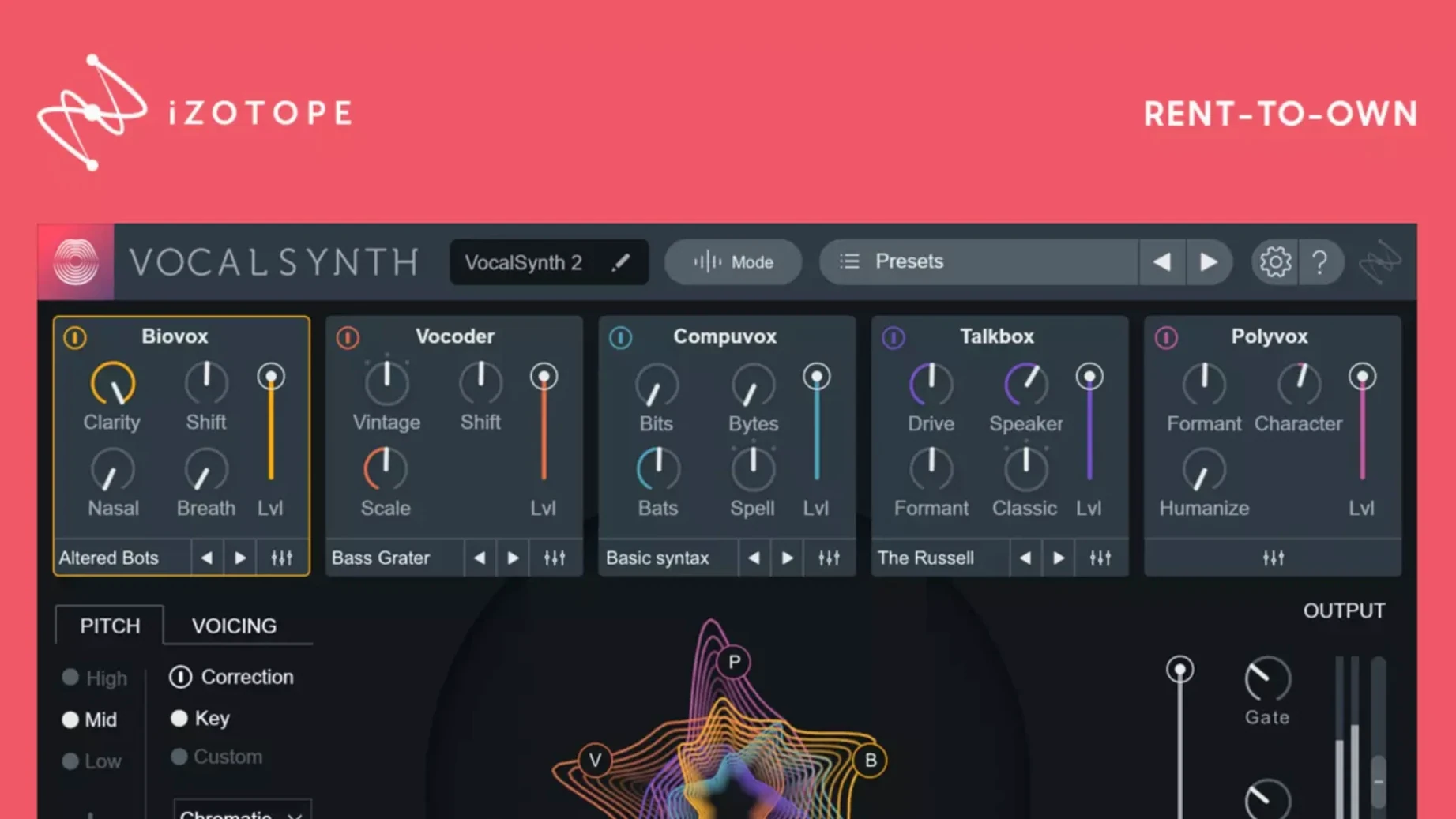
You have a lead vocal that feels a touch too polite for the chorus. Drop VocalSynth 2 directly onto the track and dial in a blend of the Vocoder module with a soft Polyvox layer — the vocal thickens without losing its core identity, the spectral display pulsing in response to the vowel sounds as they change. On the next verse, you automate the wet/dry mix to pull the effect back, keeping the verse intimate before the chorus swells again.
On a parallel effects bus, the plug-in really stretches its legs. Send a handful of backing vocals to a dedicated aux, load VocalSynth 2 and switch the processing mode to Sidechain. Now the harmonies pulse and duck in rhythm with the kick drum, while the Compuvox module adds a grainy, glitchy texture that sits behind the main vocal. Because the five modules — Biovox, Vocoder, Compuvox, Talkbox and Polyvox — are mixable, you can stack a robotic whisper underneath a smooth synthetic pad and balance them with the on-board faders.
When a production calls for overt, locked-in synthetic harmonies, switch to MIDI mode. Feed the plug-in a chord progression from your keyboard and VocalSynth 2 forces the incoming vocal to follow those pitches in real time, turning a simple spoken phrase into a harmonised synth hook. It is a processor that works as happily on a single insert as it does spread across a project's routing, feeding drum buses, synth groups and background vocal chains with the same set of tonal colouring tools.
Which Mac users really click with VocalSynth 2
Bedroom producers making hyperpop, glitchy electronica or pitched-down R&B tend to bond with VocalSynth 2 within the first session — the plug-in hands them a palette of synthetic vocal colours that would otherwise need three or four separate processors and a lot of automation. Beatmakers who work primarily in Logic Pro or Ableton Live on Apple silicon also appreciate how leanly it sits on a channel; the native ARM build means they can layer four or five instances across a project without nudging the buffer size up.
Mixing engineers who already own Neutron or Ozone find it slots into a familiar workflow because the inter-plug-in communication lets them view VocalSynth 2's spectral output inside Tonal Balance Control. That connection alone makes it useful for anyone who masters their own mixes — you can see exactly how much mid-range energy a talkbox layer is adding before it clouds the snare. Sound designers and podcast producers occasionally pull it out for non-musical tasks too: processing a spoken word sample through Biovox with a slow LFO on the formant shift turns a dry voiceover into something that feels alien but still intelligible.
Small conveniences worth poking around for
A few touches inside VocalSynth 2 are easy to miss simply because the interface keeps them tidy. Right-click any module's level fader and you can lock it relative to the others, so when you drag the master wet/dry control the locked modules move together as a group. The spectral display itself is not just eye candy — click on a formant band and drag vertically to shift the emphasis of that band in the Biovox module directly, which is faster than reaching for the dedicated knobs when you are tweaking a single troublesome vowel.
In Auto mode, holding the Option key while clicking the Preserve Formants button toggles a gentler formant tracking that works better on breathy performances where the pitch detection might otherwise wobble between octaves. Another hidden helper: the output section's Soft Clip control is not just a safety limiter. Driving into it with the Polyvox module active adds a saturated, almost tape-like compression that tightens the low end of the synthetic layer without adding a separate saturation plug-in. If you use a trackpad, a two-finger horizontal swipe over the module faders adjusts the blend in fine increments — far less jumpy than dragging the virtual sliders with a single click.
Authorization vanishes after a macOS update
Authorization vanishes after a macOS update. Version 2.6.1 specifically fixed a case where users who updated from 2.5.0 found their existing authorisation suddenly unrecognised. If you hit this on an earlier build, installing the latest version and re-running the activation instructions included in the package sorts it; you do not need to uninstall first.
MIDI mode produces no sound. This usually means the track containing the vocal audio is not armed or the MIDI channel routing does not match. VocalSynth 2 listens on all MIDI channels by default, but if your DAW routes MIDI to a different track, the plug-in sits in silence. Check that the MIDI track's output points directly to the audio track holding the plug-in, not to a bus. For users who found a VocalSynth 2 crack floating around, missing MIDI response is often just a routing misconfiguration — double-check your DAW's track assignments and MIDI monitor to get everything talking.
Latency spikes in Sidechain mode. Sidechain processing relies on a second input signal, and some DAWs — particularly older Logic Pro sessions — introduce a round-trip delay when the sidechain source is a bus rather than a direct track output. Feeding the sidechain from a dedicated audio track instead of a summed aux typically clears this up. A handful of people searching for a vocalsynth 2 free download have noted stuttering on Intel Macs running large sessions; freezing the source vocal track before engaging Sidechain mode lowers the CPU load enough to keep playback smooth.
A start-to-finish workflow: thickening a thin chorus vocal
Imagine a chorus vocal recorded on a small-diaphragm condenser — clear, but lacking the weight the track demands. Here is one path through VocalSynth 2 that builds thickness without burying the original performance.
- Insert VocalSynth 2 on the vocal channel and set the processing mode to Auto. This lets the plug-in track pitch and formants directly from the incoming audio rather than waiting for MIDI or a sidechain trigger. The spectral display lights up, showing the vowel map of the performance.
- Solo the Biovox module and dial the mix to about 40%. Biovox resynthesises the vocal using a physical model of the human vocal tract. Pull the Breathiness control up to 25% and lower the Nasality slightly — this adds a husky texture without making the singer sound blocked up. The goal here is reinforcement, not a cartoon double.
- Bring in the Polyvox module at 30% with the octave selector set to -12. Polyvox generates a harmonised synthetic layer beneath the original pitch. At an octave down and low in the blend, it acts more like a subharmonic synth than an obvious harmony generator. Use the module's filter to roll off everything above 800 Hz so the layer stays out of the way of the main vocal's presence range.
- Add a touch of Talkbox at 15%, band-limited between 400 Hz and 2 kHz. The Talkbox module imparts a throaty, vowel-shaped resonance that mimics classic hardware talkbox units. Setting it low in the mix with a restricted frequency range tightens the midrange rather than calling attention to itself. The spectral display will show the energy concentrating in that band as the singer moves through different vowel shapes.
- Engage the Soft Clip control in the output section until you see about 2 dB of reduction on the loudest syllables. This catches any stray peaks from the combined module outputs and adds the subtle saturation that glues the layers together. The chorus now has a weight that was absent before, while the original vocal remains front and centre — the synthetic layers support rather than replace.
If the blend feels too static between verse and chorus, automate the Polyvox and Talkbox faders down during the verses and push them up only where the arrangement demands more density. A few producers who grabbed a VocalSynth 2 torrent have shared variations on this chain for lo-fi house vocals, swapping the Biovox module for Compuvox and introducing a slow phaser on the output — the plug-in does not mind how grimy the end result gets.
Version 2.6.1 is a maintenance update that fixes a niggling authorisation issue. Some users who updated from version 2.5.0 found that their existing licence was not recognised; this release resolves that problem so the plug-in loads without interruption.
- Supports both Apple Silicon (ARM) and Intel (x86) 64-bit processors
- Interface language: English
Questions I keep hearing
Does VocalSynth 2 work natively on Apple Silicon Macs?
Yes, it supports both ARM (Apple Silicon) and x86 64-bit architectures, so it runs natively on newer Macs without requiring Rosetta.
Questions from the class 0
Sign in or join the class to ask a question.
Nobody has asked anything yet. If you have used it on a real job, say what the file did.
Also on the VST Plugins shelf
The whole VST Plugins shelf VocalNet
Morphs a lead vocal with breathy samples to create an airier double without a second take.
VocalNet
Morphs a lead vocal with breathy samples to create an airier double without a second take.
 WaveLab Pro
Provides a dedicated mastering workspace with sample-accurate editing and analysis tools.
WaveLab Pro
Provides a dedicated mastering workspace with sample-accurate editing and analysis tools.
 Valhalla DSP Bundle
Offers nine plugins of reverb, delay, and modulation built on deep acoustic models.
Valhalla DSP Bundle
Offers nine plugins of reverb, delay, and modulation built on deep acoustic models.
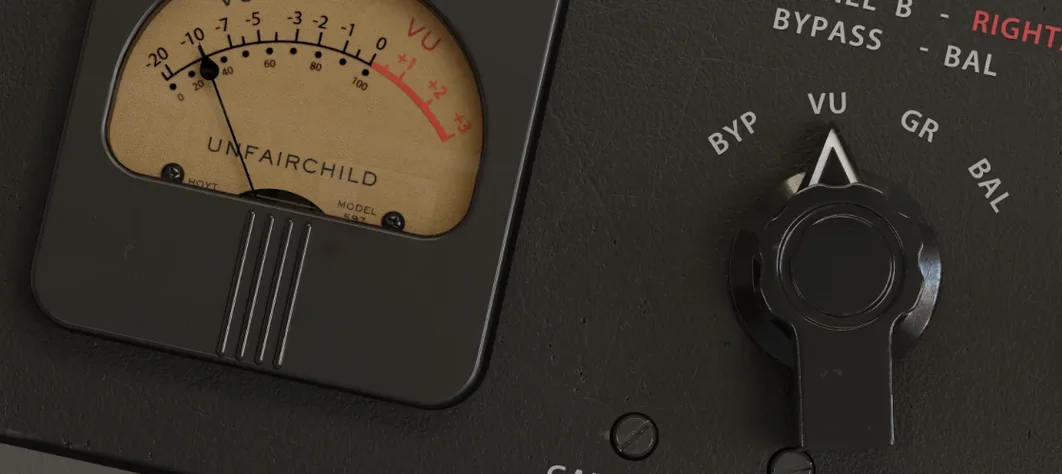 UnderTone Audio UnFairchild
Adds valve-style harmonic saturation you can season independently of the compression.
UnderTone Audio UnFairchild
Adds valve-style harmonic saturation you can season independently of the compression.
 Ultra Audio Ultra
Puts a wavetable synthesiser with simple controls onto your instrument track.
Ultra Audio Ultra
Puts a wavetable synthesiser with simple controls onto your instrument track.
 XLN Audio Life
Generates rhythmic patterns from any sound you feed it, turning everyday audio into a drum machine.
XLN Audio Life
Generates rhythmic patterns from any sound you feed it, turning everyday audio into a drum machine.
 UJAM Symphonic Elements STRIIIINGS
Blends orchestral strings with processed textures for cues that breathe and move.
UJAM Symphonic Elements STRIIIINGS
Blends orchestral strings with processed textures for cues that breathe and move.
 uJAM Cinedream
Layers ambient guitar textures that sit beneath a scene rather than stepping into the spotlight.
uJAM Cinedream
Layers ambient guitar textures that sit beneath a scene rather than stepping into the spotlight.