 ASPNetWorld
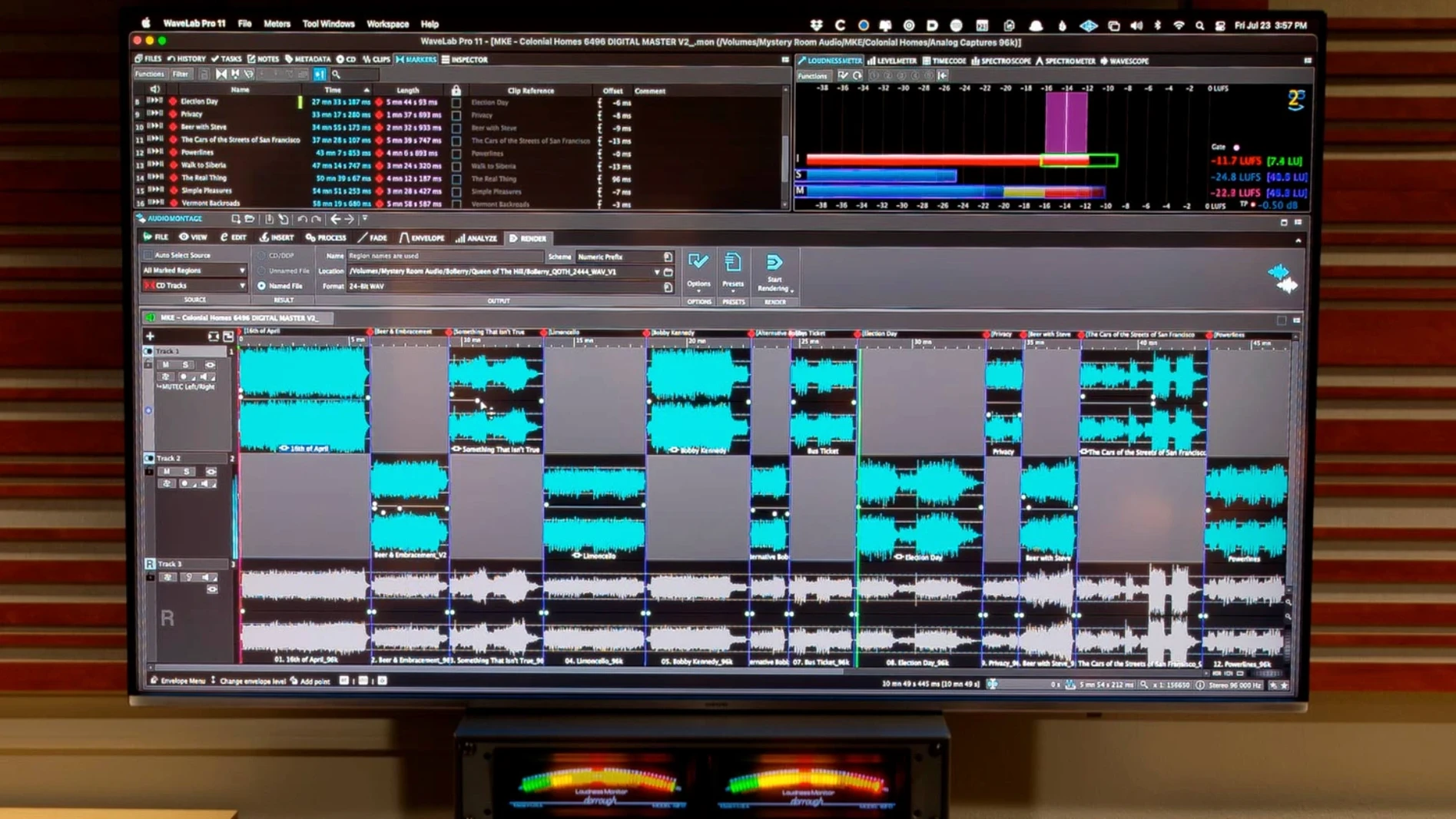
If you have spent any time in a DAW, you already know half the story here. WaveLab Pro takes the editing precision you expect from a multitrack environment—think sample-accurate cuts and drag-and-drop convenience—and places it inside a dedicated mastering workflow. It is not a recording studio; it is the room you walk into after the mix is finished, where the focus shifts entirely to final polish, loudness, and assembly. Before you install it, a few practical questions tend to surface.
- Does it handle the surgical edits mastering actually needs? Yes, through spectral editing. You can isolate and clean up specific frequencies in a file without touching the surrounding material, which is essential for removing clicks or hums from a finished stereo mix.
- How does it fit alongside other Mac audio tools? The montage lets you drag audio ranges between applications, with or without effects printed in. Copy and paste behaves the way you would expect across platforms, so you can grab a processed section and drop it into a video editor without an extra bounce step.
- What about the new Dolby Atmos features? Version 13.0.30 adds the ability to load a personal HRTF profile for binaural monitoring, and master montages can now include channel-based surround files. That means you can check an Atmos mix on headphones with a more accurate sense of spatial placement.
- Is navigation between files and montages a hassle? File and montage navigation can be synchronized, so when you scroll through a long assembly, the waveform view stays locked to the correct source file.
- Will it run on an older Mac? The current build requires macOS 13 or later, and it supports both Intel and Apple Silicon machines natively.
- Does it speed up working with quiet passages? There is an automatic scaling option that adjusts waveform peaks to fill the visible area, so even a low-level segment becomes easy to edit without manually zooming in.
These are the nuts and bolts that matter when you move from mixing into mastering. WaveLab Pro is built around that final stage, where precision and monitoring accuracy define the result.
How WaveLab Pro sits alongside other Mac mastering tools
Put three mastering editors in a room and you will get four opinions about software. On the Mac, the conversation usually circles around WaveLab Pro, Apple's own Logic Pro, and iZotope RX. They overlap, but their centre of gravity is different, and that shapes how you actually work day to day.
Logic Pro is a full DAW that happens to include a capable mastering channel strip and a basic waveform editor. You can absolutely finish a master inside Logic, and plenty of people do. What you miss is the dedicated montage environment: the kind of place where you assemble an album sequence, set track spacing, crossfade CD frames, and write DDP images without a workaround. Logic's editor is fine for trimming a stereo file; it is not built for forensic spectral work or for dropping markers that translate directly into a Red Book-compliant master. WaveLab Pro fills that gap without asking you to leave the mastering mindset.
iZotope RX is the opposite shape. It is a surgical repair suite first and a mastering environment second — if at all. Its spectral editing is arguably deeper in some areas, particularly dialogue cleanup, but RX has no montage, no DDP export, and no integrated loudness metering that follows EBU R128 throughout an entire album assembly. A common pairing is to use RX as a standalone cleanup step, then bring the restored files into WaveLab Pro for sequencing, metering, and final limiter shaping. The two apps share audio via drag and drop quite happily, and because WaveLab Pro reads the same file formats, there is no format conversion tax along the way.
Then there is the ARA angle. If you already mix in Cubase, Nuendo, Reaper, or Studio One, WaveLab Pro appears as a plug-in directly in the project. You can select a range, open it in WaveLab's spectral editor, clean up a click, and return to the session without a single export dialog. That instant round trip is something neither Logic nor RX offers with the same fluidity on the Mac.
Moving audio between RX, WaveLab Pro, and Apple Music without losing context
Most mastering engineers do not live inside a single application. A typical afternoon might involve cleaning a file in RX, assembling the album in WaveLab Pro, then dropping a reference into the Apple Music app or a video editor to check how the master translates. WaveLab Pro's clipboard and drag-and-drop architecture makes this surprisingly frictionless. A processed audio range can be copied with effects printed in and pasted directly into Final Cut Pro or DaVinci Resolve; the audio arrives exactly as it sounded in the montage, no intermediate WAV export required.
On the macOS side, there are a few quiet integrations worth knowing. WaveLab Pro respects Core Audio's sample rate switching, so if you open a 96 kHz file while your interface is set to 44.1 kHz, macOS prompts the switch automatically — provided your interface driver supports it. The app also plays nicely with Audio Units plug-ins alongside its own VST3 library, which means that AU-only processors you picked up from a smaller developer will load without a wrapper. If you use the Finder's column view to audition files, WaveLab Pro registers as a preview handler for WAV and AIFF, so pressing the spacebar on a mastered file plays it back through your monitoring chain rather than the Mac's built-in speaker, assuming your interface is the system output.
Plug-in validation hangs on first launch and how to fix them
No software is entirely free of head-scratchers, and WaveLab Pro has a handful that show up in forums and support threads regularly.
Plug-in validation hangs on launch. On first run after installation, WaveLab Pro scans all installed VST3 and AU plug-ins. If you have a large collection, this can take several minutes, and a single incompatible plug-in can stall the process entirely. The quickest fix is to hold Shift immediately after double-clicking the application icon; this launches WaveLab Pro in safe mode with plug-in scanning disabled, letting you open the plug-in manager and blacklist the troublemaker.
Montage playback glitches with high-resolution files. When a montage contains 192 kHz files alongside 48 kHz material, real-time SRC can push the CPU harder than expected. If you hear clicks or dropouts, open the Audio Connections dialog and check that the montage sample rate matches your interface's current setting. A mismatch forces the audio engine to resample everything on the fly. Setting the montage rate to the interface rate before importing files nearly always clears it up.
Binaural monitoring sounds off with third-party HRTF profiles. Version 13.0.30 added support for personal HRTF profiles in Dolby Atmos monitoring — a genuinely useful feature. But not all HRTF files are formatted the same way, and an incorrectly formatted SOFA file can produce a stereo image that feels skewed or phasey. Steinberg's documentation lists the expected SOFA convention; if your file came from a different measurement system, re-exporting it through the Spatial Audio Designer utility (freely available) usually sorts out the channel mapping.
Hold Cmd while dragging a clip edge for faster trimming
WaveLab Pro has been around long enough to accumulate quiet, clever touches that do not make the feature list but reward the curious. Here are a few that are worth knowing.
- Hold Cmd while dragging a clip edge in the montage, and the fade length snaps to zero-crossing points. It is a tiny thing, but it saves a surprising amount of clean-up when you are sequencing tracks with tight segues.
- The Master Transport panel shows a real-time loudness history graph. Dragging the playhead backwards across the graph soloes that exact moment, which is far quicker than typing timecode when you need to check how a chorus hits after the limiter.
- If you frequently use the same plug-in chain, save it as a Master Section preset and assign it to a keyboard shortcut. Two keystrokes loads your entire metering and processing chain onto any file or montage, complete with routing.
- The Error Correction tab in the CD window quietly checks for common Red Book violations — gaps shorter than two seconds, index marker placement, subcode errors — before you export a DDP image. It has caught more last-minute mistakes than any mastering engineer would care to admit.
These are the kinds of things you stumble across in the second or third week of use, often by accident. Once you know they are there, they tend to become muscle memory.
- macOS 13 or later
- Apple Silicon or Intel processor
Questions I keep hearing
Does WaveLab Pro support Apple Silicon natively?
Yes, the current version runs natively on both Apple Silicon and Intel Macs, provided you are on macOS 13 or later.
Questions from the class 0
Sign in or join the class to ask a question.
Nobody has asked anything yet. If you have used it on a real job, say what the file did.
Also on the VST Plugins shelf
The whole VST Plugins shelf VocalSynth 2
Thickens a vocal with vocoder and polyvox layers while keeping its core identity intact.
VocalSynth 2
Thickens a vocal with vocoder and polyvox layers while keeping its core identity intact.
 VocalNet
Morphs a lead vocal with breathy samples to create an airier double without a second take.
VocalNet
Morphs a lead vocal with breathy samples to create an airier double without a second take.
 XLN Audio Life
Generates rhythmic patterns from any sound you feed it, turning everyday audio into a drum machine.
XLN Audio Life
Generates rhythmic patterns from any sound you feed it, turning everyday audio into a drum machine.
 XLN Audio XO
Sorts thousands of drum samples into a map and builds beats from them.
XLN Audio XO
Sorts thousands of drum samples into a map and builds beats from them.
 Xpand!2
Lets you build rich sounds by layering up to four independent instrument parts within a single patch.
Xpand!2
Lets you build rich sounds by layering up to four independent instrument parts within a single patch.
 Valhalla DSP Bundle
Offers nine plugins of reverb, delay, and modulation built on deep acoustic models.
Valhalla DSP Bundle
Offers nine plugins of reverb, delay, and modulation built on deep acoustic models.
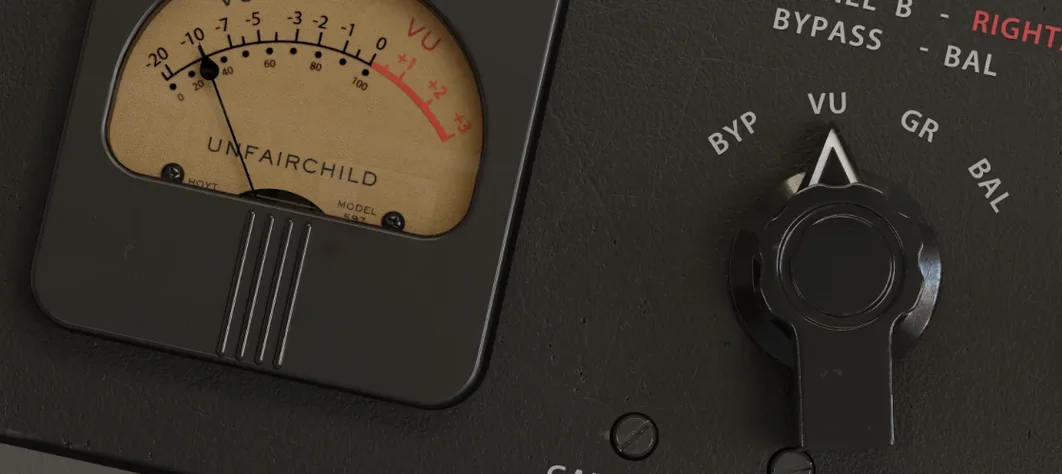 UnderTone Audio UnFairchild
Adds valve-style harmonic saturation you can season independently of the compression.
UnderTone Audio UnFairchild
Adds valve-style harmonic saturation you can season independently of the compression.
 Ultra Audio Ultra
Puts a wavetable synthesiser with simple controls onto your instrument track.
Ultra Audio Ultra
Puts a wavetable synthesiser with simple controls onto your instrument track.