 ASPNetWorld

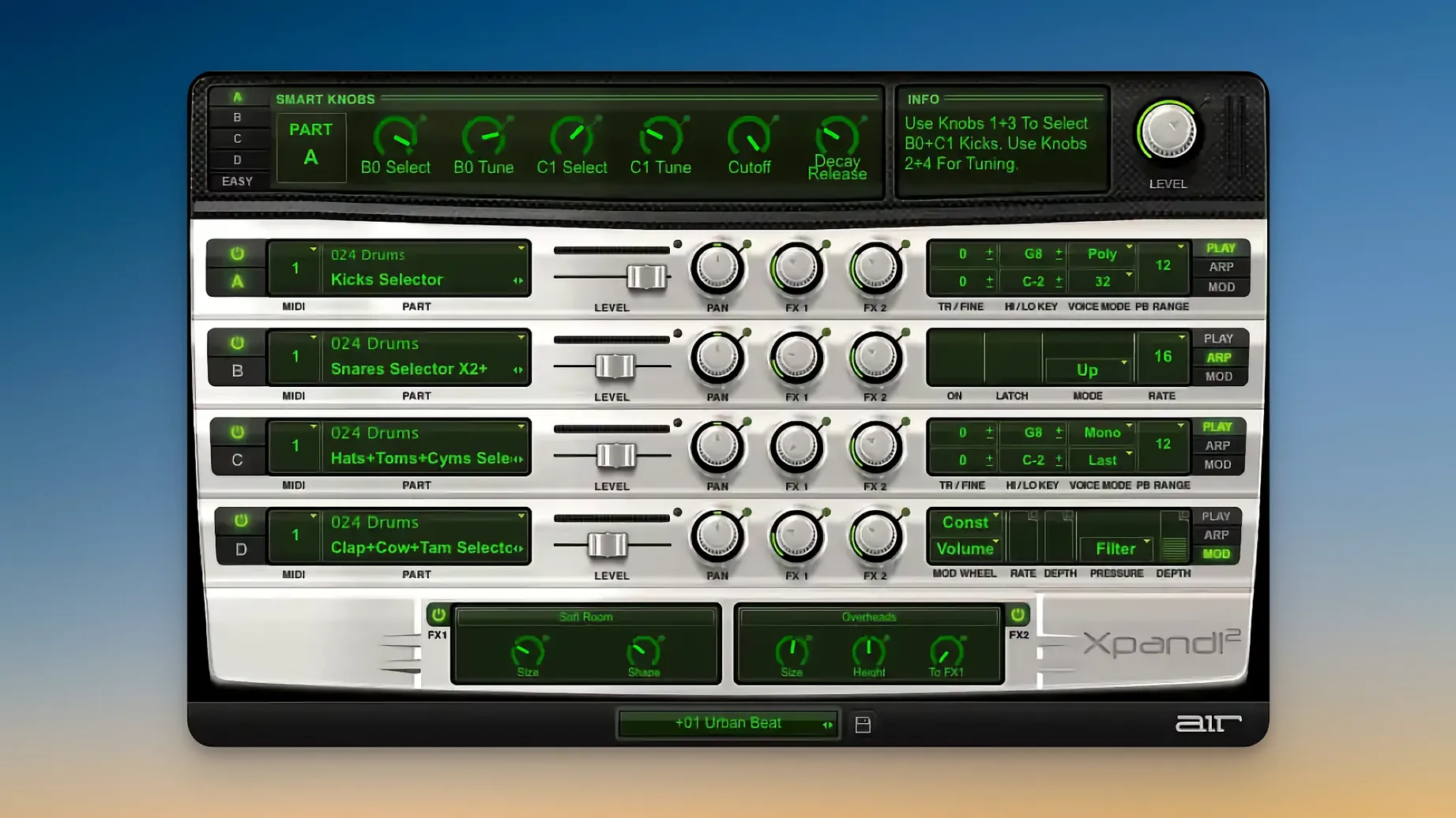
If you have spent any time with the stock instruments in Pro Tools, Xpand!2 will feel like a familiar workshop bench that has quietly gained a few extra drawers. Originally born as part of the Creative Collection for Avid, it is a multitimbral plugin where a single patch can hold four independent parts, each with its own note range, arpeggiator, modulation and effects chain.
- Four parts per patch mean a bass pulse, a wavetable pad and a percussive stab can sit in one instance without fighting for the same keys.
- Each polyphonic part supports up to 64 voices, so sustained chord work does not choke the engine.
- The arpeggiator on every slot turns a held triad into movement, which is often quicker than drawing MIDI by hand.
- 50 effects — reverb, delay, chorus and the slightly unhinged Chaos Delay among them — let you finish a sound without leaving the plugin.
- Six smart controls give you a small, sensible set of macro edits for when you want a change in feel rather than a full patch rebuild.
- Over 2,500 presets across 29 categories make it a quick starting point for a mix, not a deep sound design session.
The synthesis engine blends subtractive, FM, wavetable and sample playback, so the character can shift from warm and rounded to brittle and digital within a few preset clicks. Pitch Bend, Aftertouch and MIDI Learn are all supported, and the scalable interface keeps things comfortable on a modern Apple Silicon display.
Adjust these assumptions before they interrupt your flow
Out of the box, Xpand!2 makes a few assumptions about how you want to work. A handful of them are worth questioning before you build your first multi-part patch, because adjusting them later can break the flow of an idea.
The first stop is the global voice mode. Each part defaults to polyphonic, which is generous but can muddy a busy arrangement. If you know a part will play a lead line or a bass pulse, switch it to monophonic and set the priority that suits the phrase — Last for legato lead work, Lowest for a bass part that should anchor the bottom of a chord voicing. The difference is immediate: notes no longer bleed into each other, and the arpeggiator behaves more predictably when it is not competing with held notes.
Next, visit the note range for each slot. Every part ships with the full keyboard assigned, which means a pad and a kick drum will happily overlap unless you carve out zones. Setting a low split for bass and an upper split for a lead turns one instance into a self-contained performance patch, with no need for additional MIDI routing in your DAW.
The arpeggiator defaults are worth a tweak, too. The rate syncs to host tempo by default, which is sensible, but the octave range sits at one. Pushing it to two octaves and adjusting the gate length from the default halfway point to something shorter can transform a static chord into a rhythmic figure that breathes. You will find these under the arpeggiator panel for each slot — small fader movements, large musical results.
Finally, open the effects chain on a part you intend to keep and check the routing order. The two effect slots are serial by default; swapping a chorus into the first slot and a delay into the second gives a different texture than the reverse. It is a tiny detail that most presets ignore, and it is worth a minute of your first session.
Hidden shortcuts behind interface elements that don’t advertise themselves
Xpand!2 has a habit of tucking useful shortcuts behind interface elements that do not advertise themselves. A few of them save real time once they become muscle memory.
Double-clicking any knob or fader returns it to its saved value. This works on the six smart controls, the arpeggiator sliders and the effect parameters, and it is often quicker than hunting for an undo command when a tweak has wandered too far from the patch designer's intention.
The smart controls themselves are pre-mapped per preset, but right-clicking any of them opens a MIDI Learn assignment without requiring a trip to a settings menu. If you use a hardware controller, you can map cutoff, resonance and effect mix to physical knobs in seconds and have the mappings persist per instance. For live performers who want to shape a sound while playing, this is the feature that keeps the mouse out of sight.
A less obvious trick: holding Shift while adjusting a parameter gives you fine control, which is especially useful on the arpeggiator rate and the effect send levels where small increments change the groove rather than the volume. The interface does not advertise this, but it works across the board.
Patches load with all four parts active and unmuted. The mute buttons — the small M icons next to each slot — are easy to overlook, but they are your best friend when auditioning layers. Mute three parts, dial in the one you care about, then bring the others back. It is faster than adjusting four volume faders and guessing which layer is stepping on the mix.
One more convenience: the preset browser has a Favourites star that is invisible until you hover over a patch name. Once you have found a handful of go-to sounds — a string pad that sits well in a sparse mix, a percussive mallet that cuts through without EQ — star them. The category system is broad, and a short Favourites list beats scrolling through 29 categories at two in the morning.
Straightforward fixes for the plugin’s friction points
Every plugin has its friction points, and Xpand!2 is no exception. Most of them have straightforward fixes once you know where to look.
The plugin window opens tiny on a high-resolution display. Although Xpand!2 supports HiDPI and Retina, the scaling does not always kick in automatically on first launch. Grab the bottom-right corner of the interface and drag it to a comfortable size; the setting sticks between sessions. If the corner handle is unresponsive, the host application may be running in Low Resolution mode — check that in the Finder's Get Info panel for your DAW.
A patch sounds different from what you remember in the demo. This is almost always a MIDI channel mismatch. Each part listens on its own channel by default, and if your keyboard or DAW track is sending on channel 1 while the part you want to hear is set to channel 3, you will get silence or the wrong layer. Open the part settings and either match the channel to your controller or set all parts to Omni mode while you are sketching ideas.
The arpeggiator produces a flammy, unmusical mess. When two or more parts have their arpeggiators active and are receiving the same MIDI notes, the rhythms can clash in ways that sound like a timing error. The fix is to disable the arpeggiator on parts that do not need it, or to set distinct note ranges so each arpeggiator responds to a different zone of the keyboard. The arpeggiator does not have a global on/off switch, so check each slot individually.
CPU usage spikes with four parts loaded. Xpand!2 is lighter than many modern synths, but four polyphonic parts with long-release reverb tails can still tax a busy session. Switch any part that does not need polyphony to monophonic mode, and reduce the release time on amplitude envelopes where the effect tail is doing the heavy lifting. Freezing or bouncing the track is the nuclear option, but the voice-mode and envelope tweaks usually buy enough headroom.
Presets disappear after an update or a system migration. The factory content lives in a fixed location, and if that path changes the browser shows empty categories. A reinstall of the content package resolves it, and the installer places everything where Xpand!2 expects to find it. User patches saved outside the factory folder are unaffected.
Native Apple Silicon support removes the translation overhead
Version 2.3.1 is a maintenance release that focuses on stability for Apple Silicon machines. The most noticeable change for anyone on an M-series Mac is that the plugin now runs natively, without the translation overhead that older versions carried. Loading times are shorter — a four-part patch appears almost instantly where earlier versions might have shown a spinner for a beat or two — and the CPU meter in your DAW tells a calmer story across a session.
Interface scaling, which was functional but occasionally glitchy in previous builds, now behaves predictably on Retina displays. The text renders sharply at any size, and the controls remain responsive when the window is resized mid-session. For anyone who moved from an Intel machine to Apple Silicon and kept an older Xpand!2 installer, the jump to 2.3.1 is the one that makes the plugin feel like it belongs on the new hardware rather than being tolerated by it.
Under the hood, the update tightens the MIDI handling, particularly for Aftertouch and Pitch Bend data arriving simultaneously across multiple parts. Earlier versions could exhibit a slight lag or a dropped message when all four slots received heavy controller data at once; the current build queues and processes them more reliably, which matters most for live performers who ride the pitch wheel while an arpeggiator runs.
The preset browser gained no new categories but received a handful of additional patches that lean into the wavetable and FM side of the engine — colder, more digital textures than the warm sample-based sounds that dominate the library. If you last used Xpand!2 a few years ago, the new material is worth a scroll, particularly in the Pad and SFX categories.
A small plan to turn 2,500 presets into a toolkit instead of a distraction
The temptation with a 2,500-preset instrument is to audition sounds for three hours and write nothing. A small plan for the first sessions turns the library from a distraction into a toolkit.
Day one, first hour: Pick a category you genuinely need — not the one that sounds most impressive in isolation. If you mix vocal-led tracks, start with the Pads and Strings categories and star six presets that leave space around 2 kHz. Build one four-part patch from those favourites, set the note ranges so they do not overlap, and save it as a user patch with a name that describes the mood, not the settings. You now have a starting point for every future session that needs a backdrop.
Day one, second hour: Do the same for a rhythmic category: Arpeggiated, Sequences, or Percussion. Build a patch where two parts handle pitched material and two handle noise or transient layers. Adjust each arpeggiator to a different octave range and gate length, then save that as a second user patch. With two custom patches — one atmospheric, one rhythmic — you can sketch a verse and chorus idea without opening another instrument.
Day two: Pick a single preset you like and reverse-engineer one part. Turn off the effects, open the synthesis engine for that slot, and see what the oscillator type and filter settings are doing. Swap a sample-based oscillator for a wavetable and listen to how the character shifts. The goal is not to design a sound from scratch but to understand what the smart controls are actually controlling when you twist them.
Ongoing habit: Whenever you build a part that works particularly well in a mix — a bass that sits without EQ, a lead that cuts without harshness — save that part's settings as a preset within the slot. Xpand!2 lets you save and load individual parts, not just full four-part patches, and a personal library of go-to parts builds faster than you expect. Over a few weeks, you stop browsing the factory library and start reaching for your own tried-and-tested layers.
Spend the quiet moments of those first days setting up MIDI Learn for the six smart controls if you own a controller. Map cutoff to a knob, resonance to another, and the arpeggiator rate to a fader. When the muscle memory kicks in, editing a sound becomes a physical act rather than a screen interaction, and that is where Xpand!2 starts to feel less like a preset player and more like an instrument in its own right.
- macOS 13 or later
- Apple Silicon
Questions I keep hearing
Does Xpand!2 work on Apple Silicon Macs?
Yes, it requires macOS 13 or later and runs on Apple Silicon.
Can I use more than one sound at a time in Xpand!2?
Yes, it is multitimbral, so each patch can hold four parts with independent note ranges, arpeggiators and effects.
Questions from the class 0
Sign in or join the class to ask a question.
Nobody has asked anything yet. If you have used it on a real job, say what the file did.
Also on the VST Plugins shelf
The whole VST Plugins shelf XLN Audio XO
Sorts thousands of drum samples into a map and builds beats from them.
XLN Audio XO
Sorts thousands of drum samples into a map and builds beats from them.
 XLN Audio Life
Generates rhythmic patterns from any sound you feed it, turning everyday audio into a drum machine.
XLN Audio Life
Generates rhythmic patterns from any sound you feed it, turning everyday audio into a drum machine.
 WaveLab Pro
Provides a dedicated mastering workspace with sample-accurate editing and analysis tools.
WaveLab Pro
Provides a dedicated mastering workspace with sample-accurate editing and analysis tools.
 VocalSynth 2
Thickens a vocal with vocoder and polyvox layers while keeping its core identity intact.
VocalSynth 2
Thickens a vocal with vocoder and polyvox layers while keeping its core identity intact.
 VocalNet
Morphs a lead vocal with breathy samples to create an airier double without a second take.
VocalNet
Morphs a lead vocal with breathy samples to create an airier double without a second take.
 Valhalla DSP Bundle
Offers nine plugins of reverb, delay, and modulation built on deep acoustic models.
Valhalla DSP Bundle
Offers nine plugins of reverb, delay, and modulation built on deep acoustic models.
 UnderTone Audio UnFairchild
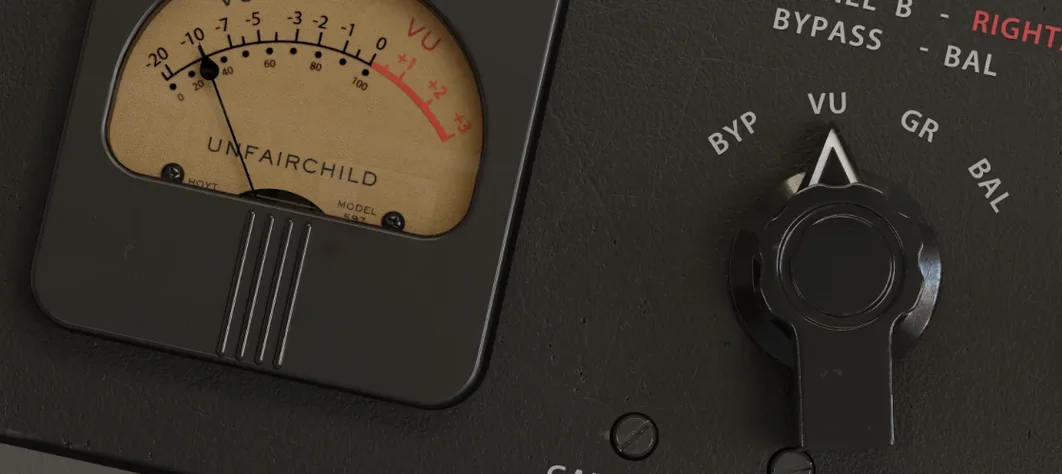
Adds valve-style harmonic saturation you can season independently of the compression.
UnderTone Audio UnFairchild
Adds valve-style harmonic saturation you can season independently of the compression.
 Ultra Audio Ultra
Puts a wavetable synthesiser with simple controls onto your instrument track.
Ultra Audio Ultra
Puts a wavetable synthesiser with simple controls onto your instrument track.