 ASPNetWorld
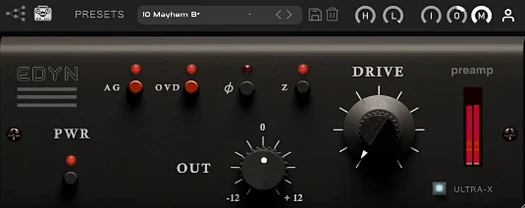
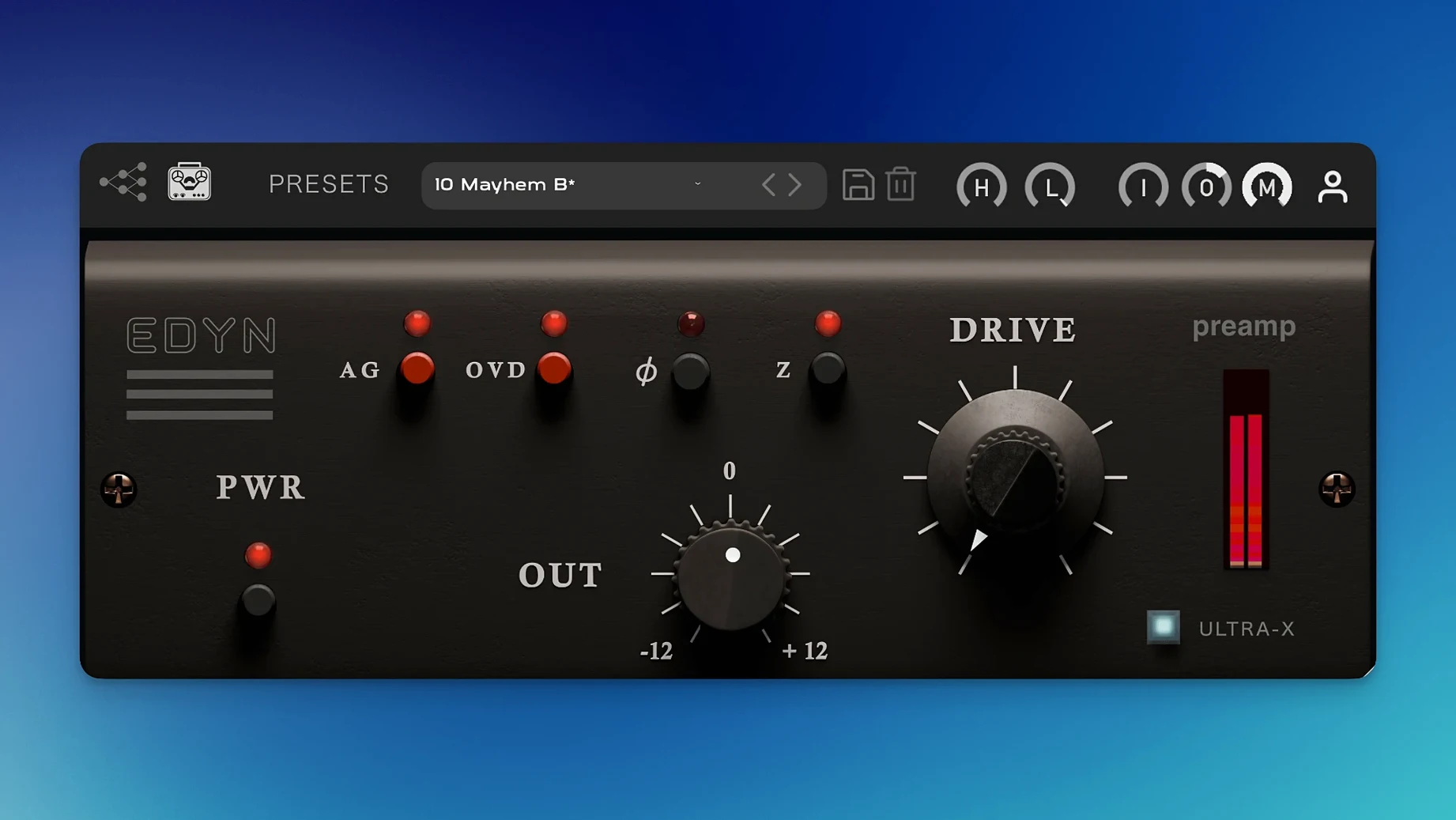
Digital recordings can sometimes feel a little too polite. The transients are pristine, the frequency range is ruler-flat, but the weight and urgency of a signal pushed through physical circuitry is absent. EDYN steps into that gap, offering the sound of a discrete transistor preamp from a celebrated American console without leaving the box.
Shaping the console sound
- Set the input level — Start by driving the input until the meters show a healthy signal. The Input control is your first point of contact with EDYN's character; push it gently for a touch of sheen or harder to wake up the saturation circuit.
- Dial in the Drive — This is where the desk's personality lives. The Drive module introduces harmonic saturation that thickens the low end and adds a fast, articulate bite to transients. For a more aggressive texture, engage the OVD overdrive mode, which pushes the preamp model into a rawer, denser distortion.
- Blend with the Mix control — Parallel processing is built right in. Use the Mix knob to blend the saturated signal with the dry original. This is invaluable on a drum bus where you want the console's punch without losing the clarity of the overheads, or on a vocal that needs presence but not obvious grit.
- Adjust the final output — The Output control lets you compensate for the gain added by the Drive stage, keeping your level consistent as you move from subtle warming to full-on colouration.
- Check phase if needed — A phase inversion switch is tucked on the interface, handy for multi-mic sources where the plug-in's processing latency might shift alignment.
Across a mix bus, what you notice first is a forward, slightly bright midrange that lifts vocals and snares without harshness. The low end gains a rounded solidity, and the transient response stays quick — cymbals and picking sounds retain their attack rather than softening into a blur. It is a sound that flatters material which needs a bit of analogue nerve, and with the Mix control at your disposal, it is easy to season rather than smother.
Who gravitates toward EDYN, and why
EDYN is not a subtle tool that only a mastering engineer squinting at a spectrogram would appreciate. It is for people who mix with their ears and trust the feeling of a track more than a textbook curve. Producers working in the box who miss the weight of a hardware desk when pushing up a fader will find the most immediate reward. The plugin excels on transient-heavy material — drums, percussion, plucked strings — where the fast response of the discrete transistor model keeps the attack intact while the saturation fills out the body. Vocal producers who want presence without reaching for a high-shelf EQ are another natural audience; the bright midrange characteristic of the modelled console lifts a voice forward in a dense arrangement without introducing the brittle edge that a pure treble boost can bring. Electronic musicians working with soft synths and samples can use EDYN to inject a layer of analogue unpredictability into sounds that were born entirely in the digital domain, giving them a tactile quality that sits more comfortably in a mix alongside recorded instruments.
A vocal saturator chain from scratch
Suppose you have a lead vocal that needs to cut through a busy chorus without simply turning it up. EDYN can act as the core of a parallel saturation chain that adds density without burying the consonants. Insert the plugin on a send, not directly on the channel, so you can shape the processed signal independently. Start with the input impedance set to 50 ohms — this loads the virtual circuit differently and produces a slightly tighter, more focused tone than the 200-ohm setting, which sounds a touch more open and is worth trying on a second pass. Push the Input control until the loudest phrases kiss the yellow on the meter, then introduce the Drive knob slowly while the vocalist is singing the chorus. Listen for the point where the lower midrange thickens and the sibilants gain a silvery edge without turning harsh. Engage the high-pass filter at around 100 Hz to prevent the saturated low end from clouding the send, then use the Mix control set fully wet and blend the return fader up underneath the main vocal. The result is a voice that feels doubled in weight, with extra harmonic information carrying it over the guitars and synths, yet the articulation stays intelligible because the dry signal provides the transient detail.
A drum bus, an hour before deadline
A mixing engineer is finishing a rock track late in the evening, and the drum bus sounds capable but a little static — the overheads are airy, the close mics are punchy, but the kit does not gel into a single instrument the way it did on the reference track. They insert EDYN as the first plugin on the drum bus, before any bus compression. With the OVD overdrive mode switched off for now, they raise the Input until the snare transients light up the saturation circuit, then push the Drive to about eleven o'clock. The kick drum immediately gains a rounded, chesty weight, and the snare's crack becomes more assertive without needing a transient shaper. The toms, which previously sounded a little cardboardy, now carry a resonant bloom that reminds the engineer of tape. They toggle the phase inversion briefly to check against the bass DI, then leave it off. A quick A/B comparison confirms the kit now sounds like it is playing in the same room, with a forward momentum that the raw mix lacked. They save the session, export a reference, and send it to the band before midnight.
Version 1.0.2 brings a raft of stability fixes alongside native Apple Silicon performance improvements.
- Offline rendering on the master output no longer produces errors.
- Multiple instances in Logic Pro won't cause crashes, and AU validation issues on macOS Sequoia are resolved.
- Parameter automation is now reliable in Pro Tools.
- CPU load is noticeably lower on Apple Silicon systems, and the interface scales properly on high-resolution displays.
- macOS 10.14 or later
- Apple Silicon and Intel 64-bit support
- Plug-in formats: VST3, AU, AAX
- Interface language: English
Questions from the class 0
Sign in or join the class to ask a question.
Nobody has asked anything yet. If you have used it on a real job, say what the file did.
Also on the VST Plugins shelf
The whole VST Plugins shelf Toontrack EZkeys
Provides a playable grand piano and suggests fresh chord progressions when you are stuck.
Toontrack EZkeys
Provides a playable grand piano and suggests fresh chord progressions when you are stuck.
 Toontrack EZmix Bundle
Collapses whole chains of mixing effects into a single preset you audition like a radio dial.
Toontrack EZmix Bundle
Collapses whole chains of mixing effects into a single preset you audition like a radio dial.
 UJAM Beatmaker VICE
Supplies the crisp, gated drum sounds of 1980s synthwave and retrowave productions.
UJAM Beatmaker VICE
Supplies the crisp, gated drum sounds of 1980s synthwave and retrowave productions.
 uJAM Cinedream
Layers ambient guitar textures that sit beneath a scene rather than stepping into the spotlight.
uJAM Cinedream
Layers ambient guitar textures that sit beneath a scene rather than stepping into the spotlight.
 UJAM Symphonic Elements STRIIIINGS
Blends orchestral strings with processed textures for cues that breathe and move.
UJAM Symphonic Elements STRIIIINGS
Blends orchestral strings with processed textures for cues that breathe and move.
 Ultra Audio Ultra
Puts a wavetable synthesiser with simple controls onto your instrument track.
Ultra Audio Ultra
Puts a wavetable synthesiser with simple controls onto your instrument track.
 UnderTone Audio UnFairchild
Adds valve-style harmonic saturation you can season independently of the compression.
UnderTone Audio UnFairchild
Adds valve-style harmonic saturation you can season independently of the compression.
 T-RackS
Masters audio with virtual studio gear.
T-RackS
Masters audio with virtual studio gear.