 ASPNetWorld
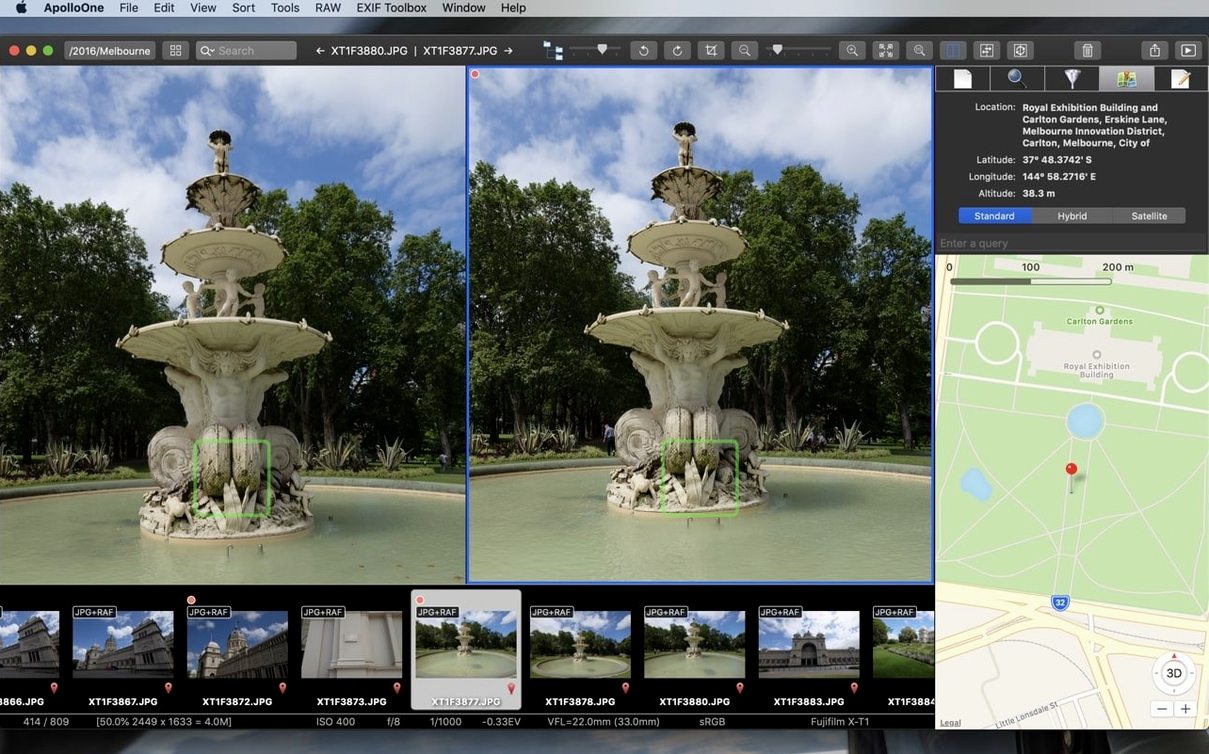
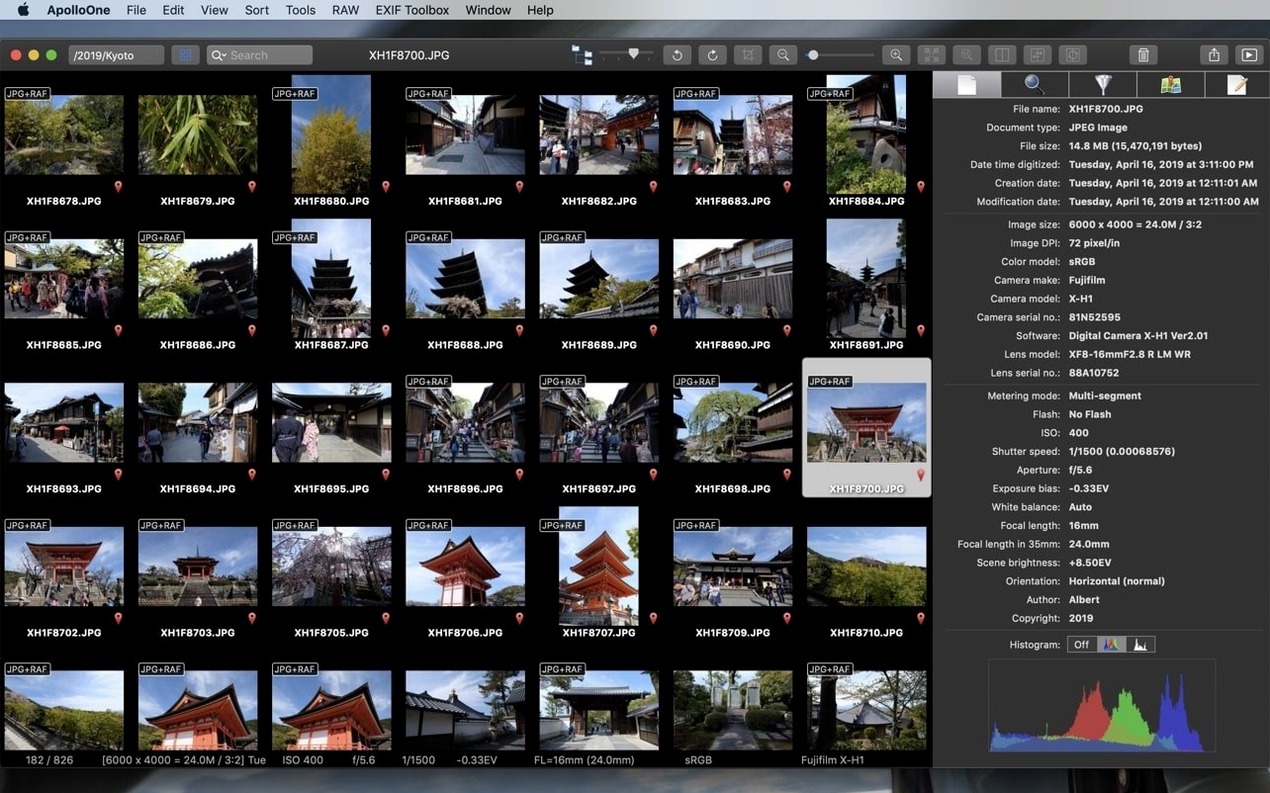
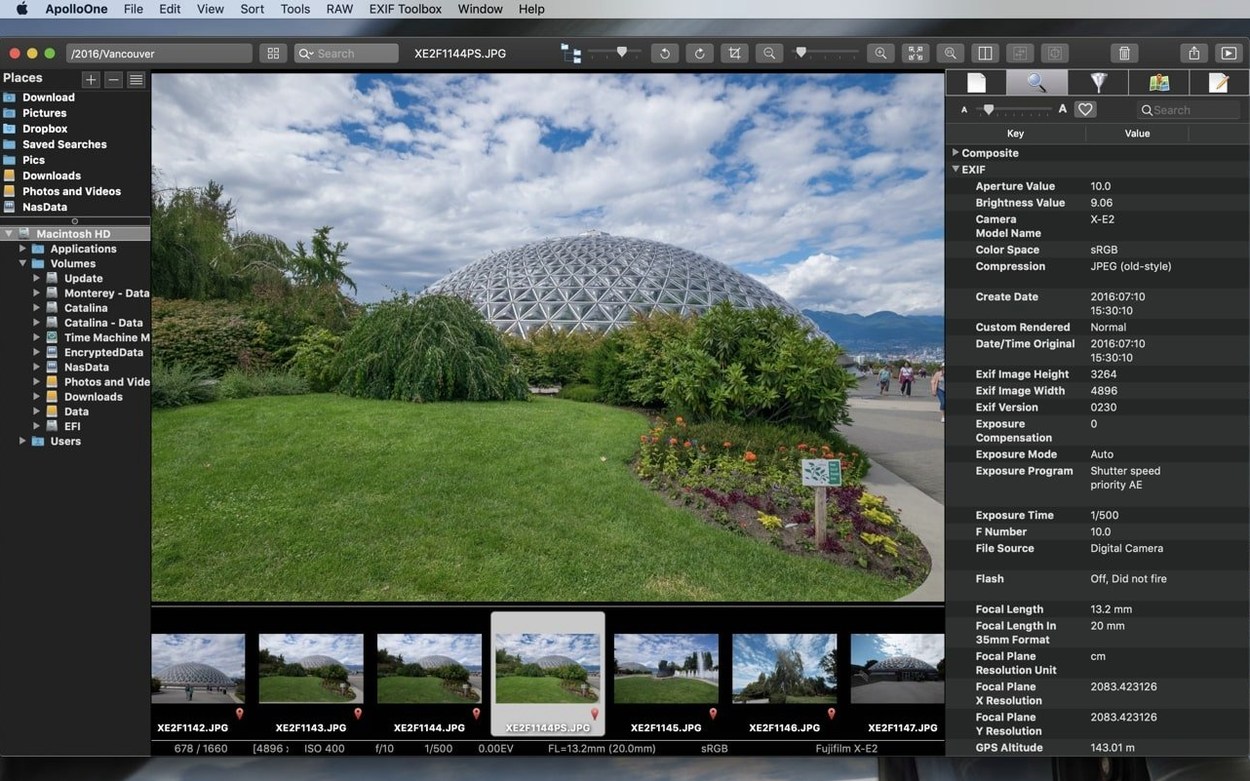
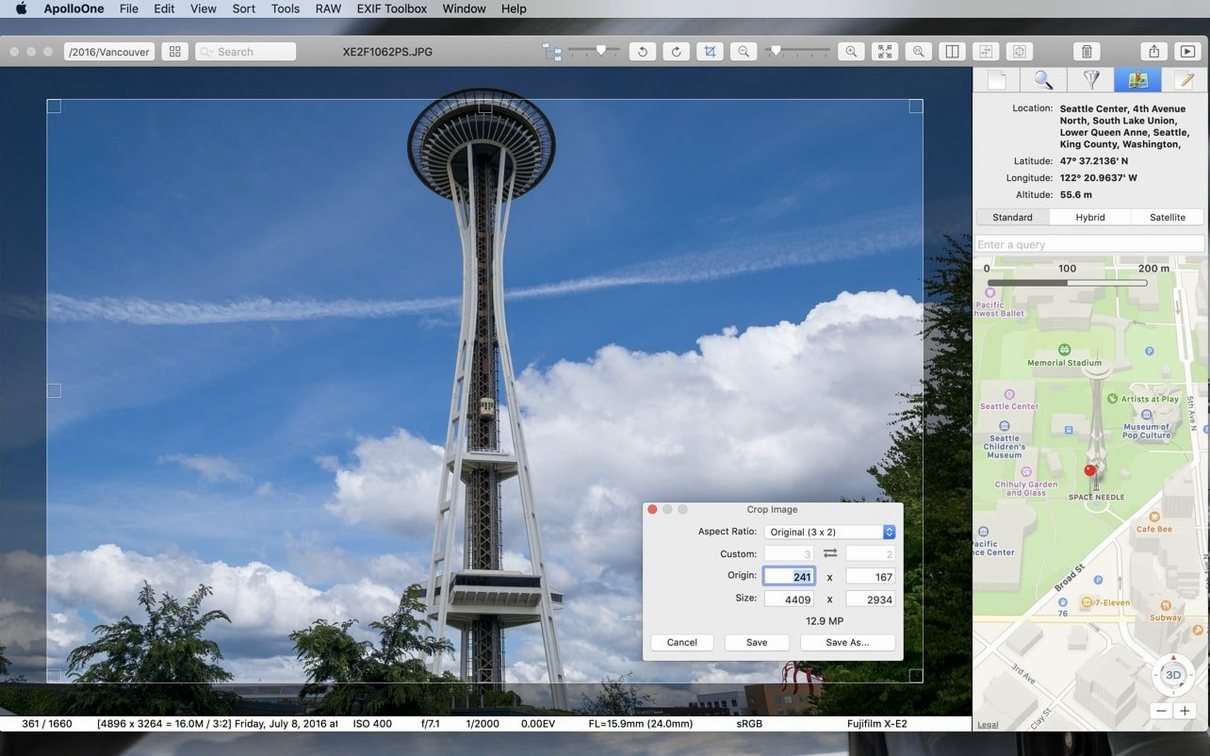
ApolloOne sits in that satisfying space between a bare-bones preview tool and a heavyweight digital asset manager that wants to swallow your entire library into a catalogue. The core idea is refreshingly simple: it reads your folders as they are, right on your drives, so there is no import step and no locked-in database. You open a directory, and every RAW file, JPEG and video clip is ready to browse, rate and filter. Everything stays where you put it, and the app just gives you faster, smarter ways to work through it.
Culling and rating that feels like camera-shop muscle memory
The rating system is built for speed. You can assign star ratings and colour labels with single keystrokes, then filter the view to show only your picks or anything marked for deletion. If you come back from a shoot with hundreds of frames, this turns the first pass into a quick, almost physical rhythm — flick, tag, flick, tag — without ever waiting for a preview to render. The filtering works in real time, so you can hop between your five-star selects and the unrated stragglers in a click.
Metadata and batch tools that keep folders tidy
Beyond viewing, ApolloOne puts a proper batch renaming engine and metadata panel within reach. You can rename a whole shoot based on capture date and sequence numbers in seconds, which is a godsend when a camera has rolled over its file counter and left you with duplicate filenames. The metadata management side lets you inspect and adjust EXIF, IPTC and GPS data without opening a separate editor. Combine that with the search bar — which digs through filenames and embedded tags — and a folder full of vaguely named images suddenly becomes a searchable, sensibly structured set.
Refusing to lock your files into a library is deliberate
Even the most straightforward viewer can throw up a few puzzles, and ApolloOne is no different. The first thing that catches people out is the app's refusal to lock files into a proprietary library — which is actually its strength, but it means you need to be mindful about where you keep your originals. If you open a folder from an external drive and then unplug that drive, ApolloOne won't show a ghost of a preview; it simply loses sight of the files until the volume comes back. The fix is to keep working copies on a permanently attached disk or to copy a shoot onto your Mac's internal storage before you start culling.
Another occasional sticking point is RAW rendering speed with very high-resolution files from the latest cameras. The app leans on Apple's RAW engine, so performance depends on macOS-level support for your specific camera model. If an unsupported RAW variant sneaks in, ApolloOne may fall back to displaying the embedded JPEG preview rather than a full decode — you'll see the image, but colour and detail won't reflect the actual RAW data. Checking your camera model against Apple's list of supported digital camera RAW formats usually clears this up in a few minutes.
On the metadata front, some users discover that ratings and labels they apply inside ApolloOne don't automatically travel with the file to other applications. By default, the app writes ratings into its own sidecar system, which keeps things fast but means a competitor won't see those stars. You can switch the preference to embed ratings directly into XMP sidecar files — a small setting change that makes your culling work portable between tools.
How ApolloOne sits among similar Mac viewers
Think of the landscape in three broad camps, with ApolloOne holding a distinct middle ground. At one end you have XnView MP, a cross-platform workhorse that handles an enormous list of formats and includes basic editing tools. XnView is astonishingly capable, but it brings a slightly cluttered, multiplatform interface to the Mac — it doesn't feel like a native citizen of macOS, and its RAW rendering can be slower because it doesn't always lean as heavily on the system-level engine. ApolloOne, by contrast, feels built for the Mac first: the keyboard-driven culling, the column-based filtering and the way it reads folders in place all sit closer to how a photographer actually wants to move through a shoot.
On the other side sits something like Adobe Bridge, which is free but ties you, at least psychologically, to the Adobe universe. Bridge is a full media hub with deep integration into Photoshop and Camera Raw, and it handles metadata and batch operations with real authority. The trade-off is weight: Bridge can feel ponderous to launch and browse with, especially on older Macs, and it nudges you toward a Creative Cloud-shaped workflow. ApolloOne is lighter on its feet, starts up quickly, and doesn't assume you want a suite of editing tools waiting in the wings — it just wants to help you sort and find your pictures.
A third comparison that often comes up is Phoenix Slides, a free, open-source viewer that shares ApolloOne's folder-first philosophy. Phoenix Slides is charmingly minimal and fast with JPEGs, but it lacks deep RAW support, has no rating or metadata editing, and feels more like a slideshow launcher than a culling workstation. ApolloOne steps in when you need more than a quick browse — when you need to tag, filter, rename and search across a growing archive without turning it into a database project.
Trying to edit pixels instead of metadata
The most common beginner habit is treating ApolloOne like a photo editor. It isn't one, and trying to use it that way leads to frustration. There is no clone stamp, no adjustment brush, no curves panel. A new user will sometimes open an image, spot a crooked horizon, and go hunting for a straighten tool that simply isn't there. The workflow ApolloOne expects is that you cull, rate and organise here, then hand off your selects to a dedicated editor — and that distinction takes a few sessions to internalise.
Another early mis-step is ignoring the filter bar altogether and scrolling through an entire card's worth of images by eye. The filter bar, with its instant toggles for rating, label and file type, is the fastest path through a large set, yet newcomers often treat the app as a simple slideshow viewer and miss the speed gains sitting right at the top of the window. Learning two or three keyboard shortcuts for rating and filtering in the first ten minutes transforms the experience from a passive browse into an active triage session.
Finally, there is the temptation to start renaming files before the cull is finished. Batch renaming a folder of 800 frames and then deleting half of them leaves you with a numbered sequence full of gaps, which can confuse client deliveries later. The cleaner habit — and one that ApolloOne's design quietly encourages — is to rate and filter down to your keepers first, then rename only the survivors in one clean pass.
- macOS 10.14 or later
- Runs natively on both Intel and Apple Silicon Macs
Questions I keep hearing
Does ApolloOne support RAW files from my camera?
Yes, it is built as a capable RAW viewer for macOS and handles formats from most major camera manufacturers without needing to import files into a library first.
Can I work with videos in ApolloOne?
You can. It functions as a combined photo and video viewer, so clips and stills live side by side in the same folder-based browser.
Questions from the class 0
Sign in or join the class to ask a question.
Nobody has asked anything yet. If you have used it on a real job, say what the file did.
Also on the Mac Apps shelf
The whole Mac Apps shelf AnyTrans for iOS
Moves photos, messages and music between iPhone, Mac and cloud accounts.
AnyTrans for iOS
Moves photos, messages and music between iPhone, Mac and cloud accounts.
 App Cleaner & Uninstaller
Removes apps and all their leftover support files in one sweep.
App Cleaner & Uninstaller
Removes apps and all their leftover support files in one sweep.
 Apple Keynote
Builds cinematic presentations with animated transitions and layout tools.
Apple Keynote
Builds cinematic presentations with animated transitions and layout tools.
 Antivirus Zap - Virus Scanner
Scans your Mac for malware, adware and unwanted files lurking in the system.
Antivirus Zap - Virus Scanner
Scans your Mac for malware, adware and unwanted files lurking in the system.
 Apple Remote Desktop
Manages and controls multiple Macs across a network from one screen.
Apple Remote Desktop
Manages and controls multiple Macs across a network from one screen.
 AppZapper
Uninstalls applications and hunts down all their scattered related files.
AppZapper
Uninstalls applications and hunts down all their scattered related files.
 ArchiCAD
Models buildings in precise detail for coordinated construction documentation.
ArchiCAD
Models buildings in precise detail for coordinated construction documentation.
 Art Text 4
Transforms ordinary type into dimensional artwork with materials and effects.
Art Text 4
Transforms ordinary type into dimensional artwork with materials and effects.