 ASPNetWorld
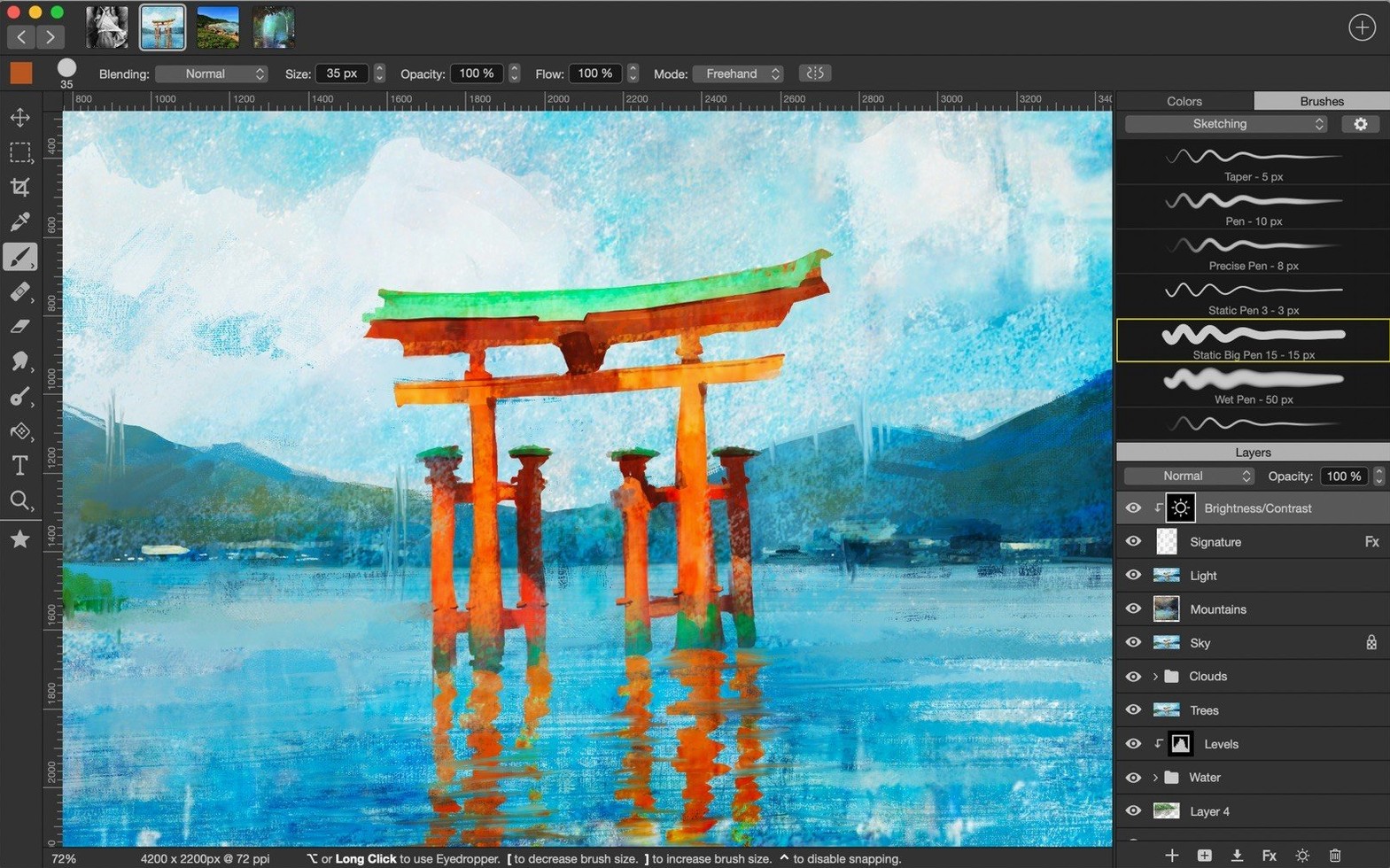
Dual Stamp mode in the brush editor is where a preset stops being a simple dab of colour and starts behaving like a custom paint mixer, pulling from a second texture as you lay down a stroke. It is one of those features that separates an app you doodle in from one you build a personal workflow around, and it lives inside a brush engine offering 80 customizable settings. For an experienced user, that depth is the point.
Building a Brush from Scratch
The brush editor gives you control over shape, grain, wetness, scatter, colour dynamics, and the aforementioned Dual Stamp, with a live preview that updates as you tweak. You can save any configuration as a new preset, making it trivial to download Artstudio Pro brushes from a community pack and then reshape them into something entirely your own.
Layering Adjustments Non-Destructively
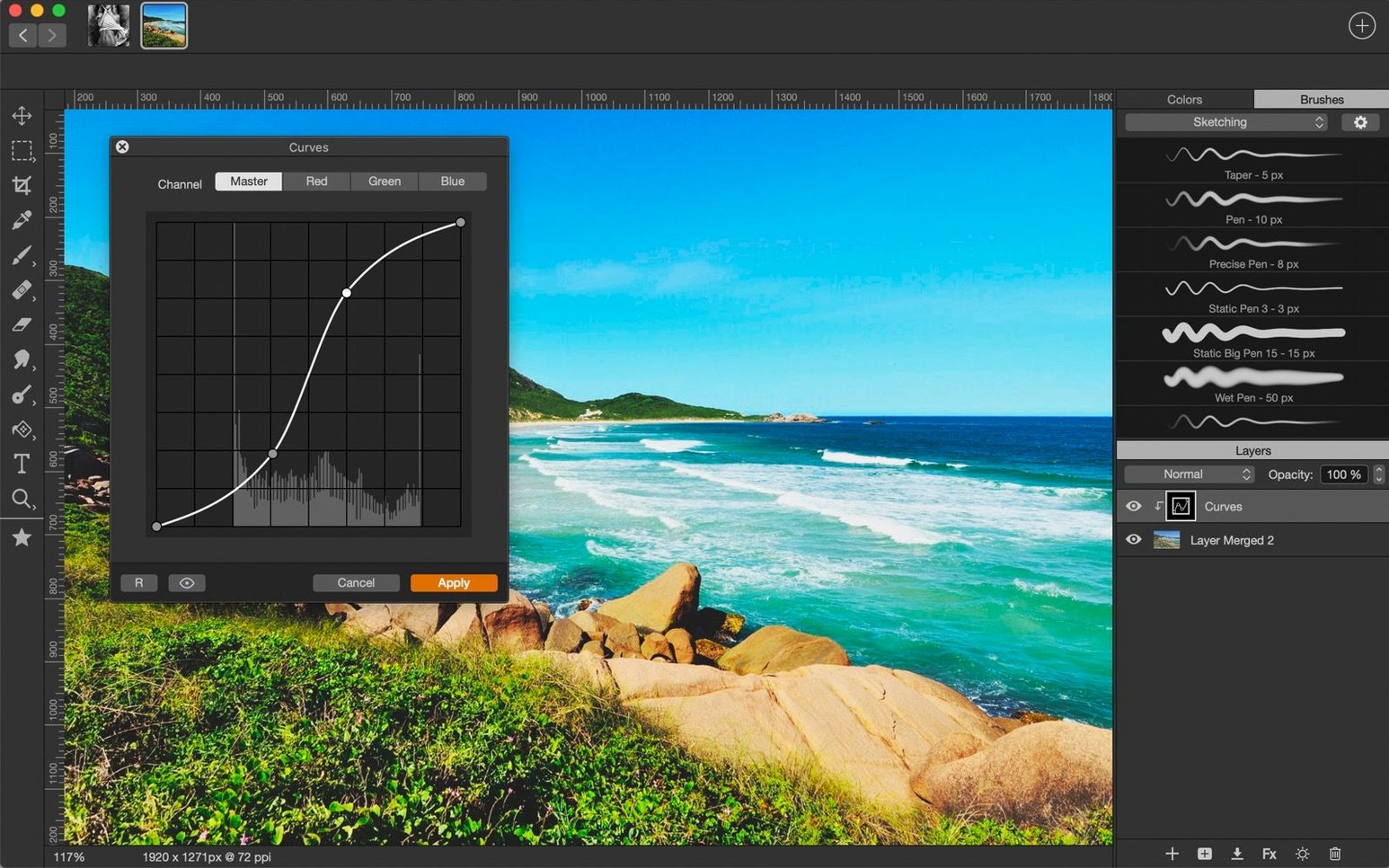
Photo adjustments sit as editable layers above your pixel stack, so a Curves or Hue/Saturation tweak never bakes into the image until you choose to flatten. Combined with 27 blend modes and 9 layer effects, this turns Artstudio Pro for Mac into a hybrid painter–photo editor without the constant duplicate-and-hide dance you resort to in simpler apps.
Typographic Elements in a Canvas
Text layers support importing your own TTF and OTF fonts, which is rarer than it should be in painting software. You set type against a composition, rasterise if needed, then paint over or mask it—useful when a piece calls for lettering that feels integrated rather than pasted on as an afterthought.
Snappiness Where It Counts
Paint an impressionistic landscape at 256 megapixels with a few dozen layers and the app still breathes. On Apple Silicon the brush cursor tracks without perceptible lag even with wetness and dual-texture settings dialled up, and on Intel machines the Metal renderer keeps panning and zooming fluid. Memory pressure climbs, as it should with an unbounded canvas, but the autosave writes quietly to iCloud in the background while you work—there is no beachball moment that makes you panic about the last half-hour.
Stability follows the same pattern. Crashes are genuinely rare in daily use, and when the app does close unexpectedly the recovery state brings back every open document with layers intact. The only modest trade-off is launch time on older Intel hardware, where the initial brush library scan takes a beat longer than you might expect; once running, though, the engine is light on its feet.
A Comic Colourist’s Afternoon
Imagine a colourist working on a six-page short with inks imported from Clip Studio Paint. Each page opens as a separate document, the line art set to Multiply on its own locked layer. Flat colours sit underneath in grouped folders—one for skin tones, one for backgrounds, one for costume elements—with clipping masks keeping every brush stroke tidy inside the line boundaries. The colourist grabs a hard round brush from a free Artstudio Pro brushes pack found in a forum thread, adjusts the spacing to 4% for clean fills, and saves a tweaked preset so the next page starts with identical settings.
Halfway through, the writer asks for a mood shift: cooler shadows across every panel. Instead of repainting, the colourist drops a Color Balance adjustment layer above the flats, nudges the cyan slider, and masks out the areas the light still hits directly. The change previews in real time across all six open documents, and the PSD export—layers, masks and all—lands in the letterer’s inbox without a single compatibility hiccup. It is the kind of session where you look up and realise three hours vanished.
Small Touches That Earn Their Keep
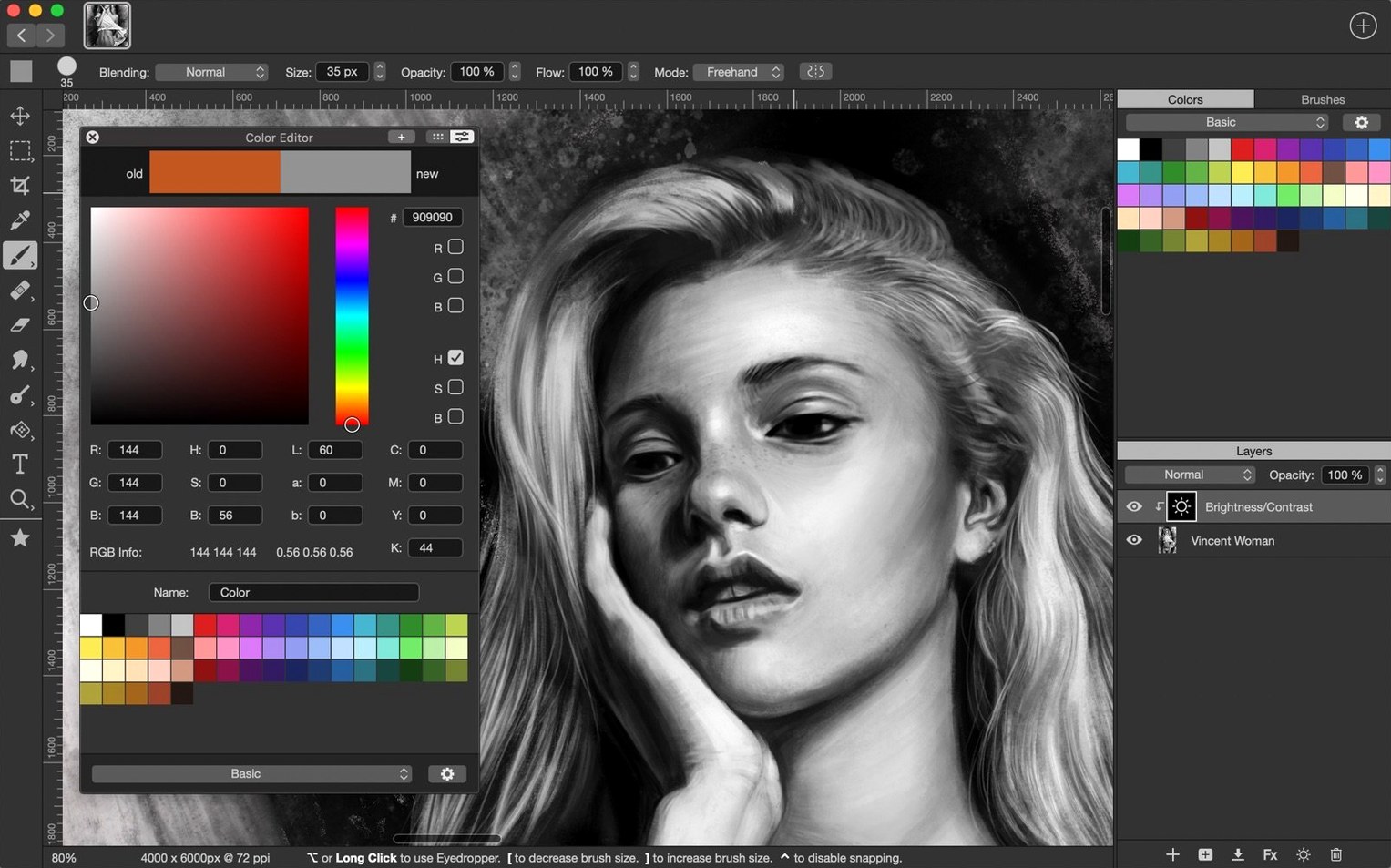
A few conveniences hide in plain sight. Hold the E key and the current tool swaps to the Eraser, release it and you are back to your brush—no mode toggle, no toolbar click. The colour picker remembers your last six sampled colours and shows them as swatches you can drag into a palette, which is faster than fishing through the full colour panel when you are blocking in a composition. Symmetry painting accepts a custom angle line you drag by hand, not just the usual horizontal or vertical mirrors, so radial mandala work gets its own off-axis rhythm.
Layer management benefits from the same quiet polish. Right-click any group and choose Merge Group to flatten only that folder, leaving the rest of the stack untouched. The Transform tool can handle multiple selected layers simultaneously, resizing and rotating a character’s entire limb assembly in one gesture. And if you regularly download Artstudio Pro brushes from ABR or TPL collections, the import dialogue respects folder structures, so a hundred brushes arrive pre-sorted into their original categories instead of landing in one undifferentiated heap.
Version 5.2.9 is a maintenance release, tidying up a handful of minor bugs to keep the toolset running smoothly.
- macOS 11 or later
- Apple Silicon or Intel 64-bit processor
Questions from the class 0
Sign in or join the class to ask a question.
Nobody has asked anything yet. If you have used it on a real job, say what the file did.
Also on the Mac Apps shelf
The whole Mac Apps shelf Artlantis
Renders architectural models into still images and virtual panoramas.
Artlantis
Renders architectural models into still images and virtual panoramas.
 Art Text 4
Transforms ordinary type into dimensional artwork with materials and effects.
Art Text 4
Transforms ordinary type into dimensional artwork with materials and effects.
 ArchiCAD
Models buildings in precise detail for coordinated construction documentation.
ArchiCAD
Models buildings in precise detail for coordinated construction documentation.
 AppZapper
Uninstalls applications and hunts down all their scattered related files.
AppZapper
Uninstalls applications and hunts down all their scattered related files.
 Apple Remote Desktop
Manages and controls multiple Macs across a network from one screen.
Apple Remote Desktop
Manages and controls multiple Macs across a network from one screen.
 Apple Keynote
Builds cinematic presentations with animated transitions and layout tools.
Apple Keynote
Builds cinematic presentations with animated transitions and layout tools.
 App Cleaner & Uninstaller
Removes apps and all their leftover support files in one sweep.
App Cleaner & Uninstaller
Removes apps and all their leftover support files in one sweep.
 ApolloOne
Browses and rates raw photos straight from your existing folder structure.
ApolloOne
Browses and rates raw photos straight from your existing folder structure.