 ASPNetWorld

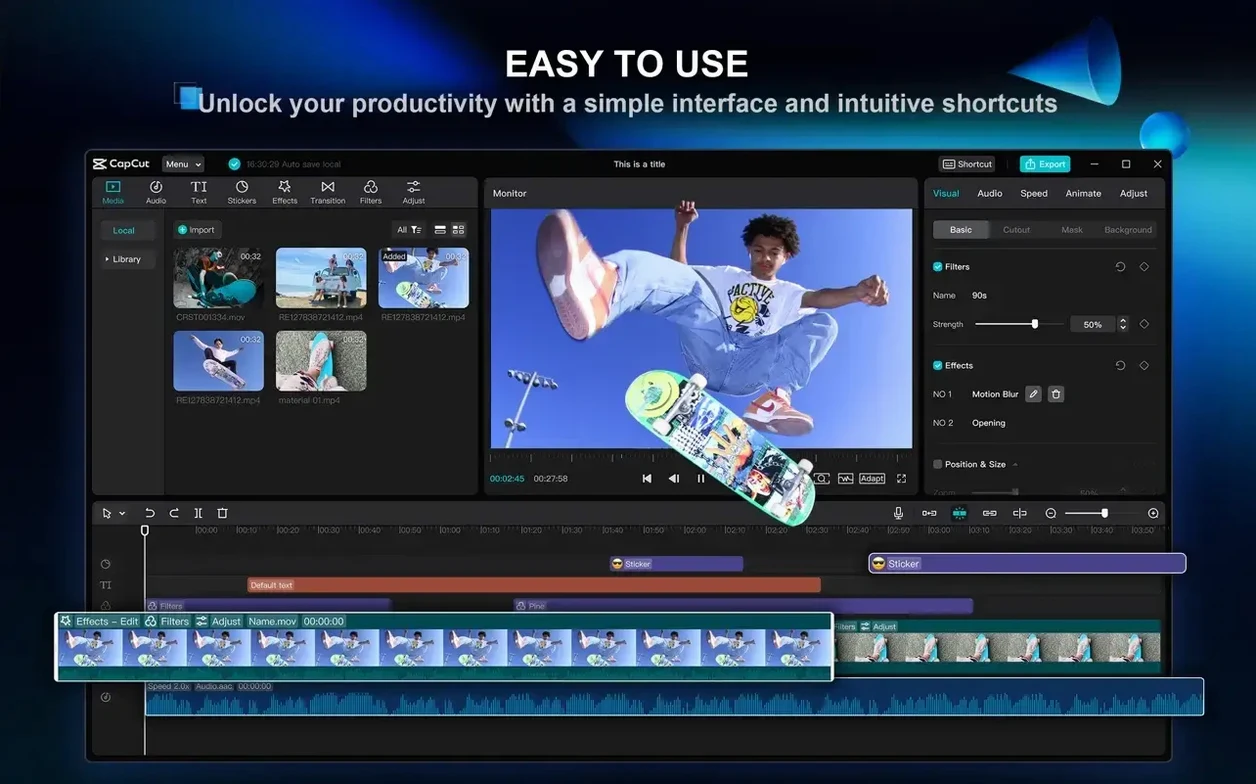
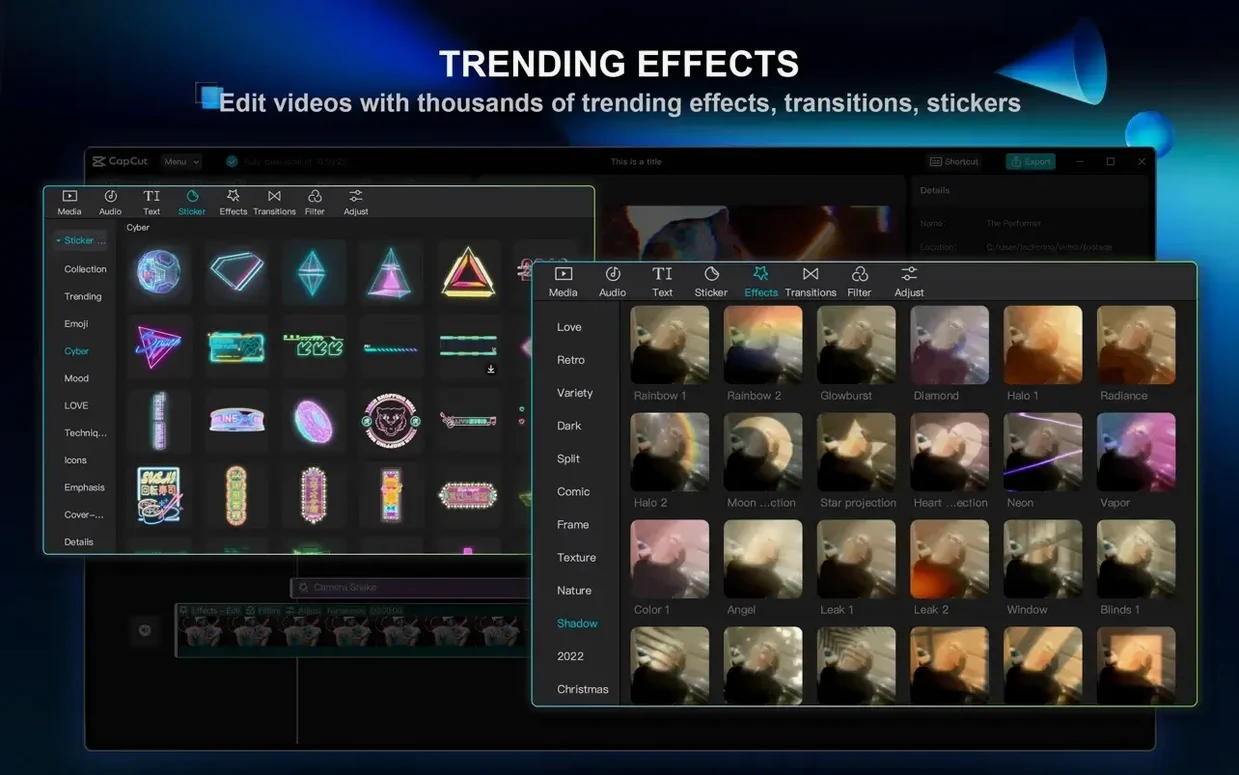
Short-form creators, vloggers and small marketing teams often reach for CapCut when they need a desktop editor that handles the technical heavy lifting without a steep learning curve. Developed by ByteDance, the Mac version brings a multi-track timeline together with a set of AI-assisted tools that can turn a written idea into a finished sequence remarkably quickly.
How the AI tools earn their keep
The term you hear most often in the same breath as CapCut is ‘script-to-video’. Instead of assembling a rough cut clip by clip, you paste a script and the software builds a draft sequence, pulling in matching stock footage, text overlays and a voiceover generated by its own text-to-speech engine. You can choose from a range of voice characters — some neutral and informative, others warmer and more conversational — which saves setting up a microphone for a first pass. The result is rarely broadcast-ready straight away, but it gives you a structured timeline you can refine with the standard cutting, splitting and joining tools, rather than starting from a blank canvas.
Polishing handheld footage and building atmosphere
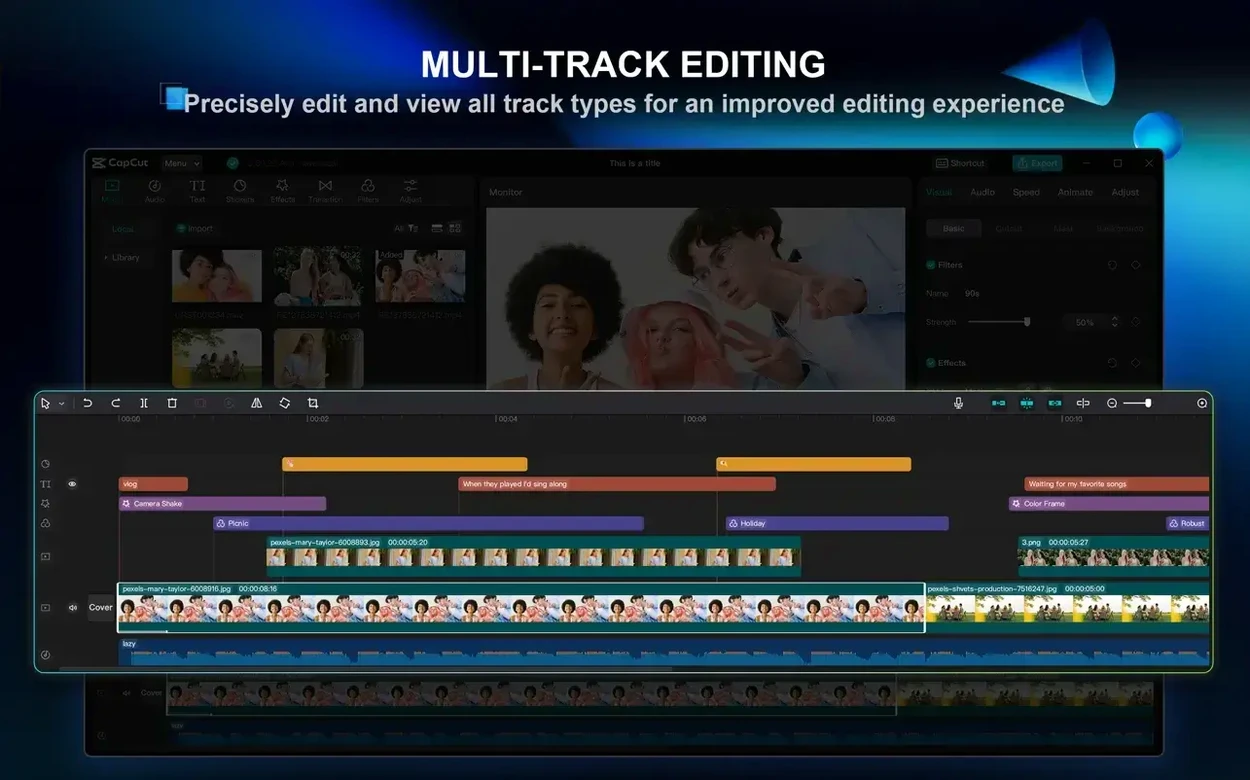
Multi-track editing on a freeform timeline means you can layer b-roll, sound effects and background music alongside your main video track without feeling boxed in. When you are working with phone or action-camera clips, the stabilisation filter does a decent job of smoothing out the kind of micro-jitters that make handheld footage feel amateurish — think of it as a gentle digital steadycam rather than a complete rescue for truly shaky material. For tone and pacing, the built-in library of filters, transitions and text styles lets you shift the mood of a scene without exporting to a separate colour tool. The sticker and effects collections are extensive enough that you can add lower-thirds or motion graphics quickly, though the real strength is how these elements drop straight onto the timeline without interrupting playback. CapCut is not trying to replace a heavyweight NLE, but for a free desktop editor that runs happily on macOS 10.14 and above, it covers a surprising amount of the workflow a social content creator actually needs.
Free colour grading versus the template-driven iMovie shortcut
DaVinci Resolve and iMovie are the two names that naturally crop up when someone is weighing up a free Mac video editor. Resolve gives you Hollywood-grade colour grading, a full Fairlight audio page and a node-based compositor — it is a tower of power that demands an investment in learning time. iMovie sits at the opposite end: polished, Apple-native and almost too streamlined, with a single-window philosophy that keeps everything tidy but leaves you little room to grow. CapCut occupies a middle ground that neither product really claims.
What sets it apart is the AI-assisted creative layer. Resolve has added intelligent masking and voice isolation in recent releases, but CapCut bakes AI into the front end of the process — the script-to-video pipeline, the one-click background removal and the auto-subtitle engine are first-class citizens, not tucked away in a submenu. When you download a CapCut Mac torrent you are getting a tool built for speed of assembly rather than frame-by-frame finesse. That said, anyone used to Resolve's keyboard-driven trimming will find CapCut's timeline a little chunky under the fingers; it favours drag-and-drop gestures and on-screen controls over shortcut density. iMovie users, meanwhile, will notice the extra headroom immediately — multi-track freedom, keyframe animation and the chroma key tool all feel like a genuine upgrade without a jump in complexity that frightens people off.
Filler-word removal now survives longer clips without tripping
The jump to version 9.3.0 tightened up several friction points that regular users had been grumbling about. The filler-word and pause removal feature — originally aimed at podcasters cutting down interview footage — now handles longer clips with noticeably fewer mis-cuts. In practice, that means you drop a thirty-minute talking-head recording onto the timeline, let the tool scan through, and get a trimmed version where most of the ‘ums’ and dead air have been snipped out without chopping into mid-sentence words. It is not infallible — rapid speech can still confuse it — but the manual tidy-up afterwards takes a fraction of the time it used to.
Background removal also became visibly cleaner. Earlier builds left a faint halo around hair and moving edges; the current release holds a steadier matte, even on footage shot against a busy kitchen wall rather than a proper green screen. For creators grabbing a CapCut Pro for Mac torrent to put together quick product demos or talking-head ads, that one improvement saves a trip to a dedicated masking tool. Apple Silicon Macs benefit from smoother timeline scrubbing too — the app leans harder on the Media Engine hardware now, so 4K 60 fps playback stutters less when you have multiple effect layers stacked. An Intel machine still runs it capably, but the difference on an M-series chip is the kind of quiet polish that makes a long edit session less tiring.
One person, bullet points to finished vertical video in half an hour
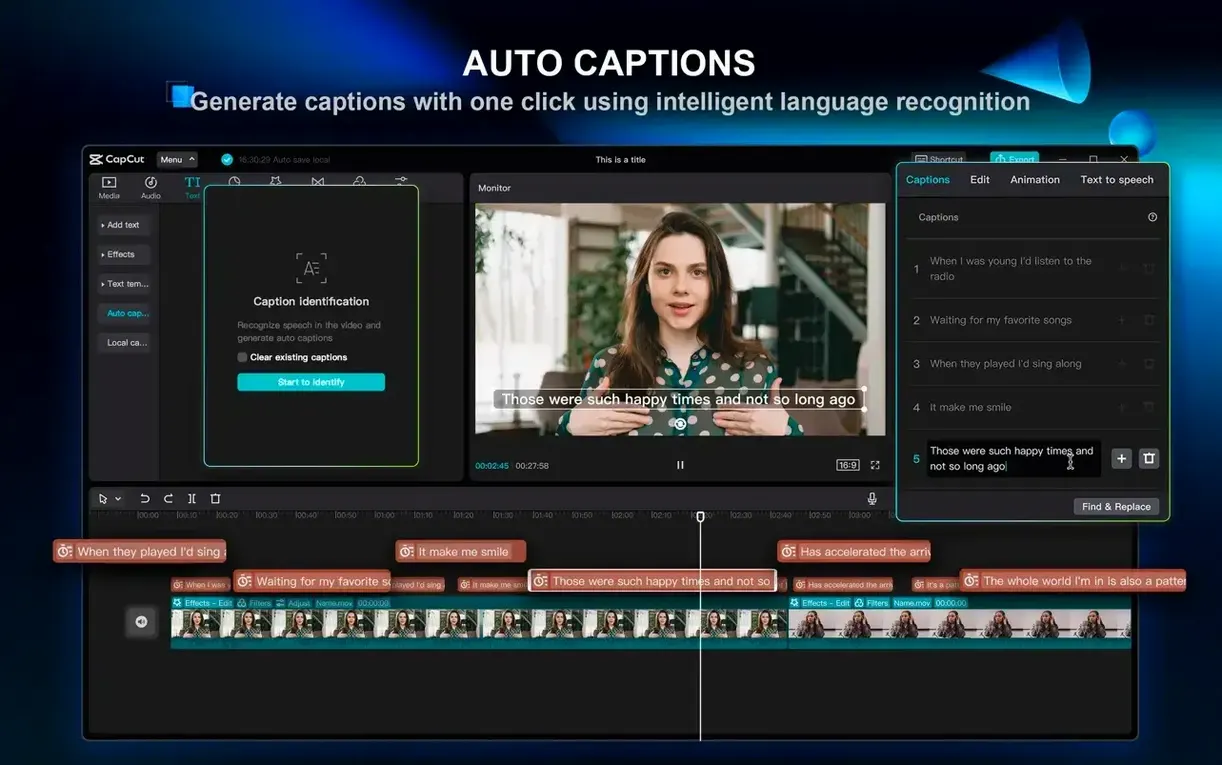
Social media editors who publish several short pieces a week are the natural home. The combination of auto-captioning and the script-to-video engine means a single person can turn a bullet-point brief into a finished vertical video in under half an hour, complete with branded text styles and a royalty-free music bed. That workflow alone explains why so many people seek out a CapCut Pro torrent Mac — it replaces the old rigmarole of rough-cutting in one app, subtitling in another and hunting for stock clips in a browser tab.
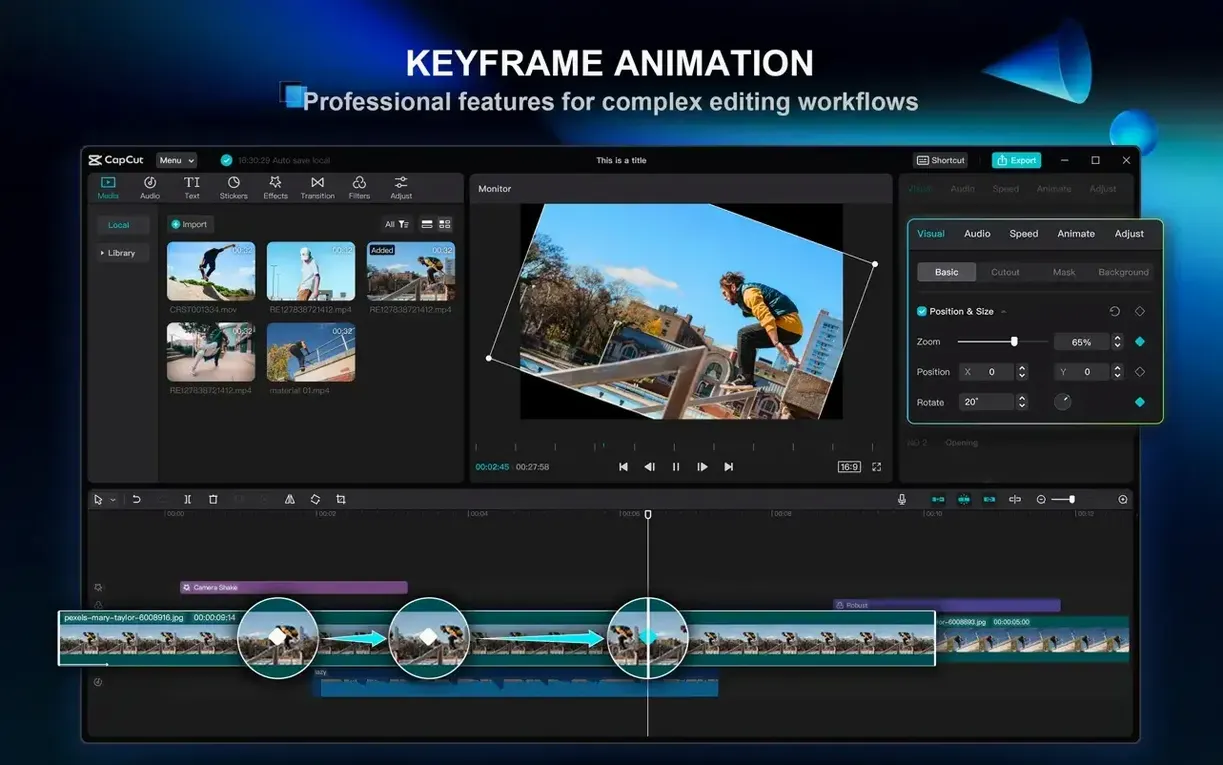
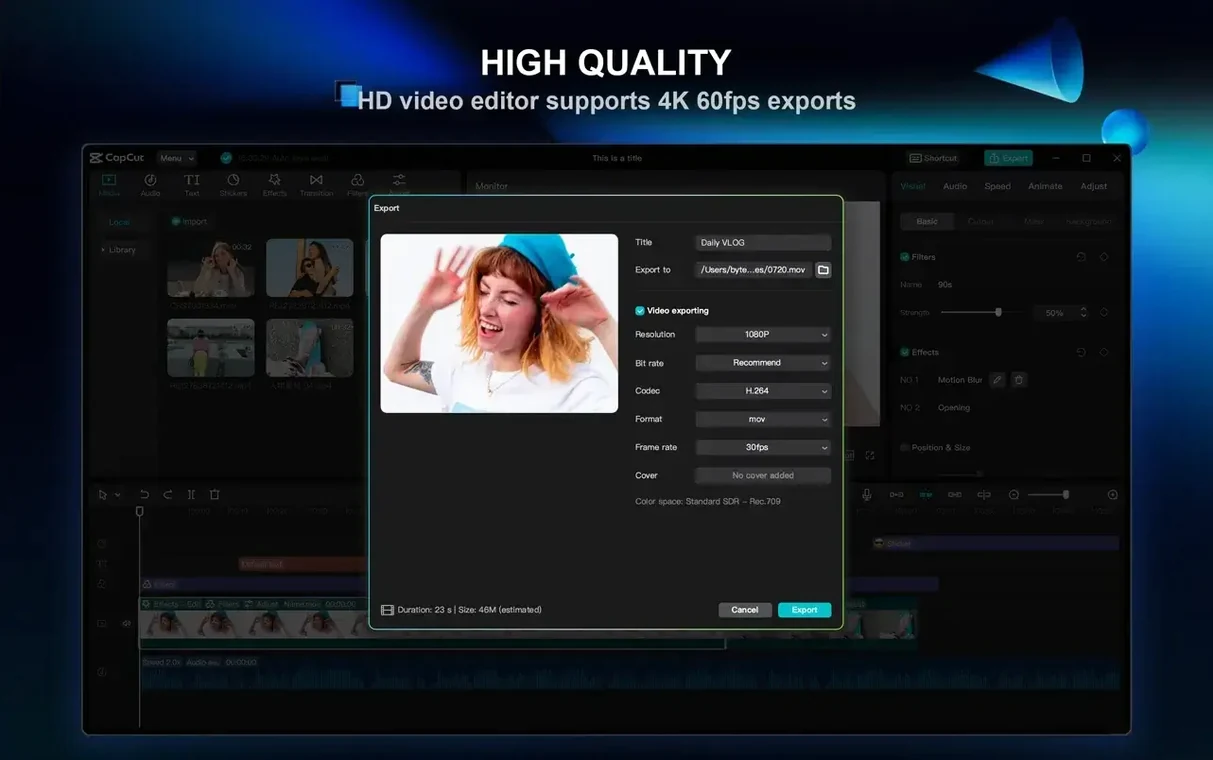
Educators and explainer-creators benefit from the text-to-speech voices; you can draft a narration track during a coffee break and then swap in a human recording later if you prefer. The keyframe animation tools are simple enough that a science teacher can animate a diagram arrow across the screen without watching a forty-minute tutorial first. Podcast producers, oddly enough, have become a quiet audience too. The filler-word removal and one-click silence trimming turn a raw multi-mic recording into something nearly ready for upload, and the export options are sensible — 4K at 60 fps is there if you need it, but the default presets are geared towards the formats YouTube and TikTok actually want. If you need frame-accurate audio mixing or custom LUT management, you will eventually outgrow CapCut. For everyone else, especially on a Mac that might be a few years old, it is an editor that gets out of your way and lets you ship. A CapCut macOS torrent puts that capability onto a machine running macOS 10.14, which keeps a lot of perfectly functional Macs in the game.
- macOS 10.14 or later
- 2-core processor or better
- Apple Silicon and Intel Macs supported
Questions I keep hearing
Can CapCut generate a video from a script?
Yes, its script-to-video feature takes written text, adds matching stock footage and can deliver a spoken voiceover using the built-in text-to-speech engine.
Which macOS versions work with the desktop app?
The official CapCut for Mac page states it is compatible with macOS 10.14 or above, and a 2-core processor is sufficient to run it.
Does CapCut include tools for stabilising shaky clips?
It does. The video stabilisation filter helps smooth out handheld camera movement, working well for the kind of light jitter you get from phone or action-camera footage.
Questions from the class 0
Sign in or join the class to ask a question.
Nobody has asked anything yet. If you have used it on a real job, say what the file did.
Also on the Mac Apps shelf
The whole Mac Apps shelf Cap Pro
Records your screen into a local, shareable video without touching a cloud service.
Cap Pro
Records your screen into a local, shareable video without touching a cloud service.
 Capture One
Processes raw photos with colour tools that let you correct a white balance with a single click.
Capture One
Processes raw photos with colour tools that let you correct a white balance with a single click.
 Carbon Copy Cloner
Creates an exact, bootable duplicate of your drive so you can start up from the copy in an emergency.
Carbon Copy Cloner
Creates an exact, bootable duplicate of your drive so you can start up from the copy in an emergency.
 Canopy
Adds an iPhone-style interactive panel to your Mac for quick glances at weather or calendar.
Canopy
Adds an iPhone-style interactive panel to your Mac for quick glances at weather or calendar.
 Camtasia
Records your screen and camera, then gives you a timeline to trim, annotate, and export the lesson.
Camtasia
Records your screen and camera, then gives you a timeline to trim, annotate, and export the lesson.
 Camo Studio
Turns a phone or tablet into a studio webcam with manual focus and a virtual green screen.
Camo Studio
Turns a phone or tablet into a studio webcam with manual focus and a virtual green screen.
 CCleaner Pro
Sweeps away browser caches, logs, and leftover files that macOS's own tools leave behind.
CCleaner Pro
Sweeps away browser caches, logs, and leftover files that macOS's own tools leave behind.
 BricsCAD
Draws and models in the DWG format so a team can share files without converting a single line.
BricsCAD
Draws and models in the DWG format so a team can share files without converting a single line.