 ASPNetWorld

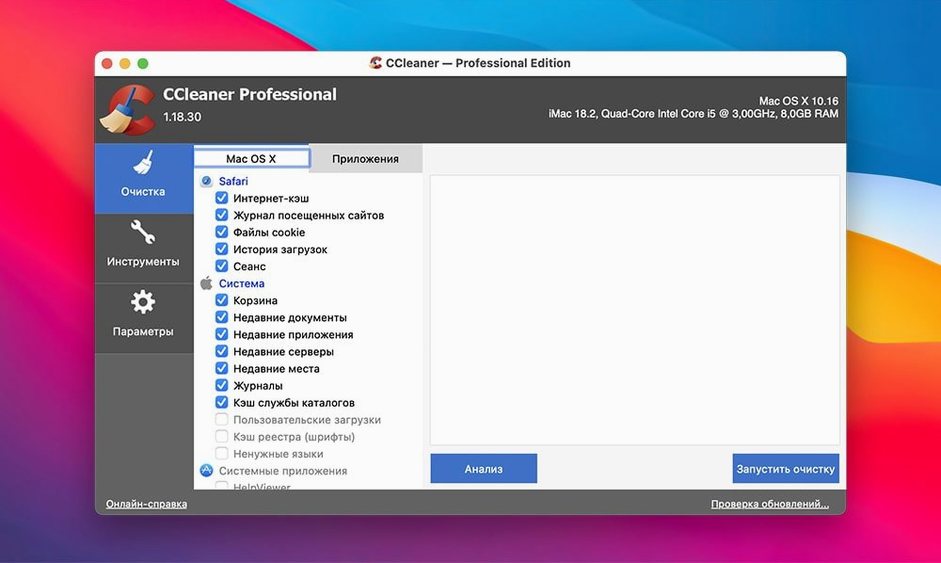
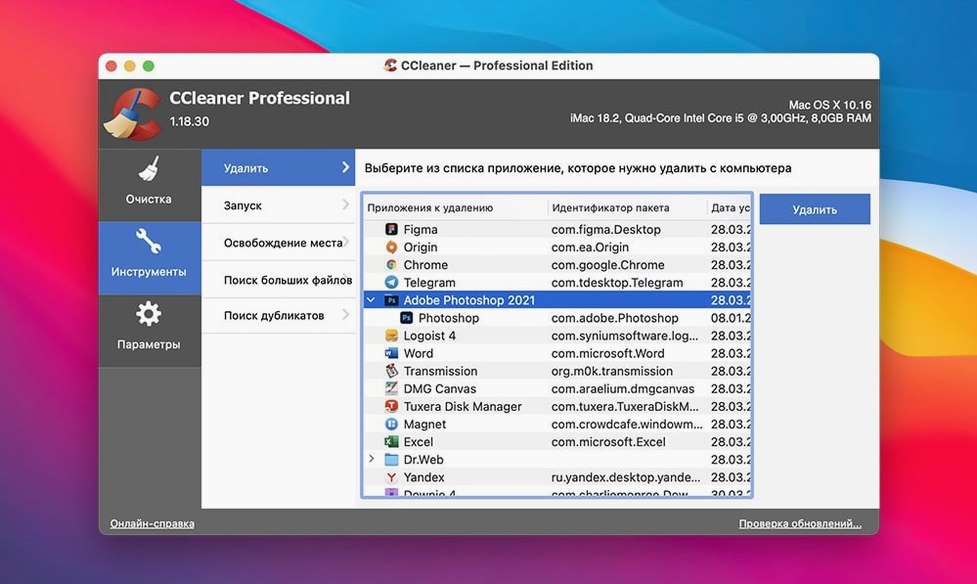
If you've ever used Apple's built-in storage management tools to free up space and wished for a bit more granularity over what gets cleared, CCleaner Pro operates in the same spirit but reaches into the corners that macOS leaves untouched. It's a classic utility that specialises in sweeping away temporary system files and the breadcrumb trails your browsers leave behind, all while sticking to a familiar, deliberately careful rhythm of asking for confirmation before it deletes anything permanently.
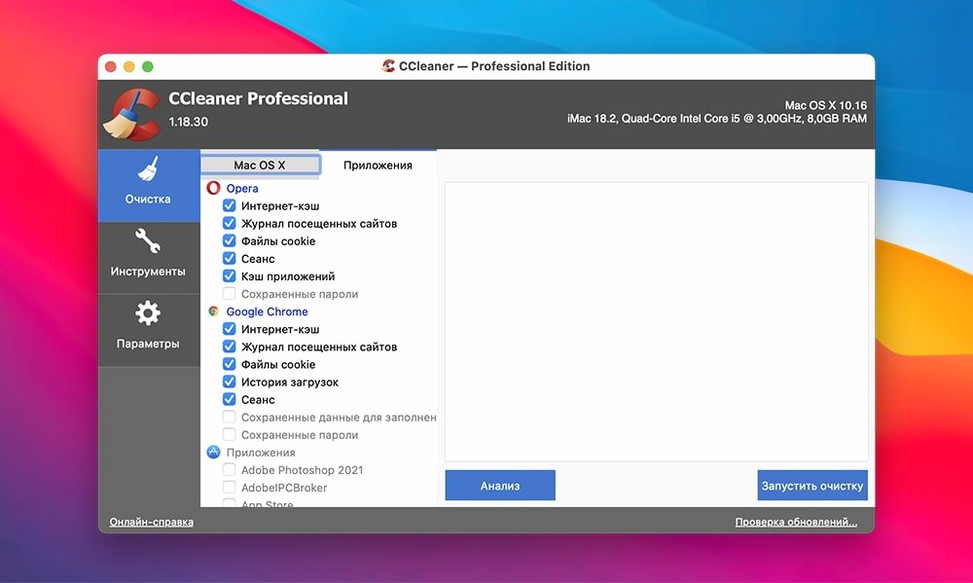
- The cleaning engine still targets the big four browsers, wiping session data and history from Safari, Chrome, Firefox and Opera in one pass.
- It remains a pure 64-bit Intel build, so Apple Silicon Macs run it under Rosetta 2, while older Intel machines dating back to OS X 10.10 feel right at home.
- App-specific cleaning hasn't changed, meaning it can still tidy up recent-file lists and caches left by other applications on your drive.
- The multi-level verification process acts as a safety net, checking and double-checking before anything heads to the Trash, which suits anyone nervous about one-click cleanup tools.
The current version may be a quiet release in terms of new features, but it holds its ground as a straightforward maintenance hand for anyone nursing an older Mac along. It doesn't try to reinvent itself, keeping the focus squarely on clearing out the digital dust that accumulates over months of regular use.
The lightweight cleaner camp it actually belongs to
Mac maintenance tools tend to cluster into two camps: the heavyweight suites that promise to overhaul your entire system, and the leaner utilities that do one job quietly. CCleaner Pro belongs firmly in the second group, which makes comparisons with something like CleanMyMac feel almost unfair — they're built for different temperaments. CleanMyMac bundles malware scanning, optimisation scripts and a rather chatty interface that nudges you toward regular deep cleans. CCleaner Pro doesn't nudge; it waits for you to open it, run a scan and decide what goes. That restraint is precisely why some people stick with it.
Onyx, the veteran freeware tool from Titanium Software, shares more DNA with CCleaner Pro. Both give you granular control over system caches, log files and browser traces, and both assume you know roughly what you're doing. Where Onyx dives deeper into the Unix underpinnings — letting you tweak hidden Finder settings or rebuild the LaunchServices database — CCleaner stays closer to the surface, concentrating on user-facing junk rather than system-level tinkering. If Onyx feels like a mechanic's toolbox, CCleaner is more like a well-organised cleaning cupboard.
Disk Drill's cleanup module offers another point of reference, though that app leans heavily toward data recovery. Its cleaning side feels like an afterthought, useful in a pinch but missing the focused browser and app-specific wiping that CCleaner has refined over years. The file-shredding function in CCleaner Pro, with its multiple overwrite cycles, also outstrips what most general-purpose utilities bother to include. Anyone who has ever searched for a ccleaner mac torrent knows the cleaning engine still has a following that newer tools haven't quite displaced.
Breathes extra life into ageing Macs with small drives
Mac users who keep their machines for five years or more tend to form the core audience, and that's not accidental. On an ageing Intel MacBook Air with a modest 128 GB drive, the difference between a machine that wheezes at login and one that boots cleanly often comes down to how much browser clutter and system detritus has piled up since the last clear-out. CCleaner Pro speaks that language fluently. It doesn't need a fast SSD or 16 GB of RAM to feel responsive, which means it runs as happily on a 2015 iMac as it does on a current Mac Studio running Rosetta 2.
People who juggle multiple browsers for different tasks — perhaps Safari for personal browsing, Chrome for work and Firefox for web development — also find the unified cleaning pass a genuine time-saver. Instead of diving into each browser's preferences to clear history, downloads and session data individually, one scan covers all four. The same goes for anyone who regularly tests software and ends up with forgotten temporary files scattered across the Library folders. A ccleaner pro download torrent search often comes from exactly this kind of user: technical enough to know the files exist, but practical enough to want a single button that deals with them.
One group that sometimes overlooks the tool is podcasters and audio editors who work with large session files. Temporary render caches from DAWs and video editors don't always land in obvious places, and CCleaner's app-specific cleaning can catch the ones that standard storage management misses.
A single overwrite pass leaves files recoverable
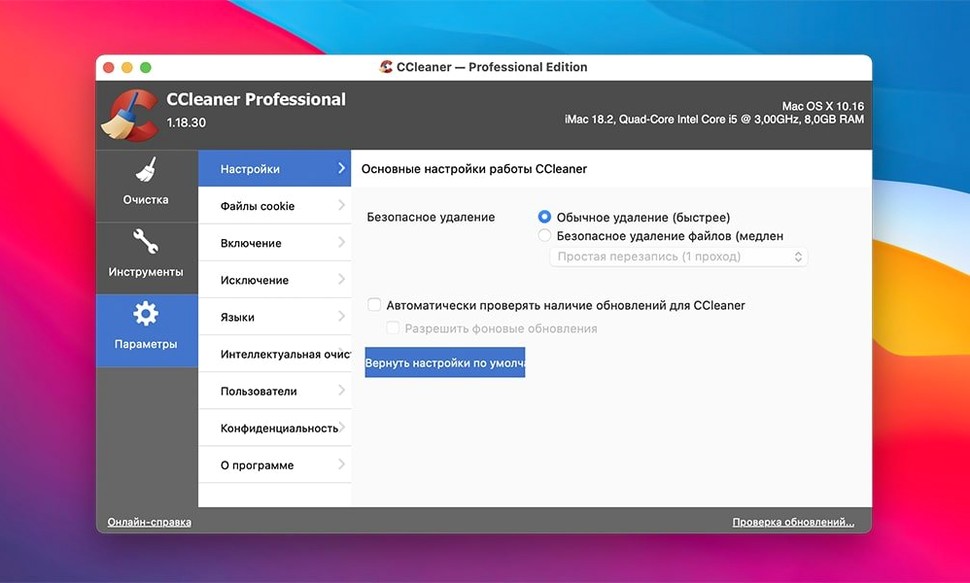
The most common mistake is treating the file-wiping function as a quick delete. Selecting a single overwrite pass rather than the multi-cycle option might feel faster, but it leaves data recoverable with readily available tools. If you're retiring a drive or passing a Mac to someone else, the extra minutes for three or more passes genuinely matter. A related habit is running a wipe on files still sitting in an active project folder — CCleaner will happily oblige, and there's no undo.
Another stumble involves assuming the browser cleaning is selective by default. A fresh install doesn't know that you want to keep cookies for twenty work logins while clearing everything else. Taking a moment to set per-browser exceptions before the first big scan prevents the mild irritation of re-entering credentials across a dozen services. The same applies to saved form data; it's easy to tick that box without realising it covers autofill information you use daily.
Finally, some newcomers ignore the analysis step entirely and jump straight to cleaning. The verification layers will catch most problems, but glancing at the breakdown of what's flagged — particularly the size of browser caches and system logs — gives you a better sense of where your disk space actually goes. That knowledge makes subsequent scans quicker because you'll know which categories are worth reviewing and which you can skip.
No background daemon running between cleanings
CCleaner Pro slots into the daily workflow without demanding attention. You can set a reminder to run it once a month, or just launch it whenever the Mac feels sluggish. Because it doesn't install a background daemon or menu-bar helper, it plays nicely with Time Machine — no interference with local snapshots, no unexpected deletion of backup files. That's a practical advantage over tools that run scheduled maintenance and occasionally conflict with macOS's own idle-time cleanup routines.
On the browser side, it complements rather than replaces private browsing modes. Safari's Private Window and Chrome's Incognito naturally avoid storing history in the first place, but CCleaner handles the traces left during normal sessions. If you use a password manager like 1Password or Bitwarden, the cookie exceptions mentioned earlier become even more relevant — clearing everything indiscriminately can log you out of vaults that rely on persistent sessions.
For users who combine CCleaner with Apple's built-in storage recommendations, the two work in sequence rather than competing. macOS might suggest offloading large files to iCloud or deleting old iOS backups, while CCleaner targets the smaller, scattered files that the system doesn't classify as significant. Run the built-in tools first for the big-ticket items, then let CCleaner sweep up what remains. People exploring a ccleaner for mac crack often find that layering tools this way yields satisfying results, much like following a rough vacuum with a detail brush.
There's also a quiet compatibility with migration scenarios. If you're moving from an Intel Mac to an Apple Silicon machine and using Migration Assistant, clearing out old caches and browser data beforehand with CCleaner can noticeably shrink the transfer size. Less cruft crossing over means a cleaner start on the new hardware, even if CCleaner itself then runs under Rosetta 2 once it arrives.
- OS X 10.10 Yosemite or later, including macOS 13 Ventura
- Intel 64-bit processor (or Apple Silicon via Rosetta 2)
Questions I keep hearing
Does CCleaner support Apple Silicon Macs natively?
No, the current version is built for 64-bit Intel processors, but it runs smoothly on newer Macs through Apple's Rosetta 2 translation layer.
Questions from the class 0
Sign in or join the class to ask a question.
Nobody has asked anything yet. If you have used it on a real job, say what the file did.
Also on the Mac Apps shelf
The whole Mac Apps shelf Carbon Copy Cloner
Creates an exact, bootable duplicate of your drive so you can start up from the copy in an emergency.
Carbon Copy Cloner
Creates an exact, bootable duplicate of your drive so you can start up from the copy in an emergency.
 Capture One
Processes raw photos with colour tools that let you correct a white balance with a single click.
Capture One
Processes raw photos with colour tools that let you correct a white balance with a single click.
 CapCut
Assembles short videos with auto-captions, effects, and a timeline that stays out of your way.
CapCut
Assembles short videos with auto-captions, effects, and a timeline that stays out of your way.
 Cap Pro
Records your screen into a local, shareable video without touching a cloud service.
Cap Pro
Records your screen into a local, shareable video without touching a cloud service.
 CleanMyMac
Scans for system junk, old caches, and stray files, then clears them out in one pass.
CleanMyMac
Scans for system junk, old caches, and stray files, then clears them out in one pass.
 Canopy
Adds an iPhone-style interactive panel to your Mac for quick glances at weather or calendar.
Canopy
Adds an iPhone-style interactive panel to your Mac for quick glances at weather or calendar.
 CleanShot X
Snaps a screenshot or recording, then lets you annotate, hide sensitive bits, and share the result.
CleanShot X
Snaps a screenshot or recording, then lets you annotate, hide sensitive bits, and share the result.
 Camtasia
Records your screen and camera, then gives you a timeline to trim, annotate, and export the lesson.
Camtasia
Records your screen and camera, then gives you a timeline to trim, annotate, and export the lesson.