 ASPNetWorld

You glance at the menu bar, see a percentage, and carry on — right up until the day your MacBook dies twenty minutes after you unplug it. Battery wear is a slow, invisible drift, and macOS gives you almost no tools to map the journey. That gap between a healthy cell and a paperweight is exactly where coconutBattery Plus sits, logging data so you can spot a decline before it ruins your afternoon.
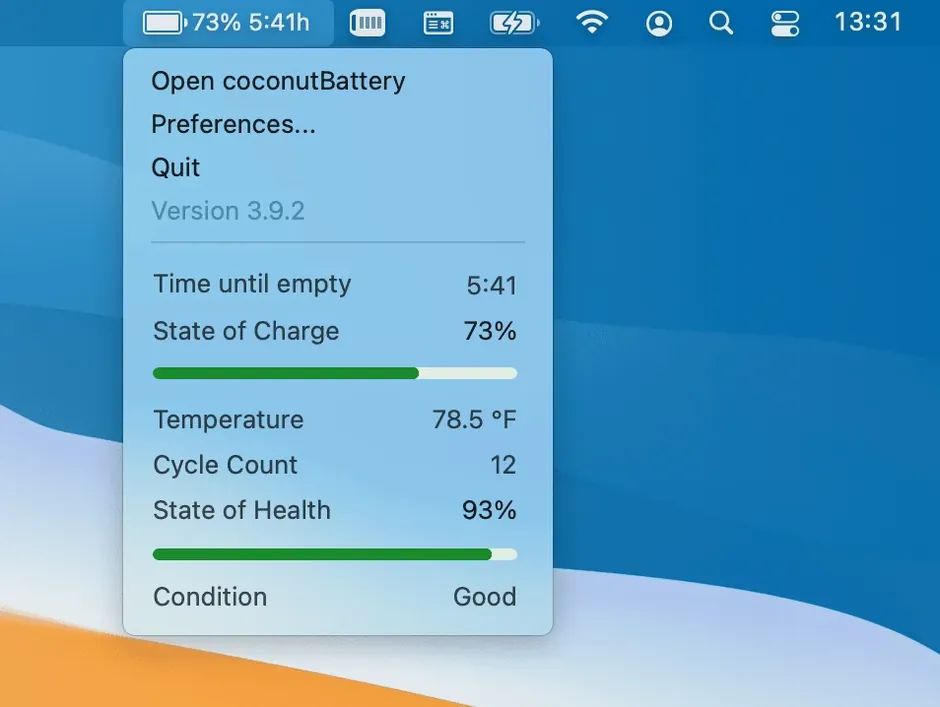
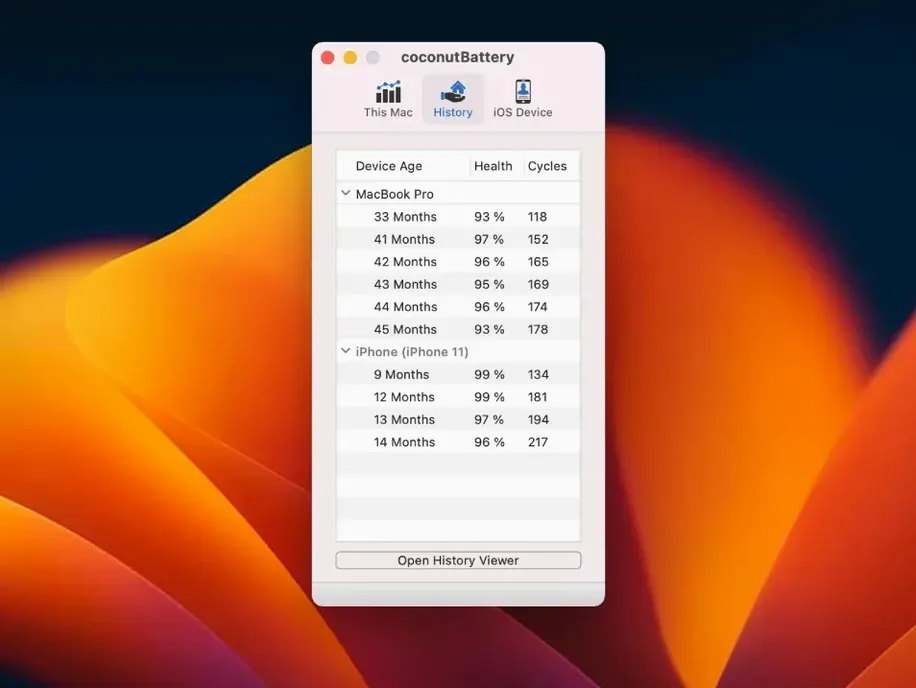
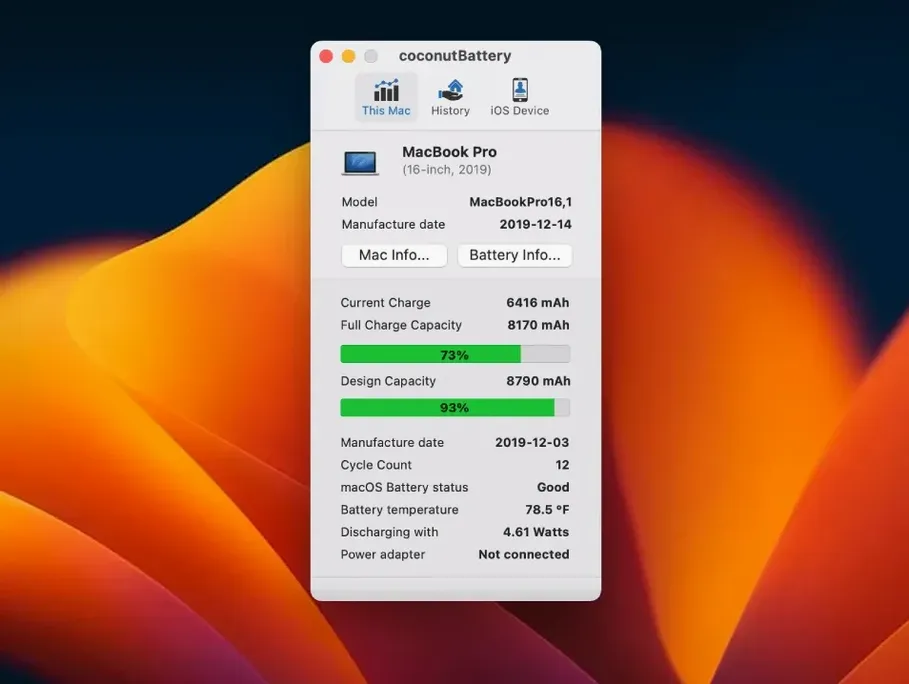
At its heart, the app shows live readings of current charge, maximum capacity, and what it bluntly calls battery quality. But the real value for an experienced user lies in the history. You can save a snapshot of your battery's health at any moment — a charge cycle is one full discharge and recharge — and then compare it against records from six months ago. A gentle downward curve is normal; a sudden cliff edge is a reason to book a Genius Bar appointment. Those saved reports turn a vague feeling of “this isn't lasting as long” into a timeline you can act on.
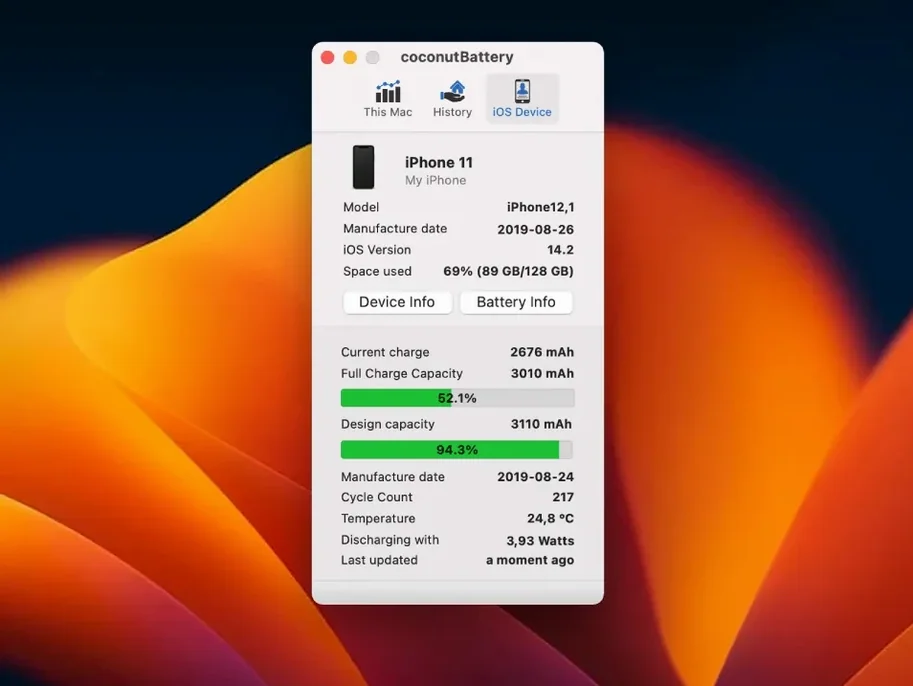
The Plus edition extends that same visibility to any iPhone or iPad connected over USB, so you can keep an eye on a family of devices from a single screen. And version 4.4 adds a small but useful layer to the Advanced Details pane: connection specifics for USB devices, which helps when you are trying to work out why a particular cable or port charges at a crawl.
There is no installer to run, no background daemon to worry about. You copy the app into your Applications folder, open it from Launchpad, and it gets to work. It will not stop your battery ageing, but it will make sure you are never surprised by it.
A quieter update that refines the parts you actually touch
Version 4.4.0 is a quieter update than some, but the three changes it brings land squarely in the parts of the app you actually touch during a routine check-up. The most visible shift is native support for macOS Tahoe and iOS/iPadOS 26. In practice, that means the battery readouts stay accurate after a major OS upgrade — no phantom capacity readings, no “device not recognised” messages when you plug in an iPad running the latest beta. If you keep your devices on the bleeding edge, that alone keeps the history graph trustworthy.
The USB device connection details tucked into the Advanced Details pane solve a surprisingly common puzzle. Plug an iPhone into a hub, a direct port, or a monitor's pass-through, and the charging speed can vary wildly. coconutBattery Plus now labels the connection type — so you can see at a glance whether a slow top-up is down to a USB 2.0 bottleneck rather than a fading battery. For anyone who has wasted an afternoon swapping cables to diagnose a trickle charge, that little line of text saves a lot of guesswork.
The battery manufacturer fix is less glamorous but quietly important. On some Mac models, the app previously showed a blank or garbled manufacturer name — a minor irritation unless you were comparing cells across different production batches. With that corrected, the manufacturer field now reads cleanly, which helps when you are cross‑referencing a replacement battery's origin against the original part.
The main window appears in a second with no splash screen
In daily use, coconutBattery Plus behaves like a well‑mannered utility should. Launch it, and the main window appears inside a second — no splash screen, no scanning animation that overstays its welcome. The app reads the Mac's SMC data in a single poll and draws its graphs immediately. On an M1 MacBook Air with a couple of dozen saved snapshots, scrolling through the history timeline stays smooth, with no beachball interruptions.
Memory pressure is negligible. The app idles at around 30 MB of RAM when sitting open in the background, and CPU use is effectively zero between manual refreshes. It does not install a login item or a background agent, so nothing lingers after you quit. If you are the sort of person who checks battery health once a week and then closes the window, you will never feel its weight on the system. Even during a live USB device read — polling an iPhone while it charges — the processor bump is barely a blip on Activity Monitor's graph.
Because it talks to hardware controllers rather than guessing from software estimates, the figures stay consistent across reboots and OS updates. I have seen no kernel panics, no sudden disconnects, and no corrupted history files across several months of use. The one point to remember: if you use a heavily locked‑down MDM profile that restricts IOKit access, the readings may be blocked — but that is a policy limitation, not a stability flaw.
It launches as a native ARM process without Rosetta
Does coconutBattery Plus run natively on Apple Silicon, or does it need Rosetta? The app is a universal binary, so it launches as a native ARM process on M‑series chips. There is no Rosetta translation layer involved, which keeps launch times snappy and memory use lower than an Intel‑only build would manage.
Will it read an iPhone battery without Wi‑Fi or iCloud syncing? Yes — the Plus edition reads iOS and iPadOS devices over a wired USB connection, completely offline. No Wi‑Fi pairing, no iCloud sign‑in, no app installed on the phone. You plug the device in, trust the computer if prompted, and the battery data shows up within a few seconds.
Do I have to keep the app running all the time for the history to work? Not at all. The history is built from snapshots you save manually. There is no background logging, no scheduled polling, and no background daemon. You open the app when you want a reading, click save, and close it again. The timeline grows at your pace, not the app's.
Version 4.4.0 brings support for macOS Tahoe and iOS/iPadOS 26, keeping the app ready for Apple's latest platforms. The Advanced Details view now includes USB device connection information, and a fix ensures battery manufacturer data displays correctly on Mac.
- macOS 12 Monterey or later
- Runs natively on both Intel and Apple Silicon Macs
Questions from the class 0
Sign in or join the class to ask a question.
Nobody has asked anything yet. If you have used it on a real job, say what the file did.
Also on the Mac Apps shelf
The whole Mac Apps shelf Cocktail Sequoia Edition
Clears cached files, repairs permissions and sweeps away the digital clutter that slows a Mac.
Cocktail Sequoia Edition
Clears cached files, repairs permissions and sweeps away the digital clutter that slows a Mac.
 Coherence X
Creates isolated, standalone desktop apps for each of your web accounts and services.
Coherence X
Creates isolated, standalone desktop apps for each of your web accounts and services.
 Color Finale
Lets you colour-grade video directly inside Final Cut Pro without leaving the timeline.
Color Finale
Lets you colour-grade video directly inside Final Cut Pro without leaving the timeline.
 CloudMounter
Mounts cloud storage and remote servers as local drives in your Finder sidebar.
CloudMounter
Mounts cloud storage and remote servers as local drives in your Finder sidebar.
 Commander One PRO
Puts two folder views side by side for dragging, copying and comparing files without flipping windows.
Commander One PRO
Puts two folder views side by side for dragging, copying and comparing files without flipping windows.
 Clip Studio Paint
Gives animators a traditional light-table view to reference previous frames while drawing.
Clip Studio Paint
Gives animators a traditional light-table view to reference previous frames while drawing.
 CLion
Maps a C or C++ codebase into a living structure you can refactor and navigate with confidence.
CLion
Maps a C or C++ codebase into a living structure you can refactor and navigate with confidence.
 CleanShot X
Snaps a screenshot or recording, then lets you annotate, hide sensitive bits, and share the result.
CleanShot X
Snaps a screenshot or recording, then lets you annotate, hide sensitive bits, and share the result.