 ASPNetWorld

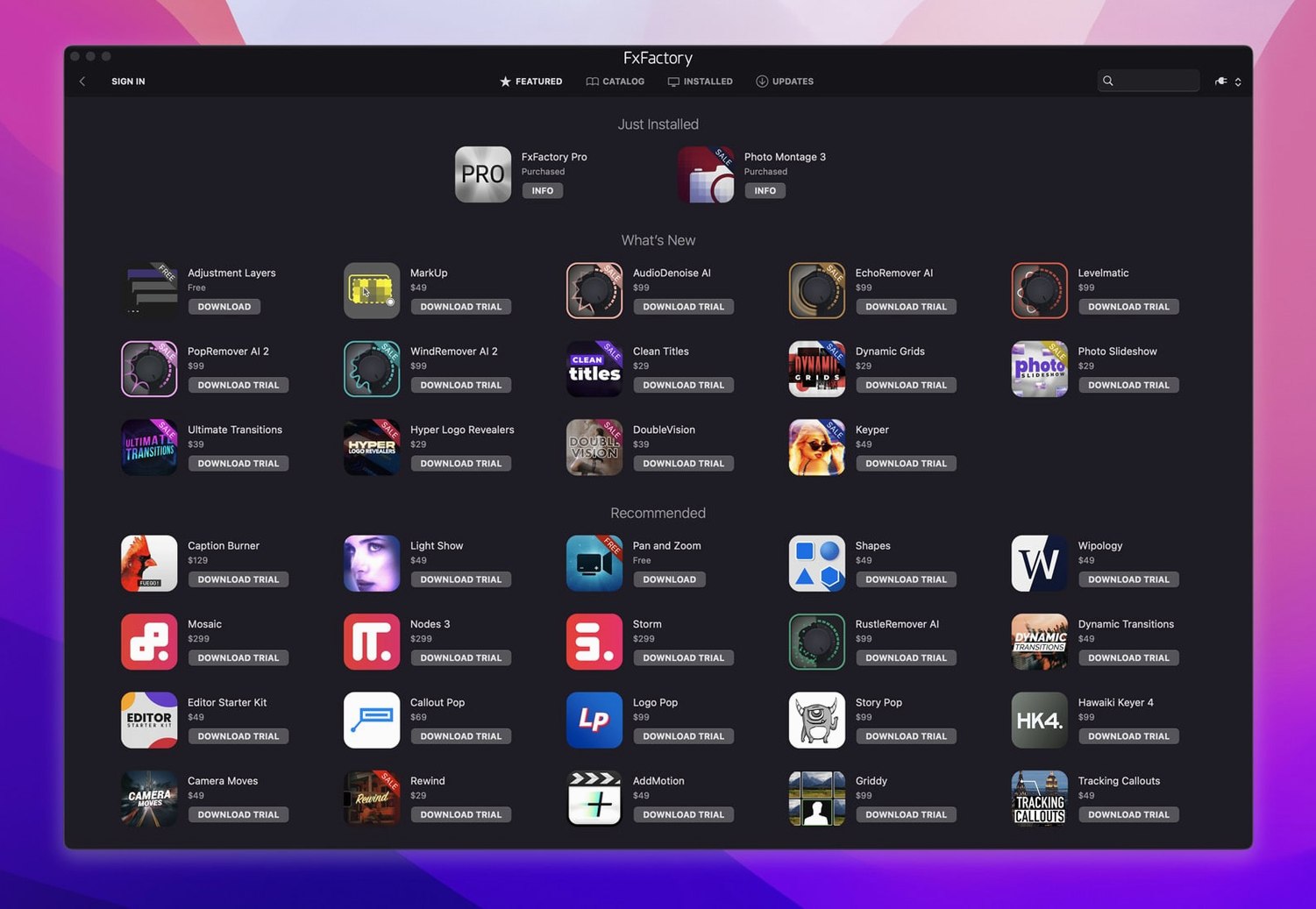
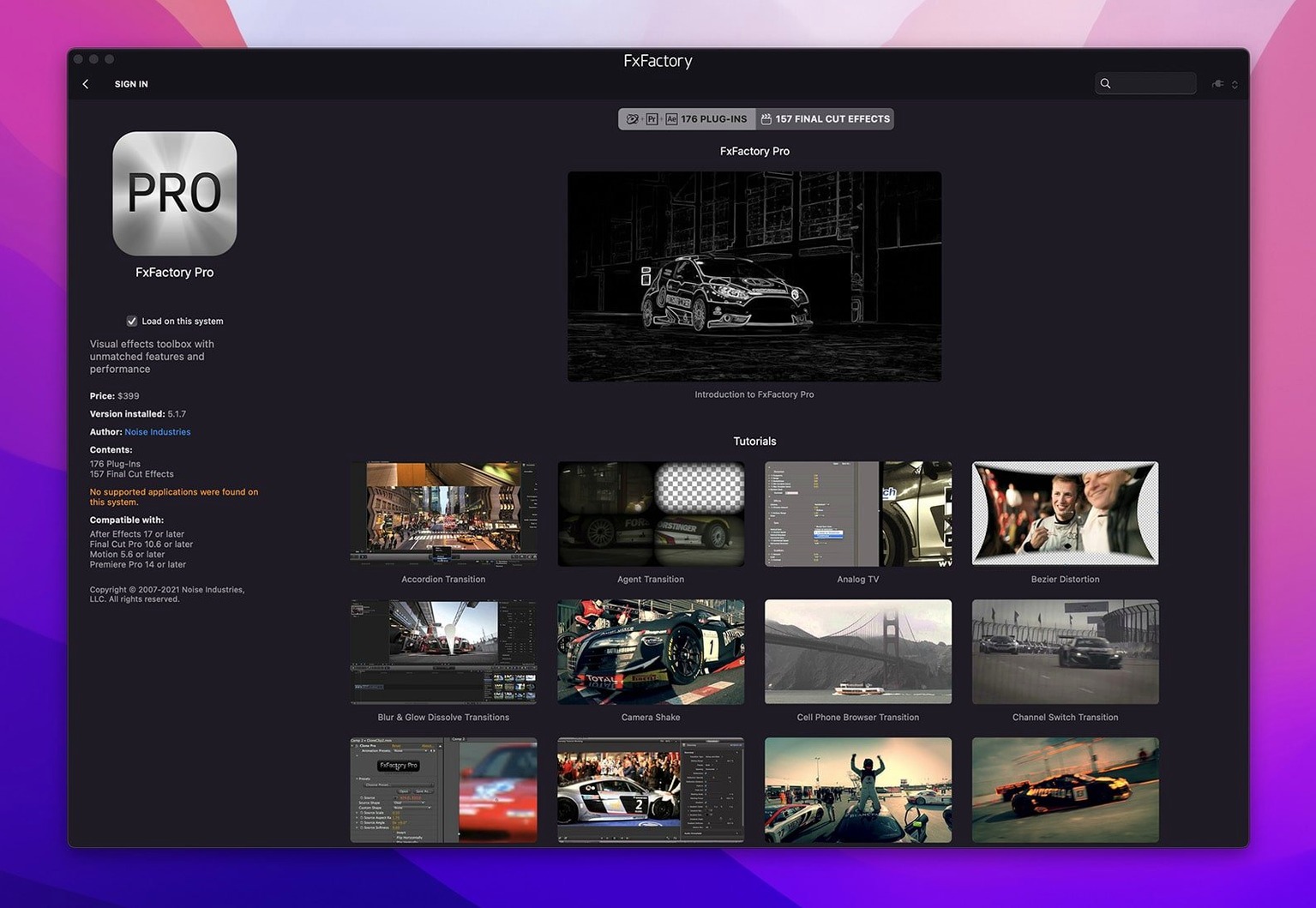
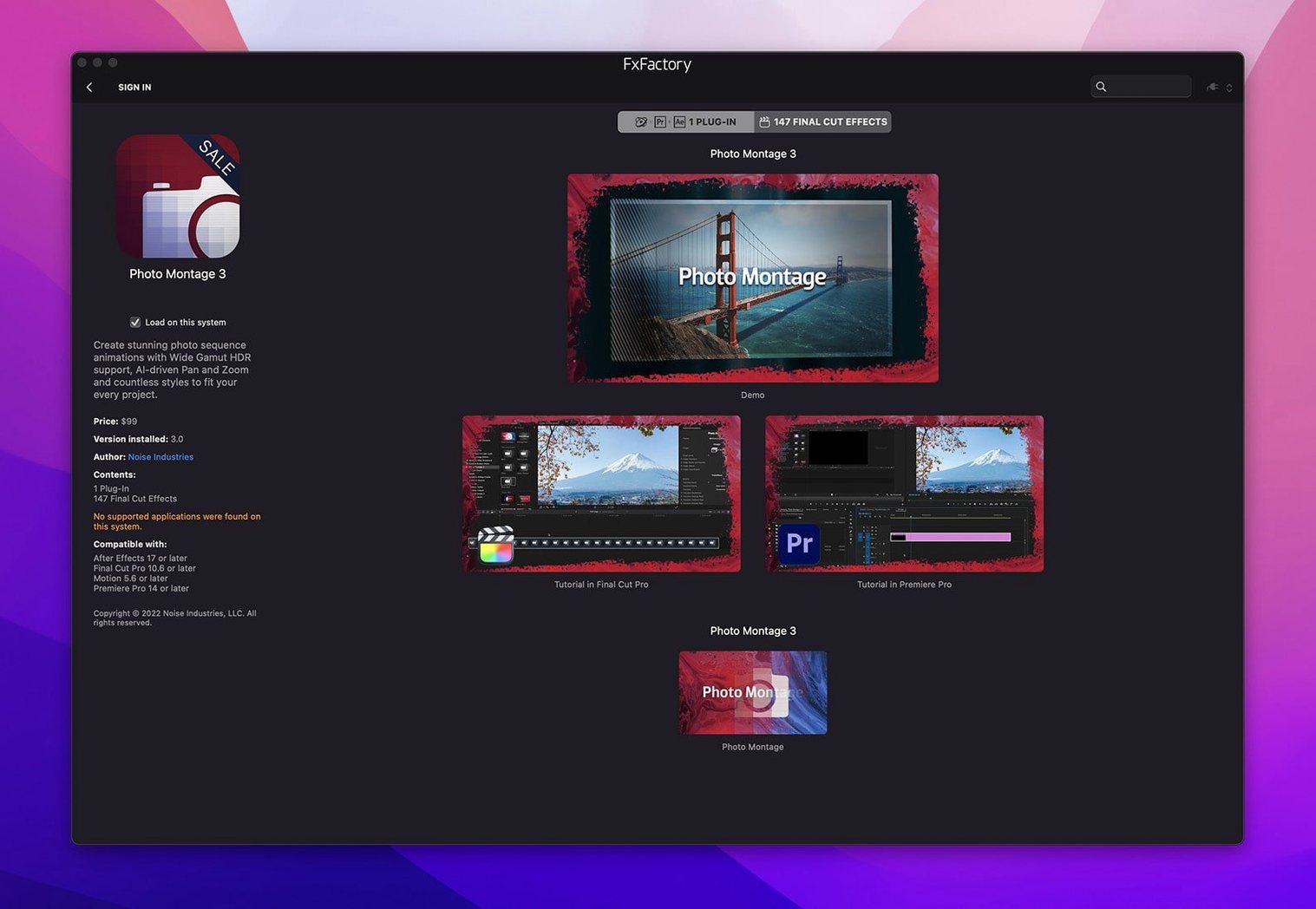
FxFactory Pro is built for modern Macs, supporting both Apple Silicon and Intel 64-bit processors, and asks for macOS 12.6 or later. It’s a visual effects engine that bridges a huge catalogue of plugins to the video applications you already work in — Final Cut Pro, Motion, Premiere Pro, After Effects, and DaVinci Resolve — through FxPlug integration, so once installed the effects show up right inside your host’s interface.
How does FxFactory Pro manage all my effects?
It acts as a single librarian for every FxFactory effect installed on your system. A clean, built-in browser lets you audition, organise, and choose plugins without digging through hidden folders, and then applies them directly to your timeline clips for preview or final rendering.
Which hosts can I use the plugins with?
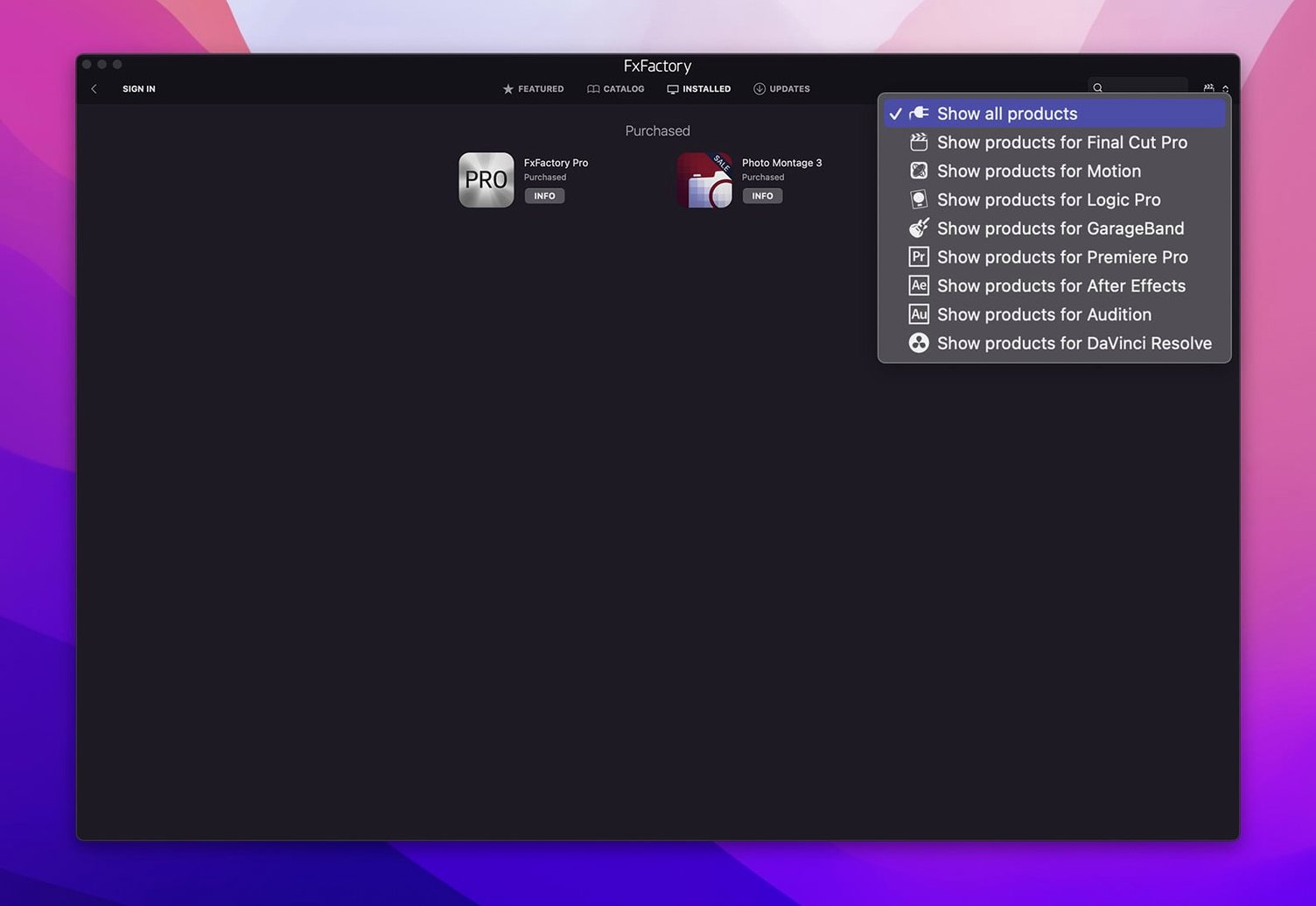
The package channels its effects into Final Cut Pro, Motion, Premiere Pro, After Effects, and DaVinci Resolve. The connection relies on FxPlug, so after a straightforward installation, your library appears natively inside those applications — no awkward round‑tripping.
Why does the build mention ‘without SIP disabling’?
Some older plugin systems required lowering macOS System Integrity Protection to work, which was a security concern. This version installs and runs with SIP fully enabled, keeping your Mac’s protections intact while still letting the effects engine do its job.
Building a stylised title sequence from scratch
Let’s walk through a task that video editors face regularly — a short animated title card with a glitch-reveal effect. The goal is text that crackles into view over a dark background, then stabilises into clean white lettering. We’ll use Final Cut Pro as the host, but the same logic applies in Premiere or After Effects.
Start by placing a text clip on the timeline and typing your title. Open the FxFactory browser from within Final Cut Pro — you’ll find it nestled in the effects panel — and navigate to the Stylised category. Drag a glitch effect onto the text clip. Most FxFactory effects preview instantly when you scrub the timeline, so you can see the default behaviour without waiting for a full render.
The real work happens in the inspector. You’ll want to keyframe two parameters: the glitch intensity and a subtle scale jitter. Set intensity high for the first eight frames, then ramp it down to zero over the next twelve. Add a second effect — perhaps a light bloom from the Lights collection — to soften the transition as the text settles. Because FxFactory Pro handles 32-bit colour processing under the hood, the bloom blends without banding, even across a dark gradient background.
Once the look feels right, mark a short in-and-out range and render just that section to check playback smoothness. The plugin manager ensures both effects share the same colour pipeline, so you won’t get a mismatch in gamma or bit depth between the glitch layer and the bloom. When you’re happy, the finished title can be saved as a compound clip or copied into other projects — the effect stack travels with it.
The installer no longer fights macOS Gatekeeper in version 9.0.5
Version 9.0.5-8654 didn’t arrive with fanfare, but a few shifts in behaviour matter to anyone who uses the package daily. The most noticeable is the installer’s relationship with macOS security. Previous builds occasionally tripped Gatekeeper warnings that required manual overrides; this one installs cleanly on macOS 12.6 or later without needing to reboot into recovery mode or touch SIP settings. For editors working on managed machines — studio Macs with IT policies — that’s a genuine time-saver.
Another change crept into the plugin browser itself: the preview thumbnails now pre-cache more aggressively on Apple Silicon machines. On an M1 or M2 system, scrolling through a large library of installed effects feels snappier, with fewer placeholder icons appearing while the disk catches up. The team at Noise Industries also tightened the FxPlug communication layer, so effects that combine multiple sub-plugins — a blur feeding into a colour shift, for instance — pass metadata between steps with less latency during scrubbing.
The Pro Pack’s 32-bit floating-point pipeline received a quiet refinement too. Gradients that previously showed subtle posterisation when pushed through three or four stacked effects now hold smooth tonal transitions. It’s not a feature you’d list in a changelog, but it shows up the first time you push a dark sky shot through a heavy grade and a glow effect without seeing contour lines creep in.
A motion designer’s Tuesday morning
Imagine a freelance motion designer preparing a social-media promo for a music festival. The brief asks for neon typography, animated waveform rings, and a vintage lens flare that pulses with the beat. She opens After Effects, creates a new composition, and reaches for three FxFactory plugins she’s used before: a neon sign generator, an audio-reactive ring effect from the particle collection, and a flare that emulates 1970s anamorphic glass.
She drags the neon effect onto her text layer and dials in a magenta-cyan colour pair using the effect’s on-screen controls — no need to hunt through dropdown menus, because the control overlay appears right in the composition viewer. The waveform rings get linked to the audio layer via a simple pick-whip in the effect panel; FxFactory’s audio analysis runs in real time, so she can see the rings pulse while the timeline plays, adjusting falloff and ring count by ear and eye together.
By mid-morning the animation is roughed out. She spots a flicker in the lens flare that doesn’t match the beat, so she nudges the flare’s phase offset by a few frames. The plugin manager lets her toggle all three effects on and off from a single panel, checking which one is causing a slight render slowdown. She identifies the neon effect’s glow pass as the culprit, drops its quality setting one notch for preview work, and carries on. The client sees a draft before lunch.
Plugins stay invisible until you quit and reopen the host app
New users often install a dozen free FxFactory plugins, expect them to appear in Final Cut Pro immediately, and then worry when the effects browser looks empty. The step they miss is a quick relaunch of the host application. FxPlug requires Final Cut Pro, Motion, or After Effects to scan for newly registered effects on startup, so quitting and reopening the app is essential after adding anything through the FxFactory browser.
Another early mistake is confusing the FxFactory application with the effects themselves. People open the standalone browser, find an effect, click it, and wait for something to happen on screen. The browser is a librarian, not a canvas — it shows you what’s installed and lets you organise or purchase items, but the actual work of applying an effect happens inside your video editor. Think of it as a catalogue you consult, not a workshop you build in.
A third pitfall is stacking too many 32-bit effects on a machine that’s struggling for memory. The Pro Pack’s high-bit-depth pipeline is precise, but it multiplies the data each effect processes. Beginners sometimes throw a blur, a colour correction, a grain, and a glow onto a 4K clip and wonder why the render crawls. The fix is usually simple: render a short test section to check which combination pushes the system too hard, then reorder or temporarily disable the heaviest passes during editing. The plugin manager’s on-off toggles make this trivial to diagnose.
Native Apple Silicon support ships inside the same installer
Will FxFactory Pro run on my M1 Mac? Yes, and it’s not running through Rosetta — the package includes native ARM support alongside Intel 64-bit binaries. The installer detects your architecture and places the correct components. On Apple Silicon machines, the plugin browser and the FxPlug bridge both run as native processes, which keeps launch times short and preview performance consistent with other arm-native software on the system.
Do I need to buy all the effects, or are some included? The management environment itself gives you access to a selection of free plugins that work without any purchase or registration. You can download those, install them, and use them in your projects indefinitely. The browser also shows commercial products; those sit alongside the free ones in the same interface, but each has its own licensing. The package doesn’t lock you out of the free effects while you decide about the paid ones.
Does it work in DaVinci Resolve the same way it works in Final Cut Pro? The effects pipeline is the same underneath, but the user interface differs slightly because Resolve handles FxPlug plugins through its OpenFX compatibility layer. The effects appear in the OpenFX panel rather than a dedicated FxFactory section. Most parameters translate directly, though a few on-screen control overlays behave differently in Resolve’s viewer. The core rendering — the 32-bit processing, the colour accuracy, the keyframe engine — stays consistent across hosts.
Version 9.0.5-8654 bundles the latest Apple Silicon and Intel builds into a single FxFactory installer, so you get native performance whichever Mac you’re on.
- macOS 12.6 or later
- Apple Silicon or Intel 64‑bit processor
- English interface
Questions from the class 0
Sign in or join the class to ask a question.
Nobody has asked anything yet. If you have used it on a real job, say what the file did.
Also on the Mac Apps shelf
The whole Mac Apps shelf Garden Planner
Helps you lay out planting beds and garden features before digging.
Garden Planner
Helps you lay out planting beds and garden features before digging.
 Gemini
Finds and removes duplicate files that waste space.
Gemini
Finds and removes duplicate files that waste space.
 FotoMagico
Builds timed slideshows that feel more like short films.
FotoMagico
Builds timed slideshows that feel more like short films.
 ForkLift
Moves files between folders and servers in a dual-pane view.
ForkLift
Moves files between folders and servers in a dual-pane view.
 Ghost Buster Pro
Clears leftover files after you uninstall an app.
Ghost Buster Pro
Clears leftover files after you uninstall an app.
 Glyphs
Builds a new typeface from a single well-structured capital letter.
Glyphs
Builds a new typeface from a single well-structured capital letter.
 FontLab
Lets you design and refine your own typefaces.
FontLab
Lets you design and refine your own typefaces.
 Folder Preview Pro
Lets you peek inside folders without fully opening them.
Folder Preview Pro
Lets you peek inside folders without fully opening them.