 ASPNetWorld
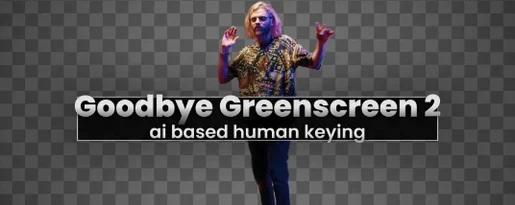
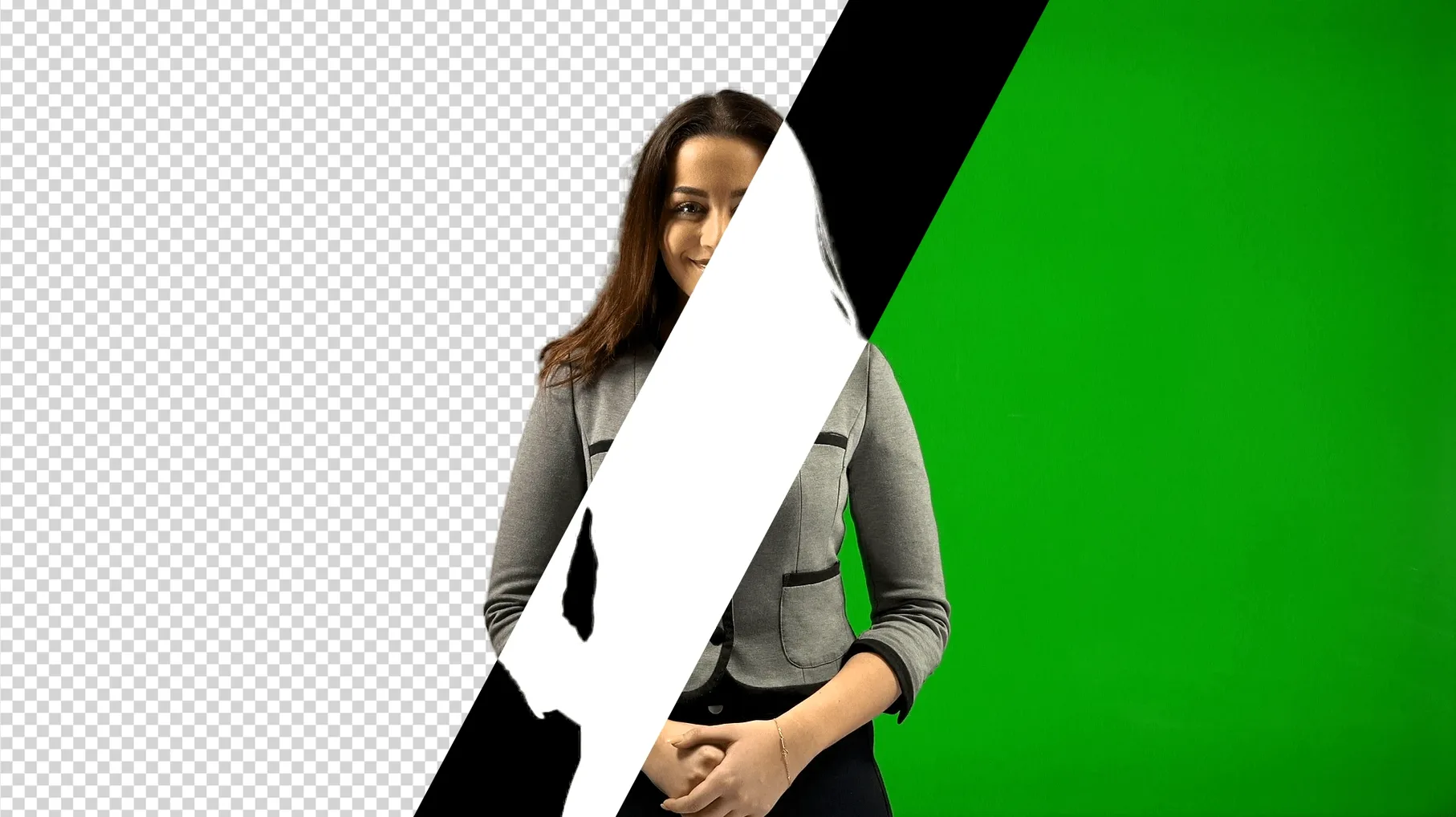
You’ve just wrapped a shoot. The lighting on the green screen wasn’t perfect — there’s a bit of spill on the talent’s shoulders, and the fabric is creased in the corner of the wide shot. Normally, that means an hour nudging keylight settings and painting garbage mattes. Instead, you drop Goodbye Greenscreen 2 onto the clip and let its AI matting engine work out where the person ends and the background begins.
A BiRefNet model that reads hair and motion blur in one pass
Matte generation is the heart of the plugin. Behind it sits a BiRefNet-based model — a neural network trained for precise image segmentation — that distinguishes hair, translucent edges and motion blur from the backing colour in a single analysis pass. You get two modes: one optimised for full-body shots, where limbs and loose clothing need broad, coherent masks, and one for portrait shots that preserves fine detail around spectacles and flyaway hair.
After the matte lands
Once the automatic mask is generated, the familiar compositing workflow picks up. Spill suppression, edge softness and light-wrap adjustments all behave as you would expect, but you are starting from a matte that already understands the difference between a fast-moving hand and a green reflection on a bald head. On CUDA systems, high-resolution timelines above 4K benefit from memory sharing that keeps previews smooth while you refine the composite.
Fitting into your existing toolset
Goodbye Greenscreen 2 sits inside After Effects and Premiere Pro as a native effect, which means it inherits the host’s render queue, proxy handling and adjustment-layer system without any bridge application. You can stack it upstream of a Lumetri grade or downstream of a Warp Stabilizer, and the matte updates in real time as you trim clips or slip sync. For colourists, the clean alpha channel it produces passes straight through to DaVinci Resolve via XML round-trips, saving the step of rebuilding a luma key on the timeline.
macOS integration runs deeper than the plugin pane. Because the AI inference happens entirely on your own machine, the plugin respects Apple’s media privacy prompts — no frames leave your local storage for cloud processing. The BiRefNet model taps into the Neural Engine on Apple Silicon for the initial segmentation pass, then hands the refined edge data back to the host’s GPU for compositing. If you use Finder tags to organise rushes, the plugin’s cache files inherit the same Spotlight metadata, so a saved matte from last Tuesday will surface in a system-wide search alongside the source clip.
Running the BiRefNet model on Intel versus Apple Silicon
“Will it slow down my older Intel Mac?” The plugin runs on any machine that meets After Effects 2023 or Premiere Pro 2022 requirements, but the experience differs. On Intel, the BiRefNet model executes on the CPU and discrete GPU, which adds a few seconds to the first analysis of a long clip. The resulting matte, however, is cached aggressively — scrub through the timeline a second time and playback is as responsive as a native mask. On Apple Silicon, the first pass is noticeably quicker because the Neural Engine handles segmentation in parallel with the media decoder.
“Can I use it on footage that wasn’t shot against green?” Yes, with a caveat. The colour-key pipeline assumes a chroma backing, but the full-body and portrait matting modes work on any clip where a human figure needs isolating. Feed it a busy office background and the model still identifies the person; you will simply need to dial in the matte refinement tools more carefully than you would with a properly lit screen. Many editors who grab a Goodbye Greenscreen 2 torrent for macOS discover this naturally — the tool is fundamentally a human matting engine with a green-screen optimised preset, not a one-trick keyer.
Rescuing a high-ISO night shoot: a start-to-finish workflow
Imagine a music video shot on a city rooftop at dusk. The backdrop is a green screen, but the crew pushed the ISO to 3200 to keep the city lights visible beyond the railing. Noise is dancing through the chroma channel, and conventional keyers are producing a flickering, chewed-up edge whenever the singer turns her head. Here is how the repair looks with Goodbye Greenscreen 2.
Import the clip into After Effects and create a 16-bit composition to preserve whatever shadow detail survived the gain. Apply the plugin and select the full-body matting mode — the singer is in a flowing coat, and the model needs the broader context to avoid cutting the fabric’s hem. Let the BiRefNet pass complete; on an M3 Max it finishes in roughly the same time it takes to pour a coffee. The initial matte will be surprisingly clean for noisy source material, but you will notice a slight chatter along the hairline.
Open the matte refinement section and increase edge softness by two pixels. Then engage spill suppression and pull the suppression hue wheel slightly towards magenta to neutralise the green bounce that the high gain introduced onto the singer’s collar. Place a solid-colour layer beneath the clip — a deep indigo to match the night setting — and toggle the light-wrap control until the edge of the coat picks up a subtle rim from the synthetic background. Render a preview of the chorus section; the matte holds steady through the head turns, and the noise that was embedded in the green channel never reached the composite.
Version 2.3.45 moves the plugin onto a new AI backend, which tightens segmentation around difficult edges. CUDA Memory Sharing now accelerates rendering at resolutions above 4K, keeping big-frame workflows moving.
- Compatible with After Effects 2026, 2025, 2024, 2023
- Compatible with Premiere Pro 2024, 2023, 2022
- Apple Silicon and Intel Macs supported
- Interface language: English
Questions from the class 0
Sign in or join the class to ask a question.
Nobody has asked anything yet. If you have used it on a real job, say what the file did.
Also on the Mac Apps shelf
The whole Mac Apps shelf Glyphs
Builds a new typeface from a single well-structured capital letter.
Glyphs
Builds a new typeface from a single well-structured capital letter.
 Ghost Buster Pro
Clears leftover files after you uninstall an app.
Ghost Buster Pro
Clears leftover files after you uninstall an app.
 Gemini
Finds and removes duplicate files that waste space.
Gemini
Finds and removes duplicate files that waste space.
 Garden Planner
Helps you lay out planting beds and garden features before digging.
Garden Planner
Helps you lay out planting beds and garden features before digging.
 FxFactory Pro
Adds a library of video effects to your editing software.
FxFactory Pro
Adds a library of video effects to your editing software.
 FotoMagico
Builds timed slideshows that feel more like short films.
FotoMagico
Builds timed slideshows that feel more like short films.
 Haptyk
Generates audible click feedback for every press on a solid-state keyboard.
Haptyk
Generates audible click feedback for every press on a solid-state keyboard.
 ForkLift
Moves files between folders and servers in a dual-pane view.
ForkLift
Moves files between folders and servers in a dual-pane view.