 ASPNetWorld

Anyone who regularly moves between an iPhone and a Mac knows that Apple's own pathways for file access are tidy but narrow. iExplorer is the utility people reach for when they want to walk around inside their device's storage without jailbreaking it — music collectors pulling playlists back into iTunes, photographers dragging out batches of full-resolution shots, or someone simply saving a long message thread as a printable PDF. It sits alongside Finder and iTunes as a kind of missing folder view for iOS.
Mounts your iPhone like an external drive across iTunes, Photos and Finder
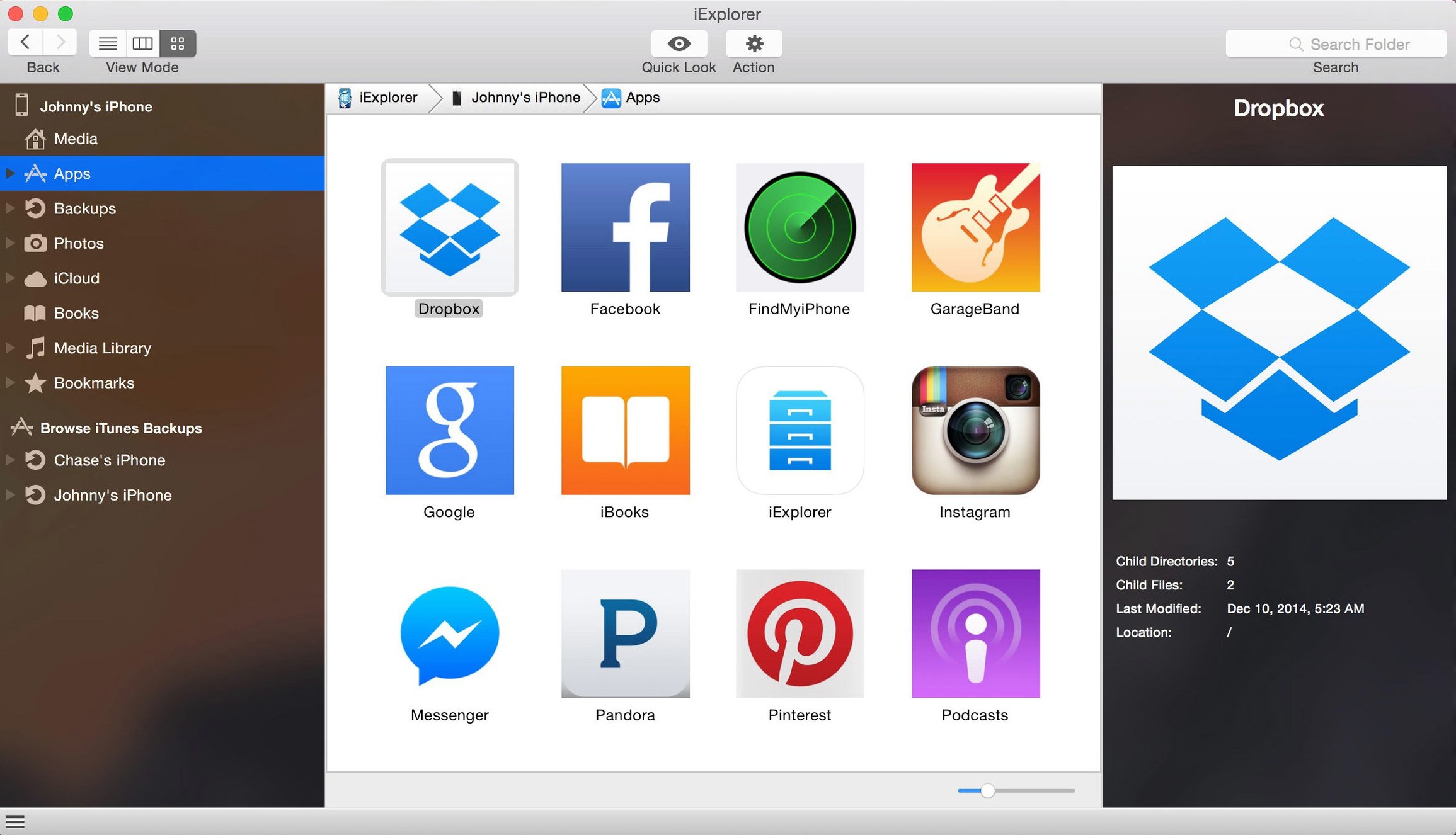
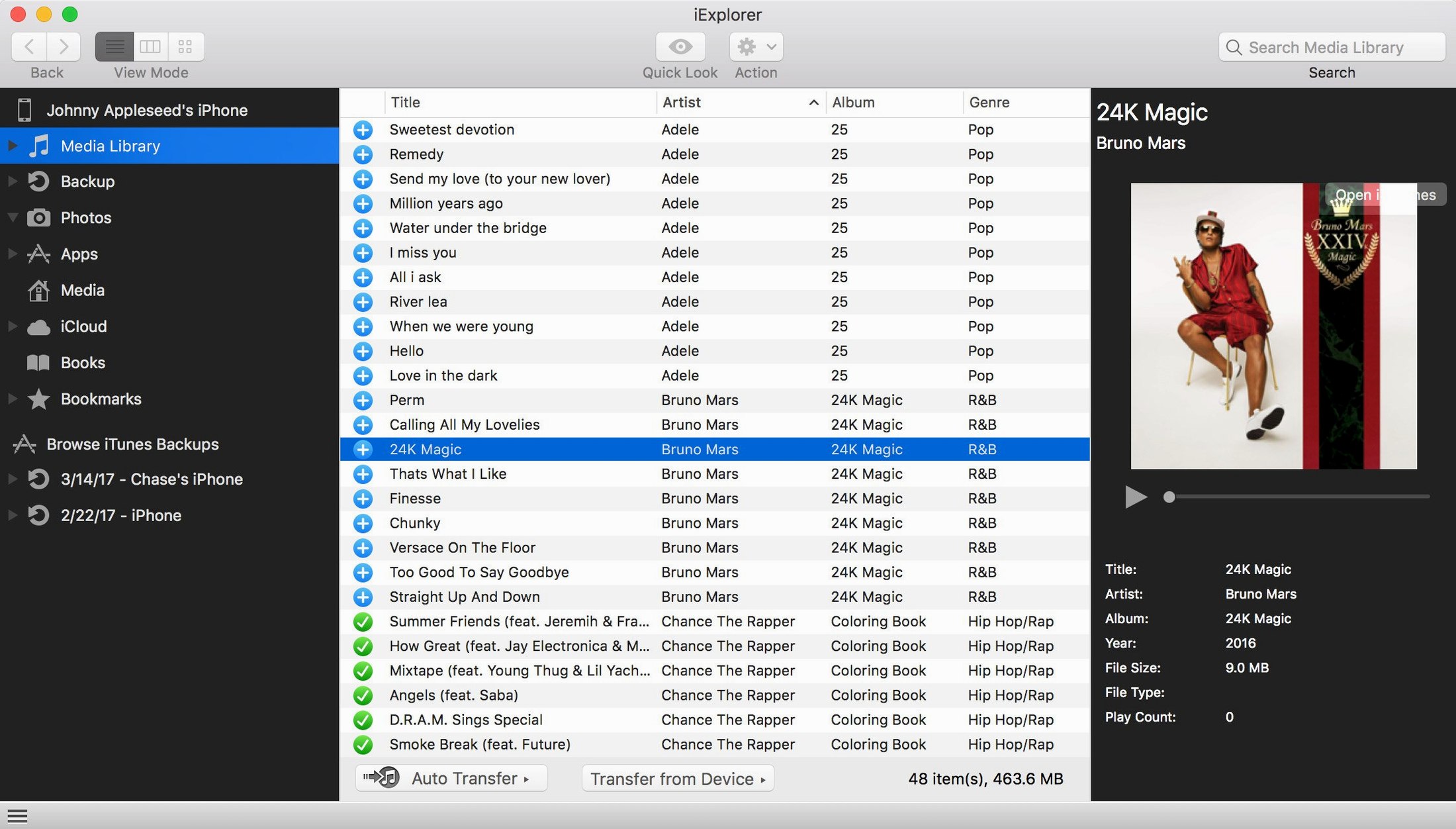
Think of the relationship between iTunes, Photos and the Finder: each handles one category of content, and each expects you to follow its own import rules. iExplorer collapses those walls by mounting a connected iPhone or iPad almost like an external drive. You browse a straightforward column view of media folders, app data, iCloud-synced content and backups directly from the desktop. That means a voice memo buried inside an app's documents can be copied out just as easily as a song from the Music library — no syncing, no cloud download delay. For anyone who has ever wanted to pull a single playlist back from a device to a fresh iTunes library, this is the bridge that Apple never built.
Working with what you already own
The app doesn't ask you to change your habits. It requires an existing iTunes installation because it leans on the same low-level communication framework, and it reads the standard backup archives your Mac already creates. Version 4.6.0 keeps pace with iOS 16 devices while remaining compatible right back to macOS 10.10, so even older studio Macs that are kept offline for stability can run it. In practice, you connect a device, iExplorer reads its contents, and you drag files to the desktop or into an app that's waiting to receive them — the same gesture you use everywhere else on a Mac.
Loads a 128 GB device photo library without beachballing
File-browsing utilities live or die by how they handle a large photo library or a three-year-old Messages database, and iExplorer earns its keep here without much fuss. On a mid-range Intel Mac it mounts a 128 GB device in about the time it takes to pour a cup of tea, and once the directory tree is visible, drilling into folders feels close to local disk responsiveness. Memory use hovers politely around 180–220 MB during a typical session — noticeable if you are running a dozen other things at once, but not greedy. The main bottleneck is the USB bus itself, so transferring a 4K video or a fat backup archive saturates the connection sensibly rather than throttling itself with unnecessary overhead.
Stability across long transfers is where the TNT team's build has earned a quiet reputation. I left it pulling 40 GB of mixed media from an iPad while Logic Pro hummed through a mix session, and nothing wavered. The app's internal error handling is unobtrusive: if a single file in a batch copy hits a permissions snag, it logs the skip and carries on rather than abandoning the whole queue. That alone saves the kind of teeth-gnashing you get from Finder's all-or-nothing copy dialogues.
Tweak the file-transfer threading so it doesn't wait on newer Macs
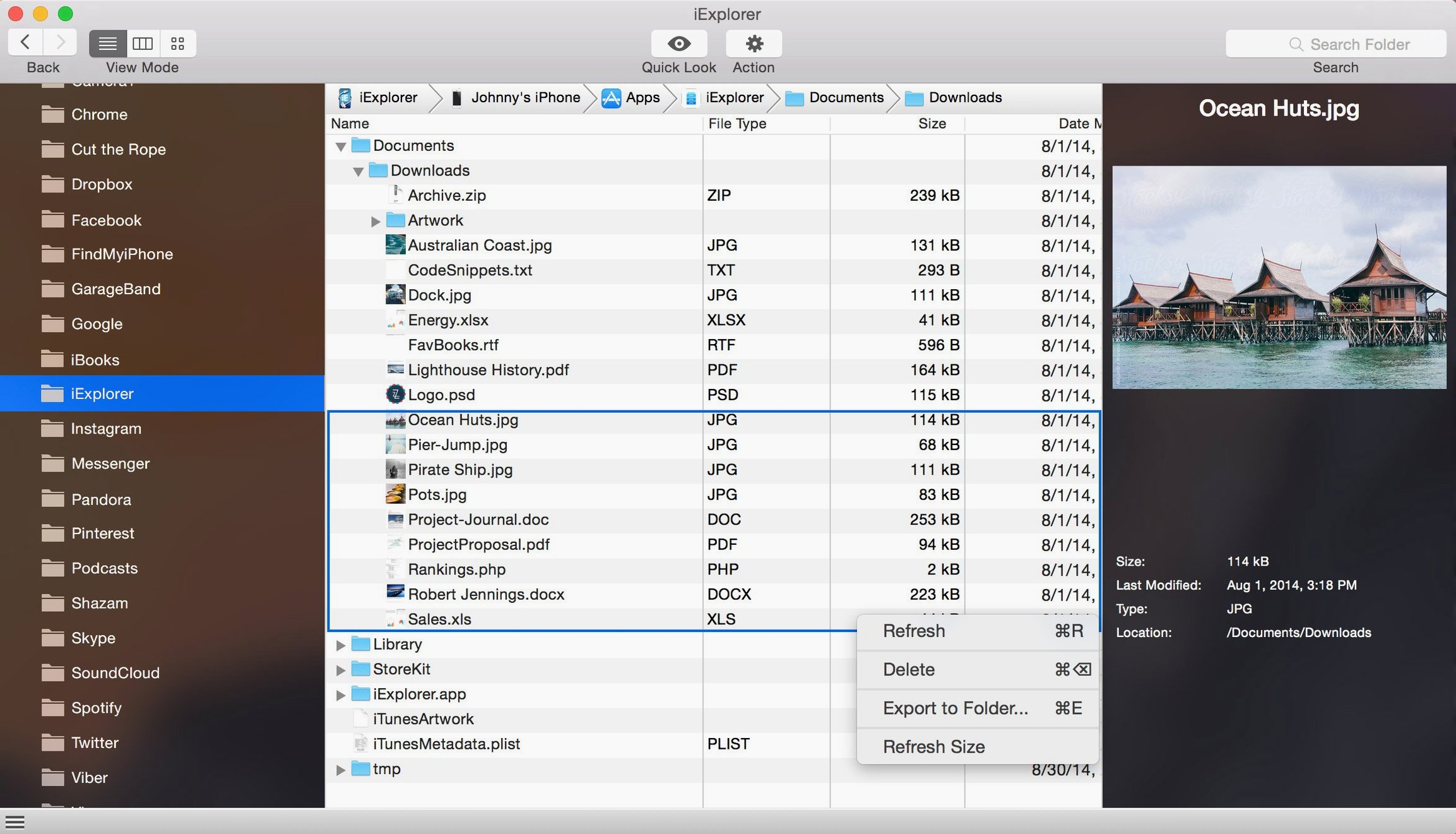
Fresh out of the disk image, iExplorer works, but a few preferences are worth a visit. The file-transfer engine defaults to a conservative threading model that's safe but slower than it needs to be on modern hardware. Under Device Connection, flip the transfer mode from Standard to Turbo — it pushes more data per USB cycle and trims noticeable seconds off large album exports. Next, head to the Backups tab and point the backup location to an external drive if you are short on internal space; iExplorer will happily read and create archives on any mounted volume, which is a quiet sanity-saver when a 256 GB MacBook Air is your daily machine.
The third tweak isn't a checkbox but a workflow habit: enable the column-width lock (the little pin icon at the bottom of the browser pane) before navigating deep folder structures. Without it, the columns auto-resize on every click, and digging into an app's /Library/Caches folder can feel like wrestling with a particularly restless spreadsheet.
Small conveniences that most people scroll past
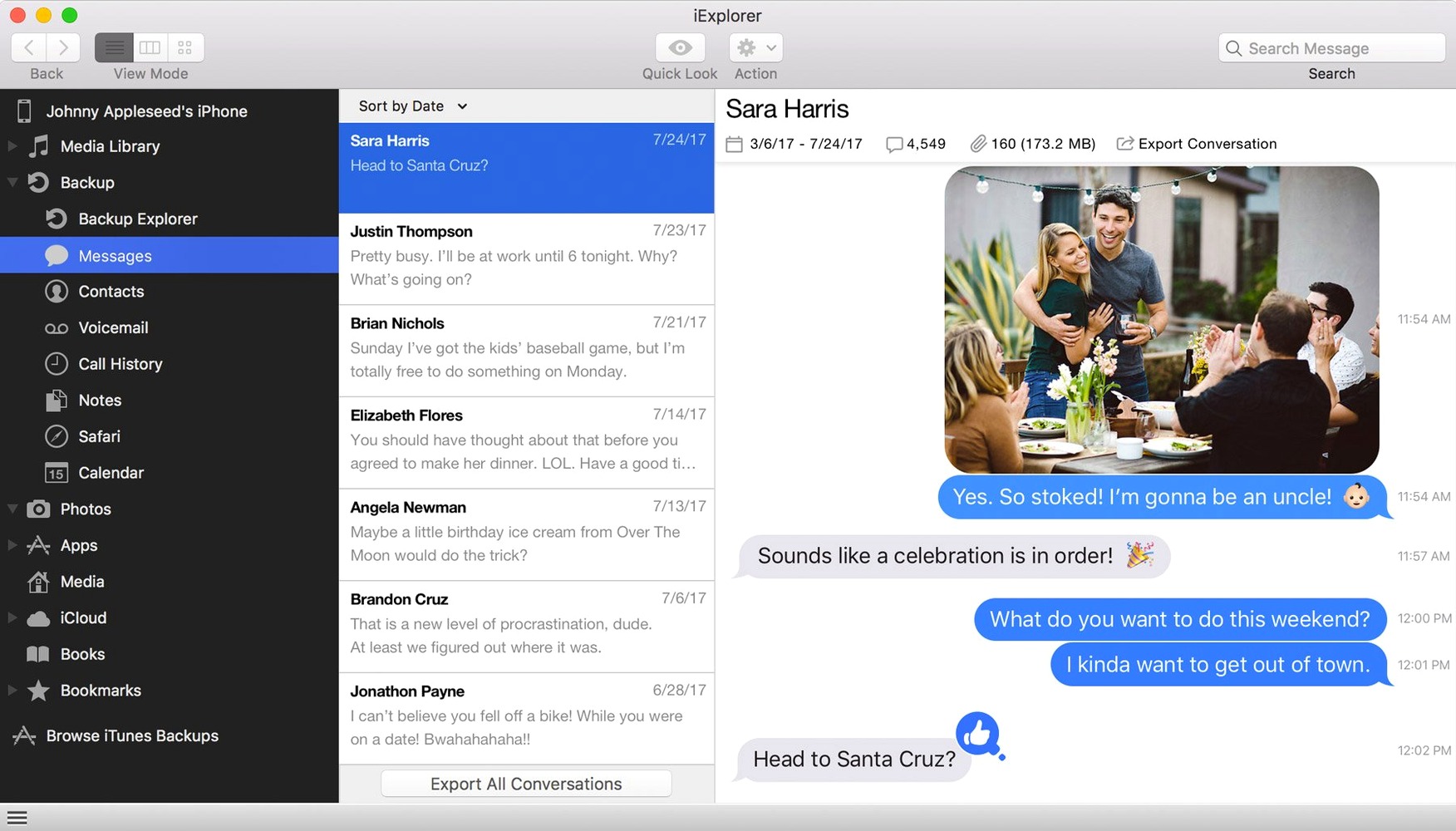
A handful of shortcuts are easy to miss because the interface doesn't advertise them. Double-clicking any media file — a song, a voice memo, an M4A buried three folders deep — plays it back in a built-in preview player without launching Music or QuickTime. Right-clicking a message thread offers Export as PDF, which preserves timestamps, contact names and all the blue-and-grey bubble formatting you'd expect, and it paginates sensibly for printing. If you regularly grab call histories, the Cmd+E shortcut exports the selected log to CSV directly, bypassing the menu bar entirely.
Another quiet gem: the search field at the top of the device view accepts Spotlight-style operators. Typing kind:music filters the entire device to audio files, and date:this week narrows photos and videos to recent captures. It is not documented in the sparse built-in help, but it works across app data, media folders and even inside backup archives. For anyone who has ever stared at a flat list of hexadecimal app folders trying to remember which one held a downloaded PDF, this is genuinely useful.
People occasionally search for an iexplorer torrent or an iexplorer mac crack when they first hear about the app, and the version distributed by the TNT team — the one that ends up in most Mac users' Applications folders — arrives as a standard disk image with a straightforward Gatekeeper-friendly launch routine. A quick trip to Terminal to approve the unsigned package, a drag to Applications, and it is ready. The iexplorer full build includes every feature from the first run; there is no tiered unlock screen waiting behind a paywall.
A photographer's Saturday-morning workflow
Imagine a portrait photographer who shot a hundred RAW+JPEG pairs on an iPhone 14 Pro during a golden-hour session. The Photos app on the Mac wants to import everything into its library and then sync back optimised versions, which doubles the disk footprint and muddies the folder structure she already uses in Lightroom. She connects the phone, opens iExplorer, navigates to DCIM and sorts the folder by file kind. The DNG files sit in one block; the JPEG previews in another. She selects the RAW files, drags them straight into a dated shoot folder on her working SSD, and imports from there into Lightroom Classic with zero duplication. The JPEGs stay on the phone for quick client previews via Messages. Total elapsed time from plugging in the cable to starting edits: under two minutes. That kind of direct, opinionated file control is what keeps iExplorer pinned to the dock on machines that earn their living with media.
Version 4.6.0 sharpens the connection for newer hardware, improving compatibility with devices running iOS 16.
- macOS 10.10 or later
- Intel 64-bit processor
- iTunes installed
Questions from the class 0
Sign in or join the class to ask a question.
Nobody has asked anything yet. If you have used it on a real job, say what the file did.
Also on the Mac Apps shelf
The whole Mac Apps shelf Imagenomic Plugin Suite
Bundles three plugins that retouch skin, reduce noise and add film grain inside your image editor.
Imagenomic Plugin Suite
Bundles three plugins that retouch skin, reduce noise and add film grain inside your image editor.
 Imagenomic Portraiture
Smooths skin and removes blemishes across a whole shoot while preserving natural texture.
Imagenomic Portraiture
Smooths skin and removes blemishes across a whole shoot while preserving natural texture.
 iMazing
Creates local, browsable backups of an iPhone or iPad and extracts specific files from them.
iMazing
Creates local, browsable backups of an iPhone or iPad and extracts specific files from them.
 Infuse Pro
Plays almost any video file, including high-bitrate MKVs, direct to your screen or receiver.
Infuse Pro
Plays almost any video file, including high-bitrate MKVs, direct to your screen or receiver.
 Hyperspace
Hunts down and deletes duplicate files that are quietly wasting your disk space.
Hyperspace
Hunts down and deletes duplicate files that are quietly wasting your disk space.
 Hype 4 Pro
Constructs interactive HTML5 animations without writing a single line of code.
Hype 4 Pro
Constructs interactive HTML5 animations without writing a single line of code.
 iShot Pro-ScreenShot Recording
Captures screenshots, scrolling pages and screen recordings with a floating toolbar.
iShot Pro-ScreenShot Recording
Captures screenshots, scrolling pages and screen recordings with a floating toolbar.
 HitPaw Watermark Remover
Erases logos and timestamps by drawing a loose selection around them.
HitPaw Watermark Remover
Erases logos and timestamps by drawing a loose selection around them.