 ASPNetWorld

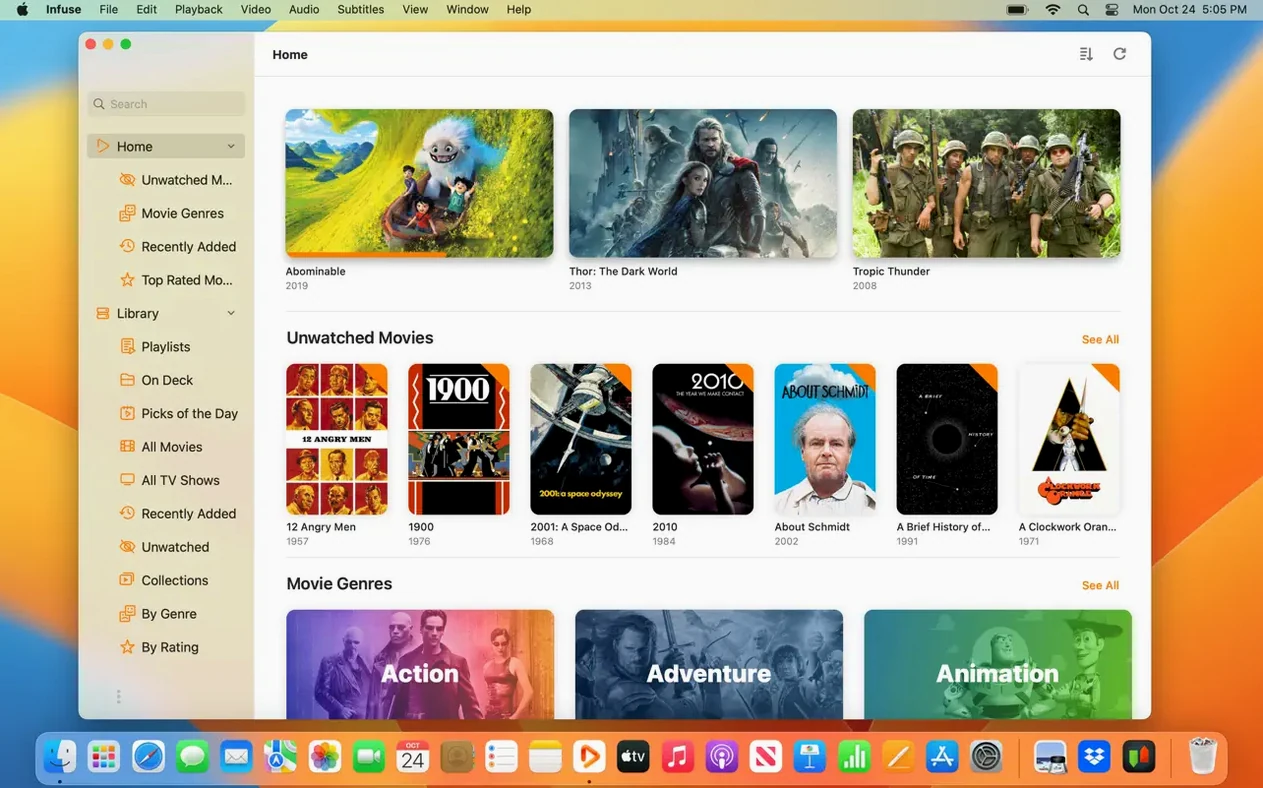
Silky-smooth playback of high-bitrate MKVs
DTS-HD Master Audio tracks trip up plenty of video players, but Infuse Pro decodes them natively and sends the signal clean to your receiver. The same applies to Dolby Digital Plus — no transcoding, no lip-sync drift, just the original stream played as intended.
Pull media from a NAS tucked in the cupboard under the stairs
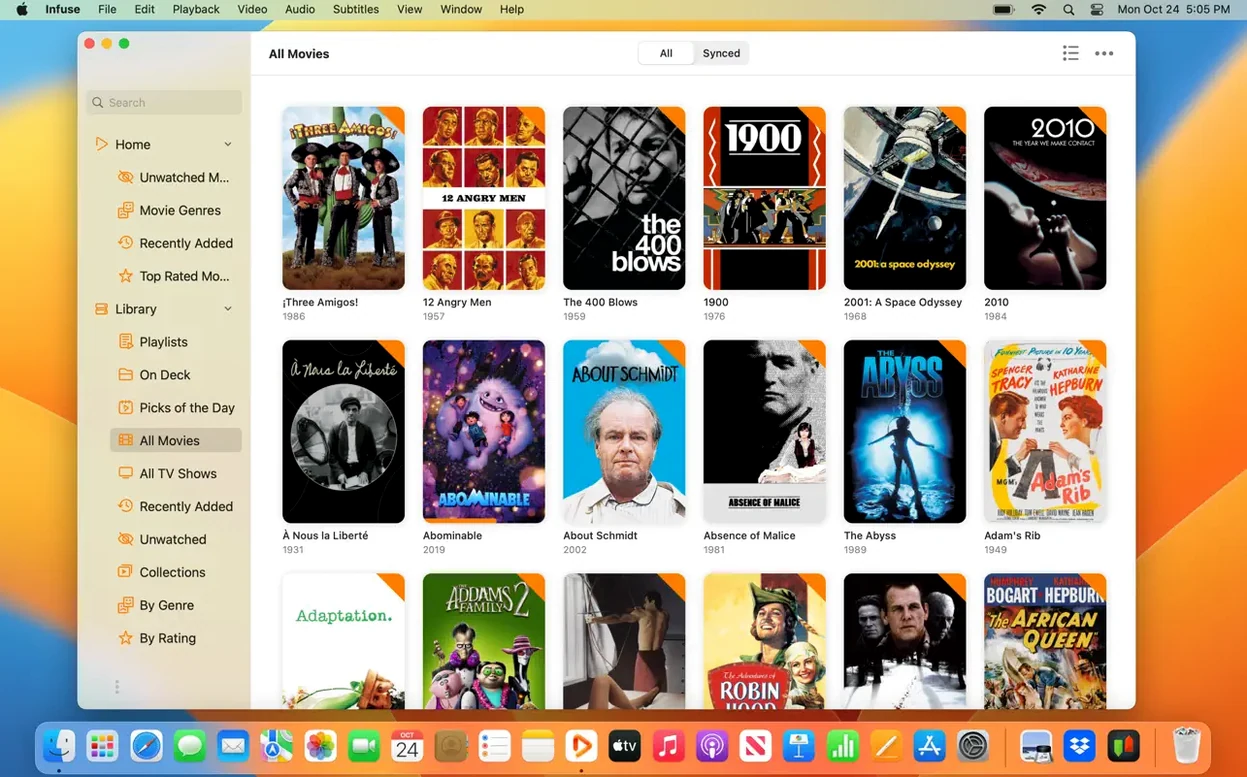
Point Infuse at a network share via SMB, NFS, or WebDAV and it scans folders into an organised library with cover art and descriptions, fetching metadata automatically. The same connection works for a dusty PC in the study or a Mac serving files over FTP.
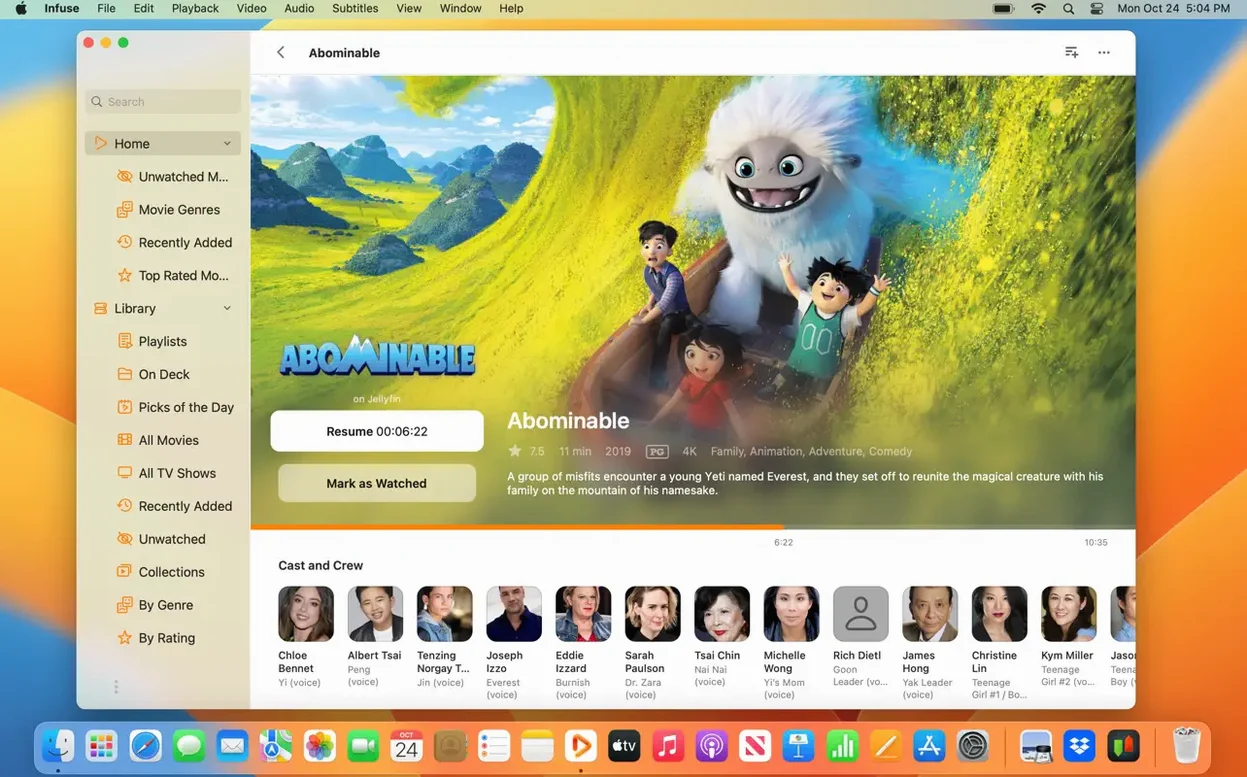
Pick up a film on the Mac where the iPad left off
Infuse Pro syncs your library, watched ticks and the exact second you paused across every Apple device through iCloud. Start a documentary during breakfast on the iPad, finish it later on the Mac, and the progress bar remembers.
Opening a 40 GB MKV feels identical to a small MP4
After a few weeks of regular use, the most noticeable thing about Infuse Pro is that it stays out of the way. Opening a 40 GB MKV from a network share feels much the same as opening a small MP4 stored locally — a brief moment while the library refreshes, then playback starts. Scrubbing through high-bitrate files is responsive rather than apologetic, which is usually the first sign that a player is decoding rather than struggling. On Apple Silicon Macs the app barely registers in Activity Monitor during ordinary playback; on older Intel machines it works, though the fans will occasionally make themselves known with very large H.265 files.
Memory use is modest for a media player, and the app holds up well when left open in the background for days. Stability has been a strong point across recent versions, with none of the sudden quits that sometimes plague players built on older decoding libraries. If I had to describe the overall impression in one phrase, it would be quietly competent — the kind of software you forget you are running until you switch to something else and notice the difference.
Turns a folder of oddly named files into a browsable library
People with large local libraries on a NAS or home server tend to get the most from Infuse Pro. The combination of automatic metadata fetching, Trakt synchronisation and reliable network streaming turns a folder full of oddly named files into something closer to a proper media centre. Anyone who rips their own Blu-rays will appreciate the native DTS-HD and Dolby Digital Plus support, since that removes the need to convert audio tracks before watching.
Households with several Apple devices are another natural fit. The iCloud sync means one person can watch half a film on the Mac and another can finish it on the Apple TV in the living room, without either of them needing to remember where the playback stopped. Subtitle users benefit too — pulling subtitles from OpenSubtitles directly or adding a downloaded .srt file during playback is genuinely low-friction.
It is less essential for anyone who only streams from commercial services, or whose video collection consists entirely of MP4s from a phone. The free feature set covers basic needs; the Pro additions matter most when you have heterogeneous file formats, network storage, or multiple screens to keep in step.
It plays virtually every video and audio format you already have
Will it play everything I already have? For the vast majority of files, yes. The format list covers the usual suspects — MP4, MOV, MKV, AVI, WMV, MTS, ISO, FLV, OGV, 3GP, WebM and WTV — and the audio support extends to the formats that cause the most headaches elsewhere. If you have an unusual codec from an old camcorder, there is still a small chance you will need to convert it first, but that is the exception.
Does it need to transcode anything? No, and that is the point. Infuse Pro decodes everything natively on the Mac, which means no delays while a server converts the file and no quality loss from re-encoding. Network playback is limited mainly by the speed of your Wi-Fi or Ethernet connection, not by the app.
Do I need an account for anything? Only for the optional extras. Trakt requires its own account if you want watched-history syncing, and cloud services like Dropbox or Google Drive need their usual login. The core library and network streaming work perfectly well without any sign-up.
Recent versions in everyday use
Version 8.5.5, released in September 2026, continues the recent pattern of quiet refinement rather than dramatic redesign. The everyday experience is smoother at the edges: library updates feel quicker after the app has been running for a while, and the network scanning that happens in the background is less likely to interrupt what you are watching. For a player that already handled the heavy lifting well, these small adjustments matter more than new buttons.
People searching for an infuse pro download will find the disk image installs in the usual way — open the file, drag the app into Applications, and launch it from Launchpad. Those curious about an infuse dmg will get the same package, and the app checks for updates itself once installed. Whether you arrive looking for an infuse torrent or simply want the current build, the player you get is the same: a capable media library tool that works best when it is left to get on with the job.
- macOS 12 or later
- Runs natively on both Apple Silicon and Intel Macs
Questions I keep hearing
Does Infuse Pro handle Blu-ray folder structures?
Yes — it can open BDMV and ISO files directly, playing the main title with full chapter navigation and audio track selection.
Which cloud services does it connect to?
You can stream straight from Dropbox, Google Drive, OneDrive, Box, pCloud, Yandex.Disk and Mega.nz, as well as media servers like Plex, Emby and Jellyfin.
Is there a free version available?
Infuse itself is free and plays most common formats; the Pro features — including HD audio codec support and iCloud syncing — are a paid upgrade.
Questions from the class 0
Sign in or join the class to ask a question.
Nobody has asked anything yet. If you have used it on a real job, say what the file did.
Also on the Mac Apps shelf
The whole Mac Apps shelf iMazing
Creates local, browsable backups of an iPhone or iPad and extracts specific files from them.
iMazing
Creates local, browsable backups of an iPhone or iPad and extracts specific files from them.
 Imagenomic Portraiture
Smooths skin and removes blemishes across a whole shoot while preserving natural texture.
Imagenomic Portraiture
Smooths skin and removes blemishes across a whole shoot while preserving natural texture.
 Imagenomic Plugin Suite
Bundles three plugins that retouch skin, reduce noise and add film grain inside your image editor.
Imagenomic Plugin Suite
Bundles three plugins that retouch skin, reduce noise and add film grain inside your image editor.
 iExplorer
Transfers music, messages and files between an iPhone and a Mac without using iTunes or iCloud.
iExplorer
Transfers music, messages and files between an iPhone and a Mac without using iTunes or iCloud.
 iShot Pro-ScreenShot Recording
Captures screenshots, scrolling pages and screen recordings with a floating toolbar.
iShot Pro-ScreenShot Recording
Captures screenshots, scrolling pages and screen recordings with a floating toolbar.
 iStat Menus
Puts CPU, memory, disk, network and weather stats right in your menu bar.
iStat Menus
Puts CPU, memory, disk, network and weather stats right in your menu bar.
 Hyperspace
Hunts down and deletes duplicate files that are quietly wasting your disk space.
Hyperspace
Hunts down and deletes duplicate files that are quietly wasting your disk space.
 Hype 4 Pro
Constructs interactive HTML5 animations without writing a single line of code.
Hype 4 Pro
Constructs interactive HTML5 animations without writing a single line of code.