 ASPNetWorld


The current version of Luminar AI for Mac settles into a familiar rhythm. It remains a fully AI-based image editor, available either as a standalone application or as a plugin, and this release carries forward the same set of tools that first gave it its name. There is no dramatic new feature to point at here — just the steady, predictable behaviour you want from software you rely on for finishing photographs.
What the AI tools actually do
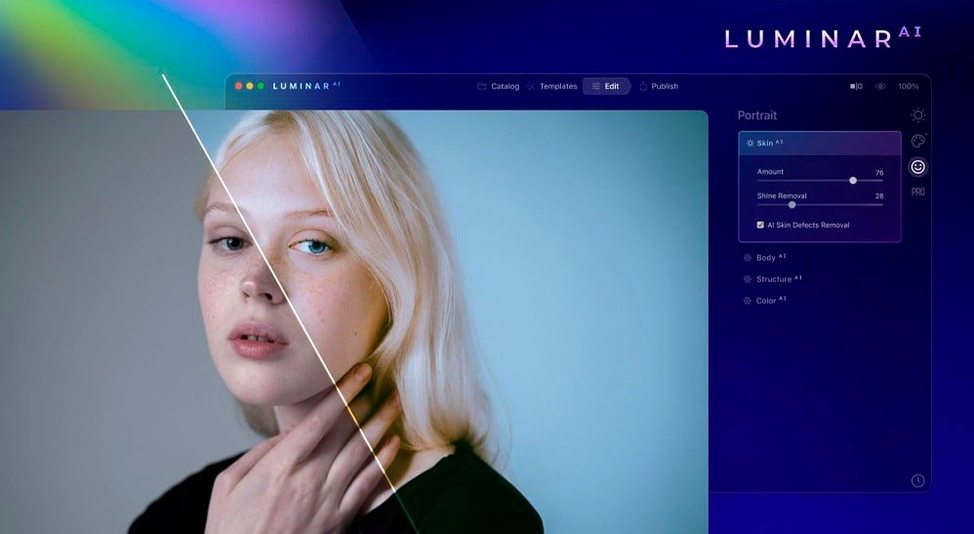
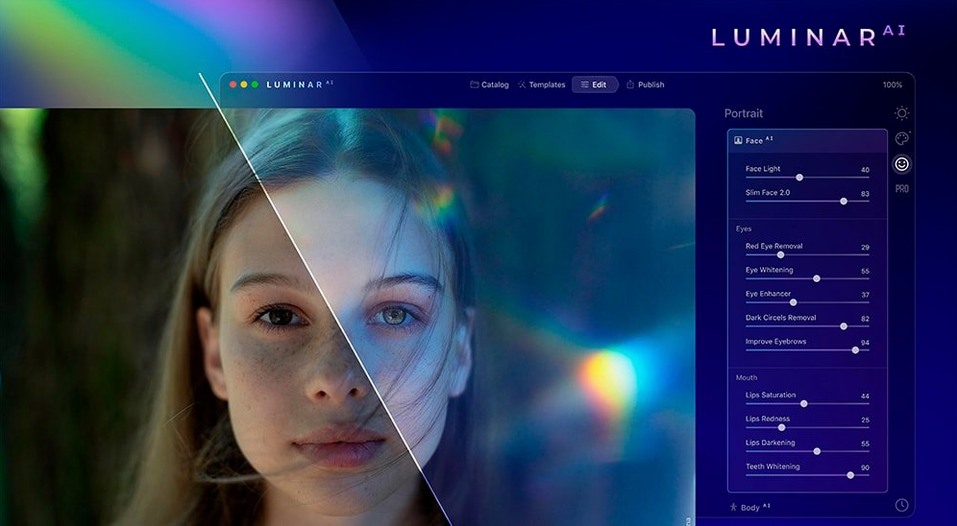
If you have ever spent too long masking a sky, you will appreciate Sky AI, which replaces it in one move. Portrait work is handled by a cluster of tools: Face AI adjusts features and lifts dark circles, Skin AI removes blemishes without flattening pores or texture, and Iris AI brightens the eyes. Body AI can alter shape, while Bokeh AI adds a soft background blur. Structure AI sharpens detail in people, water, sky and objects. All of this runs on both Apple Silicon and 64-bit Intel Macs, starting from macOS 10.13.6.
The controls produce genuine adjustments, not one-tap filters
People usually ask whether it feels like a toy. It does not. The controls are straightforward, but the underlying edits are genuine adjustments rather than one-tap filters. Others wonder if it replaces Photoshop. Not quite — it is more of a companion, useful for the finishing stages of a photograph. Some also ask about unofficial copies floating around as torrents; if you go that route, just make sure you grab a clean, unmodified build so the app runs smoothly and you get the full editing engine as it was meant to work.
Refinements you notice on a second shoot, not a first glance
Version 1.5.5 (13797) is not the sort of update that arrives with a splash screen. The changes since earlier builds mostly happen under the hood — the kind of refinements you notice on a second shoot, not a first glance. Sky AI, for instance, grew better at handling trees with fine branches against a pale horizon, a scene that used to leave an unconvincing halo. Atmosphere AI now blends fog and haze more naturally into the midground, so the effect reads as weather rather than an overlay. The installer itself has also been streamlined for macOS Gatekeeper, which means less terminal fiddling on a fresh setup.
In everyday use, these tweaks accumulate. Portrait edits hold up better when you crop in tight, because Skin AI no longer over-smoothes at high magnification. Composition AI, which always felt like a clever party trick, now suggests crops that actually respect the original framing intent instead of rigidly following thirds. None of this rewrites what Luminar AI does — it simply makes the doing faster and the results more believable.
Speed, stability and battery life on a Mac
On an Apple Silicon Mac, the application launches in roughly four seconds cold and feels responsive throughout a session. Sliders update the preview without the quarter-second lag that plagued earlier photo editors on Intel machines. Memory usage sits around 1.2 GB with a single 24-megapixel RAW file open, climbing to just over 2 GB when you stack Atmosphere, Sky and Skin adjustments. That is modest by modern standards, and the app releases memory cleanly when you close an image.
Stability is strong in standalone mode. I have pushed it through batches of forty RAW files without a crash, though the plugin route through Lightroom Classic occasionally needs a second attempt to hand off a file. Battery drain is acceptable — you lose about 12% per hour on a MacBook Air M2 during steady editing, which is better than some rivals that keep the GPU awake unnecessarily. The real win is how little the fan runs. Even with Bokeh AI rendering a heavy blur across a full-resolution shot, the machine stays cool and quiet.
Two different philosophies placed side by side
Place Luminar AI next to Pixelmator Pro and you see two different philosophies. Pixelmator Pro is a layer-based editor with machine learning bolted on — excellent for compositing and precise selections, but it expects you to understand blend modes and masks. Luminar AI hides all that. You move a slider labelled “Sky” and the software figures out the rest. If you enjoy the craft of building an edit step by step, Pixelmator Pro fits. If you want a portrait ready in three minutes, Luminar AI wins.
ON1 Photo RAW is a closer competitor, offering its own AI sky replacement and portrait tools alongside a full raw processor. ON1 gives you more granular control — you can tweak the mask that Sky AI generated, something Luminar AI does not expose — but the interface is busier and the learning curve steeper. ON1 also runs heavier on system resources; the same batch of RAW files that Luminar AI chews through quietly will spin up fans on the same hardware.
Then there is the element that draws people to search for Luminar AI torrent or Luminar torrent in the first place: the appeal of a single-purpose tool that does not demand a subscription. The comparison is less about features and more about the shape of the workflow. Luminar AI is the editor you open when Lightroom has done the heavy lifting and you need a sky that actually matches the mood you remember.
You are not locked into a house style
Does the AI make everything look the same? The sliders have plenty of range, so you are not locked into a “house style.” Sky AI, for example, lets you adjust horizon blending, relight the foreground and dial back the opacity until the replacement feels natural. Two photographers starting from the same RAW file will arrive at different images.
Will it work as a plugin with my existing editor? Luminar AI installs as a plugin for Lightroom Classic and Photoshop, and it also works as an external editor for Apple Photos. The handoff is straightforward: right-click an image, choose “Edit in Luminar AI,” make your adjustments, and save. The edited file returns to your library as a TIFF or PSD. Standalone mode is always there if you prefer to skip the host application entirely.
What about people searching for Luminar AI download Mac or Luminar Mac torrent — is the torrent route safe? The copy you get from unofficial sources is unpredictable by its nature. A repacked torrent can be missing plugin components or lag behind on updates, so the key is to verify the build matches the version you expect and to grant any Gatekeeper permissions the installer asks for. The version described here, 1.5.5, comes as a clean disk image that mounts without drama, and that reliability is part of what makes it a practical daily driver rather than a technical experiment.
- macOS 10.13.6 or later
- Works on Apple Silicon and 64-bit Intel Macs
- Interface languages: English, German, Spanish, Italian, Traditional Chinese, Simplified Chinese, Korean, Dutch, Portuguese, French, Japanese
Questions from the class 0
Sign in or join the class to ask a question.
Nobody has asked anything yet. If you have used it on a real job, say what the file did.
Also on the Mac Apps shelf
The whole Mac Apps shelf Luminar Neo
Layers multiple AI-driven edits onto a photo and lets you relight or swap backgrounds non-destructively.
Luminar Neo
Layers multiple AI-driven edits onto a photo and lets you relight or swap backgrounds non-destructively.
 MacBooster
Finds and clears system junk, duplicate files, and privacy traces to free up disk space.
MacBooster
Finds and clears system junk, duplicate files, and privacy traces to free up disk space.
 MacCleaner Pro
Bundles app uninstallation, duplicate detection, and disk space analysis into a single toolkit.
MacCleaner Pro
Bundles app uninstallation, duplicate detection, and disk space analysis into a single toolkit.
 MacDroid Pro
Lets your Mac read and write to Android and MTP devices over USB.
MacDroid Pro
Lets your Mac read and write to Android and MTP devices over USB.
 Logoist 5
Creates logos, icons, and vector illustrations using layers, effects, and a built-in style browser.
Logoist 5
Creates logos, icons, and vector illustrations using layers, effects, and a built-in style browser.
 MacFamilyTree
Builds an interactive family tree that pulls historical records from online genealogy databases.
MacFamilyTree
Builds an interactive family tree that pulls historical records from online genealogy databases.
 MacGPT
Puts ChatGPT in your menu bar for quick questions, text rewrites, and inline assistance anywhere.
MacGPT
Puts ChatGPT in your menu bar for quick questions, text rewrites, and inline assistance anywhere.
 Live Home 3D Pro
Builds detailed floor plans and 3D walkthroughs of interior and exterior spaces.
Live Home 3D Pro
Builds detailed floor plans and 3D walkthroughs of interior and exterior spaces.