 ASPNetWorld

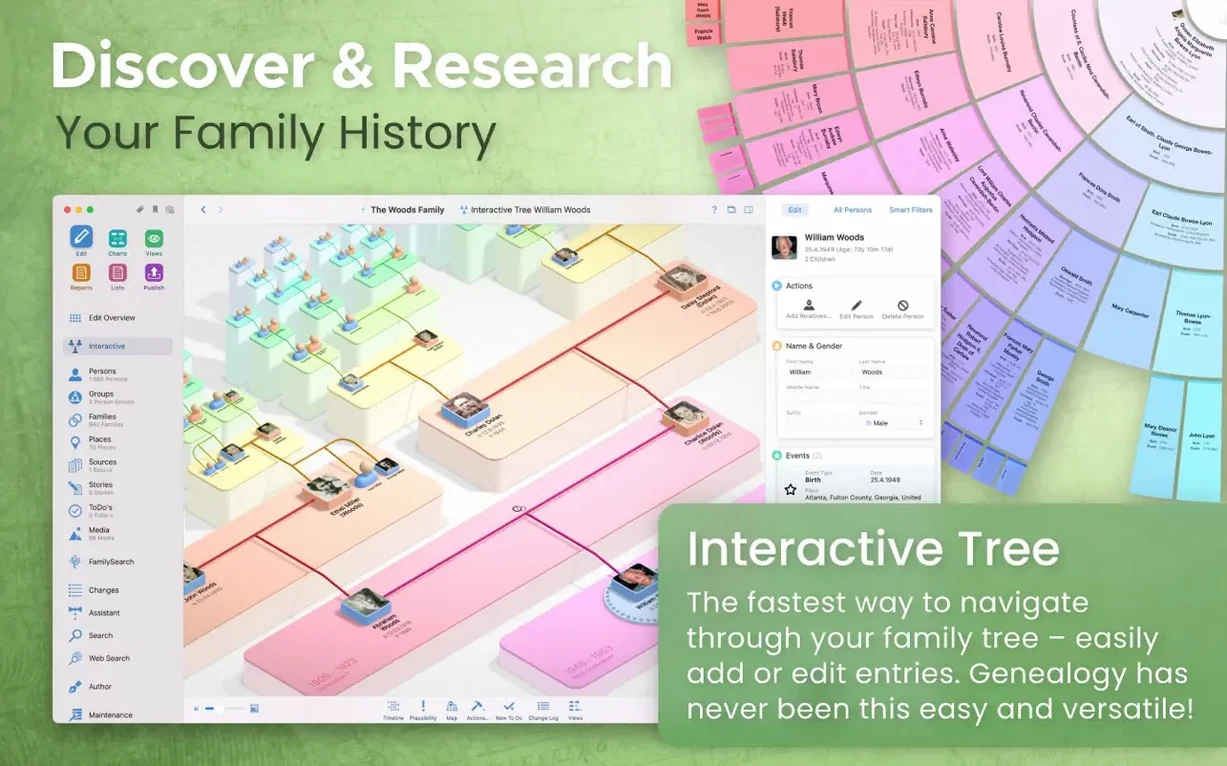
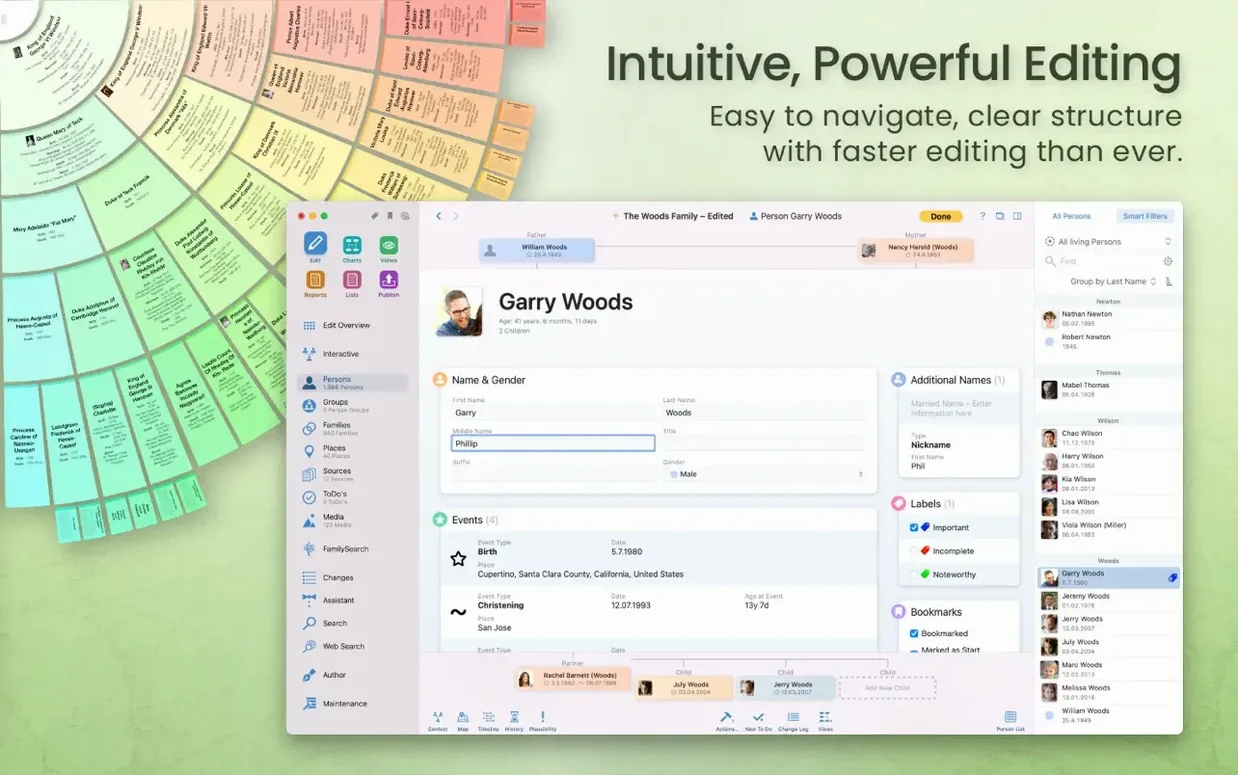
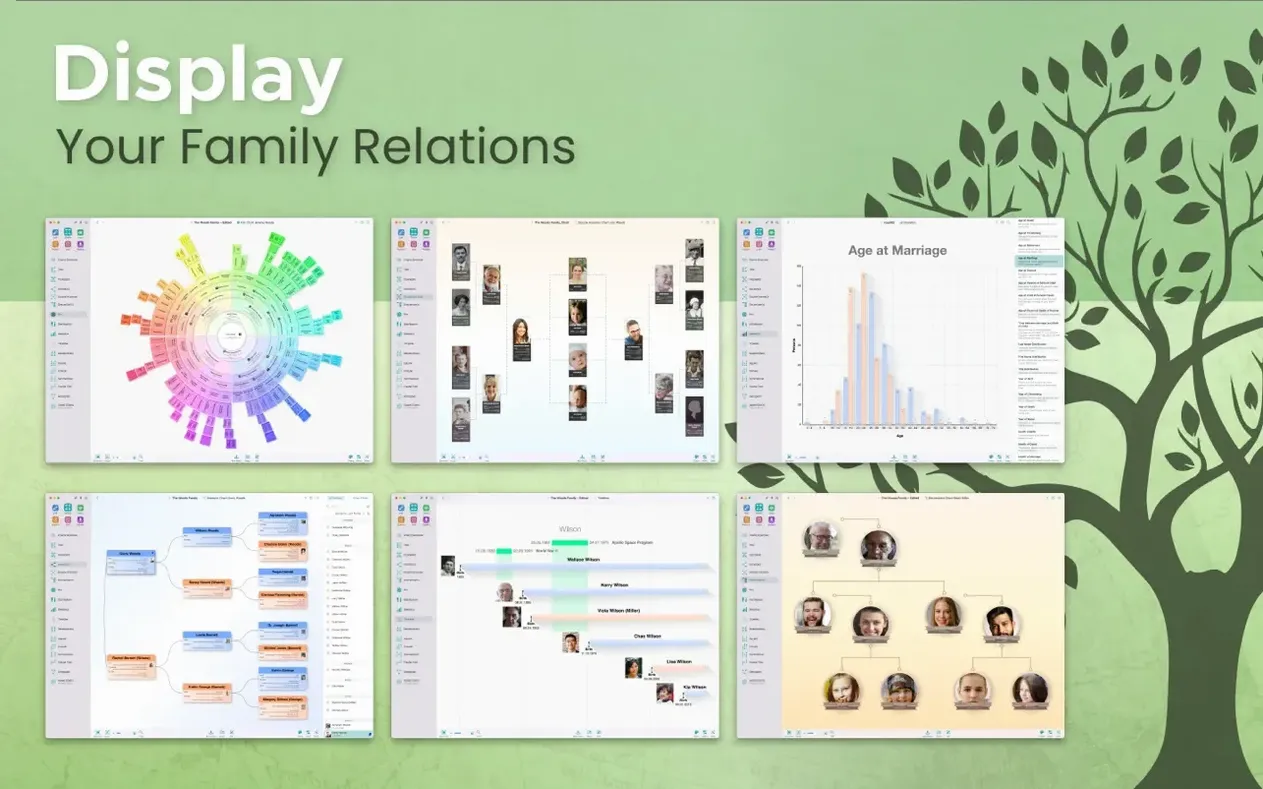
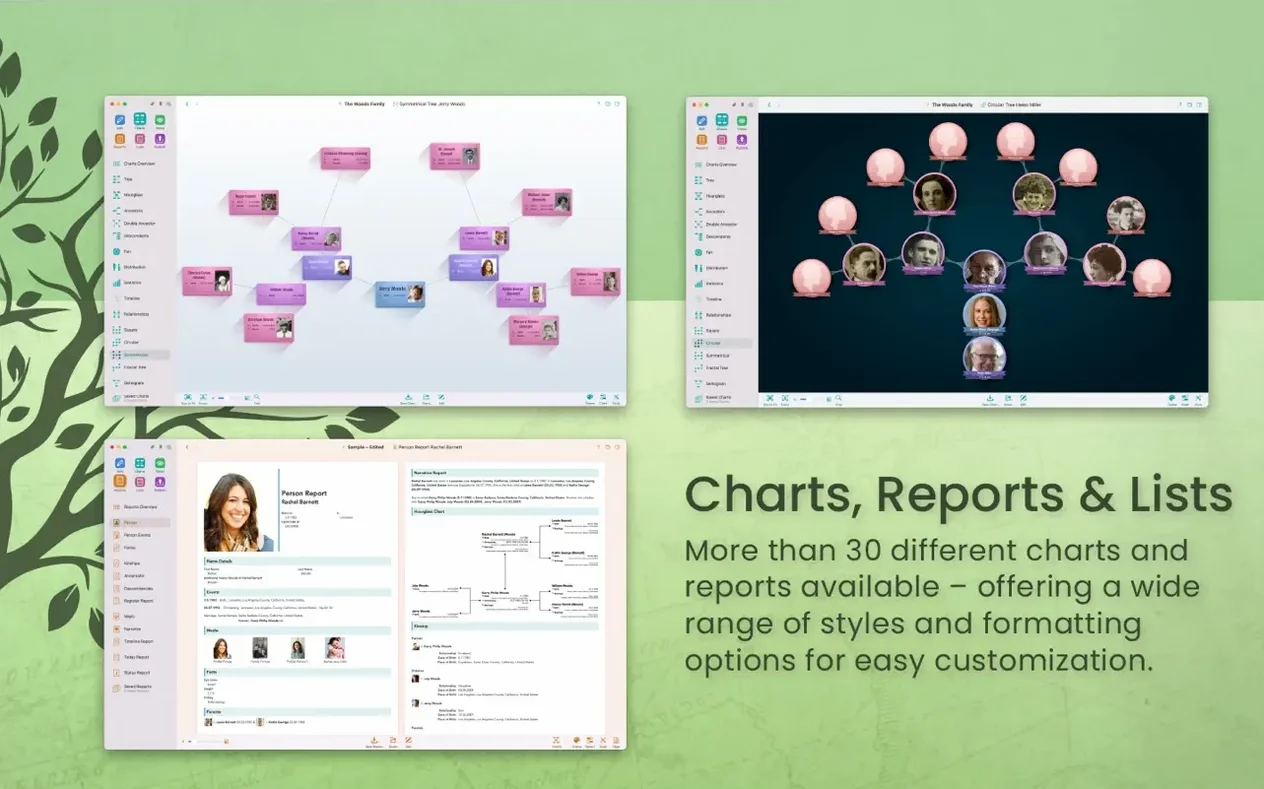
MacFamilyTree is where you build, examine and share a family history on your Mac, starting from a single person and branching backwards or forwards in time.
Add a person and watch the clues appear
Enter a name, a date or a place and the app will suggest matching records from genealogy portals without you ever leaving the workspace. Each accepted hint becomes an event attached to that person, so a birthdate is never just a field — it carries a source you can weigh up later.
Chart the line you care about right now
Once a few branches are in place, switch to a chart that answers the question of the moment. A fan chart gives you the sweep of a surname; a timeline lines everyone up against historical events; a virtual globe pins migrations to a spinning Earth. Every chart can be exported as an image or PDF, and you can hide living relatives from the output with a single checkbox.
Share a story, not a database
Run a narrative report and the app writes out a prose account of a chosen ancestor, weaving dates, relationships and notes into something a relative might actually read. If you keep a tree in sync with MobileFamilyTree on an iPad, the same report is ready on the coffee table.
How MacFamilyTree sits alongside your other Mac habits
Genealogy software can feel like its own island, but MacFamilyTree reaches out to the macOS features you already use without making a fuss about it. The database can live in iCloud, so the same tree that fills your screen in the study is available on an iPad through MobileFamilyTree while you are sitting with an elderly aunt who suddenly remembers a maiden name. Drag a photograph from the Finder straight onto a person's media tab and it embeds with a timestamp and a caption field waiting to be filled. The share button in any chart view hands the image off to Messages, Mail or Notes, letting you fire a pedigree chart into a family group chat without exporting and attaching by hand. If you use the MacFamilyTree.com website builder, the app generates a clean, password-protected family site that relatives can browse on their phones — no FTP client, no HTML editor, just a publish button and a link to copy.
GEDCOM acts as the universal handshake. Import a file from a cousin's Windows machine and the importer flags mismatched place names and date formats before they pollute your carefully styled tree. Export one when a collaborator insists on using a different application, and the export screen lets you tick boxes to exclude living people, private notes and unverified connections. The app also talks to FamilySearch directly: a search pane inside the main window queries the database and drops citations into your tree with a single click, which means a source is never just a scribbled URL that goes dead two years later.
A morning spent tracing a naval ancestor
Suppose you have a name — William Tregaskis, born in Falmouth around 1808 — and not much else. You heard he was a ship's carpenter, and a family story claims he died somewhere in the Caribbean. Here is how that snippet becomes a documented branch.
Open MacFamilyTree and create a new person. Type "William Tregaskis" and an estimated birth year of 1808, then set the place to Falmouth, Cornwall. Tap the search pane and choose FamilySearch. The first hit is a baptism record from St Gluvias parish, 14 February 1808, with parents named John and Mary. Accept the hint. The citation attaches automatically, and the parents appear as new person cards linked to William.
With parents in place, run a timeline chart centred on William. The chart places his birth against the backdrop of the Napoleonic Wars, which helps explain why a Cornish lad might have found his way onto a Navy ship. Return to the person view and add a custom event: "Enlisted in Royal Navy," date unknown. Now open the virtual globe chart — the map view shows only Falmouth, but you can already picture the rest of the route waiting to be plotted.
Digging deeper, you find a crew list for HMS Vestal from 1828 listing a William Tregaskis with the rating "Carpenter's Crew." Enter that as an occupation event and pin it to the ship's position at the date of the muster — the globe now draws a line from Falmouth to the West Indies station. A death record from the Port Royal burial register, found through the same search pane, adds the final location. Select William's entry, run a narrative report, and the app stitches the events together into a readable biography that quotes the sources you found. Export it as a PDF and mail it to your father, whose vague family legend is now a sourced account he can print for his own records.
Adding three siblings from a family story before bed
It is nine o'clock on a Wednesday. You have an hour before bed, and the goal is to add the three siblings your uncle mentioned at the weekend. You open the tree you sync through iCloud and see that your partner already added a census record from 1911 on their iPad earlier in the day — a small green badge on the family group view shows the update. That is the first thing that strikes you: the collaboration is silent, almost ambient, because CloudTree Sync just gets on with merging changes in the background.
You click into the household view for the 1911 return. Two of the three siblings are already listed as children; the census enumerator wrote their names clearly. The third child is recorded only as "Eliza, daur, age 3 months." You add her to the tree, mark her birth as "about December 1910," and set the census sheet as the source. The interface gives you a credibility slider for that source, so you nudge it slightly left — an infant's age on a census return is a good clue, but not as solid as a baptism record. That honesty feels satisfying.
A notification from the research assistant pops up: it spotted that the mother's maiden name appears in a parish marriage register indexed on FamilySearch. You tap through, confirm the match, and now the mother's parents spring into view. The tree suddenly feels more rooted. You spend the last twenty minutes tidying place names — the app's auto-complete for locations helps you standardise "St. Ives, Cornwall" across all twelve entries where it was typed differently. Before closing the lid, you generate a double-pedigree chart for the mother's line and drop it onto the desktop as a PNG, ready to email to your uncle in the morning.
Stumbles new users make (and how to step around them)
Trusting every hint without checking the source. The FamilySearch integration is quick, but a hint is only as good as the tree it came from. Some users click "Accept" on a dozen suggested parents and end up with a four-hundred-year lineage that falls apart the moment they read the original parish register. Cultivate the habit of opening the citation and asking, "Would this record stand up if I were writing a book?" The credibility slider exists for exactly that reason.
Ignoring the media organisation early on. It is tempting to drag in scans of birth certificates and census pages and leave them untitled. Six months later you have a media library full of files named "Scan_2024-01-07.png" attached to three different people. Take thirty seconds to rename each image in the app, tag it with a category like "Census" or "Photograph," and note the date it was taken or created. Future you will be grateful.
Trying to enter every field at once. The person entry screen offers fields for occupation, religion, education and a dozen other details. Newcomers sometimes freeze in front of it, convinced they must fill every box before they can move on. You do not. A tree is built in layers: add the vital events first, source them, then circle back for the colour. A half-completed tree with good sources is worth far more than a fully decorated one with none.
Forgetting to hide living relatives in exports. The "Hide living people" checkbox is tucked into the export dialogue, and it is easy to overlook the first time you send a chart to a cousin. MacFamilyTree marks a person as living by default when no death date is present and the birth date is within a hundred years, but you can override that manually. Before you share anything outside your immediate household, check that the people you can see on the screen are people you meant to share.
- macOS 12 Monterey or later
- Apple Silicon or Intel 64-bit Mac
- iCloud account (needed for syncing with MobileFamilyTree)
Questions from the class 0
Sign in or join the class to ask a question.
Nobody has asked anything yet. If you have used it on a real job, say what the file did.
Also on the Mac Apps shelf
The whole Mac Apps shelf MacDroid Pro
Lets your Mac read and write to Android and MTP devices over USB.
MacDroid Pro
Lets your Mac read and write to Android and MTP devices over USB.
 MacGPT
Puts ChatGPT in your menu bar for quick questions, text rewrites, and inline assistance anywhere.
MacGPT
Puts ChatGPT in your menu bar for quick questions, text rewrites, and inline assistance anywhere.
 MacCleaner Pro
Bundles app uninstallation, duplicate detection, and disk space analysis into a single toolkit.
MacCleaner Pro
Bundles app uninstallation, duplicate detection, and disk space analysis into a single toolkit.
 MacBooster
Finds and clears system junk, duplicate files, and privacy traces to free up disk space.
MacBooster
Finds and clears system junk, duplicate files, and privacy traces to free up disk space.
 macOS Catalina
Runs your Mac and introduced Sidecar, Voice Control, and a dedicated Music app separated from iTunes.
macOS Catalina
Runs your Mac and introduced Sidecar, Voice Control, and a dedicated Music app separated from iTunes.
 Luminar Neo
Layers multiple AI-driven edits onto a photo and lets you relight or swap backgrounds non-destructively.
Luminar Neo
Layers multiple AI-driven edits onto a photo and lets you relight or swap backgrounds non-destructively.
 macOS High Sierra
Runs your Mac on the system that brought APFS and HEVC video support.
macOS High Sierra
Runs your Mac on the system that brought APFS and HEVC video support.
 Luminar AI
Edits photos using templates that analyse the image and apply adjustments automatically.
Luminar AI
Edits photos using templates that analyse the image and apply adjustments automatically.