 ASPNetWorld

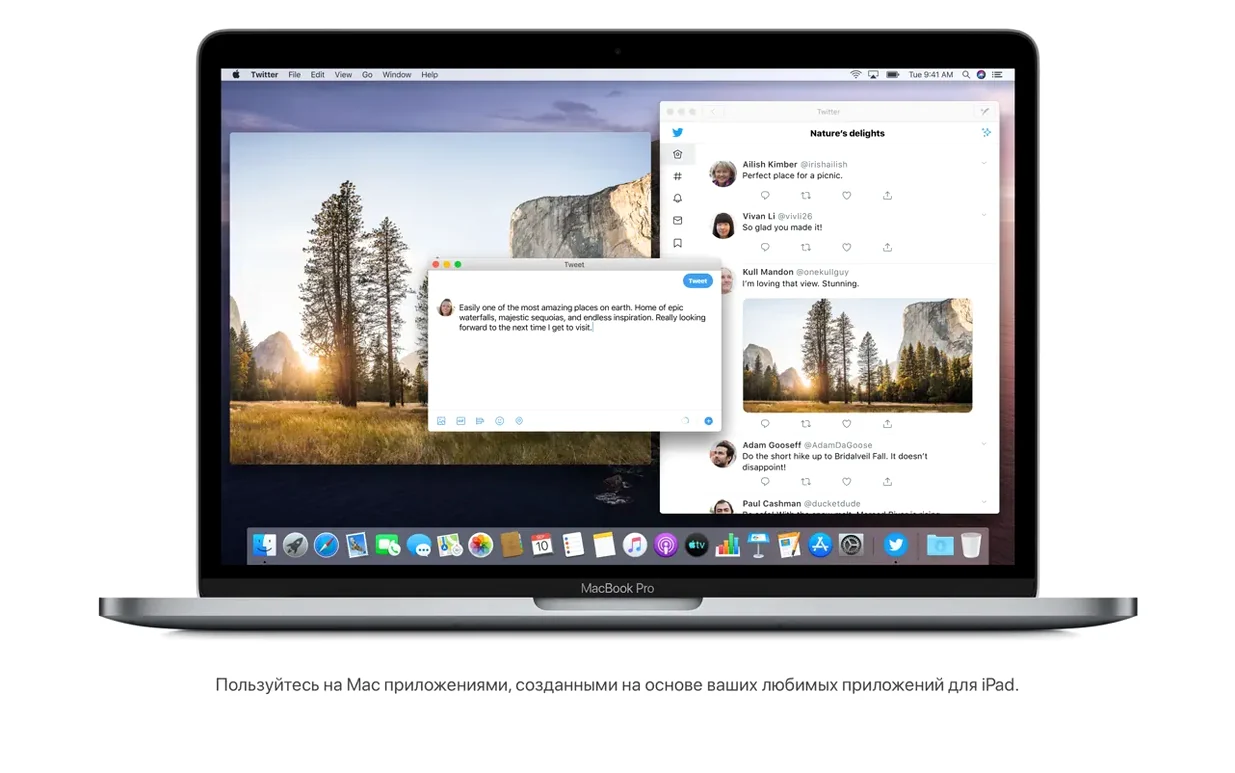
When a major OS update leans heavily on new consumer apps, professionals often wonder if there is anything under the hood for them. With macOS Catalina, the answer is a quiet yes. The marquee features made headlines, but the real value for an experienced user lies in a handful of deeper integrations that change how you work across devices.
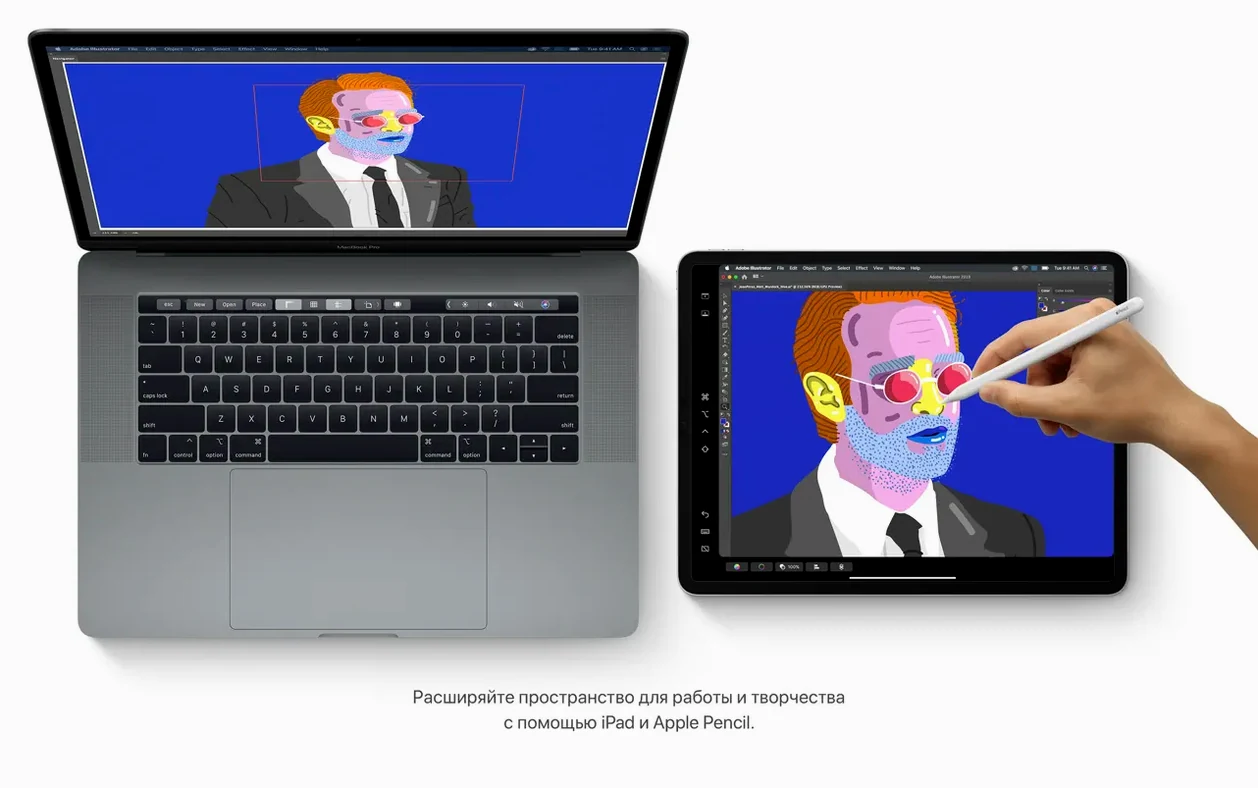
- Make the iPad a true extension of the Mac. Sidecar is the standout tool here. It lets you extend or mirror your Mac desktop onto an iPad, either wirelessly or over USB. For anyone who has wrestled with third-party solutions, this baked-in, low-latency second display is a genuine workflow upgrade, particularly for palettes in Logic Pro or reference documents next to a main edit.
- Search visually, not just textually. The Notes app may seem a lightweight candidate, but its new search engine is anything but. It can recognise objects in photos you have attached and find text inside scanned documents. Attach a photo of a receipt or a whiteboard session; Catalina can index the words and objects within it, making your notes a far more powerful personal database.
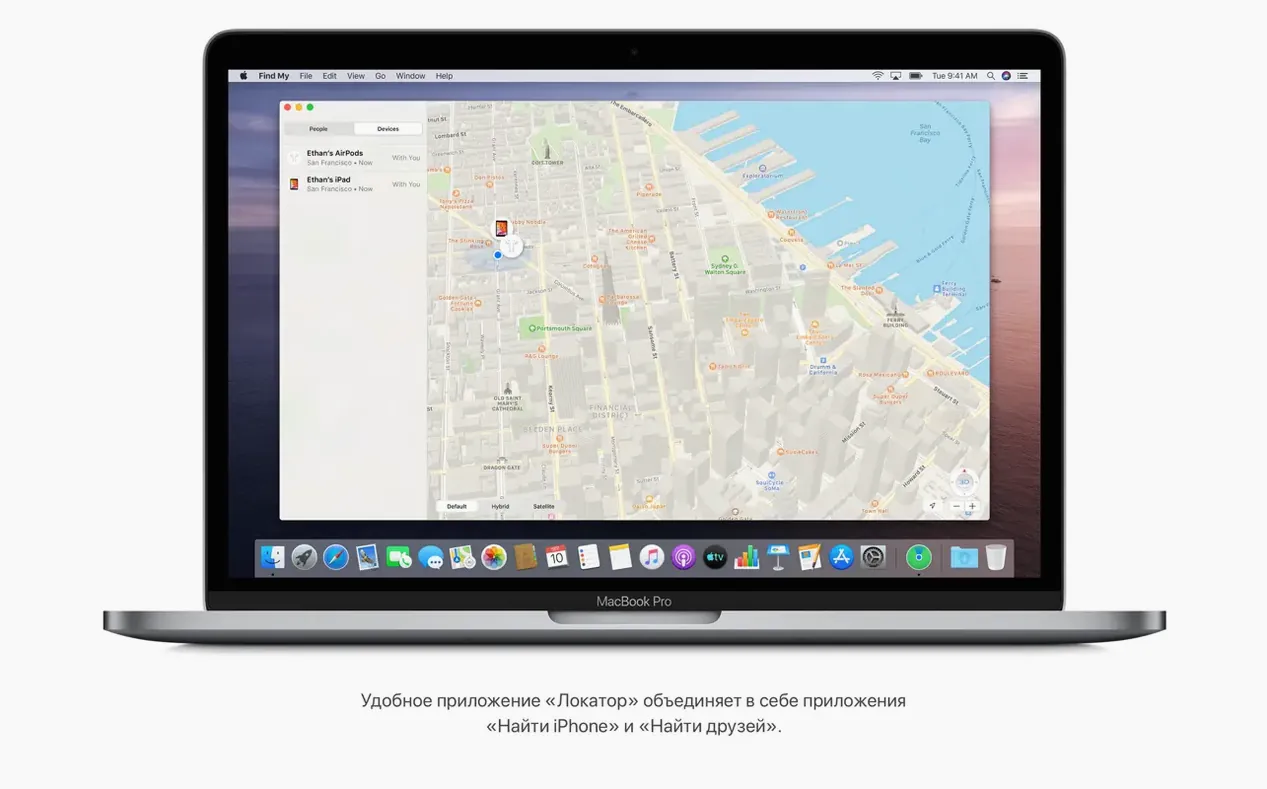
- Locate a lost Mac with the crowd. The Find My app combines Find My iPhone and Find My Friends into one place, but its cleverest trick is for your Mac. It can leverage Bluetooth signals from other passing Apple devices to report its location, even when it is offline and asleep. For a MacBook left on a train seat, this is a quiet, elegant safety net.
These are not flashy, but they are the kind of thoughtful, systemic improvements that stick. The ability to run iPad apps natively on the Mac further blurs the line, priming the platform for a more unified future. If you are installing Catalina via a torrent or a direct DMG download, version 10.15.7 is the one to get, as it rolls up all the important security patches and fixes a lingering Radeon Pro 5700 XT graphic issue on the 2020 5K iMac.
Musicians and audio engineers running a studio centred on Logic Pro get the most tangible benefit, because Sidecar effectively puts a touchable mixer or piano roll right next to the keyboard. Developers testing cross-platform iPad apps find the native Mac execution invaluable for debugging before pushing to the App Store. Writers and researchers who treat Notes as a second brain will lean heavily on the visual search: snap a whiteboard after a production meeting and Catalina can locate it by the text it sees in the photo weeks later, no manual tagging needed.
People using a torrent mac os catalina install often do so to keep an older Intel Mac running a known, stable environment for a specific set of creative tools. Those machines — a 2015 MacBook Pro that lives in a keyboard tray, or a Late 2013 Mac Pro still handling mixdowns — are exactly where Catalina’s refinements show their worth. The OS doesn’t demand the overhead of its successors, yet it still talks to a modern iPad and handles the media libraries that replaced iTunes cleanly.
Grant permissions in Privacy before a session interrupts your recording
Catalina’s default posture is chatty about permissions, which is good for security but can interrupt a tight recording session. A few minutes in System Preferences smooths out the experience.
Open Security & Privacy and visit the Privacy tab. Grant Full Disk Access and Microphone access to your DAW and any audio-routing utilities before a session. This prevents a mid-take dialogue box asking if Logic Pro can use the mic. While you are there, check Automation — letting your timeline editor control other apps means fewer manual window switches.
Next, jump into Sidecar preferences inside System Preferences. If your iPad sits in a fixed stand beside the monitor, switch Show Sidebar to the side furthest from your main display so the cursor doesn’t snag on it. Enable Double-Tap on Apple Pencil only if you genuinely use it; otherwise the accidental tool switches can irritate.
A small but meaningful change lives in Finder > Preferences > General. With Connected servers checked, network volumes appear on the desktop. In a studio where projects live on a NAS, this saves a trip to the Finder sidebar every time you open a file requester.
A late afternoon session with an Intel iMac, an iPad Pro, and a clean install
Imagine a late afternoon in a home studio. The Intel iMac is already running a clean macos catalina 10.15.7 dmg download install, the security patches applied. An iPad Pro sits on a stand to the left, cabled via USB for the lowest latency under Sidecar.
You plug in an iPhone to pull a voice memo from the morning. Finder opens a device window — no iTunes — showing the familiar sync options. The memo is dragged straight to the desktop. A second later, you open Reminders and tap out a quick task: “Rough mix to client by Friday.” You attach a screenshot of the arrangement and set a flag; Catalina’s new editing buttons make adding the time and a location link feel less like filling out a form and more like jotting a note.
Logic Pro launches. You drag its mixer window across to the iPad via Sidecar, keeping the main arrangement on the iMac’s big 5K canvas. Faders respond to touch with almost no perceptible lag. While the timeline plays, you open Notes in a small window on the Mac and type a recall note. Earlier you dropped in a scan of a patch sheet from a hardware synth; typing “brass pad” into Notes search instantly pulls up the scanned document, the handwritten label recognised and highlighted.
Halfway through, you need a reference track. The new Music app opens it from your library, streaming over the monitors while Logic plays. The separation from the old iTunes feels clean — media playback now lives in its own space, and the Finder handles device sync without the old monolithic weight. By the time the rough mix bounces, the entire session has flowed without one permissions pop-up or missed connection.
The disk image that behaves like a full installer when you download Catalina
Catalina is full of micro-features that don’t make the feature lists but shape a working day.
If you are downloading the OS via a mac os catalina download dmg free route, you will notice the installer disk image behaves like any other — open it, copy the installer to Applications, and run it from there. The crucial, easily missed step is not launching the installer from the mounted volume; running it from Applications ensures the post-install cleanup doesn’t delete the installer itself, which you may want for a future USB stick.
In Safari, the redesigned start page can feel cluttered, but a right-click on any section — Siri Suggestions, Reading List, or iCloud Tabs — lets you toggle it off. Keep Reading List visible and hide the rest. Reading List items saved on an iPhone appear here, ready to open during a break.
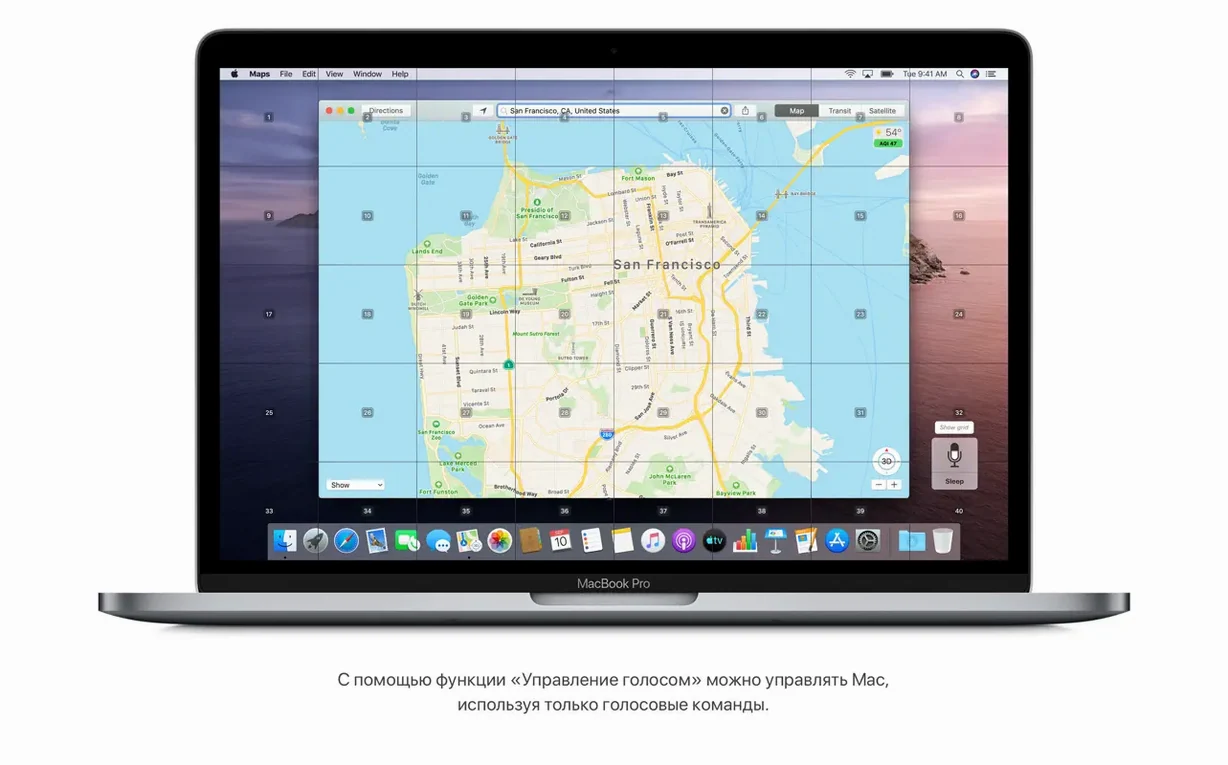
Voice Control deserves a genuine try, not just a tick in an accessibility checklist. Once enabled in Accessibility > Voice Control, saying “open Logic Pro” or “click File” actually works, and it’s surprisingly useful when hands are on a MIDI controller and the mouse is out of reach. The overlay shows numbered labels next to every clickable element; speaking a number clicks it.
Finally, if you are hunting a specific build to match a backup or a known-good configuration, searching for logic pro mac os catalina alongside the macos catalina dmg download phrase often surfaces community discussions confirming which point release worked best with which audio interface driver. For a machine that exists solely to run a particular set of plugins, that kind of crowd wisdom is gold.
Version 10.15.7 is a stability and security roll-up. It fixes a Wi-Fi auto-connect issue, resolves a bug that could block iCloud Drive syncing, and addresses a graphics anomaly on the 2020 27-inch iMac with the Radeon Pro 5700 XT.
- Intel-based Mac
- macOS 10.9 or later for the initial download
- 4 GB memory
- 12.5 GB available storage for an upgrade from OS X El Capitan 10.11.5 or above
- Broadband internet for some features
Questions from the class 0
Sign in or join the class to ask a question.
Nobody has asked anything yet. If you have used it on a real job, say what the file did.
Also on the Mac Apps shelf
The whole Mac Apps shelf macOS High Sierra
Runs your Mac on the system that brought APFS and HEVC video support.
macOS High Sierra
Runs your Mac on the system that brought APFS and HEVC video support.
 MacGPT
Puts ChatGPT in your menu bar for quick questions, text rewrites, and inline assistance anywhere.
MacGPT
Puts ChatGPT in your menu bar for quick questions, text rewrites, and inline assistance anywhere.
 macOS Mojave
Runs your Mac and added Dark Mode, desktop Stacks, and ports of News, Stocks, and Voice Memos.
macOS Mojave
Runs your Mac and added Dark Mode, desktop Stacks, and ports of News, Stocks, and Voice Memos.
 macOS Tahoe
Runs your Mac and overhauls the built-in network firewall and system settings layout.
macOS Tahoe
Runs your Mac and overhauls the built-in network firewall and system settings layout.
 MacFamilyTree
Builds an interactive family tree that pulls historical records from online genealogy databases.
MacFamilyTree
Builds an interactive family tree that pulls historical records from online genealogy databases.
 MacWhisper
Transcribes audio files into text entirely on your Mac without sending data to the cloud.
MacWhisper
Transcribes audio files into text entirely on your Mac without sending data to the cloud.
 MacDroid Pro
Lets your Mac read and write to Android and MTP devices over USB.
MacDroid Pro
Lets your Mac read and write to Android and MTP devices over USB.
 MacCleaner Pro
Bundles app uninstallation, duplicate detection, and disk space analysis into a single toolkit.
MacCleaner Pro
Bundles app uninstallation, duplicate detection, and disk space analysis into a single toolkit.