 ASPNetWorld

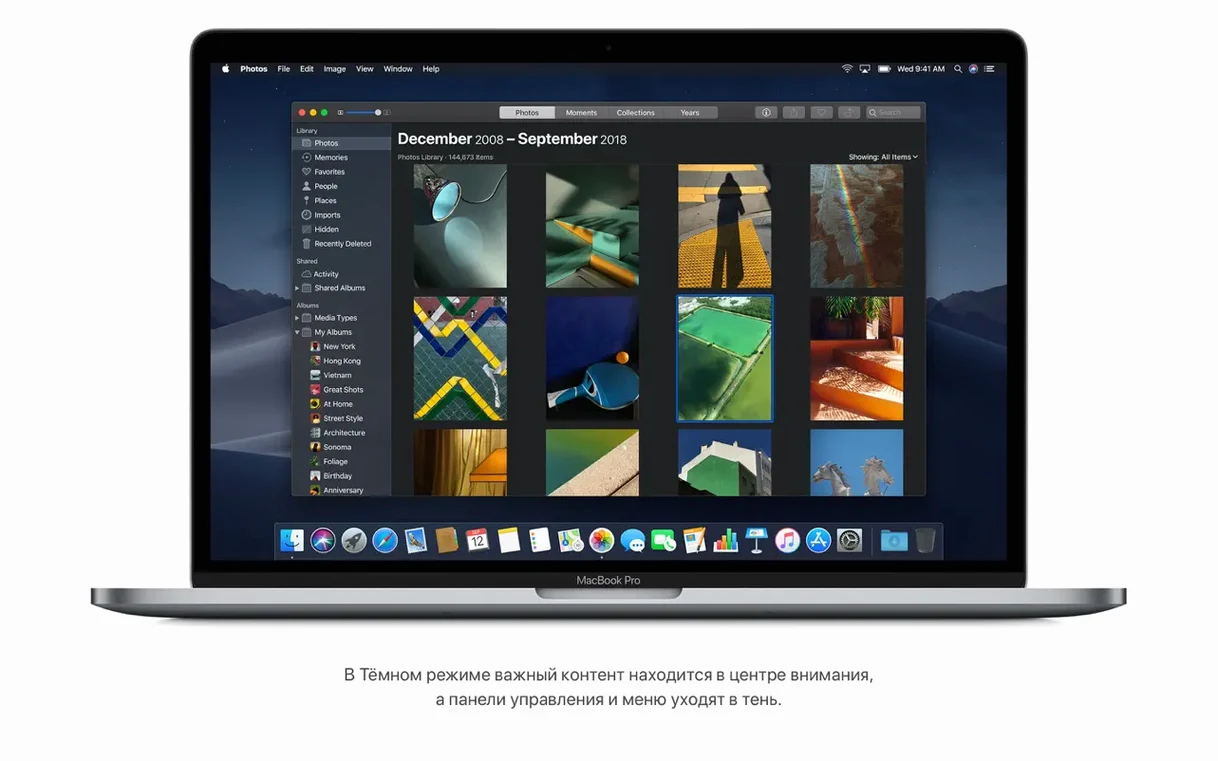
macOS Mojave is a desktop operating system for compatible Intel-based Macs that brings a welcome wave of apps from the iPhone and iPad straight to your desktop, along with a dramatic new look. If you have just finished your mac os mojave 10.14 6 download dmg and installation, it’s the small, thoughtful additions that often make the biggest initial impression. Here are the first things to explore.
- Turn on Dark Mode. Head to System Preferences > General and switch the appearance to Dark. It’s a system-wide transformation that’s particularly easy on the eyes in low light, and it gives the Finder and built-in apps a strikingly cinematic feel.
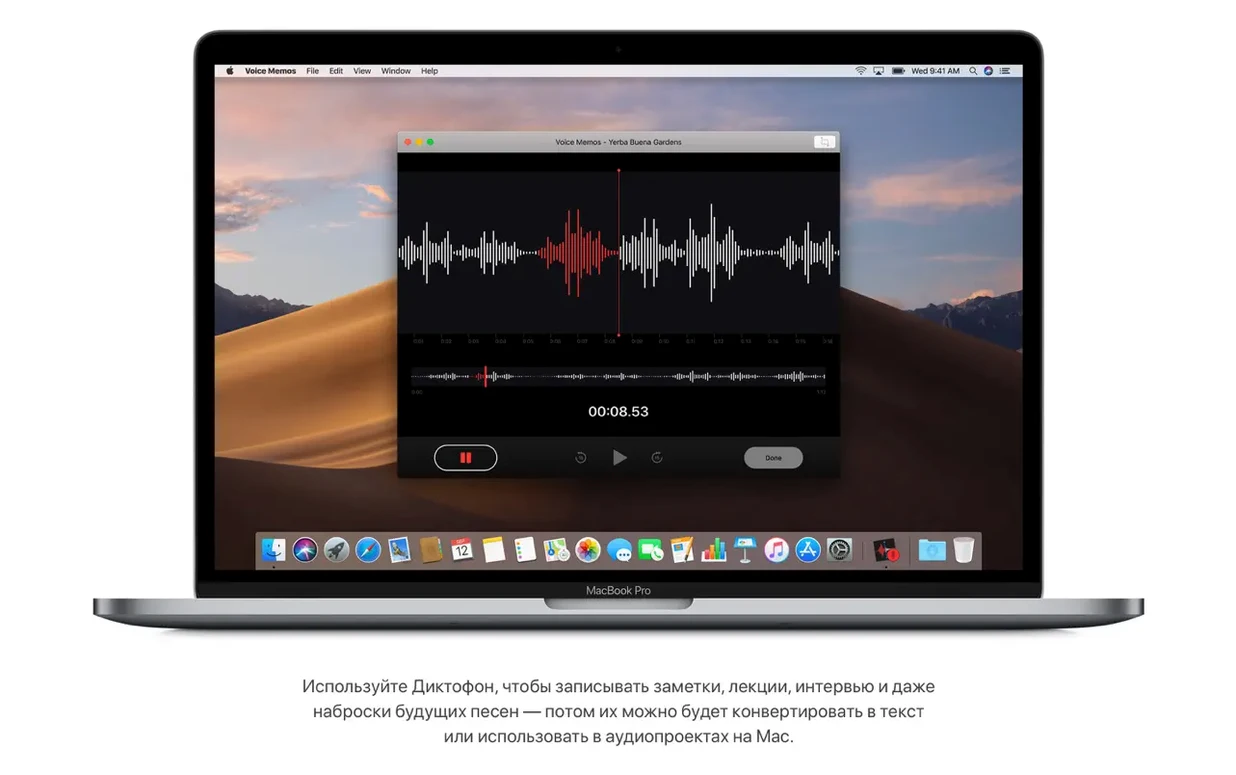
- Use the new apps from iOS. Mojave marks the arrival of News, Stocks, Voice Memos, and Home on the Mac for the first time. Open the News app to follow publications and topics in a clean, ad-free layout, or launch Home to control your smart home accessories directly from the desktop without reaching for your phone.
- Organise a cluttered desktop with Stacks. Right-click on the desktop and choose Use Stacks. Mojave will instantly tidy your loose files into neat groups by kind, such as images, documents, and spreadsheets, all gathered under a single clickable icon.
- Try the new screenshot controls. Press Shift-Command-5 to reveal an on-screen palette with options for capturing the entire screen, a window, or a selection, plus basic video recording. It’s a huge step up in convenience from remembering individual keyboard shortcuts.
- Browse the redesigned Mac App Store. The store has been rebuilt with editorial stories, curated collections, and a sidebar that makes navigating categories feel far less like an afterthought.
These features sit on a solid foundation that includes the Safari browser and the Finder file manager, both refined for a slightly quieter, more focused working environment. Mojave is a release that rewards a gentle, curious first click around.
Your MacBook from mid-2012 or later likely makes the cut
One of the first things people ask is whether their Mac can actually run it. The compatibility list is broad but specific. If you own a MacBook from early 2015 onwards, a MacBook Air or MacBook Pro from mid 2012 or later, a Mac mini or iMac also from late 2012 onwards, an iMac Pro, or a Mac Pro from late 2013—or a mid 2010 or mid 2012 Mac Pro with a recommended Metal-capable graphics card—you are in the clear. A quick way to check your exact model is to click the Apple menu, choose About This Mac, and compare the line you see against that list.
Another frequent worry is whether older 32-bit applications will still work. Mojave does run them, but it marks the point where Apple began gently encouraging the transition to 64-bit. You will see a one-time alert when you launch a 32-bit app, but it will open normally afterwards. It is worth checking the software you rely on daily—utilities, print drivers, little helper tools—and visiting the developer’s site to see if a 64-bit update is available. Mojave gives you breathing room, not a hard cut-off.
People also wonder about the installer itself, especially if they have grabbed a mac os mojave 10.14 6 download dmg from a source outside the App Store. When you double-click the disk image, you find a package that extracts the full installer into your Applications folder. You run it from there, and the process is identical to any other macOS upgrade. The key is to resist the urge to launch it directly from the mounted disk image; copying it to Applications first avoids confusing error messages later.
A photographer trades manual file sorting for Stacks on a cluttered desktop
Imagine a freelance photographer who shoots tethered to a MacBook Pro during the day and comes home to a cluttered desktop full of RAW files, invoices, and random screenshots. Before Mojave, sorting through the mess was a chore that ate into the first half-hour of editing time. After installing a mac os mojave torrent release, the first thing they do is right-click the desktop and turn on Stacks. Every image, PDF, and spreadsheet snaps into a tidy group. The desktop breathes again in three seconds.
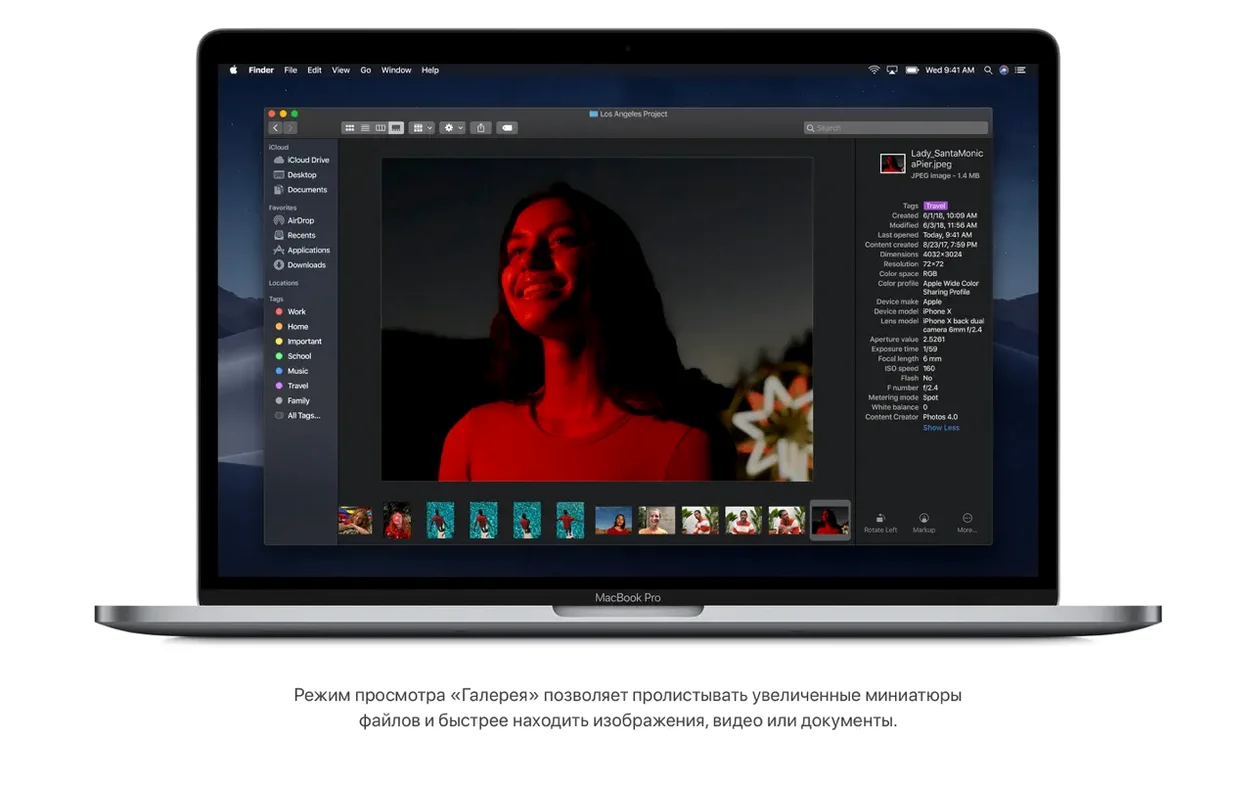
Next, they open a folder of proofs in Finder’s Gallery View. Scrolling through large previews with metadata visible down the right-hand side—camera model, aperture, focal length—lets them cull weak shots without ever launching an editing app. They rotate a few skewed horizontals right inside the Finder using the rotate button, then mark the keepers with a quick drag to a new folder. The whole culling session finishes in under ten minutes, and the photographer hasn’t opened Lightroom once. That is the quiet efficiency Mojave brings to creative workflows.
A stalled “Verifying” prompt usually points to a corrupted disk image
One of the more persistent frustrations is a download that refuses to verify. If your macOS Mojave torrent or direct download hangs at the “Verifying” stage, the culprit is often an incomplete or corrupted disk image. The simplest fix is to delete the DMG, restart your Mac, and download a fresh copy from a stable connection. If Wi-Fi is flaky, switch to Ethernet for the download; the file is large, and even brief dropouts can corrupt it.
Another snag crops up when the installer claims there is not enough space, even though the Finder says otherwise. Mojave wants 12.5 GB of available storage, but the real requirement is higher because of temporary files and the unpacking process. Aim for at least 20 GB free. Clear out old iPhone backups via iTunes, empty the Trash, and consider using the “Reduce Clutter” feature in About This Mac > Storage to reclaim space before you begin.
Some users report that after installation, certain apps feel sluggish or graphics glitch. This often traces back to the Metal compatibility requirement. If your Mac has an older graphics card that is not Metal-capable, the system may fall back to software rendering, and performance suffers. The mid 2010 and mid 2012 Mac Pro models are the prime candidates for this issue; fitting a recommended Metal-capable GPU resolves it entirely.
Use Dark Mode for a full evening before you dismiss it as hard on the eyes
Give Dark Mode a proper trial run before you decide it is not for you. Switch it on in System Preferences > General and use it for a full evening. Many people find it taxing during bright daylight but deeply comfortable when the room dims. The dynamic desktop wallpaper, which shifts the lighting of the sand dune scene to match your time of day, is a companion to Dark Mode that subtly reinforces the change.
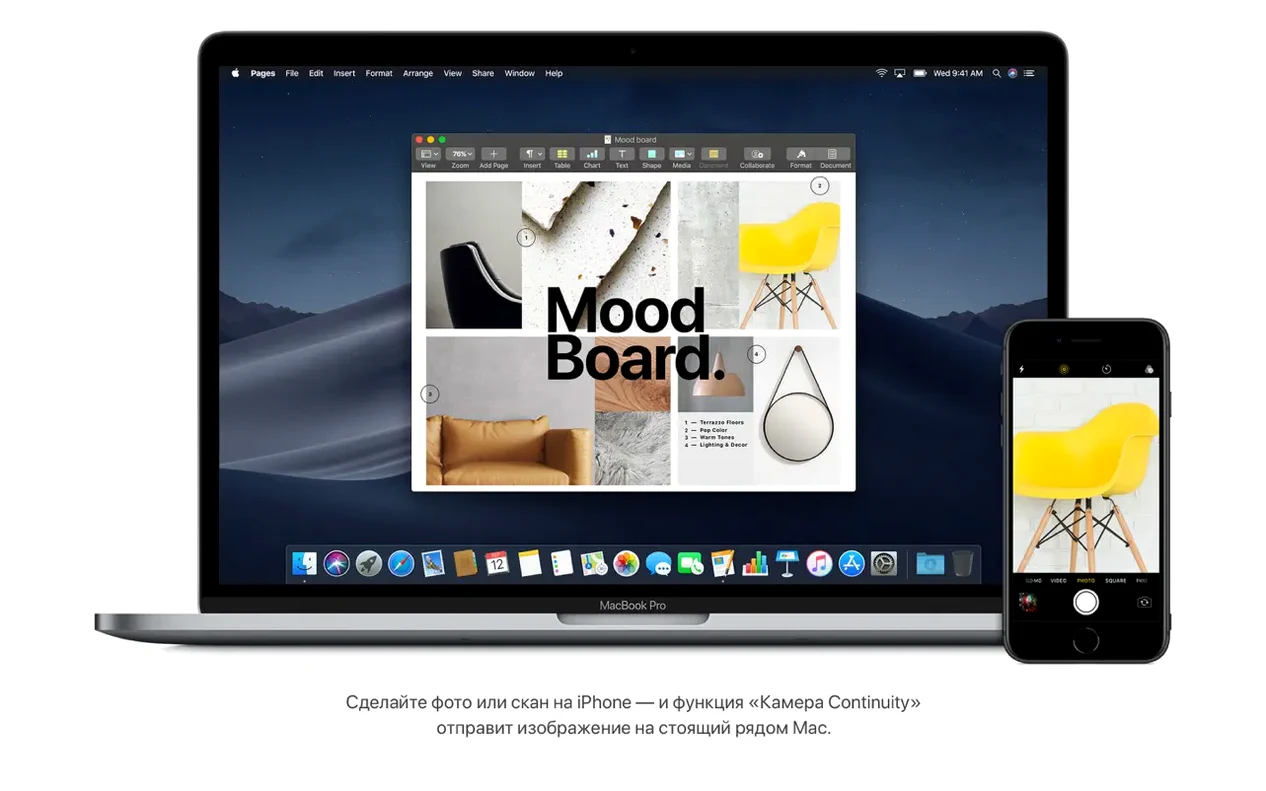
Spend ten minutes setting up Continuity features. Make sure both your iPhone and Mac are signed into the same Apple ID and have Bluetooth and Wi-Fi turned on. Once that is done, right-click on the desktop and choose “Import from iPhone” to snap a quick photo or scan a document. It beams straight to your Mac without any intermediate steps. This is one of those features that, once used, becomes a daily habit.
Explore Finder’s new Quick Actions without opening any files fully. Select a group of images, right-click, and you can rotate them all at once or create a password-protected PDF from the context menu. The latter is a lifesaver for sensitive documents—Mojave encrypts them on the spot without you needing to launch Preview or a dedicated utility.
Finally, if you downloaded your copy via a mojave torrent or a direct mac os mojave 10.14 6 download dmg, keep the installer backed up on an external drive. Having a bootable USB installer means you can perform a clean installation down the road without fetching the file again. It is a small act of preparation that pays off handsomely when you least expect it.
The 10.14.6 update focuses entirely on maintenance, improving the stability and reliability of the Mac.
- macOS 10.8 or later already installed
- Intel 64-bit architecture
- 2 GB of memory
- 12.5 GB of available storage
- MacBook Early 2015 or newer, MacBook Air Mid 2012 or newer, MacBook Pro Mid 2012 or newer, Mac mini Late 2012 or newer, iMac Late 2012 or newer, iMac Pro 2017, or Mac Pro Late 2013 (or mid 2010/mid 2012 with a recommended Metal-capable graphics card)
Questions I keep hearing
Will macOS Mojave run on my Mac?
It supports a wide range of Intel-based models, including MacBook Pro from mid 2012 or later, MacBook Air from mid 2012 or later, Mac mini from late 2012 or later, iMac from late 2012 or later, and the iMac Pro from 2017.
What are the memory and storage requirements?
You need at least 2 GB of memory and 12.5 GB of available storage space to install macOS Mojave.
Questions from the class 0
Sign in or join the class to ask a question.
Nobody has asked anything yet. If you have used it on a real job, say what the file did.
Also on the Mac Apps shelf
The whole Mac Apps shelf macOS Tahoe
Runs your Mac and overhauls the built-in network firewall and system settings layout.
macOS Tahoe
Runs your Mac and overhauls the built-in network firewall and system settings layout.
 macOS High Sierra
Runs your Mac on the system that brought APFS and HEVC video support.
macOS High Sierra
Runs your Mac on the system that brought APFS and HEVC video support.
 MacWhisper
Transcribes audio files into text entirely on your Mac without sending data to the cloud.
MacWhisper
Transcribes audio files into text entirely on your Mac without sending data to the cloud.
 macOS Catalina
Runs your Mac and introduced Sidecar, Voice Control, and a dedicated Music app separated from iTunes.
macOS Catalina
Runs your Mac and introduced Sidecar, Voice Control, and a dedicated Music app separated from iTunes.
 Magic Disk Cleaner
Finds and removes caches, logs and orphaned files that waste space.
Magic Disk Cleaner
Finds and removes caches, logs and orphaned files that waste space.
 MacGPT
Puts ChatGPT in your menu bar for quick questions, text rewrites, and inline assistance anywhere.
MacGPT
Puts ChatGPT in your menu bar for quick questions, text rewrites, and inline assistance anywhere.
 Magnet
Snaps windows into tidy arrangements with keyboard shortcuts or dragging.
Magnet
Snaps windows into tidy arrangements with keyboard shortcuts or dragging.
 MacFamilyTree
Builds an interactive family tree that pulls historical records from online genealogy databases.
MacFamilyTree
Builds an interactive family tree that pulls historical records from online genealogy databases.