 ASPNetWorld


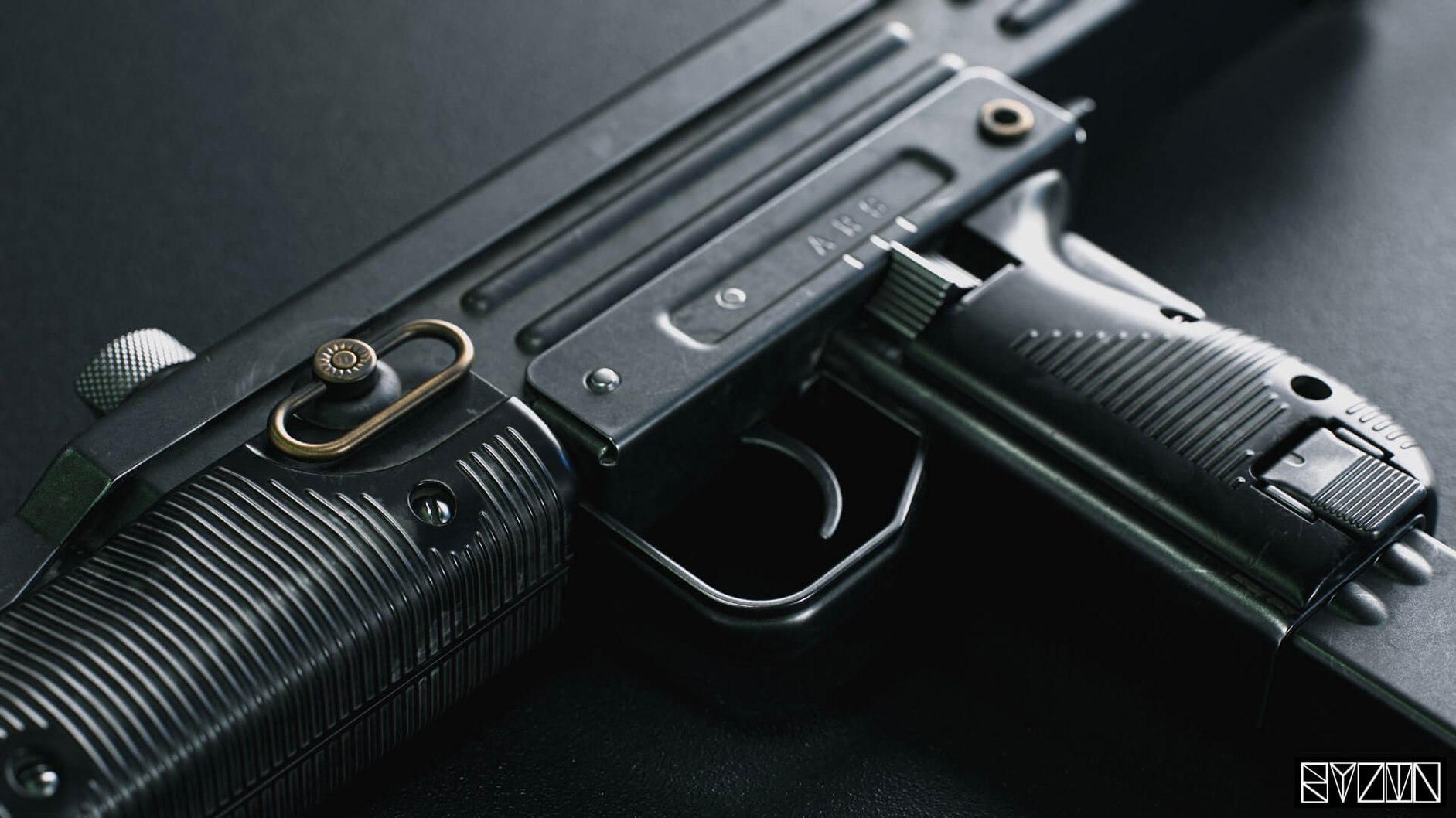

The ray-traced shadows and reflections are the first thing you notice—accurate, soft, and updating in real time as you orbit the viewport. That responsiveness is at the heart of Marmoset Toolbag, a dedicated look-development and rendering program built for 3D artists who need to see exactly what their model will look like under stage lighting, without waiting for an offline render. Its built-in material editor lets you paint roughness, metallicity and normal detail directly onto a mesh, and the scene updates the mesh automatically as you work, so you are always looking at the current state of things.
Who is Toolbag actually for?
Primarily character and prop artists, though environment modellers get a lot from it too. It is the bridge between a textured model in your DCC app and a polished portfolio piece. You import a mesh, light it, tweak the shaders until the skin feels alive or the metal reads right, and capture a turntable animation or a beauty shot. The direct ArtStation publishing support makes that final hop to your folio a one-click affair.
What does the material editor let you do?
It gives you layered, physically based shading with real-time feedback. You can stack clear-coat, subsurface scattering and emissive passes, paint masks, and see every roughness adjustment reflected instantly on the model. It is less about generating textures from scratch and more about fine-tuning how existing maps interact with light.
How does the Viewer feature work?
The bundled Marmoset Viewer lets you export a standalone, interactive scene file that anyone can open—a client, an art director, a forum thread. You can set camera limits so they only see what you want them to see, and recent updates added options for lossless normal maps and additive background blending, so what they see on their screen matches your working view.
Is it an animation tool as well?
It handles keyframe animation for cameras and mesh transforms, which makes turntables and simple motion studies straightforward. For full character rigging you would still turn to a dedicated package, but for showing a prop opening, a weapon reloading, or a light rig orbiting a model, the built-in timeline is surprisingly capable.
Why Toolbag complements a DCC renderer instead of replacing it
One I hear a lot from evening-class students is whether Toolbag can replace their DCC renderer entirely. The honest answer is that it complements rather than replaces. It will not rig a character or sculpt high-frequency detail, but it will show you, right now, how that detail catches the light. Another common worry is performance on older Intel Macs—the kind still running macOS Catalina. The renderer is well-optimised for x86 64-bit and scales sensibly: drop the ray-tracing sample count or switch to rasterised shadows and you can still get responsive feedback on a machine several years old. People also ask if the marmoset toolbag mac version lags behind Windows. The two stay broadly in step; the interface conventions are native, the shortcut set feels Mac-like, and material previews behave the same way on both platforms.
A prop artist's five-minute sanity check
Imagine you have just finished texturing a steampunk chronometer in Substance Painter and you want to see it under something other than the default HDRI before you call it done. You drag the FBX into Toolbag, assign the metal-roughness maps to a new material, and drop in a warm interior HDRI. Immediately the brass reads too yellow, so you lower the specular tint and add a faint clear-coat layer to the glass face. You orbit once, catch a rogue hotspot on the bezel, soften the key light, and hit render. Ninety seconds after import you have a still that tells you the asset is ready—or that it needs another pass on the edge wear. That speed is what makes Toolbag a habit rather than just a tool.
A lighting pass from scratch
Say you are presenting a character bust and you want a moody, three-quarter-lit look with a subtle volumetric kick. Here is the flow I teach:
- Set the stage. Import the mesh. In the Sky preset, choose a low-contrast studio HDRI as your ambient base, then dial its brightness back to about 0.4—you want the key light to do the heavy lifting.
- Place a key light. Add a spotlight from the Light menu, position it high and to the left, and warm its colour temperature to roughly 4000K. Tick Cast Shadows and set the shadow sharpness to 0.3 for a soft penumbra.
- Add a rim light. Duplicate the key, move it behind the subject, cool the temperature to 6500K, and halve the intensity. This separates the silhouette from the background without stealing focus.
- Dial in the fog. In the Camera settings, enable volumetric fog. Keep the density low—around 0.15—and raise the height falloff until the fog sits at shoulder level. This gives you a cone of light from the key that feels physical rather than painterly.
- Lock the camera limits. Before exporting to Viewer, set yaw and pitch limits so the recipient cannot spin the bust into darkness. Publish directly to ArtStation or send the Viewer file with lossless normal maps enabled.
The whole sequence relies on the fact that every adjustment—fog density, light colour, shadow softness—shows up in the viewport the moment you make it. You are not guessing; you are reacting.
Version 4.02 tidies up a few display gremlins that crept in on certain monitor setups.
- Tooltips no longer cause a crash on mixed-resolution displays, and the tooltip toggle in preferences behaves properly again.
- Window elements stay within bounds on widescreen monitors, and the window no longer flickers after you change DPI scaling.
- Text at 125% and 175% interface scaling is crisp once more.
- macOS 10.15 (Catalina) or later
- Intel-based Mac (x86 64-bit)
- Interface languages: English
Questions I keep hearing
What macOS version does Marmoset Toolbag need?
It runs on macOS 10.15 Catalina and later, on Intel-based Macs.
Does Toolbag handle animation?
Yes, it includes a timeline for keyframe animation of cameras, lights and mesh transforms—ideal for turntables and motion studies.
Can I publish my work directly from Toolbag?
It supports one-click publishing to ArtStation, so your rendered shots and turntables go straight into your portfolio.
Questions from the class 0
Sign in or join the class to ask a question.
Nobody has asked anything yet. If you have used it on a real job, say what the file did.
Also on the Mac Apps shelf
The whole Mac Apps shelf MAMP PRO
Manages individual local web servers for each project you build.
MAMP PRO
Manages individual local web servers for each project you build.
 Marvelous Designer
Simulates fabric so you can design and drape clothing in 3D.
Marvelous Designer
Simulates fabric so you can design and drape clothing in 3D.
 Magnet
Snaps windows into tidy arrangements with keyboard shortcuts or dragging.
Magnet
Snaps windows into tidy arrangements with keyboard shortcuts or dragging.
 Magic Disk Cleaner
Finds and removes caches, logs and orphaned files that waste space.
Magic Disk Cleaner
Finds and removes caches, logs and orphaned files that waste space.
 MAXON Cinema
Creates 3D scenes, animation and simulations for motion graphics.
MAXON Cinema
Creates 3D scenes, animation and simulations for motion graphics.
 MediaMate
Shrinks the volume and brightness overlays into compact, useful HUDs.
MediaMate
Shrinks the volume and brightness overlays into compact, useful HUDs.
 Mela
Keeps your recipes organised and in sync across Apple devices.
Mela
Keeps your recipes organised and in sync across Apple devices.
 MacWhisper
Transcribes audio files into text entirely on your Mac without sending data to the cloud.
MacWhisper
Transcribes audio files into text entirely on your Mac without sending data to the cloud.