 ASPNetWorld

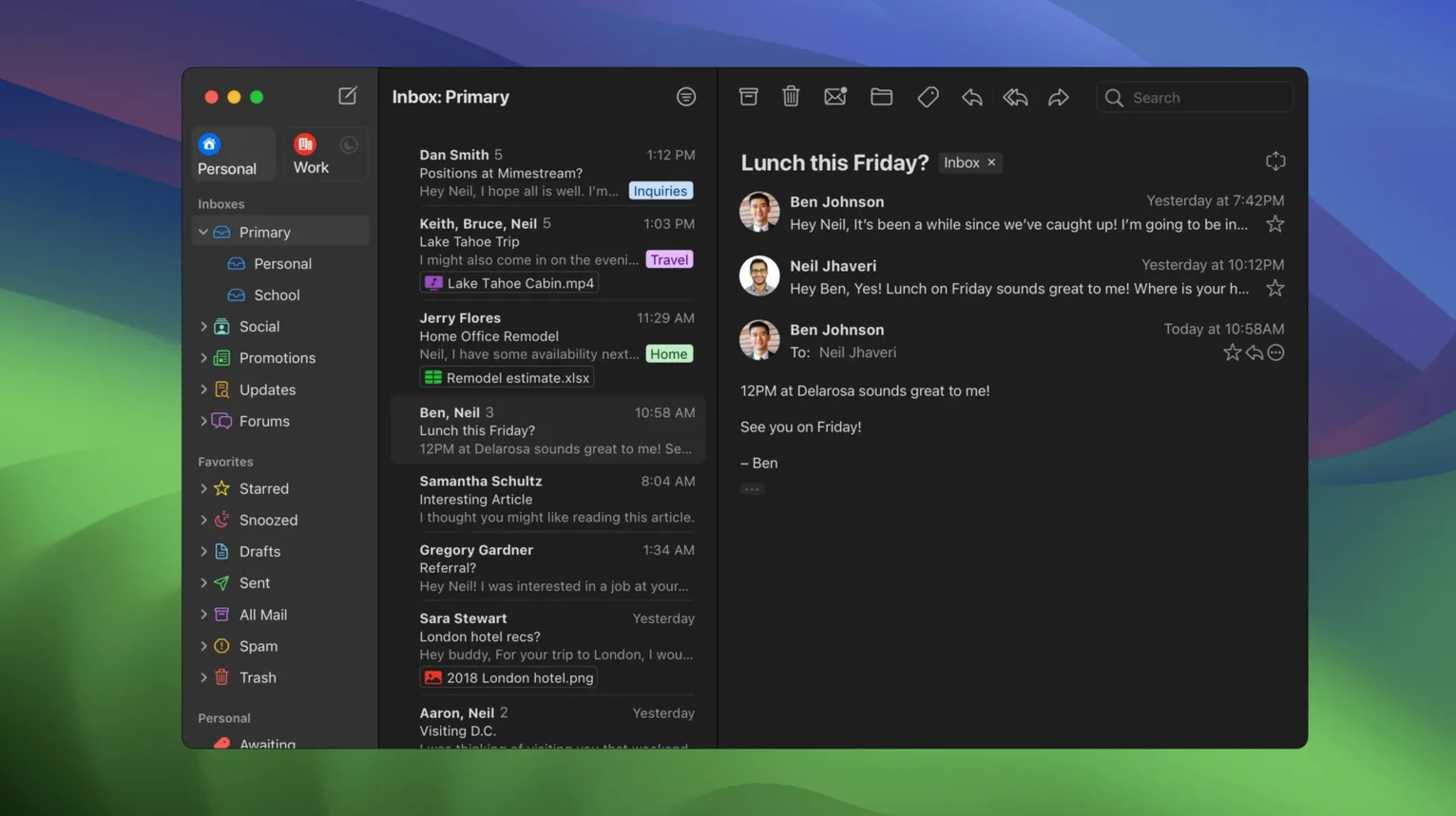
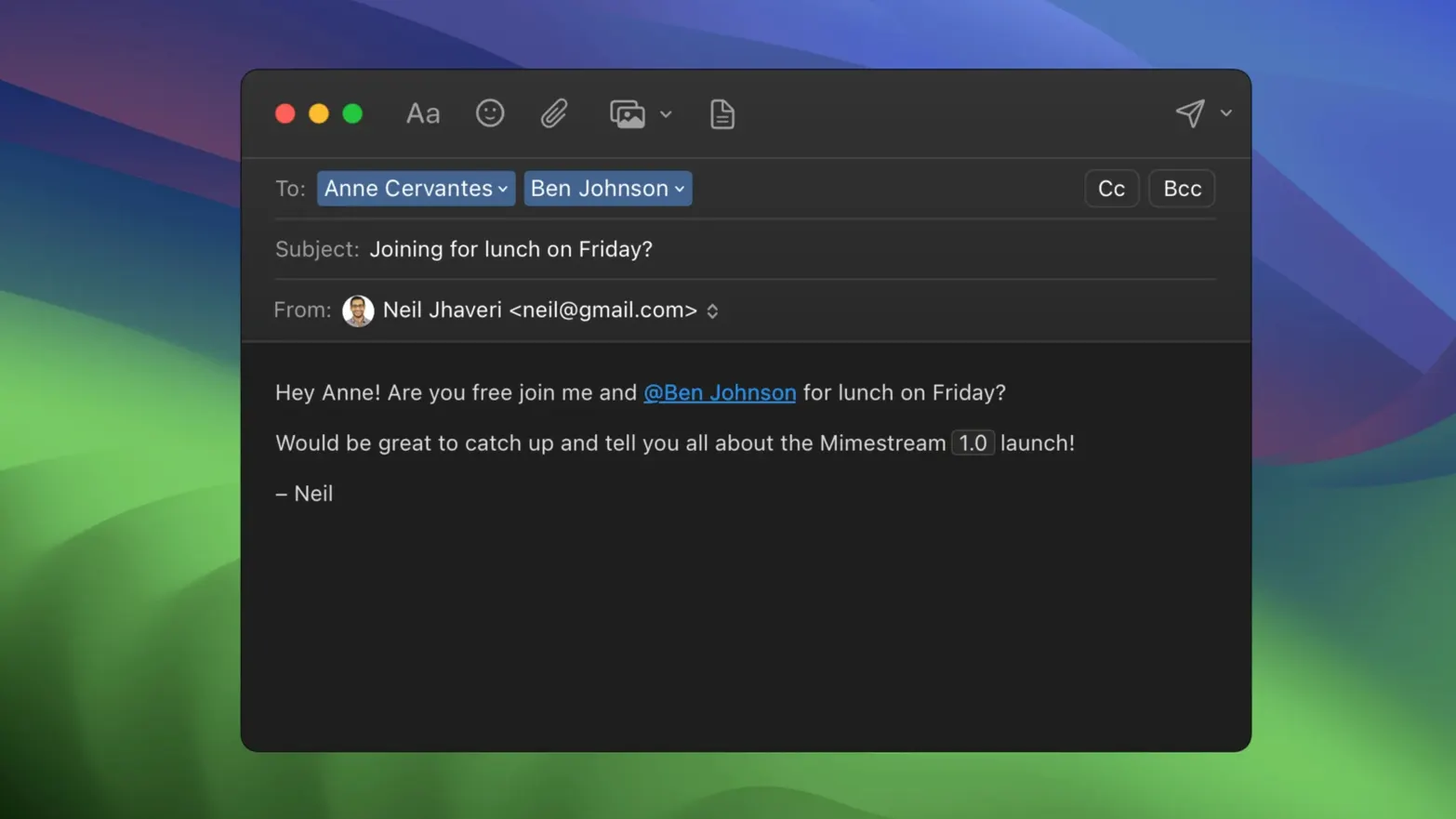
Living out of a browser tab for email can feel like borrowing a desk in someone else's office. Mimestream puts Gmail into a proper Mac application, written in Swift and speaking directly to Google's servers through the Gmail API instead of the ageing IMAP protocol. The result is an email client that understands labels, categories and search operators natively — but before you can enjoy that, you'll want to check it actually runs on your machine.
- macOS 12 Monterey is the current minimum — anything older won't launch the app. A future update will raise that floor to macOS 14, so if you're still on Monterey or Ventura, now is the comfortable window to try it.
- Apple Silicon and Intel Macs are both supported, with no difference in feature set between the two architectures.
- Offline search works against a local cache, so you can dig through old threads even when the Wi‑Fi drops.
- Gmail aliases sync automatically — no manual configuration, no SMTP juggling.
- Swipe gestures on a trackpad mirror the archive-or-snooze muscle memory you might already have from Apple Mail.
- Keyboard shortcut sets for both Gmail veterans and Apple Mail converts are built in, and you can switch between them.
The app behaves like a well-made Mac citizen: swipe to triage, type a Gmail search query in natural language, and let the interface surface what you need. Because it talks the Gmail API, server-side filters and labels stay in sync without the awkward translation layer that IMAP clients force upon you. It is a focused tool — one Google account, one app, no calendar or contacts module bolted on — and that narrow scope is precisely why it feels so fluid.
Give the local cache an hour to settle before judging performance
A native Gmail client can feel too eager on day one. It wants to pull down mail, build its local cache, and learn which labels you actually use. Give it an hour while you do something else — leave the app open, let the activity settle, and resist the urge to judge it by the first ten minutes of fan noise and spinner activity.
Once the initial sync is behind you, head to the Shortcuts tab in preferences. If you learned email on Gmail's web shortcuts, pick that set. If your fingers know Apple Mail better, switch and feel instantly less clumsy. The app won't make you choose between the two again unless you change your mind.
Notifications need a moment of attention early on. By default, macOS delivers a system notification for each new message. That works beautifully until you belong to a few noisy mailing lists. Instead of turning everything off, set up a notification profile for the inboxes that matter and let the rest flow silently. The Private Push option introduced in version 1.10 routes notifications through Apple's notification infrastructure so Google never sees which device pinged, and it's worth enabling once you have upgraded to a macOS version that supports it — the privacy gain is real and costs you nothing in speed.
Labels are the other thing to sort out within the first couple of days. Mimestream pulls every Gmail label into the sidebar. If you have accumulated dozens of them over the years, drag the ones you actually use into the favourites area and collapse the rest. The sidebar should show you a working list, not a museum of every project you finished in 2019.
Moving Gmail out of a crowded browser tab frees surprising mental space
Mimestream clicks hardest for people who already live in Gmail but resent the browser tab. If you keep Gmail pinned in Chrome alongside a dozen other web apps, moving that one workload out into a native Mac window frees up memory, stops one more autoplay video from ambushing you, and gives you proper keyboard control over your inbox without a web page interpreting every keystroke.
Keyboard-driven Mac users find a lot to like here. The shortcut set is thorough, covering not just archive and reply but label assignment, navigation between panes, and the full Gmail search syntax typed straight into the search field. If you touch the trackpad only when you have to, Mimestream respects that. Swipe gestures are there for the trackpad crowd too, so households with one keyboard fiend and one gesture lover can share the same Mac without an argument about mail clients.
People who work offline in bursts — on trains, in cafés with patchy Wi‑Fi, or simply with Wi‑Fi turned off for focus — benefit from the local cache in a way that web Gmail cannot offer. Search works against cached messages, you can read and triage, and everything queues up neatly for when the connection returns. It is not a bolt-on offline mode that feels like a separate app; it is the same interface, just quieter.
Anyone juggling multiple Gmail aliases will also notice the lack of friction. Aliases appear in the account as soon as they are configured in Gmail, no SMTP server details to look up. Signatures sync the same way. It is the sort of detail that saves five minutes of setup and then silently saves another five every time you add an alias later.
It speaks the Gmail API, not IMAP, so non‑Google accounts are out
Does it work with non‑Google email accounts? No, and that is by design. Mimestream speaks the Gmail API, not generic IMAP. If you also use an iCloud or Outlook address, you will keep using another client for those. Think of it as a dedicated Gmail workspace rather than a universal inbox, and the limitation starts to feel like a feature — nothing in the sidebar that does not belong to your Google account.
Will it eat my disk space? The local cache is deliberately restrained. Mimestream stores recent messages for fast searching and offline access, but it does not attempt to mirror your entire Gmail history onto your SSD. A few hundred megabytes is typical after the first sync, and that figure stays level over time. If you are coming from a traditional IMAP client that downloaded every attachment since 2014, the difference is immediately noticeable.
Is it safe to download outside the App Store? Many Mac users feel more comfortable grabbing a mimestream download mac directly from the developer site, and the disk image follows the standard Mac pattern — open it, drag the app to Applications, and launch. The app is notarized by Apple, so Gatekeeper will not throw up obstacles on first launch. Tracking‑pixel blocking covers more than fifty known tracking services out of the box, which is a quiet privacy win you do not need to configure.
Native text and layout engines make message rendering feel built‑in
After a week of daily use, Mimestream settles into a rhythm that feels closer to a built‑in Mac app than to a web wrapper. Message rendering is fast because it uses native text and layout engines rather than a web view pretending to be Gmail. Scrolling through a long thread does not hitch, and the search field returns results with the same query syntax you type into the Gmail website, only delivered with less latency and no page reloads.
Memory use sits somewhere between modest and forgettable. On an Apple Silicon Mac with 16 GB of RAM, the app typically idles around 200–300 MB with a reasonably busy inbox. That figure rises slightly when you open large attachments or run a deep search across years of mail, but it returns to baseline quickly. On Intel machines the footprint is a touch higher, though still well below what a Gmail tab in Chrome consumes over a long session.
Stability has been a strong point through the 1.10.x cycle. The app handles network interruptions gracefully — pull the ethernet cable or toggle Wi‑Fi off and it continues working against the cache, with a small banner noting the offline state. When the connection returns, queued actions flush to the server without drama. Crashes are rare in day‑to‑day use, and the development team's release cadence suggests active maintenance rather than abandonware.
A final observation on resource use: because Mimestream does not embed a full browser engine, it never accumulates the background CPU drain that web‑based mail clients quietly incur. Closing the lid on your MacBook and opening it hours later feels snappy, with no sluggish wake-up while a hundred web scripts catch their breath. Over a working week, that translates into real battery savings, especially on older Intel laptops where every watt matters.
Version 1.10 introduces an optional All profile that gathers every inbox into a single view, configurable notification actions for faster triage, and automatic sender-name display for unknown contacts. The 1.10.8 update also brings Private Push notifications, which route alert delivery through Apple's notification infrastructure so the app doesn't need to see your message content.
- The optional All profile unifies your inboxes without switching accounts.
- Notification actions are now configurable, so you can archive or reply directly from an alert.
- Private Push notifications keep message previews away from the Mimestream client itself.
- macOS 12 Monterey or newer
- Apple Silicon or Intel processor
- A Google account (Gmail or Google Workspace)
Questions I keep hearing
Does Mimestream work without an internet connection?
You can search and read previously loaded messages while offline, but sending and receiving new mail requires a live connection to Gmail's servers.
Questions from the class 0
Sign in or join the class to ask a question.
Nobody has asked anything yet. If you have used it on a real job, say what the file did.
Also on the Mac Apps shelf
The whole Mac Apps shelf Millumin
Controls video, lighting and sound cues for live shows.
Millumin
Controls video, lighting and sound cues for live shows.
 Mission Control Plus
Lets you quit apps straight from the Mission Control overview.
Mission Control Plus
Lets you quit apps straight from the Mission Control overview.
 Mitti
Cues video, audio and MIDI for theatre and live events.
Mitti
Cues video, audio and MIDI for theatre and live events.
 Moho Pro
Builds rigged 2D characters and turns flat vector layers into 3D scenes with real shadows.
Moho Pro
Builds rigged 2D characters and turns flat vector layers into 3D scenes with real shadows.
 Mole
Clears cached clutter, logs, and forgotten files to reclaim disk space on your Mac.
Mole
Clears cached clutter, logs, and forgotten files to reclaim disk space on your Mac.
 Moom
Saves and restores exact window layouts so you never drag and resize the same arrangement twice.
Moom
Saves and restores exact window layouts so you never drag and resize the same arrangement twice.
 Motion
Designs title sequences, particle effects, and transitions on a huge canvas for video editors.
Motion
Designs title sequences, particle effects, and transitions on a huge canvas for video editors.
 MotionVFX mInfographics
Drops animated charts and percentage counters straight into a Final Cut Pro timeline.
MotionVFX mInfographics
Drops animated charts and percentage counters straight into a Final Cut Pro timeline.