 ASPNetWorld

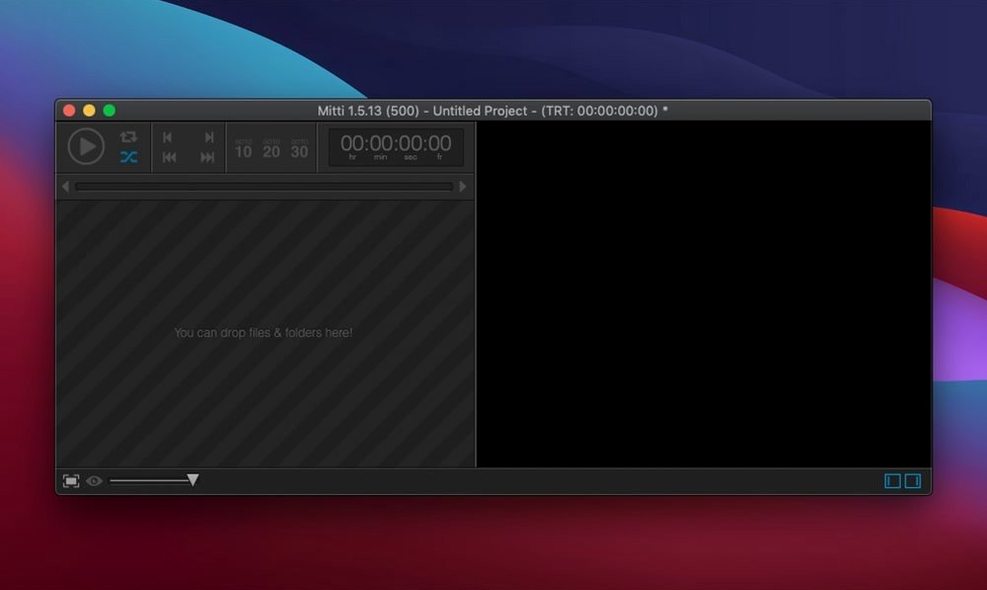
Running video for a live show is rarely as simple as pressing play. A conference might need a speaker's logo to fade in gently, loop while they talk, then dissolve into a title card the moment they finish. Mitti is built for exactly that kind of precise, repeatable control. It treats every film file as a cue — a container that holds not just the clip itself, but how it enters, how it leaves, and what it does in between.
- Individual fade in and fade out per cue. You set exactly how many frames each clip takes to appear and disappear, so crossfades between two cues feel deliberate rather than rushed.
- Colour management baked in. Mitti respects the colour profile of every file and routes it correctly through the display pipeline, which means no washed-out logos on the big screen.
- Live camera support, including Blackmagic. A camera feed becomes just another cue — you can fade it in, loop it, stack effects on top, and treat it like any other video source.
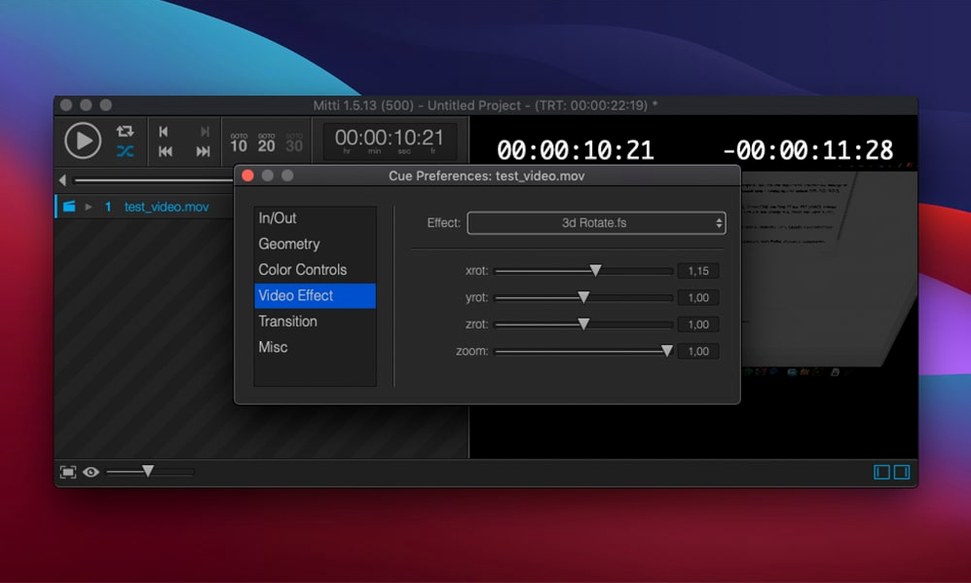
- Over 30 ISF transitions and 100 ISF effects. Rather than hard cuts, you can dissolve through a glitch, a light-leak or a geometric wipe, all generated in real time on the GPU.
- Automatic transcoding of legacy codecs. Drop in an old exhibition file and Mitti quietly converts it into something modern and stable before it ever hits the projector.
Because every cue can also be set to loop indefinitely, you can park a logo, a background or a live camera on screen for as long as the moment demands, then step forward only when you choose.
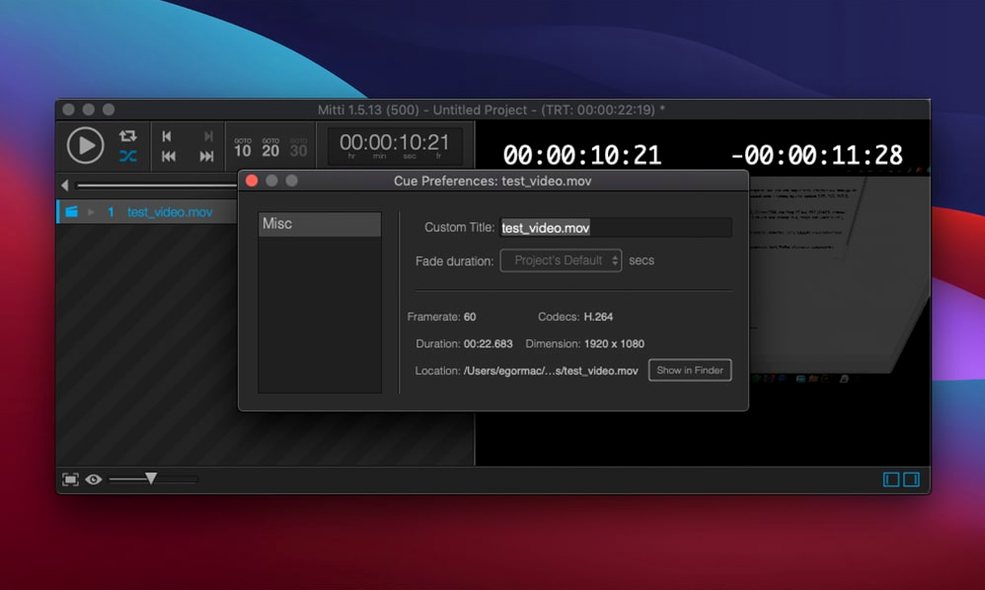
There is a cluster of tiny conveniences tucked into Mitti's interface that often takes several rehearsals to stumble upon. The most useful is the cue inspector shortcut: double-clicking any cue in the main list opens its settings panel immediately, which is much faster than hunting through menus when you need to trim an out-point ten minutes before doors open. While the inspector is visible, you can click from cue to cue in the list and the panel updates instantly — no closing and reopening.
Another overlooked gem is drag-and-drop reordering with modifier keys. Dragging a cue normally moves it, but holding Option while you drop creates a duplicate in the new position, leaving the original untouched. That little trick saves real time when you need the same stinger at the start and end of a playlist. Holding Command lets you select several non-adjacent cues and move them together, which is handy for grouping all the sponsor loops in one place.
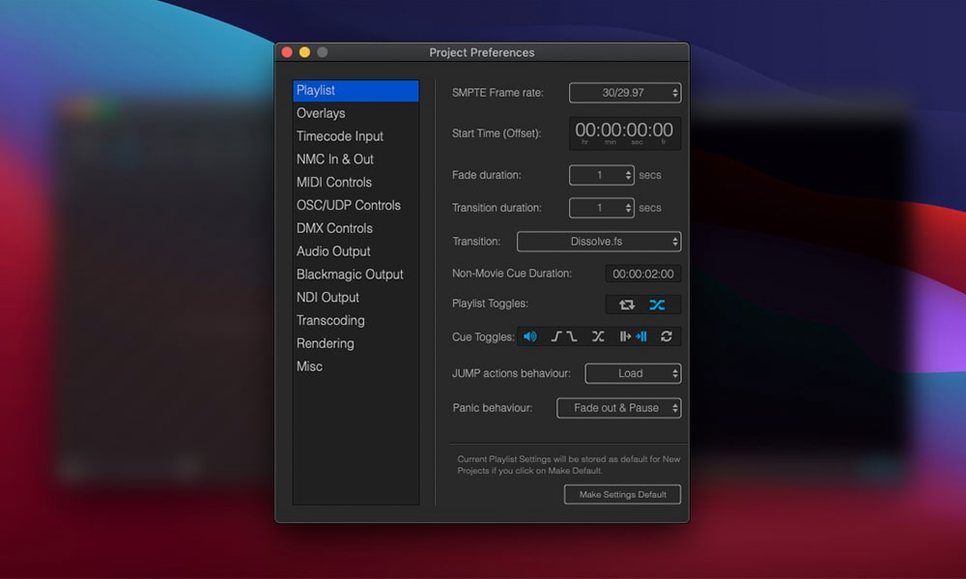
People who regularly search for a mitti download often assume the application needs a complex setup ritual before it feels reliable. In practice, two settings repay attention straight away. First, open Preferences and look at the Default cue length for stills field. Mitti ships with a sensible value, but if your show leans heavily on logos and title cards, setting this to something longer — 60 seconds or even 0 for infinite — stops stills from vanishing mid-speech. Second, under the Playback tab, enable “Pause on last frame” for the main output. Without it, the screen snaps to black after the final cue finishes, which can look like a technical fault to an audience. A paused last frame reads as intentional.
Beginners coming from simpler players tend to make the same two mistakes. The first is ignoring cue transitions and relying on a single global fade setting. Mitti lets you assign a different transition — and a different duration — to every cue individually, right from the inspector. Layering a fast dissolve on a title card and a slow crossfade on a mood film gives the whole sequence a polish that a blanket setting never achieves. The second mistake is not labelling cues clearly in the playlist. A list of files named DSC_0042.mov and final_v3_export.mp4 becomes unreadable during a live show. Renaming cues inside Mitti (which does not touch the original files) turns the playlist into a readable script, and that alone can prevent a wrong button press under pressure.
For anyone who found Mitti through a Mitti torrent for macOS search and is exploring what the application can do, the local synchronisation feature is worth understanding early. The internal NMC protocol lets multiple Macs on the same network run identical playlists in lockstep — one machine acts as master, others as followers. Setting this up is surprisingly quick: pick a network port in Preferences, designate one Mac as the master, and the followers automatically mirror every play, pause and jump. Exhibition technicians often run one machine to the projector and a second to a confidence monitor, both perfectly in step, with no extra hardware needed.
The playlist export feature is equally practical. Choosing File > Export Playlist with Content bundles every cue and its associated media into a single folder you can move to another machine. When you open it there, all the in-points, fades and effect chains come across intact. That means you can build a show on a laptop backstage, test it, then hand the whole package to the operator running the house machine — no missing files, no broken paths.
- macOS 10.15 or newer
- Apple Silicon and Intel Macs supported
- Interface language: English
Questions from the class 0
Sign in or join the class to ask a question.
Nobody has asked anything yet. If you have used it on a real job, say what the file did.
Also on the Mac Apps shelf
The whole Mac Apps shelf Mission Control Plus
Lets you quit apps straight from the Mission Control overview.
Mission Control Plus
Lets you quit apps straight from the Mission Control overview.
 Moho Pro
Builds rigged 2D characters and turns flat vector layers into 3D scenes with real shadows.
Moho Pro
Builds rigged 2D characters and turns flat vector layers into 3D scenes with real shadows.
 Mole
Clears cached clutter, logs, and forgotten files to reclaim disk space on your Mac.
Mole
Clears cached clutter, logs, and forgotten files to reclaim disk space on your Mac.
 Mimestream
Puts Gmail in a proper Mac window with fast search and swipe gestures.
Mimestream
Puts Gmail in a proper Mac window with fast search and swipe gestures.
 Moom
Saves and restores exact window layouts so you never drag and resize the same arrangement twice.
Moom
Saves and restores exact window layouts so you never drag and resize the same arrangement twice.
 Millumin
Controls video, lighting and sound cues for live shows.
Millumin
Controls video, lighting and sound cues for live shows.
 Motion
Designs title sequences, particle effects, and transitions on a huge canvas for video editors.
Motion
Designs title sequences, particle effects, and transitions on a huge canvas for video editors.
 MotionVFX mInfographics
Drops animated charts and percentage counters straight into a Final Cut Pro timeline.
MotionVFX mInfographics
Drops animated charts and percentage counters straight into a Final Cut Pro timeline.