 ASPNetWorld

Version 4.6 quietly patches a macOS oddity where hidden apps could drift out of position inside a saved layout, and it adds a genuinely clever proximity rule for layout assignment. The idea: Moom can now slot your frontmost windows into their saved spots based on which arrangement is closest to what's already on screen, rather than rigidly counting windows. Layouts set to the active display also learned to skip minimised windows and hidden apps, so they don't steal a slot you meant for something visible.
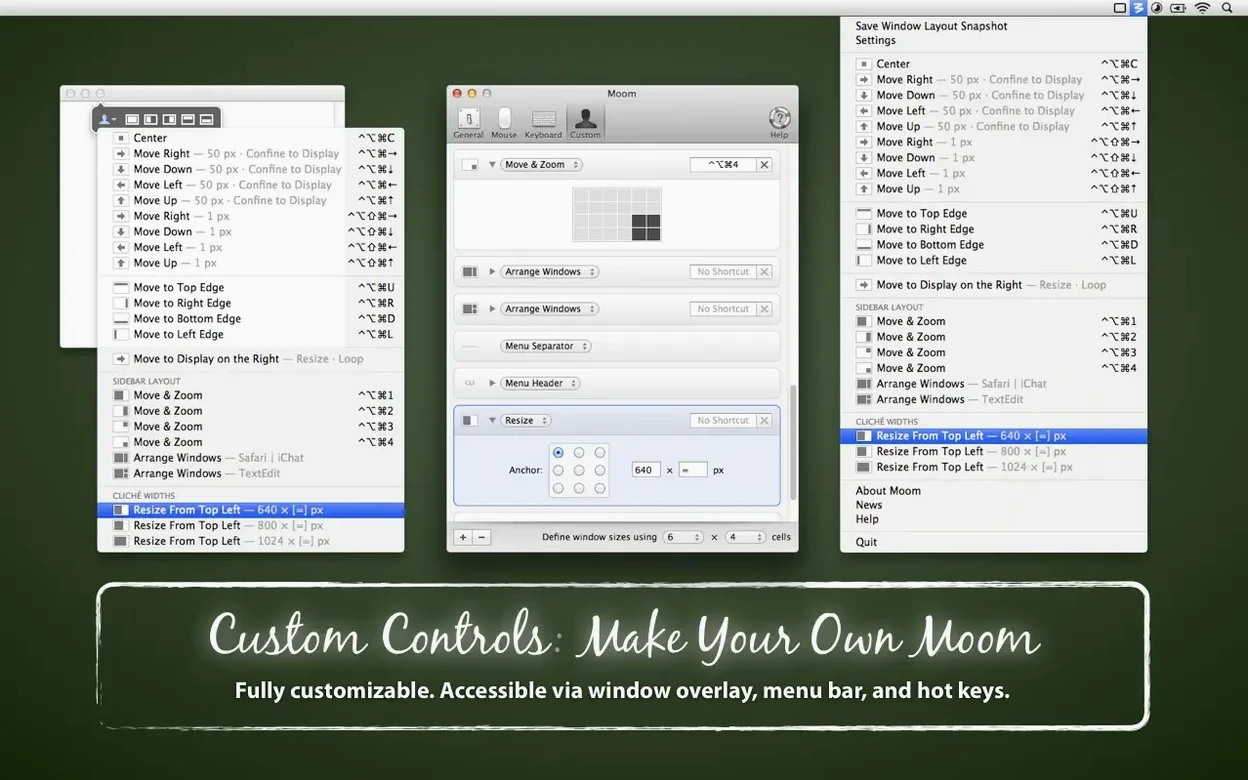
Let's say you write proposals in Pages while pulling figures from Numbers and keeping a Safari window open for research. You want Pages centred at a readable width, Numbers tucked to the right at half height, and Safari filling the left edge. With Moom you record that arrangement once as a custom layout. Later, when you trigger it, the new proximity logic recognises the three frontmost windows and maps them to the nearest layout cell, even if you opened them in a different order.
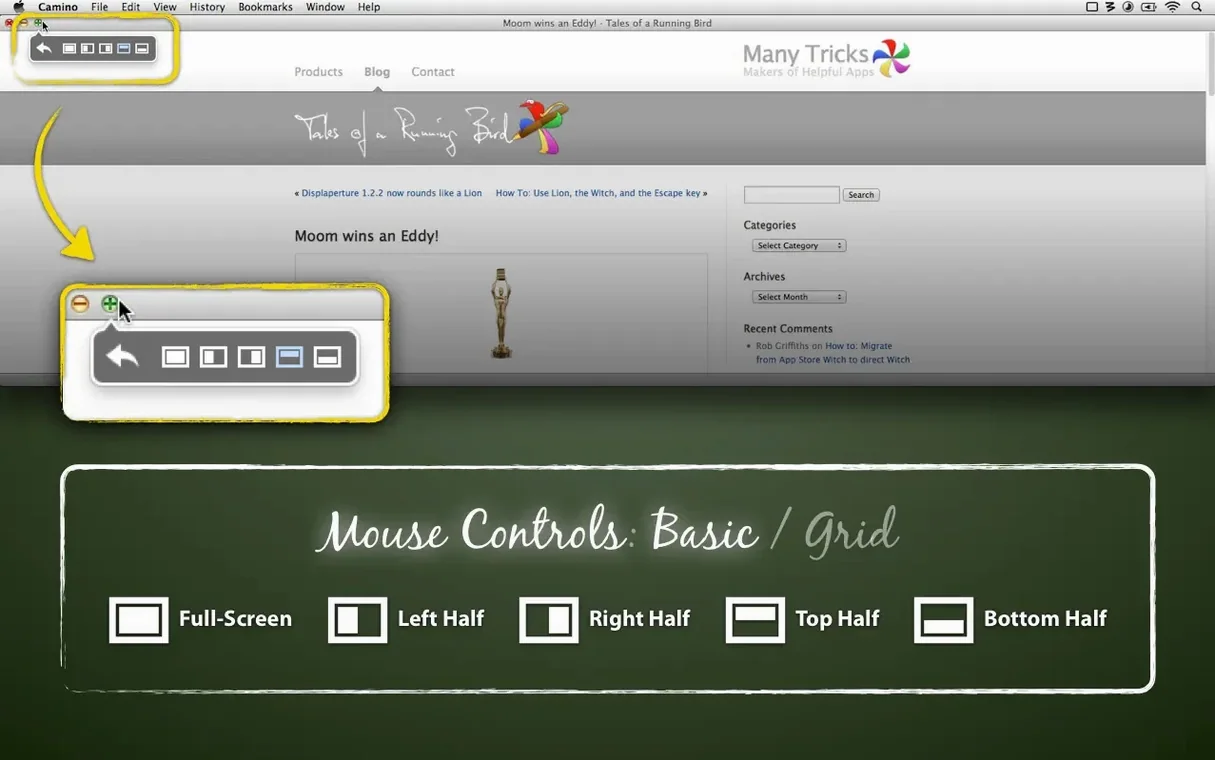
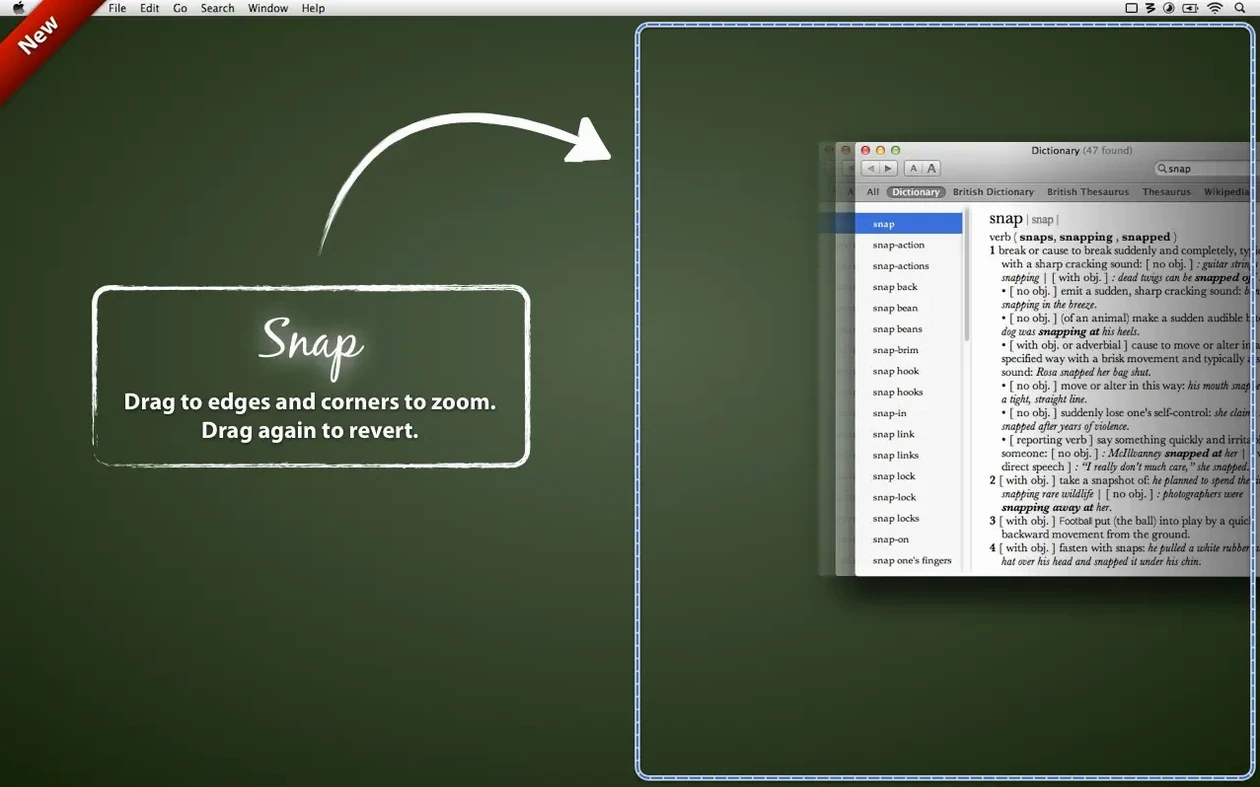
You can trigger the layout from the menubar, a hotkey, or by hovering over the green traffic-light button—Moom extends the standard macOS zoom menu with snap-to-grid controls and a move-and-zoom overlay that appears right under your cursor. If you prefer the mouse, dragging a window to a screen edge snaps it into halves or quarters, and you can define your own drop zones for less conventional proportions. Moving a window across displays is a single click or keystroke, and the full-screen maximise is instant, no green-button hold required.
Return to your exact window setups daily
- Recording multi-window arrangements you return to daily
- Keyboard-driven tiling without leaving the home row
- Mouse users who want edge-snapping with adjustable zones
Native full-screen space is not how Moom maximises
- Works on macOS 10.13 High Sierra and newer
- Full-screen maximise uses the traditional fill, not the native macOS full-screen space
- Layouts need a moment of setup before they save you time
Hover over any green zoom button for instant tiling
When you first install Moom, it sits quietly in the menubar with its default presets ready to go. The quickest win is to hover over any window's green zoom button — you'll see a pop-up menu of half-screen and full-screen options that work without touching a keyboard shortcut. Try dragging a Finder window to the left edge of your display and watch it snap to exactly half width. That alone tends to win people over in the first ten minutes.
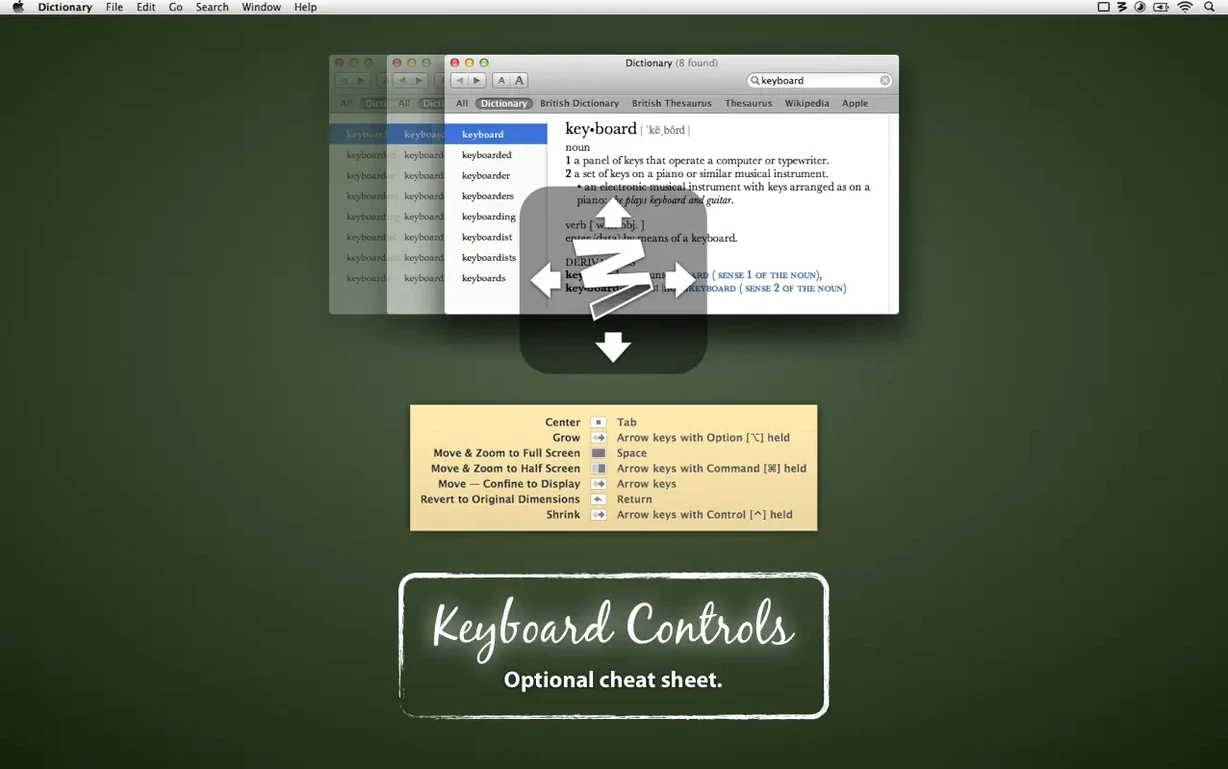
After that, open Moom's preferences and visit the Keyboard tab. The default hotkeys use modifiers plus arrow keys for instant halves and quarters, but you can remap them to something that fits your muscle memory. If you use a third-party launcher like Alfred or Raycast, consider setting Moom's global hotkey to something you won't clash with — Control-Shift-M is a safe starting point. Once you have one keyboard-driven move under your fingers, adding a second becomes natural surprisingly fast.
A tip worth knowing early: Moom's grid overlay appears when you hover over the green button and choose the move-and-zoom option, but you can also summon it with a custom hotkey. With the overlay active, move your mouse to draw a rectangle anywhere on screen, and the active window snaps into that exact region. It's oddly satisfying for positioning a terminal window at a precise size in the corner of a large display, and it means you never need to drag resize handles again.
How Moom fits into a wider Mac workflow
Moom doesn't try to replace Mission Control or Stage Manager — it complements them. While Mission Control gives you a bird's-eye view of every open window, Moom handles the arrangement before you get there. You can snap a pair of apps side by side, then swipe up with three fingers to check a third window that's hidden behind them, confident the two you set won't have shifted.
If you use a tool like Karabiner-Elements or BetterTouchTool for custom input mappings, you can chain Moom layout triggers to a single key or gesture. For instance, a three-finger tap on a trackpad could recall Monday morning's layout — email on the left, calendar on the right, Slack in a narrow strip at the bottom — without touching the menubar. The app also plays nicely with macOS Spaces: you can assign different saved layouts to different displays, and Moom's 4.6 update ensures minimised windows on a secondary screen won't interfere with the arrangement you've set for the active one.
A writer's morning, tidied up
Picture a freelance editor who starts each day with a Ulysses window for writing, a Safari window for research, and a Finder window pointed at a project folder full of manuscript drafts. Before Moom, the first ten minutes involved dragging and resizing each window into roughly the same positions as yesterday. With Moom, she recorded the arrangement once — Ulysses centred at a generous 900-point width, Safari snapped to the left half, Finder to the bottom-right quadrant — and saved it as a layout called "Morning draft."
Now she triggers it from a single keyboard shortcut while her coffee cools. The new proximity rule in version 4.6 means that even if she opened Safari before Ulysses today, the windows still land in the right spots because the layout matches what's on screen rather than counting in launch order. When she finishes the draft and switches to proofreading, a different layout snaps Adobe Acrobat alongside Notes without disturbing her email client on a second display. The whole routine feels less like computer housekeeping and more like sitting down at a desk that someone already tidied.
Moom 4.6 teaches its saved layouts a new trick: proximity-based assignment. Instead of matching windows by count alone, layouts can now map your frontmost windows to the saved spots that sit closest to their current positions. Layouts restricted to the active display also got smarter—they now skip minimised windows and hidden apps, and a macOS issue that mislaid hidden-app windows inside a layout has been worked around.
- macOS 10.13 High Sierra or newer
- Runs natively on both Intel and Apple Silicon Macs
- Interface languages: English
Questions I keep hearing
Can Moom move windows between multiple displays?
Yes—you can send the active window to any connected display with a keyboard shortcut or a click in the move-and-zoom grid.
Does Moom work with hidden or minimised windows?
The 4.6 update makes layouts that target the active display skip minimised windows and hidden apps, so they no longer grab a spot unintentionally.
How does the proximity layout feature work?
When you trigger a saved layout, Moom can assign windows to the nearest matching cell by comparing the current on-screen arrangement with your saved template, rather than counting windows.
Questions from the class 0
Sign in or join the class to ask a question.
Nobody has asked anything yet. If you have used it on a real job, say what the file did.
Also on the Mac Apps shelf
The whole Mac Apps shelf Motion
Designs title sequences, particle effects, and transitions on a huge canvas for video editors.
Motion
Designs title sequences, particle effects, and transitions on a huge canvas for video editors.
 MotionVFX mInfographics
Drops animated charts and percentage counters straight into a Final Cut Pro timeline.
MotionVFX mInfographics
Drops animated charts and percentage counters straight into a Final Cut Pro timeline.
 MotionVFX mKBHD
Gives video editors a shortcut to Marques Brownlee’s clean, kinetic on-screen graphic style.
MotionVFX mKBHD
Gives video editors a shortcut to Marques Brownlee’s clean, kinetic on-screen graphic style.
 Mole
Clears cached clutter, logs, and forgotten files to reclaim disk space on your Mac.
Mole
Clears cached clutter, logs, and forgotten files to reclaim disk space on your Mac.
 MotionVFX - mLowers Universal for FCP
Places seventy animated lower-third titles onto your timeline without jarring style clashes.
MotionVFX - mLowers Universal for FCP
Places seventy animated lower-third titles onto your timeline without jarring style clashes.
 Moho Pro
Builds rigged 2D characters and turns flat vector layers into 3D scenes with real shadows.
Moho Pro
Builds rigged 2D characters and turns flat vector layers into 3D scenes with real shadows.
 MotionVFX mModules
Fills Final Cut Pro’s Titles Browser with sixty self-contained animated elements and backgrounds.
MotionVFX mModules
Fills Final Cut Pro’s Titles Browser with sixty self-contained animated elements and backgrounds.
 Mitti
Cues video, audio and MIDI for theatre and live events.
Mitti
Cues video, audio and MIDI for theatre and live events.