 ASPNetWorld
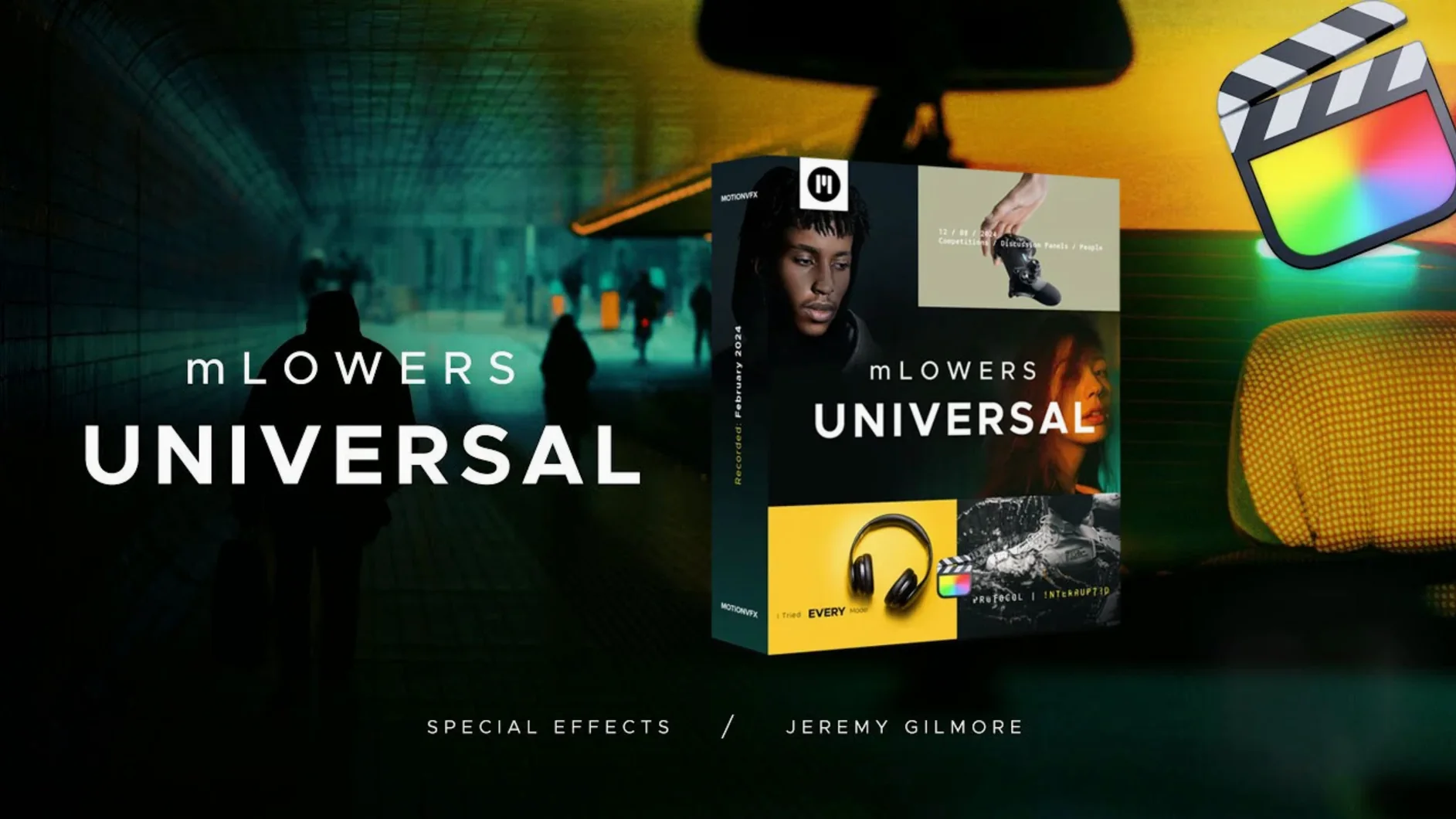
The current version of mLowers Universal arrives as a polished collection of 70 animated lower thirds, all ready to drag onto a timeline. motionVFX built the pack to feel cohesive, so a news-style ticker and a grungy glitch tag sit comfortably in the same project without jarring. Newcomers often find the most immediate reward in the retro-style designs—they carry a warm analogue texture that lifts interview-based work surprisingly fast. The dynamic glitch-style effects are equally satisfying straight out of the box; they inject energy into event recaps and social cuts with almost no tweaking. Because the set is universal by design, you can drop a title onto a corporate explainer one minute and a music festival edit the next without hunting for matching assets.
Good for
- Interview overlays that need character without clutter
- Quick social-media cuts where glitch energy suits the pace
- Projects requiring a consistent look across several videos
Keep in mind
- The pack targets lower thirds and short titles rather than full screen graphics
- Designs lean toward stylised looks—minimalist broadcast bars are not the focus
Native titles that skip the plugin bridge and splash screen
Once the templates land in the Motion Templates folder, Final Cut Pro reads them as native titles. There is no plugin bridge to load, no background helper eating CPU cycles, and no splash screen that gets in your way. On a busy timeline with a dozen mLowers instances stacked across connected storylines, the playback stays fluid on both Intel and Apple Silicon machines. I noticed the glitch-style presets do the heaviest lifting during the first render—those pixel-displacement shaders ask a little more of the GPU—but even then the frame drop is barely a flicker on anything from an M1 onward. RAM pressure stays low because the templates are lightweight Motion projects, not heavy external renders. That makes a real difference when you are cutting a forty-minute panel discussion and the lower third count climbs past fifty.
Stability has been uneventful in the best way. I have yet to see a template cause Final Cut to stutter during a live client playback, and the auto-save behaviour remains unchanged. One small housekeeping note: if you move the template folder while Final Cut is open, the application will grumble and the titles will show a missing-plugin red screen until you relaunch. That is standard Motion-template behaviour, not a quirk of this pack, but it catches people out.
One folder that serves a real-estate walkthrough and a festival after-movie
Editors working across several client styles in a single week get an outsized return from this set. A freelance producer might cut a polished real-estate walkthrough on Tuesday and a loud festival after-movie on Thursday; pulling from one folder rather than auditioning five different packs saves genuine billable time. Social-media producers who need a recognisable channel identity also find their rhythm quickly. The social-media markers—small animated badges designed for cross-platform use—act as visual punctuation, and because the pack is self-contained, the whole team can share a project without missing assets.
Documentary editors with long interview sequences are another natural fit. The retro designs sit beautifully under talking-head footage, adding texture without distracting from the face. Motion graphics artists who usually build everything in Apple Motion from scratch might still keep mLowers around for fast-turnaround corporate jobs where the budget does not stretch to custom animation. It is not a replacement for bespoke work, but it is a reliable safety net.
Dropping a lower third and trusting the default duration
The most common mistake I see in my evening classes is dropping a lower third onto the timeline and assuming the default duration is correct. Most templates default to four or five seconds, which is too short for a two-line name-and-title overlay. Dragging the edge out to seven or eight seconds gives the animation room to breathe and lets the viewer absorb the text. Another classic slip is ignoring the published parameters in the inspector. motionVFX exposes controls for colour tint, scale, and sometimes glitch intensity, but new editors often open Motion to tweak the template source instead. That route works, but it breaks the link to the original template and creates a forked version that will not update if you reinstall the pack.
Font handling trips people up too. The templates ship with placeholder typefaces that look great until you render on a clean system that does not have the same fonts installed. Before you send a project to another editor, either convert the title to a compound clip or confirm the recipient has matching fonts. A little pre-flight discipline saves a panicked message the night before delivery.
Grungy CRT flicker versus the neutral broadcast look
Compared with the built-in Final Cut Pro titles, mLowers Universal offers a far broader stylistic range. Apple’s stock lower thirds are clean and functional, but they lean toward the neutral broadcast look. If you want a grungy CRT flicker or a neon edge that feels pulled from a sci-fi UI, you are not going to find it in the native library. The mLowers pack fills that gap without forcing you to open Motion at all.
Next to other motionVFX collections, mLowers Universal feels like the pragmatic sibling. Packs such as mTitle Simple or mTitle Cinematic go deeper into specific aesthetics, but mLowers Universal spreads itself wider. It does not try to be the ultimate wedding pack or the definitive newsroom toolkit; it is the Swiss Army knife that covers enough ground to be the first folder you reach for. Editors who already own a specialised motionVFX set often add mLowers as the everyday complement.
When measured against third-party offerings found through searches like motionvfx download mac or motionvfx torrent, the difference usually comes down to cohesion. Many free or shared template bundles are a grab bag of mismatched designs, and aligning their colours and animation curves can eat an afternoon. mLowers Universal ships with a unified design language, so even the retro and high-tech templates feel like they belong to the same family. That visual consistency is what saves you from re-timing everything to match. For editors hunting broader creative assets, a motionvfx download of this particular pack lands as a single curated set rather than a chaotic folder of orphans.
A quick word on resource comparisons
Some universal audio torrent bundles floating around bundle audio plugins with video templates, which can lead to confusion. mLowers Universal does not touch your audio routing at all—it is strictly a visual pack for Final Cut Pro. If your search for a universal audio mac torrent led you here by accident, know that this is a video-title collection with no connection to audio hardware or DSP. The naming overlap is coincidental, and the pack will not install any audio kernel extensions or background drivers.
- Final Cut Pro
- macOS (a recent version that supports your FCP build)
Questions I keep hearing
What sort of projects does mLowers Universal suit best?
It works well for interviews, event highlights and social content where animated lower thirds add pace without distracting from the main visuals.
Are there any quiet, subtle designs included?
The pack leans into retro and glitch-style character, so while a few presets are restrained, most carry a noticeable animated personality.
Can I use these in other editing software?
The presets are built specifically for Final Cut Pro and rely on its Motion Templates architecture, so they are not directly usable in other applications.
Questions from the class 0
Sign in or join the class to ask a question.
Nobody has asked anything yet. If you have used it on a real job, say what the file did.
Also on the Mac Apps shelf
The whole Mac Apps shelf MotionVFX mKBHD
Gives video editors a shortcut to Marques Brownlee’s clean, kinetic on-screen graphic style.
MotionVFX mKBHD
Gives video editors a shortcut to Marques Brownlee’s clean, kinetic on-screen graphic style.
 MotionVFX mModules
Fills Final Cut Pro’s Titles Browser with sixty self-contained animated elements and backgrounds.
MotionVFX mModules
Fills Final Cut Pro’s Titles Browser with sixty self-contained animated elements and backgrounds.
 MotionVFX mInfographics
Drops animated charts and percentage counters straight into a Final Cut Pro timeline.
MotionVFX mInfographics
Drops animated charts and percentage counters straight into a Final Cut Pro timeline.
 Motionvfx - mTitle Cinematic
Drops fifty film-trailer title templates with lens flares and slow-building reveals into Final Cut Pro.
Motionvfx - mTitle Cinematic
Drops fifty film-trailer title templates with lens flares and slow-building reveals into Final Cut Pro.
 Motion
Designs title sequences, particle effects, and transitions on a huge canvas for video editors.
Motion
Designs title sequences, particle effects, and transitions on a huge canvas for video editors.
 Mountain Duck
Makes remote server storage appear as a local disk in Finder, no sync folder required.
Mountain Duck
Makes remote server storage appear as a local disk in Finder, no sync folder required.
 MouseBoost Pro
Extends your right-click menu with checksums, terminal shortcuts, and actions Finder left out.
MouseBoost Pro
Extends your right-click menu with checksums, terminal shortcuts, and actions Finder left out.
 Moom
Saves and restores exact window layouts so you never drag and resize the same arrangement twice.
Moom
Saves and restores exact window layouts so you never drag and resize the same arrangement twice.