 ASPNetWorld
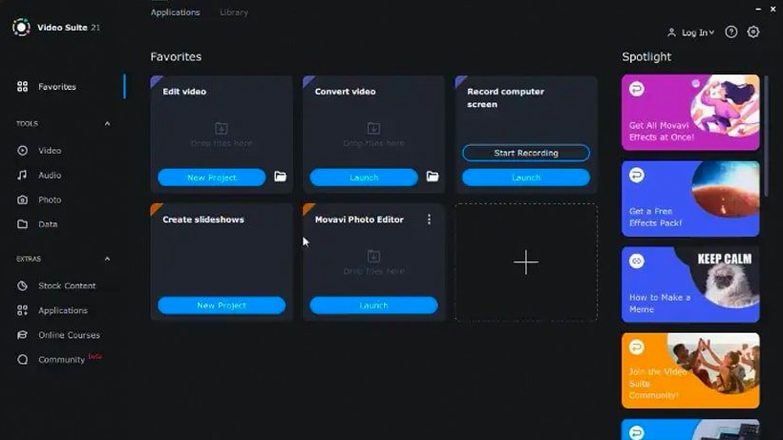
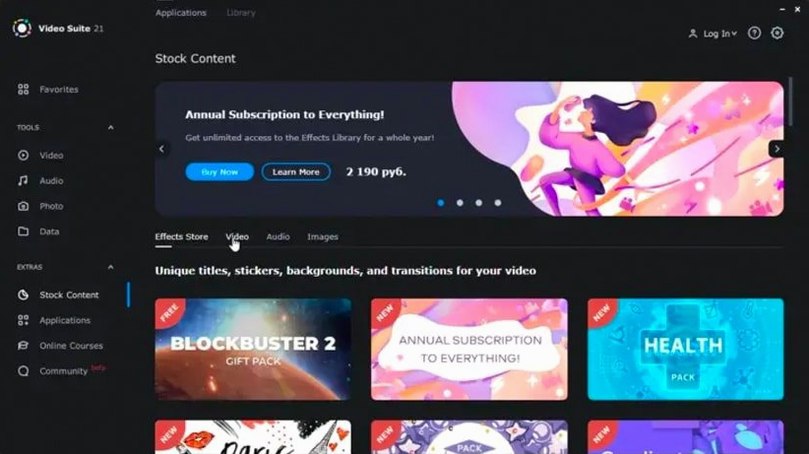
Movavi Video Suite 22.4.1 works on any Intel Mac running macOS 10.13 High Sierra or later — so it will sit quite happily on that older iMac in the spare room as well as a current machine. It’s a three‑in‑one app that brings together video editing, file conversion, and screen recording, which means you are not launching three separate utilities when a project calls for a bit of everything.
Understands 180-plus file formats that QuickTime and iMovie ignore
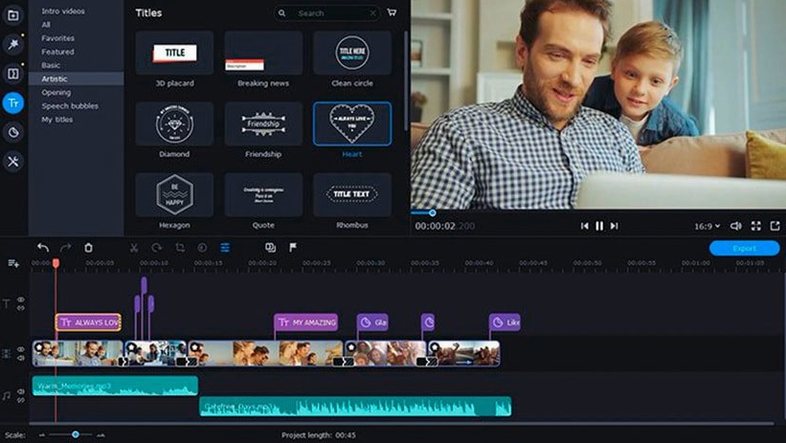
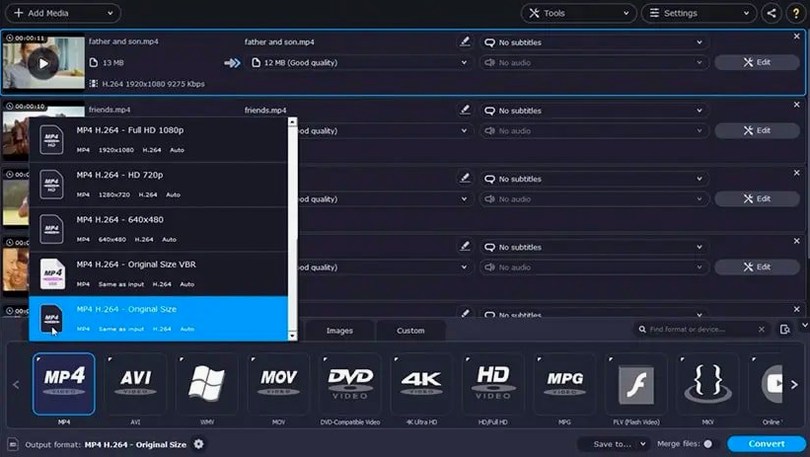
Think of it as a practical middle ground. QuickTime Player handles basic screen recording and trimming, and iMovie covers straightforward edits, but neither deals with the sheer breadth of file formats Movavi understands — more than 180 of them. When a friend sends a clip in an odd wrapper from a screen grab or an old camera, this is the app that opens it without a fuss. The conversion side can also bake subtitles directly into the file, which is a proper time‑saver if you caption your own teaching or social videos. And the editing panel adds effects, titles, and music without forcing you to learn a timeline that feels like a spacecraft dashboard.
A quiet update that smooths the rough edges
Version 22.4.1, dated August 2022, is a maintenance release that fixes a crash when working with titles — a small thing that makes a big difference to your patience. It also refreshes the symbol for applied effects so the interface reads more clearly at a glance, and slips in some new royalty‑free music tracks. One handy network feature lets you pull footage straight from a phone over Wi‑Fi into the program, cutting out the cable hunt. For a Mac that already has Photos, QuickTime, and perhaps a dedicated NLE, Movavi fills the gaps around format wrangling, quick edits, and screen capture without duplicating what you already own.
Treating the converter like an editor splits your files across three rooms
Most of the early stumbles come from treating the conversion panel like a video editor and the editor like a converter. The modules share a launcher, but mentally they are three separate rooms. Dragging a recording into the conversion area and then hunting for trim handles is a classic — the trim controls live in the editor, so the file needs to go there first. Another common one is recording the screen with system audio ticked but no actual audio output selected, which leaves you with a silent capture and a moment of quiet confusion.
Beginners also overlook the mouse cursor effects during screen recording. The highlight ring and click animations are not switched on by default, so a software walkthrough can end up looking like the pointer vanished whenever you most needed it. A quick trip to the recording settings before you hit the red button saves a re‑shoot. And if you search for a movavi video torrent that bundles the full suite, you may find an older build that still has the title crash — version 22.4.1 is the one that put that particular ghost to rest, so just make sure you grab that release or patch up to it.
Does not chase ScreenFlow’s multi-track screencasting depth
Put it beside ScreenFlow, and the difference is focus. ScreenFlow is a dedicated screencasting tool with a deep editing timeline, multi‑track recording, and polished export presets aimed at tutorial makers. Movavi Video Suite does screen recording competently but does not go nearly as deep on post‑capture annotation or timeline layering. What Movavi gives you in return is the whole conversion engine — ScreenFlow will not touch the oddball formats that Movavi chews through without blinking.
Compare it with Wondershare UniConverter (formerly AllMyTube) and you see two apps that overlap on conversion but pull in different directions. UniConverter leans harder on download and compression features; Movavi brings a proper multi‑track editor and screen recorder into the same package. The editor here is closer to a consumer NLE than UniConverter’s trim‑only approach, so if you need to assemble a video from phone clips, screen grabs, and downloaded footage in one session, Movavi keeps you in one window.
Against Shotcut, which is open‑source and cross‑platform, the comparison is about polish versus raw capability. Shotcut supports a vast range of formats through FFmpeg and gives you a no‑compromise editing timeline, but it expects you to understand concepts like proxy editing and colour space conversion on day one. Movavi wraps the complexity in a gentler interface, bundles its own music library, and adds screen recording without a second install. A Movavi Video Suite torrent sometimes floats around because people want the convenience of all three tools in a single download — the official build already gives you that in one launcher.
Teachers trimming Keynote recordings with voice-over live here
Teachers and trainers tend to wring the most value out of the suite because they live in that overlap between screen recording, quick edits, and format conversion. A typical workflow — record a Keynote presentation with voice‑over, trim the beginning and end, add a title card, then export as an MP4 small enough to upload to a learning platform — moves through all three modules in a straight line. The subtitle‑baking feature during conversion is especially handy when you need a version with hard‑coded captions for a platform that does not support sidecar files.
Remote workers who bounce between Zoom recordings, phone footage, and slides also get a lot from it. The Wi‑Fi phone transfer means a clip shot on a lunch break lands in the editor without a cable, and the batch conversion queue handles a folder full of mixed formats while you carry on with email. Hobbyists who edit family videos occasionally — not daily — appreciate that the timeline does not demand a weekend of tutorial videos before you can make a simple cut. A search for movavi mac torrent often comes from that same group: people who want one tool that covers the casual end of several jobs without cluttering the Applications folder with four different apps.
Switching tabs keeps you moving during a four-second cold launch
On an Intel Mac running macOS Monterey, the launch time is around four seconds — not instant, but not enough to make you reach for the phone while you wait. Once open, switching between the editor, converter, and recorder tabs feels snappy, though the initial scan when pulling in a folder of large 4K clips can slow the thumbnails for a beat or two. Memory usage sits in the 400–600 MB range during editing, climbing toward 1 GB when batch‑processing a queue of conversions, which leaves comfortable headroom on machines with 8 GB of RAM or more.
Stability in 22.4.1 is a marked improvement over the builds that suffered the title‑related crash. I left it running a screen recording of a browser window for an hour while the editor held a separate project in the background, and it stayed responsive without a single beachball. Export times for a five‑minute 1080p project with a title overlay, two music tracks, and a fade‑out hovered around the two‑minute mark on a 2019 Core i5 iMac — perfectly usable, if not the fastest render on the block. If you picked up an earlier version through a Movavi Video Suite torrent, this is the point where the update to 22.4.1 earns its keep: no more vanishing acts when you adjust a title font.
Version 22.4.1 tidies up a few things under the hood. The program no longer shuts down unexpectedly while you are working with titles, and the little symbol that marks an applied effect has been updated so it is easier to spot. A handful of new music tracks round out the built‑in library.
- macOS 10.13 or later
- Intel processor
Questions I keep hearing
Can Movavi Video Suite convert files into formats an older Mac can play?
Yes, because the app itself runs on macOS 10.13 and supports more than 180 file formats, you can transcode modern clips into a compatible wrapper like H.264 in an MP4 container for playback on an older system.
Questions from the class 0
Sign in or join the class to ask a question.
Nobody has asked anything yet. If you have used it on a real job, say what the file did.
Also on the Mac Apps shelf
The whole Mac Apps shelf Movavi Video Editor
Turns raw clips into social videos, family montages, or short business promos in thirteen languages.
Movavi Video Editor
Turns raw clips into social videos, family montages, or short business promos in thirteen languages.
 Movist Pro
Plays video files using either QuickTime or FFmpeg as the engine behind each codec.
Movist Pro
Plays video files using either QuickTime or FFmpeg as the engine behind each codec.
 Movavi Video Converter
Converts media into Opus audio, WebM video, and image sequences, not just MP4 files.
Movavi Video Converter
Converts media into Opus audio, WebM video, and image sequences, not just MP4 files.
 Mp3tag
Edits metadata across a whole music library in one fast batch, not track by track.
Mp3tag
Edits metadata across a whole music library in one fast batch, not track by track.
 m’s HalfTone
Brings hands-on, animatable dot-pattern effects into After Effects with motion and transparency control.
m’s HalfTone
Brings hands-on, animatable dot-pattern effects into After Effects with motion and transparency control.
 Movavi Screen Recorder
Schedules screen recordings in advance so you never miss a live demo at an awkward time.
Movavi Screen Recorder
Schedules screen recordings in advance so you never miss a live demo at an awkward time.
 Multitouch
Lets you assign custom finger swipes and taps to control apps without touching the keyboard.
Multitouch
Lets you assign custom finger swipes and taps to control apps without touching the keyboard.
 MouseBoost Pro
Extends your right-click menu with checksums, terminal shortcuts, and actions Finder left out.
MouseBoost Pro
Extends your right-click menu with checksums, terminal shortcuts, and actions Finder left out.