 ASPNetWorld


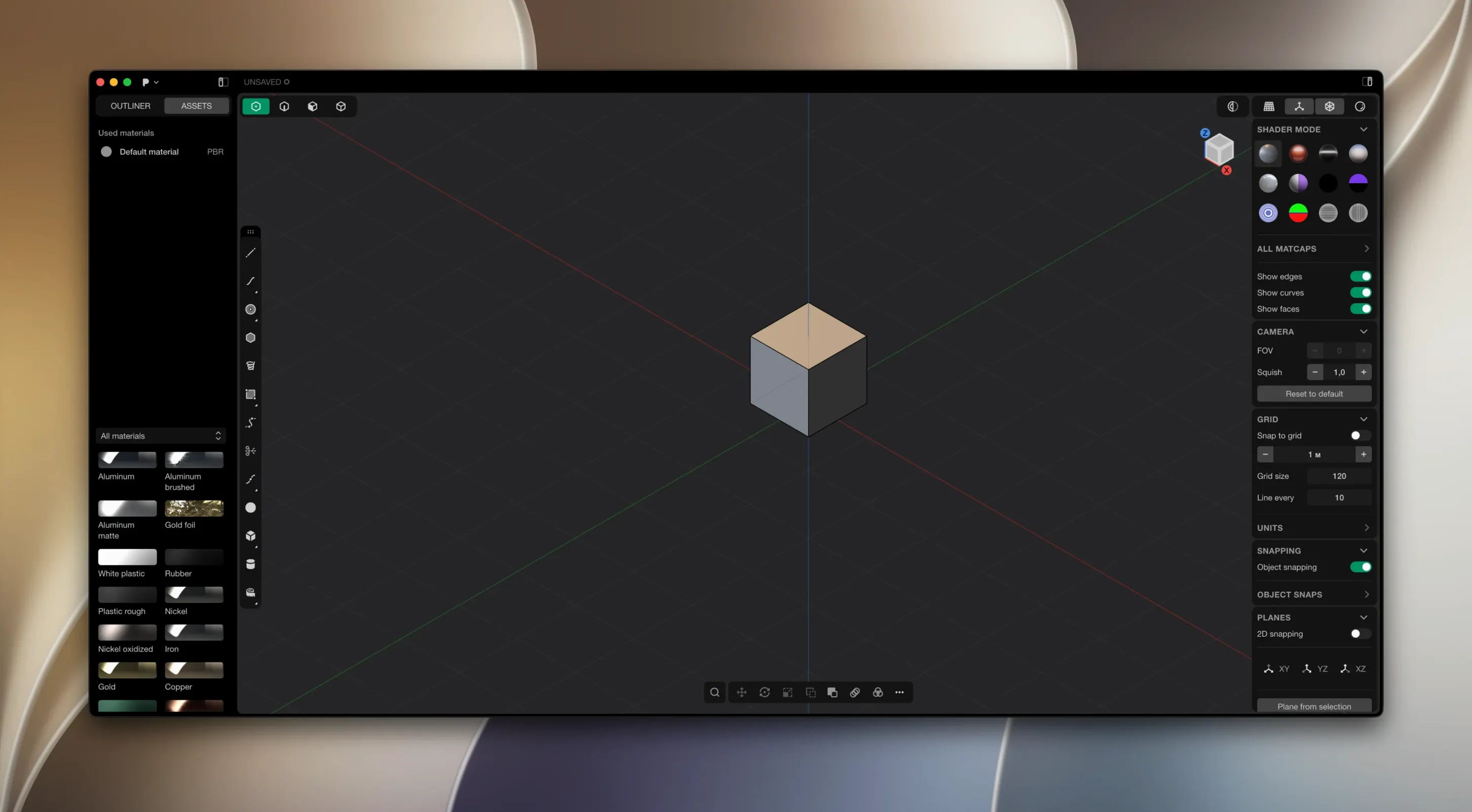
Industrial designers, concept artists and anyone who needs watertight models for manufacture will find themselves right at home with Plasticity. It's a modeller that treats solids and surfaces with equal seriousness, but its real personality comes from a philosophy of direct editing. Instead of managing a stack of features in a timeline, you push and pull faces, tweak dimensions, and watch the geometry update immediately.
The live dimensions system is central to that feeling. Click an edge or a face, type a number, and the whole part responds. It's the sort of immediate feedback that makes refining a design feel more like sculpting and less like bookkeeping. Combine that with the boolean toolkit — union, subtract, intersect — and you get clean, watertight results that won't throw up nasty surprises when you send a file out for prototyping.
For surface work, the 2026.1 release introduced PolySplines, a set of tools available to Studio users for building and converting complex curved forms that would be a headache to construct with traditional sketching. Alongside that, the precise filleting engine lets you round off edges with real accuracy, even where surfaces meet at awkward tangents. The Studio tier also expands CAD translation options and licenses the software for commercial production work, so it slots into a pipeline without fuss.
Fitting Plasticity into a wider workflow
Plasticity doesn't try to be an island. It reads and writes STEP, IGES, SAT, Parasolid X_T, OBJ, STL and glTF, so passing a model over to KeyShot or Blender for rendering is straightforward. Export an OBJ with the smoothing groups preserved, and Blender's import dialogue picks them up without you having to fiddle with auto-smooth angles. The same STEP file you send for CNC quoting can also land on an illustrator's desk inside Rhino, and the brep data survives the trip intact — no mesh triangulation until you explicitly ask for it.
On the macOS side, the app respects the usual conventions. You can drag an .io file straight onto the Dock icon to open it, and the Open Recent menu stays populated with your last ten projects. Spotlight finds .io files by name, so if you've buried a part inside a client folder, a quick Cmd-Space search pulls it up. The built-in Quick Look plugin means tapping the spacebar on a Plasticity file shows a 3D preview without launching the full app — handy when you're hunting through a folder of twenty iterations of the same bracket.
If your pipeline leans on Adobe Illustrator or Affinity Designer for technical documentation, the Export Hidden Line command deserves a permanent place in your muscle memory. It writes a clean SVG with strokes weighted sensibly, no fill, and layers for visible and hidden edges. Drop that straight into a layout document and you've got an exploded-view diagram that scales without pixelation. For multi-page service manuals, that single feature saves hours of redrawing.
No kernel extensions and a single preference file
A lot of people ask whether Plasticity can live alongside their existing CAD tool without conflicts. It can. It doesn't install kernel extensions, doesn't phone home for licence checks, and keeps its preferences in a single .plist file inside ~/Library/Preferences. You can have Fusion 360, FreeCAD and Plasticity all on the same machine, and none will trip over the others. If you've been hunting for a plasticity mac crack or a plasticity torrent that actually runs on modern Apple Silicon, the current 26.1.3 build is compiled natively for ARM — no Rosetta translation penalty, no mysterious beachballs when the geometry gets dense.
The second question is almost always about file portability. If you model a part in Plasticity today, can a colleague open it in SolidWorks tomorrow? Yes, provided you export as Parasolid X_T or STEP. The Parasolid kernel inside Plasticity is the same one that drives a good chunk of the professional CAD world, so the geometry definition is identical at the mathematical level. A boolean union performed in Plasticity travels to NX or Solid Edge as a clean solid, not a quilt of patched surfaces that needs healing.
Then there's the question of learning curve. People coming from Blender sometimes expect a sub-d workflow and find themselves momentarily disoriented by the solid modelling paradigm. The reverse is true for engineers moving from SolidWorks — they'll recognise the sketching and extruding logic immediately but may wonder where the feature tree has gone. The direct-editing approach takes about a day to click, and once it does, the absence of a timeline feels liberating rather than limiting.
Alt-drag a face to duplicate the solid
Most users discover the basics within an hour, but a handful of shortcuts make the difference between working comfortably and fighting the interface. If you hold Alt while dragging a face, Plasticity creates a copy of the solid with that face offset — an extrusion and a boolean rolled into one gesture. It's the sort of thing you stumble across by accident and then use constantly.
The Cmd-F search bar inside the command palette is another sleeper hit. Rather than hunting through menus for "Fillet" or "Shell", type the first three letters and hit Return. The palette learns your most-used commands and floats them to the top over time, so the tools you reach for daily are always within two keystrokes. For anyone who has ever lost ten minutes looking for a function buried in a submenu of a ribbon, it's a quiet revelation.
Dimension editing rewards precision but tolerates laziness. You can type "50" to set a distance in millimetres, or "50/3" to let the app do the maths. Parentheses work too: "(100-12)/2" resolves to 44. If you're working in imperial units, a trailing double-quote — 2.5″ — converts automatically. The expression evaluator handles trig functions as well, so typing "25*sin(30)" into a length field gives you exactly 12.5, no pocket calculator needed.
Why your fillet fails on an unready model
The most common early frustration is trying to fillet an edge before the model is truly ready for it. Fillets are demanding geometry: they want tangent continuity, enough clearance for the radius, and no degenerate surface patches nearby. If a fillet fails, the instinct is to blame the tool, but nine times out of ten the culprit is a near-zero-length edge or a face that's almost but not quite planar. Running the Check Geometry command before filleting catches these gremlins early.
Another habit that backfires is importing an STL and expecting to edit it as a solid. Plasticity works with brep geometry — mathematically precise surfaces — not triangle meshes. An STL comes in as a dumb mesh object; you can scale it, position it, and use it as a visual reference, but you can't fillet its edges or punch a hole through it with a boolean. For reverse-engineering from scan data, bring the mesh in as a guide and build a fresh solid over it using the modelling tools. It's more work upfront, but the result is a model you can actually manufacture.
People also tend to ignore the export settings dialogue and then wonder why their 3D-printed part has faceted curves. The default mesh density for STL export is conservative — fine for a quick test print but visibly coarse on a gentle radius. Bumping the chordal tolerance down to 0.01 mm and the angular tolerance to a few degrees produces a smooth print without ballooning the file size. For resin printers, you can go tighter still; for FDM, the defaults are usually reasonable.
Last, a quiet trap: using the Move tool with snapping off and wondering why parts don't align. Plasticity snaps to vertices, edges, centre points and grid intersections by default, but if you've toggled snapping off with a stray keypress, nothing will lock into place. The S key cycles through snap modes, and the status bar at the bottom of the window always shows the current mode. A glance down there before repositioning a complex assembly saves a lot of nudging.
- macOS 10.14 or later
- Apple Silicon architecture
Questions I keep hearing
Do I need to manually install updates for Plasticity?
Yes, the documentation confirms that updates are not automatic — you'll need to download and install each new version yourself.
Questions from the class 0
Sign in or join the class to ask a question.
Nobody has asked anything yet. If you have used it on a real job, say what the file did.
Also on the Mac Apps shelf
The whole Mac Apps shelf PlistEdit Pro
Displays and rearranges the nested tags inside macOS preference and configuration files.
PlistEdit Pro
Displays and rearranges the nested tags inside macOS preference and configuration files.
 Pixologic Zbrush
Sculpts digital clay into high-detail models using pixels that carry depth and material data.
Pixologic Zbrush
Sculpts digital clay into high-detail models using pixels that carry depth and material data.
 Pixelsnap
Measures the exact pixel distance between any two points on your screen.
Pixelsnap
Measures the exact pixel distance between any two points on your screen.
 Pixelmator Pro
Develops raw shots and composites artwork in a single-window photo editor.
Pixelmator Pro
Develops raw shots and composites artwork in a single-window photo editor.
 Pixea Plus
Displays photos and raw files instantly without importing them into a library first.
Pixea Plus
Displays photos and raw files instantly without importing them into a library first.
 PopClip
Shows a row of actions whenever you select text on your Mac.
PopClip
Shows a row of actions whenever you select text on your Mac.
 PowerPhotos
Splits your photo collection into separate libraries and finds duplicate images across them.
PowerPhotos
Splits your photo collection into separate libraries and finds duplicate images across them.
 Picview - Image Viewer