 ASPNetWorld

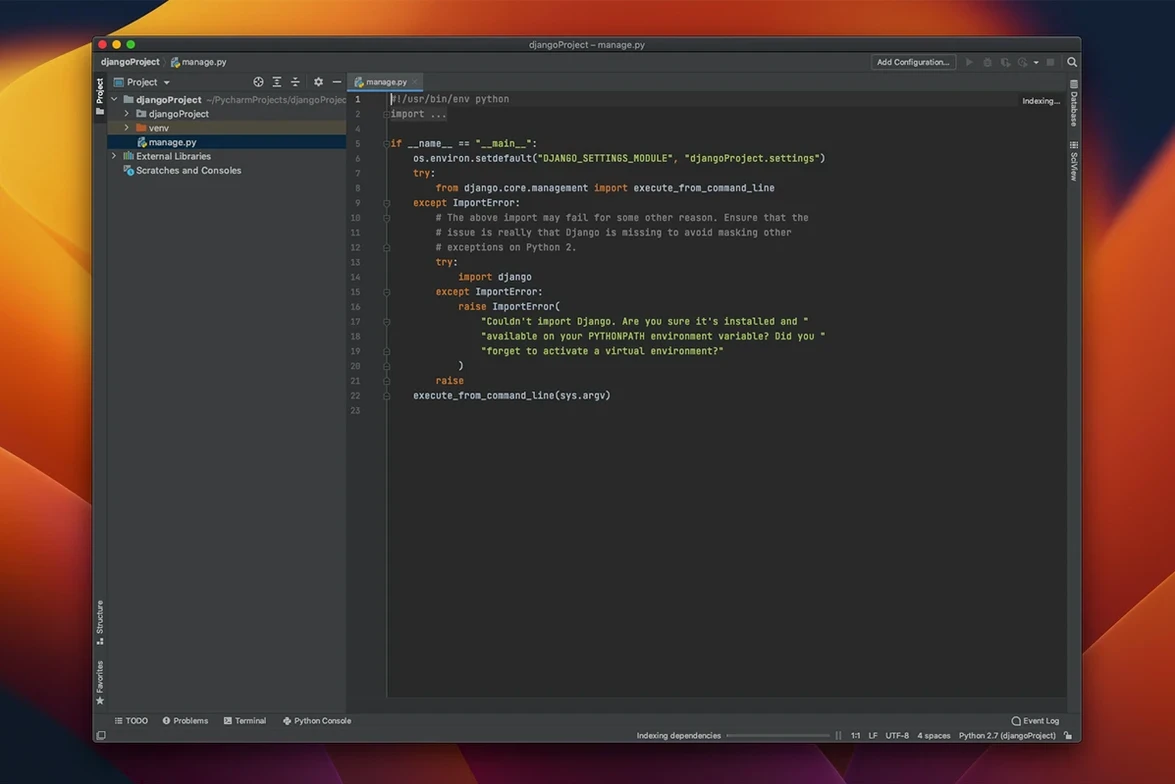
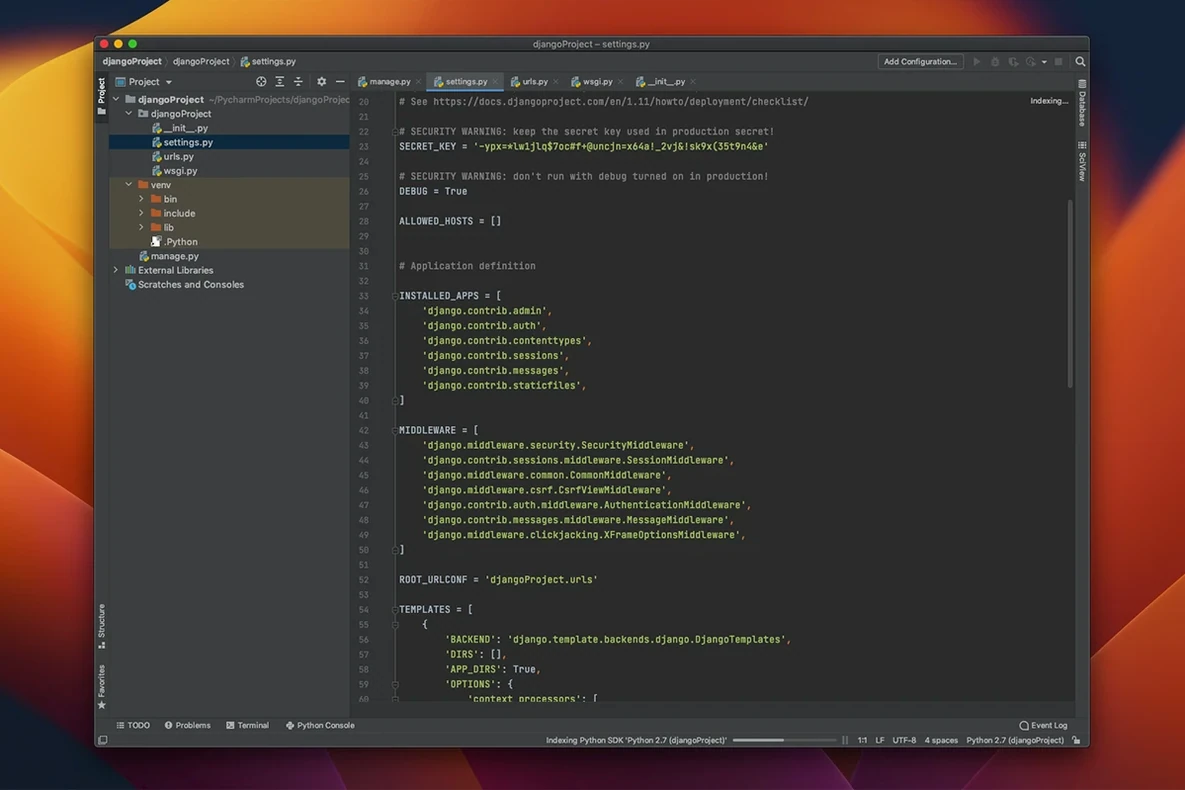
JetBrains released PyCharm 2026.2.3 on 18 September 2026, and it arrives as a single unified product rather than the separate editions of the past. The update squashes several type-checking false positives — the kind that light up your editor with phantom warnings — and sharpens type inference from Numpy-style docstrings, alongside fixes for Ruff, Jupyter, Databricks and interpreter setup.
From CSV to checked data, all inside the IDE
Imagine someone hands you a CSV of sensor readings and asks whether any channel drifted outside its expected range. You open PyCharm, start a new project and drop the file in. A Jupyter notebook feels right for this: you press ⌘N, pick Notebook, and PyCharm wires up the kernel. In the first cell you import NumPy and Matplotlib — both supported out of the box — load the array and plot each channel. The integrated terminal sits one keystroke away if you need pip, but Anaconda libraries are already recognised. A quick loop flags out-of-range values, and smart refactorings let you extract the check into a function without breaking a sweat. The Python profiler, tucked under the Run menu, confirms the script spends its time where you expect. Because the IDE also speaks JavaScript, TypeScript and SQL, you can add a small web dashboard or query a local database later, all without leaving the project.
Where it fits a professional workflow
PyCharm earns its keep when a job outgrows a text editor. Remote interpreters and the integrated SSH terminal mean you can run that same notebook against a bigger machine without juggling terminals. Docker and Vagrant integration let you wrap the environment so a colleague reproduces it exactly. Testing support is built in, not bolted on: write a pytest file, hit run and see results in a dedicated tool window. The IDE also understands CoffeeScript, Cython, HTML/CSS, template languages, AngularJS and Node.js, so full-stack work stays in one place. Jupyter notebook users get cell-by-cell output, variable inspection and autocomplete that respects the notebook context — a genuine step up from the browser interface when you are knee-deep in data exploration.
The interpreter does not appear after a Homebrew or pyenv install
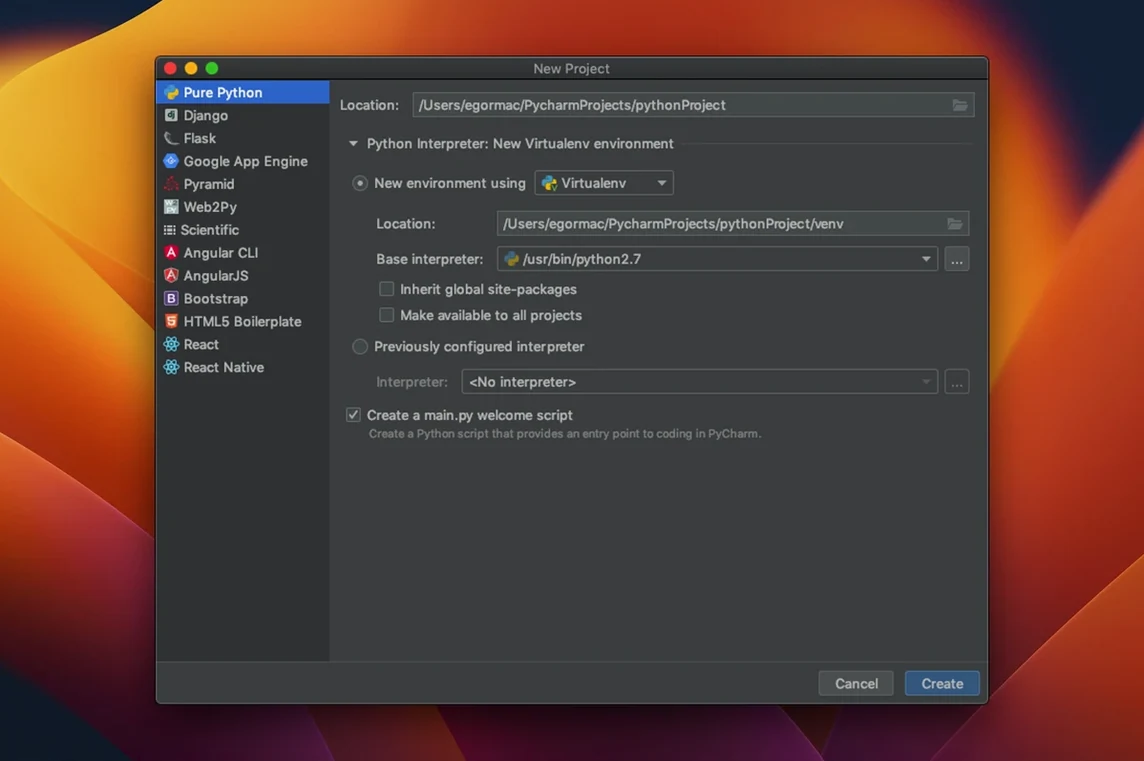
A few things trip people up early on, and they are rarely about Python itself. One is the interpreter not showing up. If you have installed Python via Homebrew or pyenv, PyCharm might not find it automatically. Go to Preferences → Project → Python Interpreter, click the gear icon and choose Add Interpreter. Point it at the path — often something like /opt/homebrew/bin/python3 on Apple Silicon or /usr/local/bin/python3 on Intel — and the red squiggles vanish.
Another head-scratcher: a project that opens with half its imports underlined in angry red, yet runs fine from the terminal. That usually means the virtual environment or interpreter set for the project does not match the one where the packages live. A quick pycharm mac download search brings you to the current build, but the fix lives inside Preferences. Switch the interpreter to the correct venv and the inspections catch up.
With Jupyter notebooks, kernel connection timeouts crop up when a firewall or VPN interferes with the local port. Restarting the kernel from the notebook toolbar sorts it nine times out of ten. For the tenth, check that no other notebook server is already bound to the default port — PyCharm picks a new one if you ask, but it is worth a manual look in the Jupyter server settings.
Inline Matplotlib figures and variable inspection speed up notebook work
Data scientists who live in Jupyter and NumPy get a genuine productivity bump here. Variable inspection inside notebooks, cell-by-cell execution that respects the kernel state, and Matplotlib figures that appear inline without a separate window — these are things the browser interface does, but PyCharm wraps them in keyboard shortcuts and code navigation that a browser cannot match. When exploration turns into a script that needs packaging, the profiler and test runner are already in the same window.
Web developers working with Django or Flask find another sweet spot. Template language support and JavaScript tooling sit alongside Python, so debugging a view and its template happens without switching tools. Students benefit too: the PEP 8 inspections teach clean style as you type, and the refactoring tools make it safe to restructure code before a submission deadline.
PyCharm 2026.2.3 is a tidy, focused release. The type checker has been taught to stop raising false alarms in several common patterns, and type inference from Numpy-style docstrings is noticeably smarter. Alongside that, the team fixed issues affecting Ruff, Jupyter notebooks, Databricks connectivity and interpreter setup — small corrections that remove friction from everyday workflows.
- macOS 11 or later
- Intel or Apple Silicon processor
- Interface languages: English
Questions from the class 0
Sign in or join the class to ask a question.
Nobody has asked anything yet. If you have used it on a real job, say what the file did.
Also on the Mac Apps shelf
The whole Mac Apps shelf QuarkXPress
Designs precise layouts for print and digital publishing.
QuarkXPress
Designs precise layouts for print and digital publishing.
 Radio Silence
Blocks background network chatter from selected apps.
Radio Silence
Blocks background network chatter from selected apps.
 ProPresenter
Manages lyrics, slides and media for live events and worship.
ProPresenter
Manages lyrics, slides and media for live events and worship.
 Presentify
Draws annotations and highlights on top of any app or presentation with one menu-bar click.
Presentify
Draws annotations and highlights on top of any app or presentation with one menu-bar click.
 RAR Extractor - unzip
Extracts files from compressed archives like RAR and ZIP.
RAR Extractor - unzip
Extracts files from compressed archives like RAR and ZIP.
 PowerPhotos
Splits your photo collection into separate libraries and finds duplicate images across them.
PowerPhotos
Splits your photo collection into separate libraries and finds duplicate images across them.
 RAR Extractor
Previews and extracts compressed archive contents.
RAR Extractor
Previews and extracts compressed archive contents.
 PopClip
Shows a row of actions whenever you select text on your Mac.
PopClip
Shows a row of actions whenever you select text on your Mac.