 ASPNetWorld


macOS 10.14 is the oldest system RapidWeaver 9 will run on, which puts it within reach of a good number of older Macs while still taking full advantage of newer Intel and Apple Silicon machines. That compatibility range tells you something about the app's priorities: it is a tool for getting a site built, not for chasing the latest operating system gimmicks.
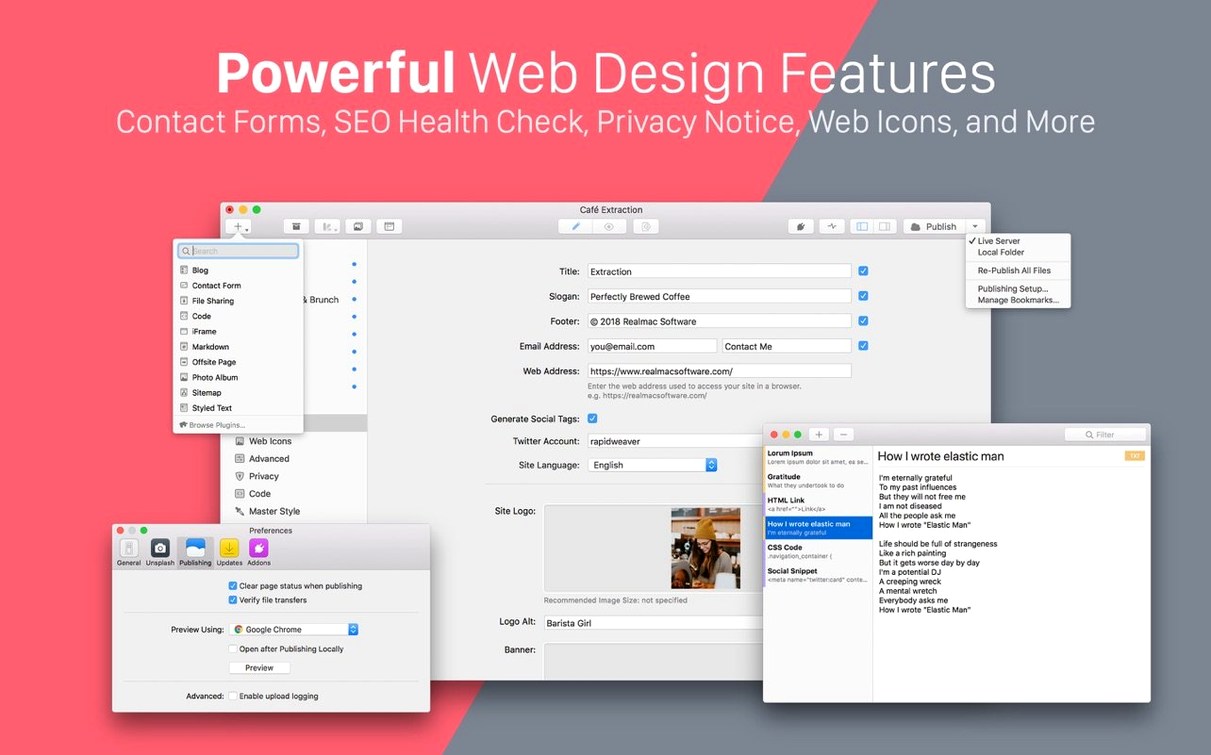
At heart, RapidWeaver is a web design app for people who would rather not write code. You create pages, rename them, and drag them into the order you want in the sidebar — a way of working that feels closer to organising notes than building a website. The result is still a properly responsive site, but the process is visual from start to finish.
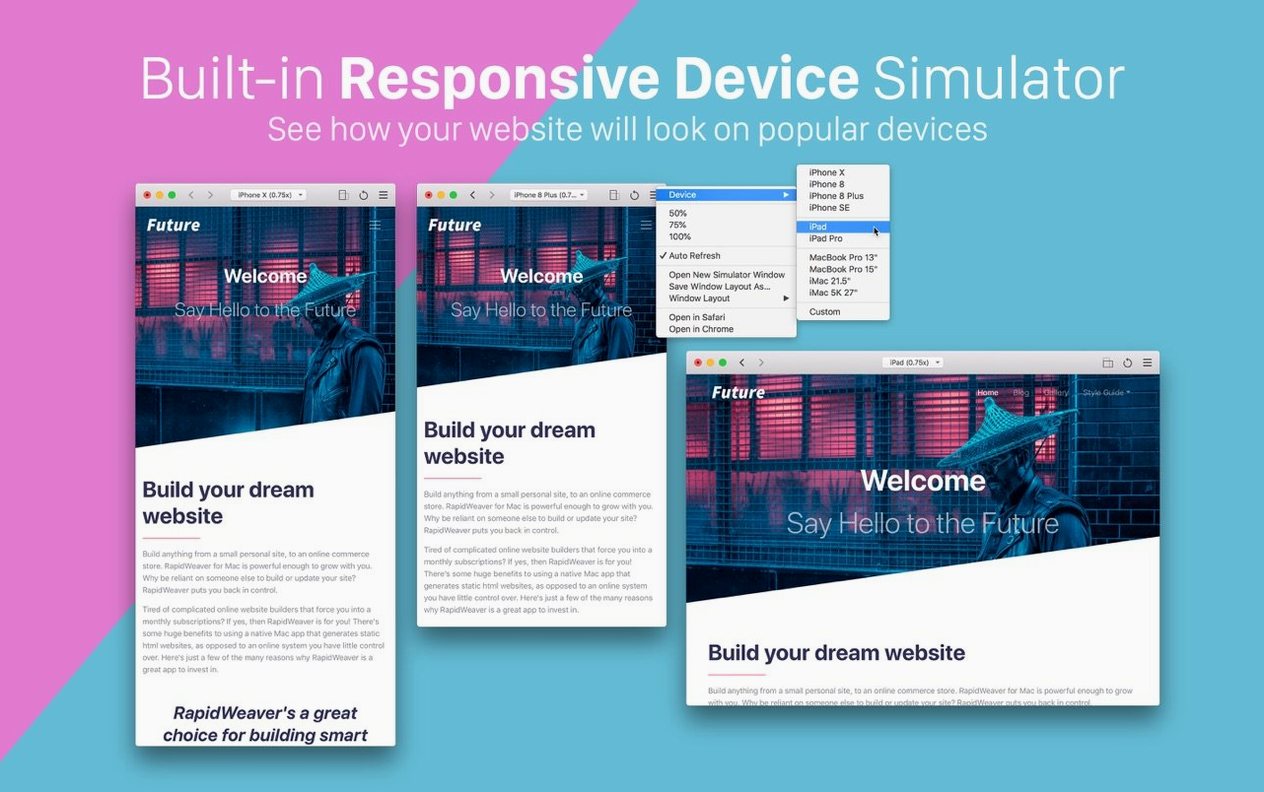
The simulator windows are a nice touch for anyone who wants to check how a layout behaves. You can zoom them to suit your screen, and save particular simulator setups for later, so the phone-width view you like is always one click away rather than something you have to set up each session.
It suits the person who wants a clean, personal or small-business site without handing the design over to a template service — someone who enjoys the craft of arranging pages but has no interest in learning HTML to do it.
RapidWeaver 9 makes the most sense for a few particular kinds of Mac user, and less sense for others. The person who gets the fullest value from it is the independent creative — a photographer, illustrator, or small studio — who wants a portfolio site that feels curated rather than generic. Because you can pull images straight from your local photo library or from Unsplash and manage them all in the assets browser by dragging, the workflow maps neatly onto how a visual person already organises their materials. There is no need to export batches in a separate step and then upload them through a web interface; the app treats images as raw material, not as something that complicates the build.
A second group that benefits is the Mac user who has been burned by subscription-based website builders. If you have watched a WYSIWYG service quietly raise its monthly price while locking your content inside its ecosystem, the appeal of a local app that builds flat files you can host anywhere becomes obvious. RapidWeaver does not hold your site hostage. The pages it produces are yours to move, and the app itself works offline except when you explicitly publish — a quiet advantage for anyone whose broadband is patchy or who likes to work on the train.
Where it fits less naturally is the large-scale or e-commerce project. The app is fundamentally a single-user, single-machine tool, and while it can certainly build a site with dozens of pages, it does not offer the collaborative or database-driven features that a team maintaining a shopfront would expect. That is not a flaw; it is a design choice. Knowing that helps you avoid frustration before you start.
Previews now render CSS grid across multiple device simulators
Version 9.6.6 did not reinvent the interface, but it did settle a few long-standing irritations around preview accuracy. The device simulator, which lets you open multiple windows for iPhone, iPad and iMac views side by side, now renders CSS grid and flexbox layouts more faithfully — a change that quietly reduces the number of times you check a page on a real phone and find a misalignment. In practice, that means you spend less time toggling between the app and a browser, and more time staying inside the editing flow.
Performance on Apple Silicon Macs has also been nudged upward. Publishing a medium-sized site — twenty pages or so, with a reasonable number of images — now completes noticeably faster than it did in the 9.5 releases. The difference is not dramatic enough to shout about, but it shaves a few seconds off a task you repeat often, and that accumulates over a week of site tweaks. For Intel users on older hardware, the app remains comfortably responsive, which is part of the reason the minimum requirement stays at macOS 10.14 Mojave rather than creeping forward.
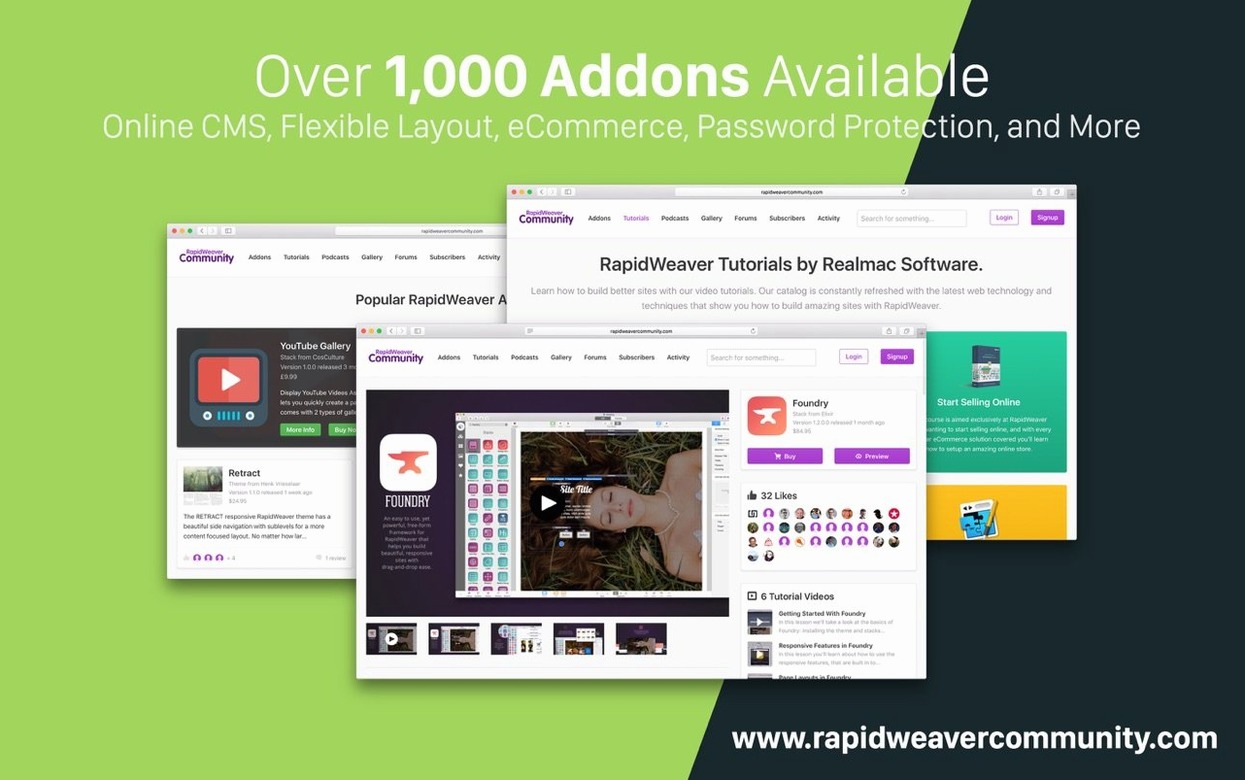
If you have been looking around for a RapidWeaver 9 torrent for macOS download to try the latest build, you will find that the 2024 updates have also tightened the way the app handles external resource links — third-party themes and stacks now load more predictably, cutting down on the white-screen moments that used to happen when a plugin failed silently. It is the sort of improvement that is invisible when it works and maddening when it does not, so its absence from the release notes is easy to overlook.
Common beginner mistakes, and how to dodge them
The first mistake new users make is treating the page sidebar as a folder structure rather than a site map. Dragging a page slightly to the right makes it a subpage of the one above it — a gestural shortcut that is fast once you know it but confusing when you do it by accident. The fix is to watch the indent marker that appears as you drag; if you see a slight shift in the page icon's position, you are about to nest it. Undoing that is just a matter of dragging it back left, but many beginners panic and delete the page instead.
Another trap lies in the assets browser. Dropping images directly into a page works, but it bypasses the asset management system entirely, leaving you with a project full of unattached files that are hard to reuse later. The better habit — and one that takes a week to form — is to always drag images into the assets pane first, then pull them onto pages from there. It feels like an extra step at the time, but it saves duplicate imports and broken references down the line.
Finally, there is the simulator zoom. New users often set up a phone-width simulator window, resize it by dragging the corner, and then wonder why their layout looks wrong. The zoom control inside the simulator toolbar exists precisely to let you scale the view without altering the simulated viewport dimensions. Dragging the window edge changes the viewport size the simulator reports, which can make a responsive layout reflow at a width no real device would use. The safest approach is to pick a preset — iPhone, iPad, iMac — and then zoom with the toolbar slider, leaving the window border alone.
Some of these quirks become second nature within a fortnight. Others are the sort of thing that sends a curious user exploring a RapidWeaver 9 torrent for macOS copy with a bundled tutorial, and once you settle in, you discover the answer is often just a subtle shift in drag behaviour. The app does not hold your hand, but it does reward a little patience with a fast, repeatable build process.
- macOS 10.14 Mojave or newer
- Works on Intel and Apple Silicon Macs
- Interface available in English
Questions I keep hearing
Which Macs can run RapidWeaver 9?
RapidWeaver Classic 9 runs on both Intel and Apple Silicon Macs, and needs macOS 10.14 Mojave or newer.
Questions from the class 0
Sign in or join the class to ask a question.
Nobody has asked anything yet. If you have used it on a real job, say what the file did.
Also on the Mac Apps shelf
The whole Mac Apps shelf RAR Extractor - unzip
Extracts files from compressed archives like RAR and ZIP.
RAR Extractor - unzip
Extracts files from compressed archives like RAR and ZIP.
 RAR Extractor
Previews and extracts compressed archive contents.
RAR Extractor
Previews and extracts compressed archive contents.
 Radio Silence
Blocks background network chatter from selected apps.
Radio Silence
Blocks background network chatter from selected apps.
 Raycast Pro
Launches apps and commands from a keyboard palette.
Raycast Pro
Launches apps and commands from a keyboard palette.
 QuarkXPress
Designs precise layouts for print and digital publishing.
QuarkXPress
Designs precise layouts for print and digital publishing.
 PyCharm
Provides coding tools for Python development and debugging.
PyCharm
Provides coding tools for Python development and debugging.
 Remove-It
Uninstalls apps and removes their leftover files.
Remove-It
Uninstalls apps and removes their leftover files.
 Rhino
Models precise 3D forms for design and manufacturing.
Rhino
Models precise 3D forms for design and manufacturing.