 ASPNetWorld
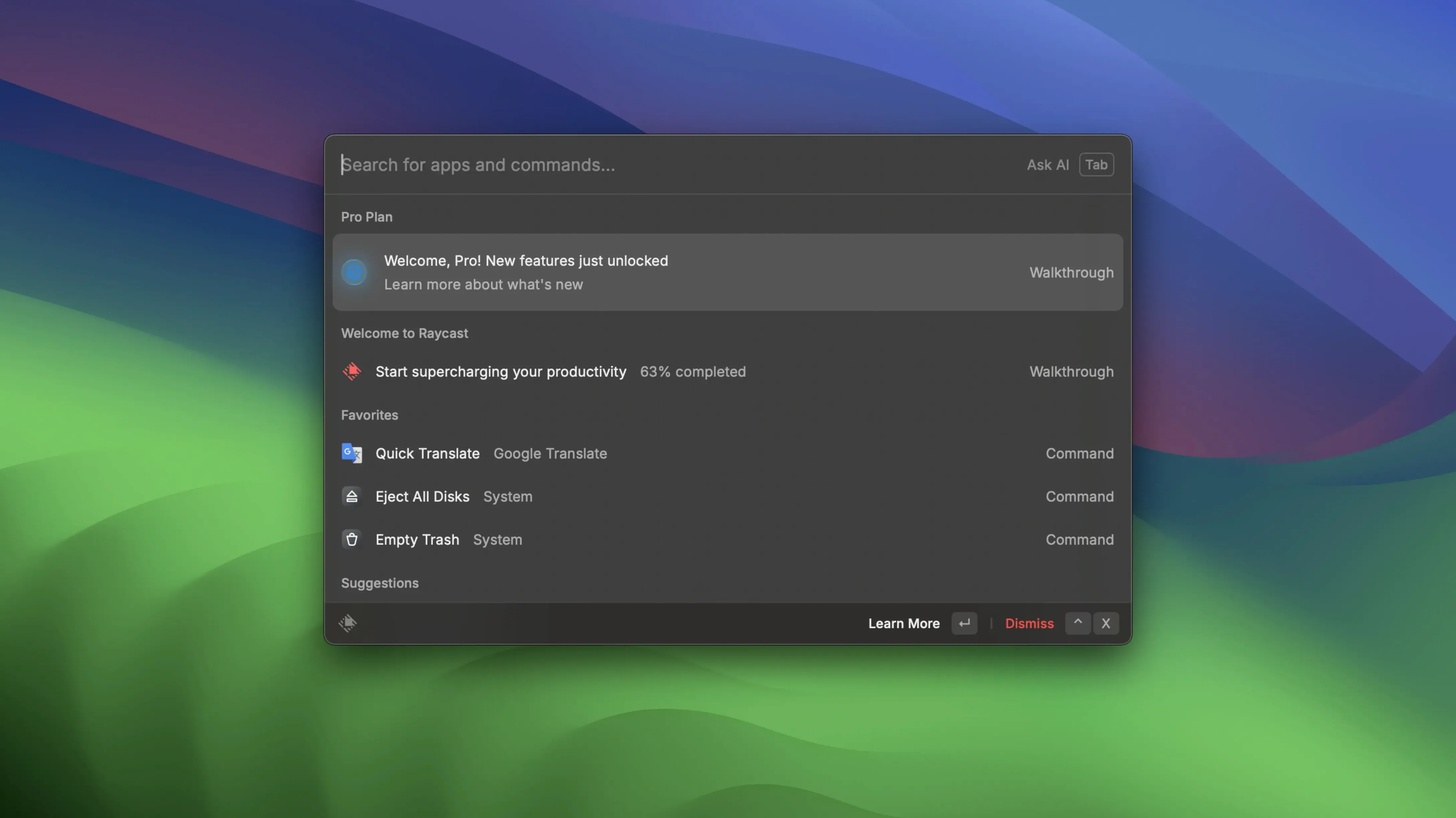
Developers, writers and anyone who lives in macOS keyboard shortcuts tends to pick up Raycast sooner or later. It takes the old Spotlight habit and turns it into a full command palette that you summon with Option+Space, then type whatever you need — launch an app, search a local file, drop a quick note somewhere, or fire off a script you wrote yourself.
One task from the desk of a sound engineer
Imagine you have just recorded a lecture and the raw audio sits in a folder called 'Term 2, Week 4'. You hit Option+Space, type the folder name, and Raycast finds it before you finish typing 'week'. You drag the file straight from the result onto your editor, no Finder window needed. While the export runs, you pull up your custom script that searches Google Drive for last year's handout on microphone placement — you wrote it once as a bash one-liner and gave it a keyword, so 'michandout' does the job. A colleague messages for the Zoom link to tonight's evening class. You type 'Zoom', see the upcoming meeting listed right there because you connected the integration, and press Return to start it. Finally, you jot a reminder about a broken stand, copy it to the clipboard with one command, and paste it into Apple Notes via the share action. All from the same small search bar that never left the middle of the screen.
Where the extendable part matters
Raycast grows sideways into whatever apps you already use. The store offers official integrations, but the real personality comes from custom script commands — little pieces of bash, Python or AppleScript you can assign to a keyword. You might open a specific Google Doc in Safari while keeping everything else in Firefox, or pipe a selected file into an ffmpeg conversion without opening Terminal. Quick links let you send URLs to a chosen browser or app, and the floating notes window can push text straight into iMessage or onto the clipboard. If you have built Shortcuts or organised Launchpad folders, those appear here too, so you stop thinking about where something lives and just ask for it.
What I missed during my first month
Raycast rewards the sort of person who pokes around in settings, but a few small touches hide just below the surface. You can drag any file out of a search result and drop it onto a Dock icon or an open window — no need to reveal it in Finder first. When you type a calculation like 127 * 0.8, the answer appears as a result you can copy with Command+C; it even handles unit conversions, so 24 GBP to EUR works straight from the bar. The clipboard history, once you turn it on, remembers everything you copied and lets you search back through it by typing a few characters of the text you lost. Assign it a hotkey and it becomes muscle memory within a week.
Another quiet pleasure is the way quick links can respect browser choice per link. You might keep your personal Gmail shortcut opening in Safari while a work dashboard always fires up Chrome. That behaviour sits inside the link’s settings, not a global preference, and it’s easy to miss the first time through. The floating notes window also has a trick: start typing a note and press Command+K to add a quick link or Command+Shift+C to copy the whole thing without touching the mouse. If you share a note to Apple Notes, it lands as plain text with the first line becoming the title — useful to know before you type a long rambling opener.
Raycast stops finding files until I reset its index or Spotlight
The one I hear most often is that Raycast stops showing file results. Usually Spotlight indexing has paused or the Raycast indexer needs a nudge. Pop open System Settings, head to Siri & Spotlight, and check that the folders you search are ticked under Search Privacy. Sometimes toggling the Raycast file search setting off and on again — Preferences, then Extensions, then File Search — forces a fresh crawl. It takes a minute at most.
Another friction point is the Zoom integration going quiet. It relies on the Zoom desktop app being installed and signed in, even though you launch meetings through Raycast. If the meeting list shows stale data, open the Raycast preferences, navigate to Extensions, find Zoom, and disconnect then reconnect it. That re-triggers the calendar sync and usually clears the cobwebs. While you are there, check that the system calendar account giving Raycast its data hasn’t lost its internet-account password — it sounds obvious, but macOS can silently stop syncing an old Google calendar until you re-authenticate.
People occasionally search for a raycast torrent or a raycast crack when they want to try Pro features without signing up, and the version we cover here works straight after a drag-and-drop install with no activation steps. If you spotted a raycast pro crack or raycast pro cracked bundle on a forum, think of it like a vintage sports car — fascinating to look at, but you'll want to check that the extension store connection is intact, since that's the whole point of the app. A raycast cracked build may lag behind the official release, so on Apple Silicon you'll want to confirm it's compiled for arm64 and grant it Accessibility permissions in System Settings for a smooth launch. You can hit the ground running by staying on the clean build and making use of the free-tier features that already handle most daily workflows.
When the host process feels heavy
On older Intel machines, Raycast could occasionally feel like it was taking more than its fair share of memory, especially if you had ten extensions running. A quick check in Activity Monitor often points to a specific extension rather than the main app. Disable the extensions you rarely use — you can always turn them back on in Preferences — and restart Raycast. The host process typically settles down within a few seconds. If you keep your extension list lean, the app stays light enough that you forget it’s running until you need it.
Raycast Pro 2.5.1.0 delivers a maintenance refresh with the developer’s usual polish, tidying up small issues and smoothing general responsiveness.
- macOS 12 (Monterey) or later
- Works natively on both Apple Silicon and Intel 64-bit Macs
Questions I keep hearing
Can Raycast work without an internet connection?
The core launcher, local file search, clipboard history and custom scripts all run offline; only third-party integrations that fetch live data need a connection.
Questions from the class 0
Sign in or join the class to ask a question.
Nobody has asked anything yet. If you have used it on a real job, say what the file did.
Also on the Mac Apps shelf
The whole Mac Apps shelf RAR Extractor
Previews and extracts compressed archive contents.
RAR Extractor
Previews and extracts compressed archive contents.
 Remove-It
Uninstalls apps and removes their leftover files.
Remove-It
Uninstalls apps and removes their leftover files.
 RAR Extractor - unzip
Extracts files from compressed archives like RAR and ZIP.
RAR Extractor - unzip
Extracts files from compressed archives like RAR and ZIP.
 Rhino
Models precise 3D forms for design and manufacturing.
Rhino
Models precise 3D forms for design and manufacturing.
 Rider
Builds .NET and Unity projects in a cross-platform IDE.
Rider
Builds .NET and Unity projects in a cross-platform IDE.
 RightFont
Manages and previews fonts directly from the menu bar.
RightFont
Manages and previews fonts directly from the menu bar.
 Radio Silence
Blocks background network chatter from selected apps.
Radio Silence
Blocks background network chatter from selected apps.
 QuarkXPress
Designs precise layouts for print and digital publishing.
QuarkXPress
Designs precise layouts for print and digital publishing.