 ASPNetWorld

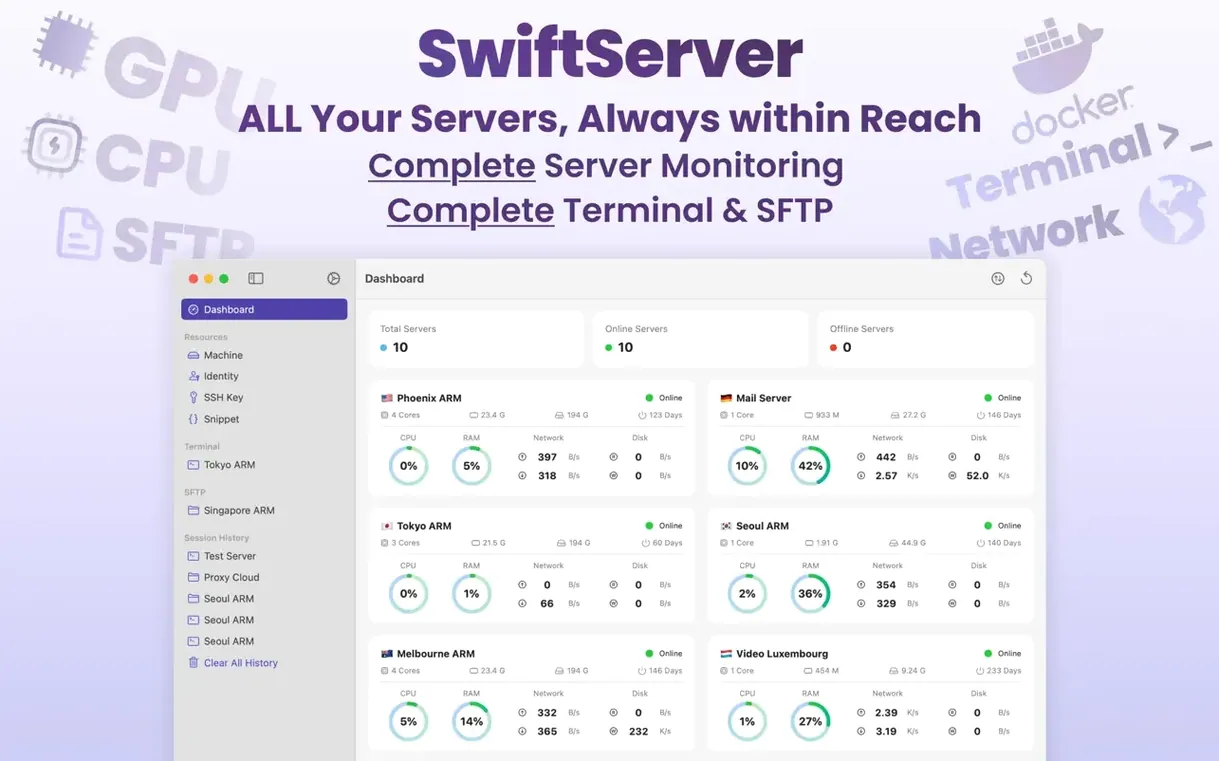
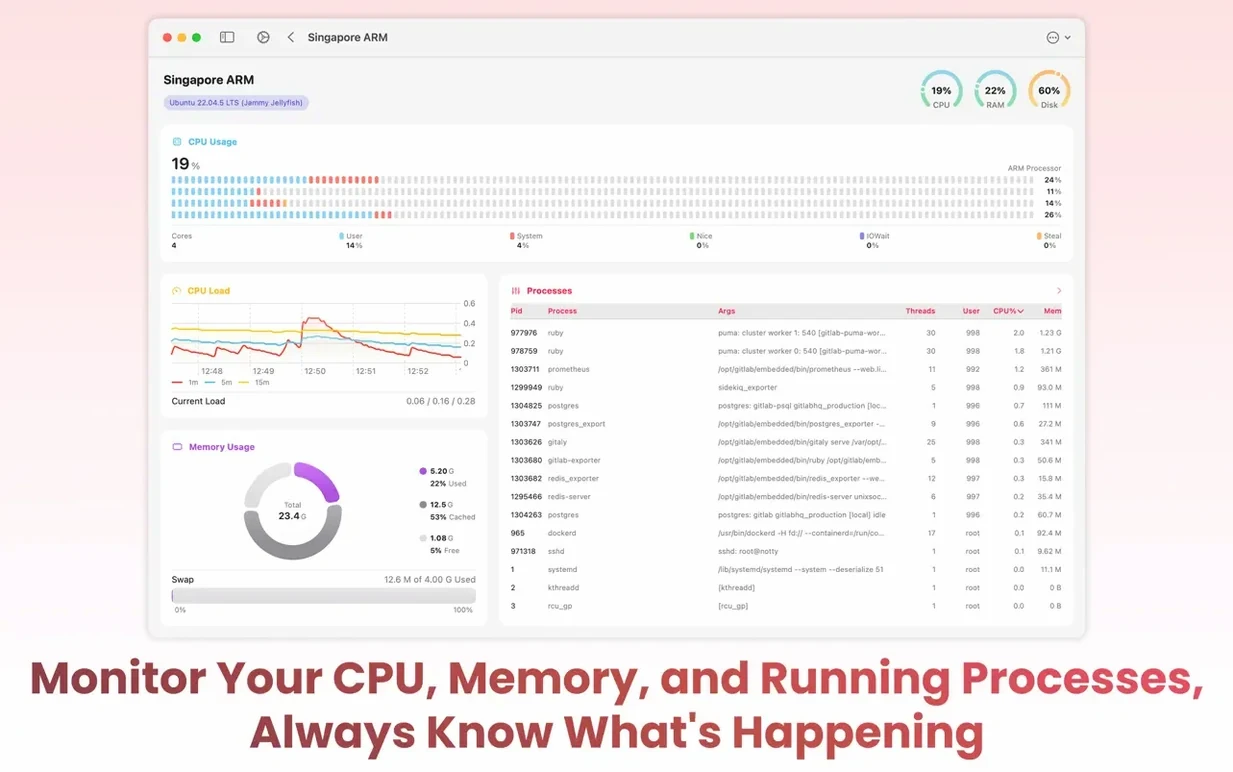

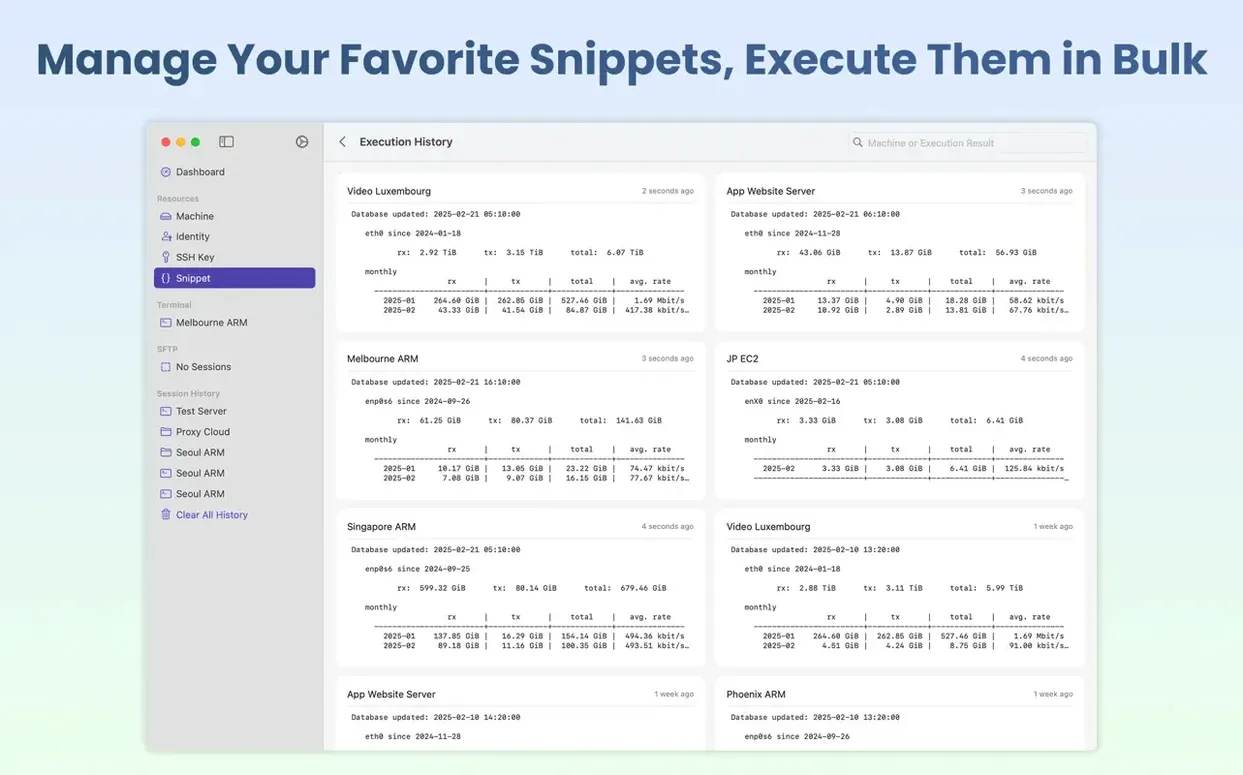
You've just pushed a new container stack to a remote machine and want to watch the logs settle without keeping a full window open. With SwiftServer 2.2.0, you can glance at the menu bar, see the CPU settle, check the live Compose logs in a slide-out panel, and get straight back to work.
Watch live resource usage from the menu bar
Version 2.2.0 introduces a menu bar panel that persists after you close every window, so monitoring doesn't stop just because you tidied up your desktop. Real-time CPU, GPU, and memory graphs stay visible in a compact strip, alongside storage partition performance and the server's IP location—all carried over an existing SSH connection, with nothing installed on the server itself.
Shell into a running Docker container
The new release lets you drop straight into a Docker container's shell from the app. Combined with the live Compose logs added in this version, you can watch a service's output and jump into its environment for debugging without switching tools or typing out long SSH commands manually.
Restart a machine without leaving the client
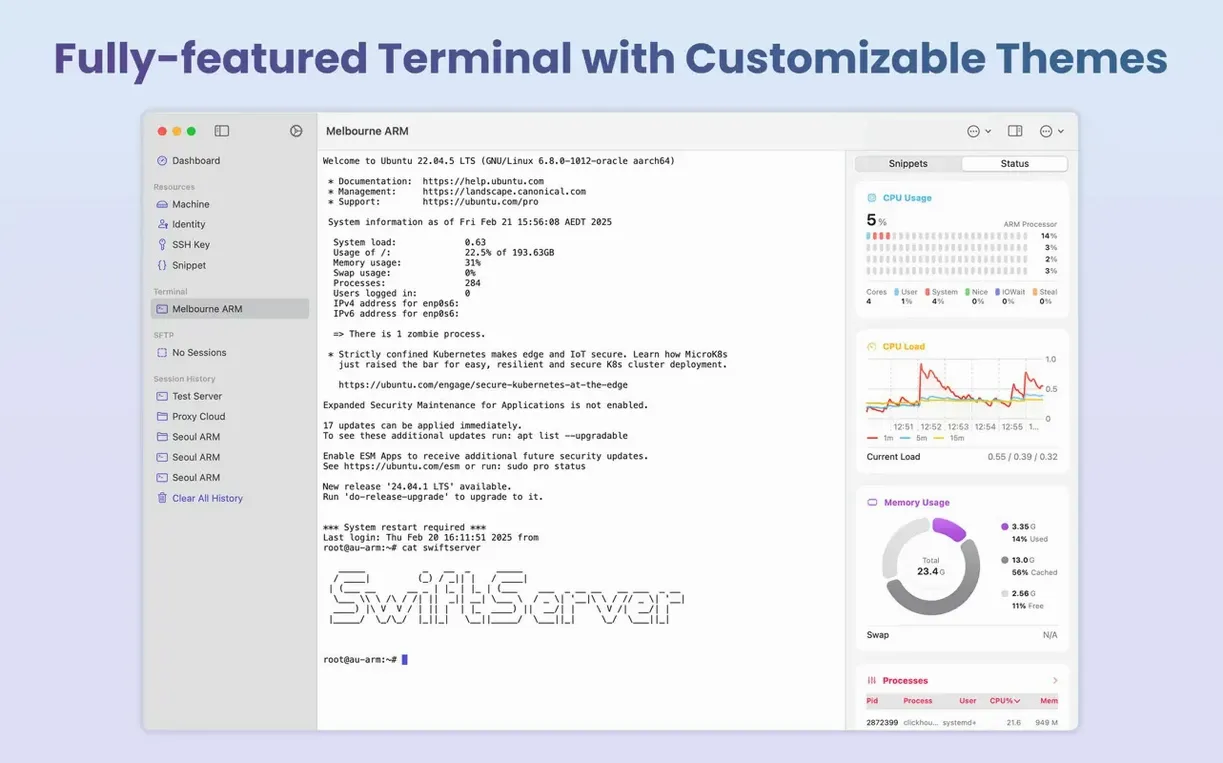
Machine restart, also landing in 2.2.0, means you can issue a reboot from within SwiftServer when a remote host needs a nudge. A pause switch for monitoring gives you control over data collection during maintenance windows, and the new local terminal on Mac provides a familiar workspace with customisable fonts, colours, and backgrounds for any ad hoc commands.
No agent is installed on your servers
A question that comes up in almost every class I teach is whether the app installs an agent on the server. It doesn't. SwiftServer talks over an existing SSH connection and only runs read‑only commands for monitoring, so there are no lingering processes and no configuration drift to unpick later. That also means it works with Linux, macOS, and Windows servers without any prep beyond having SSH access.
Another common worry is about the menu bar panel chewing through resources. The panel is a lightweight summary, not a second window pretending to be tiny; it pulls data at a relaxed interval and pauses entirely when you toggle the pause switch. If you're running a homelab on older hardware, you'll barely notice it, and the local terminal introduced in 2.2.0 stays snappy even alongside several remote sessions.
Match the terminal font to your main editor
The defaults are sensible, but a couple of tweaks make the app feel immediately more comfortable. Head into the terminal section first and set a typeface and colour scheme that match what you use in your main editor or terminal emulator; the customisation covers foreground, background, and selection colours, so you can replicate something like a Solarized or Gruvbox setup without squinting at a white background at midnight.
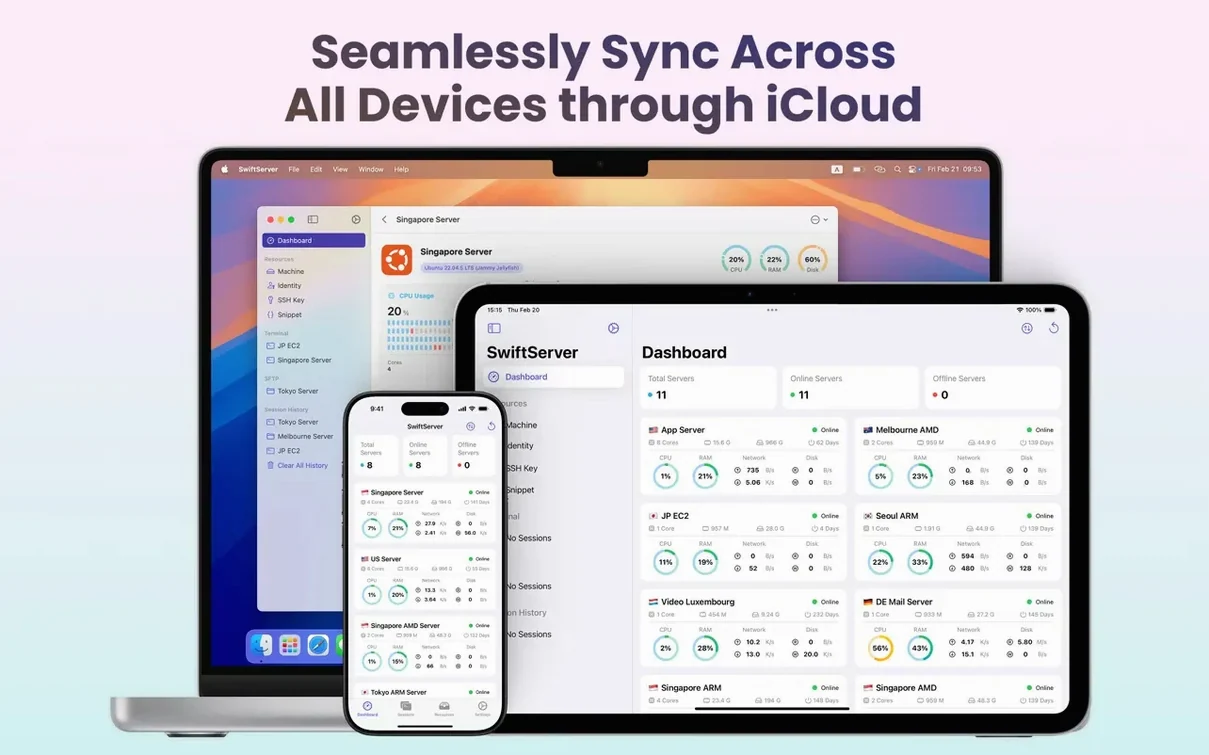
Next, open the iCloud sync preference. Toggling it on pushes your server list and terminal profiles to an iPhone or iPad running the same app, which is a lifesaver when you're away from your desk and need to check Docker health or grab a file via SFTP. Finally, in the monitoring area, set the default refresh interval to something appropriate for the link you're on—tighter for a local gigabit network, looser for a transatlantic connection—so you're not flooding the pipe with unnecessary polling.
Pausing monitoring silently stops data collection
The most frequent slip-up I see is treating the pause switch as a cosmetic control rather than a functional one. Pausing monitoring stops data collection, so if you pause it before a maintenance window and forget to unpause afterwards, you'll stare at stale graphs and wonder why nothing's moving. It's a small thing, but it catches people out when they're trying to keep an eye on CPU after a restart.
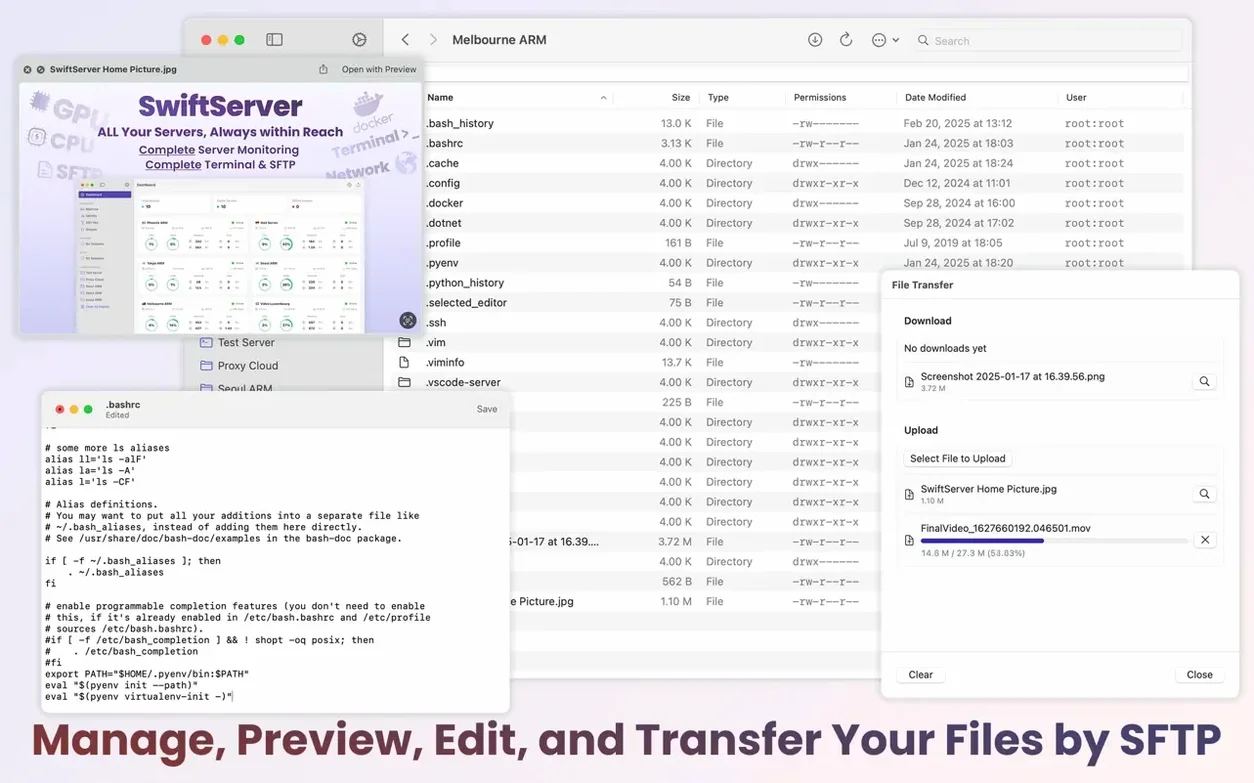
Another habit worth breaking is ignoring the SFTP panel's edit-in-place feature. New users often download a config file, tweak it locally, and upload it again, but the built‑in editor handles the round‑trip invisibly and keeps a temporary backup, which cuts out the version confusion that happens when you have five copies of nginx.conf scattered across your desktop. And if you're setting up SwiftServer - Monitoring & SSH crack Mac, it's worth knowing that the app's read‑only monitoring model means it never writes to a server unless you explicitly send a command or transfer a file—there's no background process to leave fingerprints, which makes it a clean citizen on any machine you touch.
Version 2.2.0 turns SwiftServer into a proper background companion, adding monitoring that survives window closures and deeper Docker integration.
- A menu bar panel keeps resource graphs visible after the last window closes, with a pause switch to stop data collection when you need quiet.
- Shell directly into running Docker containers and view live Compose logs from the same interface.
- A local terminal on Mac gives you a fully customisable command-line environment, while machine restart lets you reboot a remote host without leaving the app.
- macOS 15 or later
- Runs natively on both Apple Silicon and Intel Macs
Questions I keep hearing
Do I need to install any software on the server I'm monitoring?
No. SwiftServer works entirely over an existing SSH connection and doesn't require an agent or daemon on the remote machine.
Questions from the class 0
Sign in or join the class to ask a question.
Nobody has asked anything yet. If you have used it on a real job, say what the file did.
Also on the Mac Apps shelf
The whole Mac Apps shelf Sweet Home
Designs home interiors in 3D.
Sweet Home
Designs home interiors in 3D.
 SwitchResX
Manages display resolutions and settings.
SwitchResX
Manages display resolutions and settings.
 SuperDuper!
Makes bootable backups of your entire Mac.
SuperDuper!
Makes bootable backups of your entire Mac.
 TablePlus
Manages databases in a visual interface.
TablePlus
Manages databases in a visual interface.
 Super Vectorizer Pro
Traces pixel images into scalable vectors.
Super Vectorizer Pro
Traces pixel images into scalable vectors.
 Tayasui Sketches Pro
Draws and paints with natural-feeling brushes.
Tayasui Sketches Pro
Draws and paints with natural-feeling brushes.
 Sublime Text
Edits code quickly and reliably.
Sublime Text
Edits code quickly and reliably.
 TechSmith Snagit
Captures screens and records your screen.
TechSmith Snagit
Captures screens and records your screen.