 ASPNetWorld

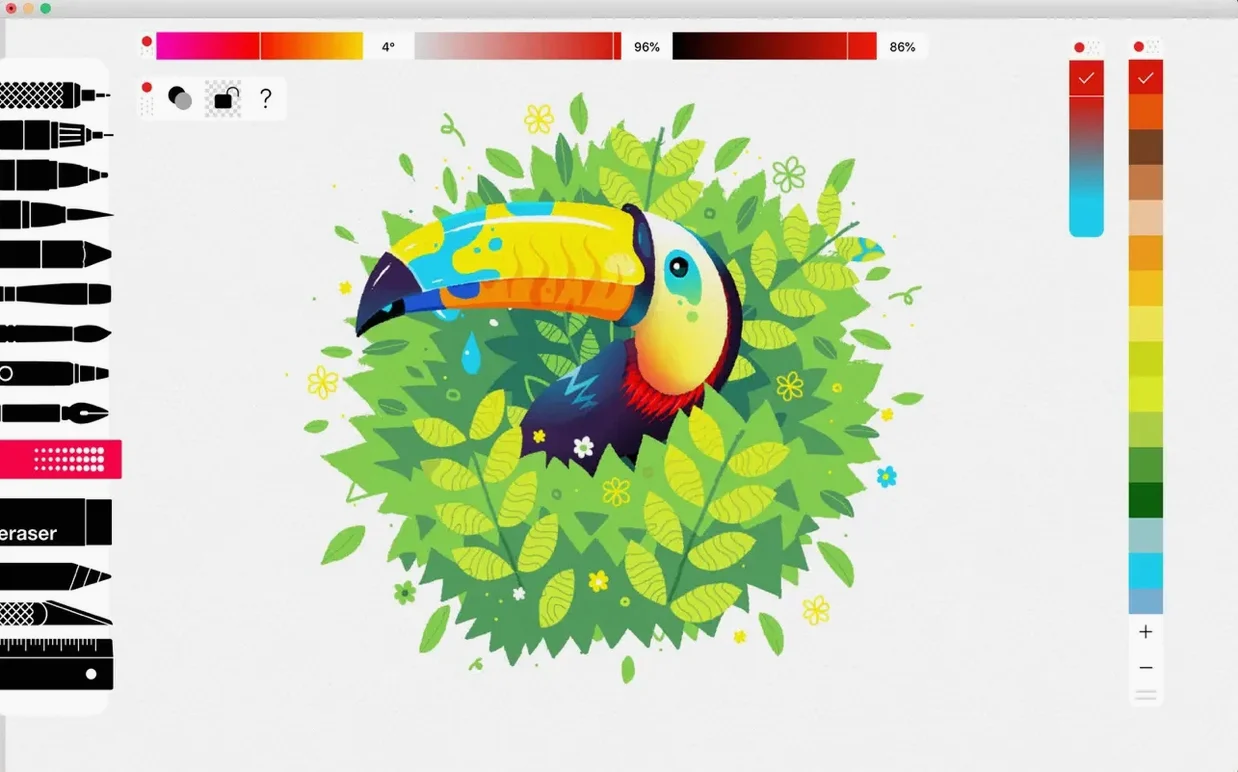
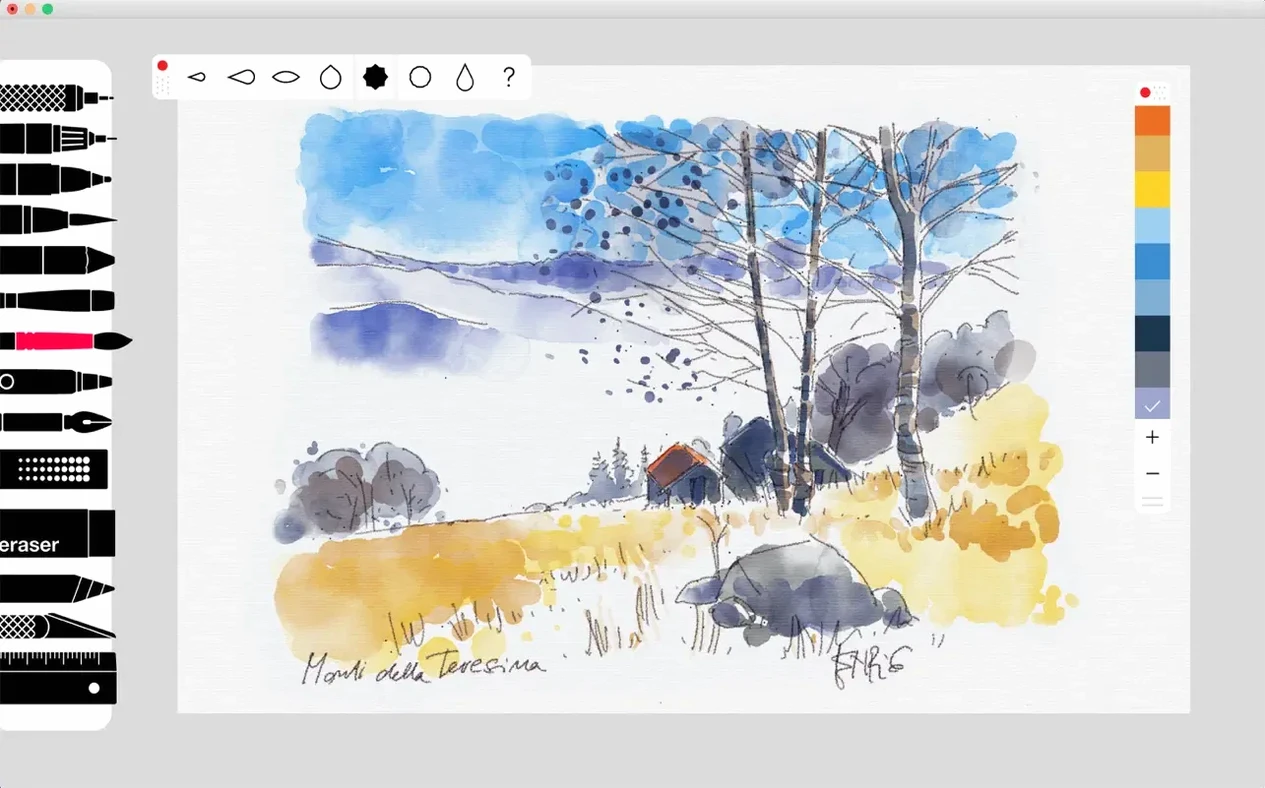
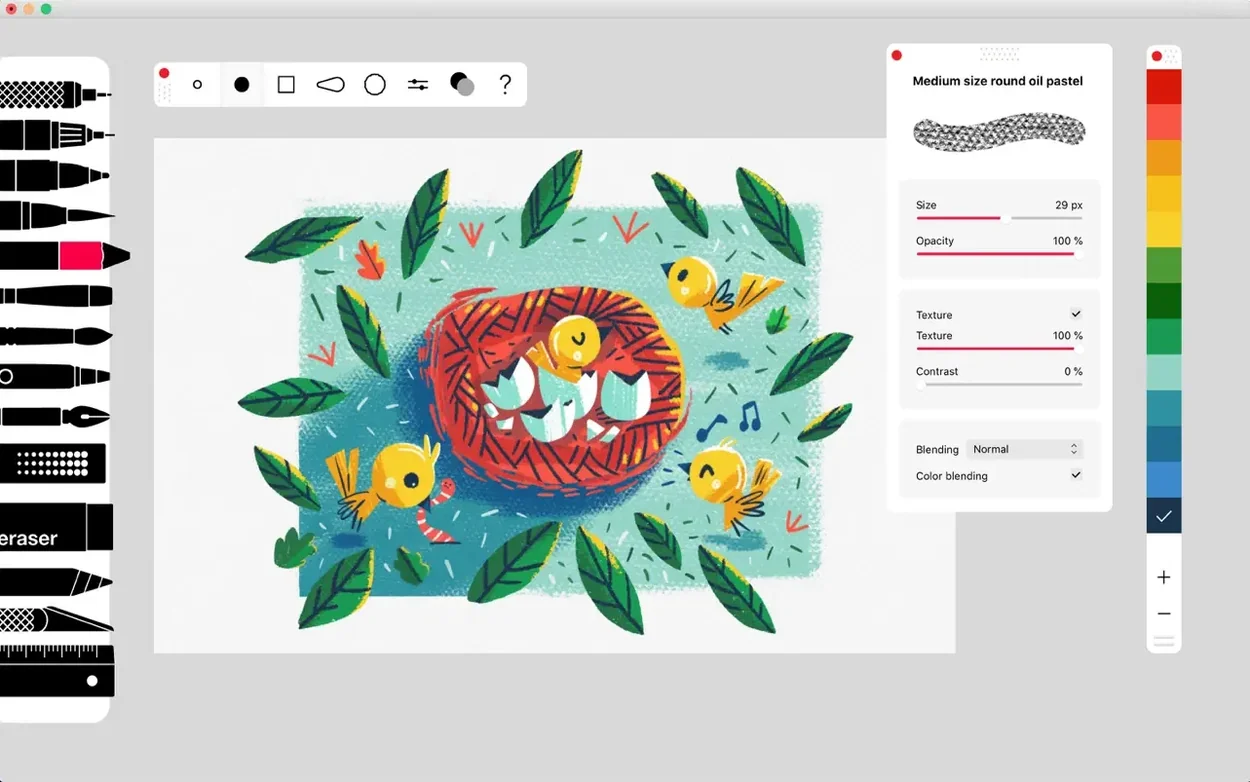
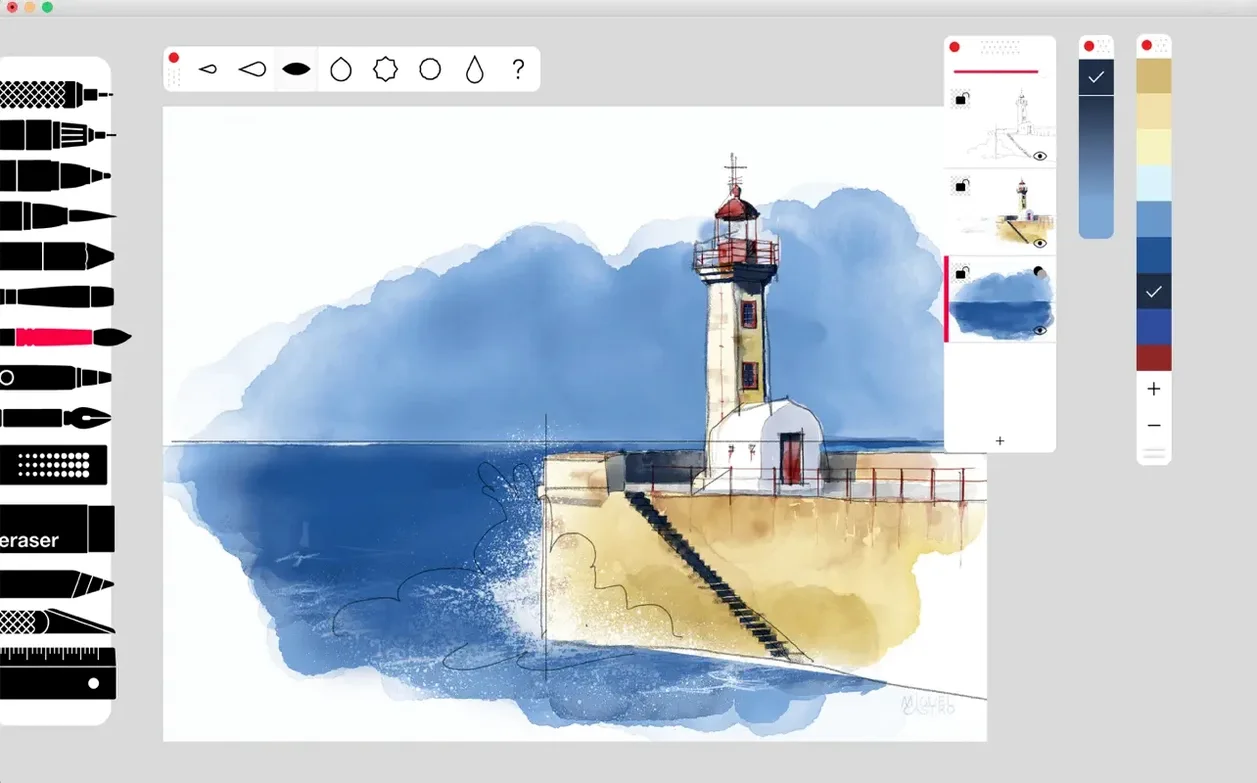
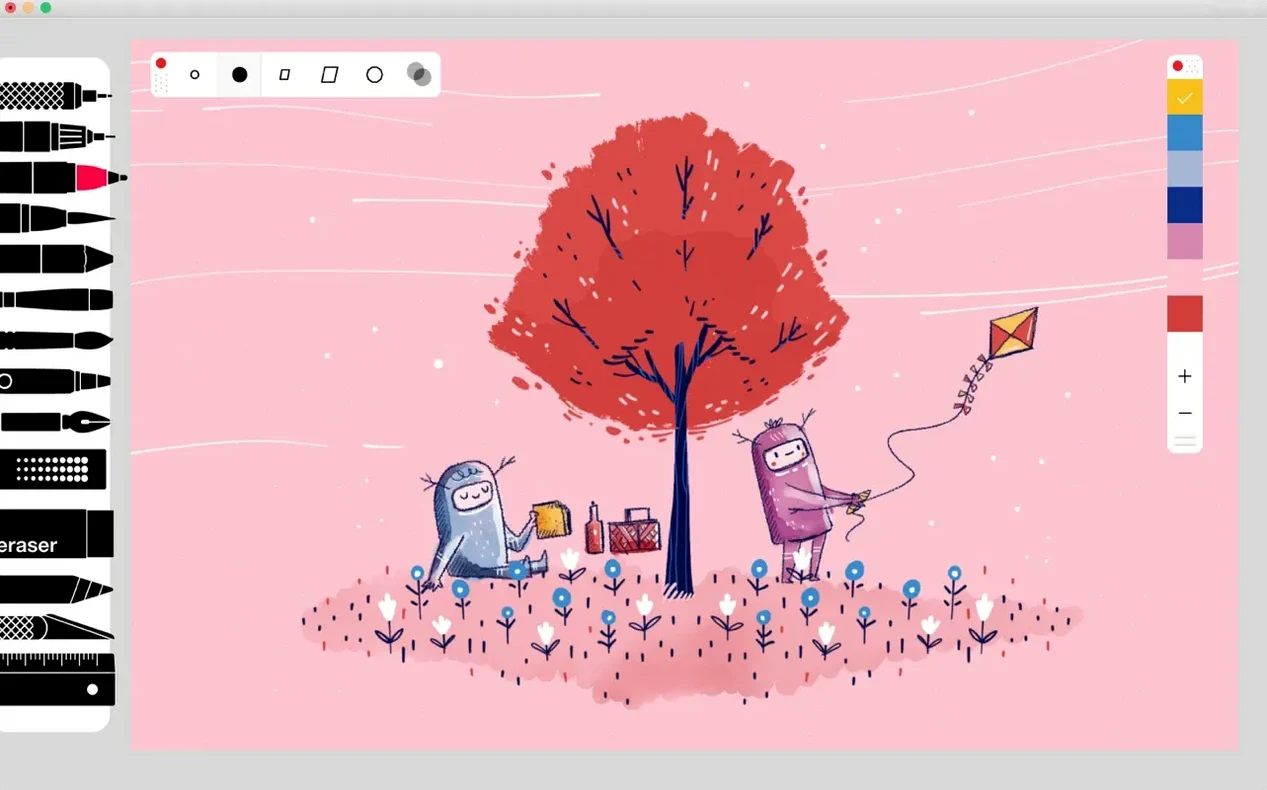
Illustrators, designers and anyone who likes to think with a stylus will find a home in Tayasui Sketches Pro. It feels less like a technical drawing suite and more like a well-stocked sketchbook that happens to live on your Mac.
What makes the brush engine feel so natural?
The brush editor gives you live previews while you adjust shape, spacing and texture. You see the stroke change as you move the sliders, so the tool adapts to your hand rather than the other way round.
Why would I need unlimited layers?
Because sketching is rarely a single pass. Unlimited layers let you separate rough lines, colour washes, highlights and notes — and with the latest version you can group, merge, reorder and move those layers without losing your thread.
Which Pro tools change how you work?
The Smudge tool softens and blends marks the way a finger moves charcoal on paper. The Area and Filling tool lets you block in colour quickly, while the Ruler adds arc, circle, spline and grid guides for precise work.
A few things version 36.8 quietly fixed
Bug-fix releases rarely make headlines, but this one tightens the everyday feel in ways you notice after an hour of drawing. The stability improvements mean longer sessions without a stutter — especially welcome if you are working with dozens of layers and large canvas sizes. The brush preview no longer flickers when you toggle between tools quickly, and the colour picker remembers its last position instead of snapping back to the default swatch.
Where the update really stretches its legs is in layer management. You can now bundle related lines into groups and subgroups, which sounds small until you are juggling roughs, ink passes, shading and reference sketches on a single project. Merge, reorder and move actions all work without flattening anything you haven't explicitly asked to flatten — a detail that prevents that sinking feeling when half your afternoon vanishes into a misclick. If you found an older download Tayasui Sketches Pro for Mac and wondered why the layers felt rigid, version 36.8 is the answer.
A sketch from blank canvas to finished export
Imagine a quiet Wednesday evening. You open Sketches Pro to rough out a character study. You start with the Pen Brush — thin, responsive, perfect for gesture lines — on a layer named "roughs." Halfway through, you realise the head angle is wrong, so you drop the opacity, create a new layer on top and trace the correction with the Rotring. The original rough stays untouched underneath, just in case.
With the structure sorted, you switch to the Acrylic brush and load a saved palette of muted skin tones. You block in mid-tones on a layer between the ink lines, then use the Smudge tool to blend the edges — short strokes, light pressure, like moving pastel on toothy paper. A shadow pass on its own group keeps things tidy, and when the proportions need checking you pull up the Grid ruler, adjust the spacing, and snap it off again in two taps.
Before exporting, you merge the ink and shade groups into a flat colour master, keeping the original groups tucked lower in the stack as a safety net. When you download Tayasui Sketches Pro torrent for macOS, a clean first-run is all about granting the right permissions in System Settings so the pressure engine reads your tablet properly — layering discipline pays off. A quick Area fill on the background, a last smear of Oil Pastel for texture, and the file goes out as a layered PSD for final polish in another app.
First days with Sketches Pro: where to point your stylus
The brushes reward experimentation, so spend your first session simply dragging each tool across a blank canvas. The Felt Pen bleeds colour into itself at slow speed, the Airbrush builds softly, and the Pen Brush thins on a fast stroke — understanding those quirks early saves frustration later. Open the brush editor straight away, tweak the spacing on your favourite tool, and save the result as a custom preset.
Colour palettes are your second best friend. Build a small palette from a reference image — skin, shadow, highlight, a background neutral — and name it. You will reach for it across projects more than you expect. The iCloud sync ties your palettes and brushes to your other devices, so a palette built on the Mac is waiting on the iPad next morning without any export step.
Lastly, make a habit of naming layers as you go. A stack of "Layer 7" through "Layer 14" is a headache; a stack of "hair base," "hair shine" and "hair shadow" grouped under "hair" is a workflow you can return to after a week away without puzzling over your own intentions.
Version 36.8 tidies up the layer system considerably. Layer groups and subgroups are now in place, and you can merge, reorder and move layers directly. The update also includes the usual round of bug fixes and stability improvements.
- macOS 12 (Monterey) or later
- Works natively on both Apple Silicon and Intel 64-bit Macs
Questions I keep hearing
Which macOS version does Tayasui Sketches Pro need?
The Mac app requires macOS 12.0 or later, running on Apple Silicon.
Does the Pro version include extra drawing tools?
Yes. The Pro bundle adds the Smudge tool, the Ruler, and the Area and Filling tool alongside the brush editor.
Questions from the class 0
Sign in or join the class to ask a question.
Nobody has asked anything yet. If you have used it on a real job, say what the file did.
Also on the Mac Apps shelf
The whole Mac Apps shelf TechSmith Snagit
Captures screens and records your screen.
TechSmith Snagit
Captures screens and records your screen.
 TablePlus
Manages databases in a visual interface.
TablePlus
Manages databases in a visual interface.
 Techtool Pro
Diagnoses and repairs Mac hardware issues.
Techtool Pro
Diagnoses and repairs Mac hardware issues.
 Tenorshare UltData
Recovers lost iPhone data.
Tenorshare UltData
Recovers lost iPhone data.
 Termius
Manages SSH connections and command history.
Termius
Manages SSH connections and command history.
 SwitchResX
Manages display resolutions and settings.
SwitchResX
Manages display resolutions and settings.
 Sweet Home
Designs home interiors in 3D.
Sweet Home
Designs home interiors in 3D.
 TG Pro
Monitors every temperature sensor in your Mac and lets you set custom fan curves.
TG Pro
Monitors every temperature sensor in your Mac and lets you set custom fan curves.