 ASPNetWorld

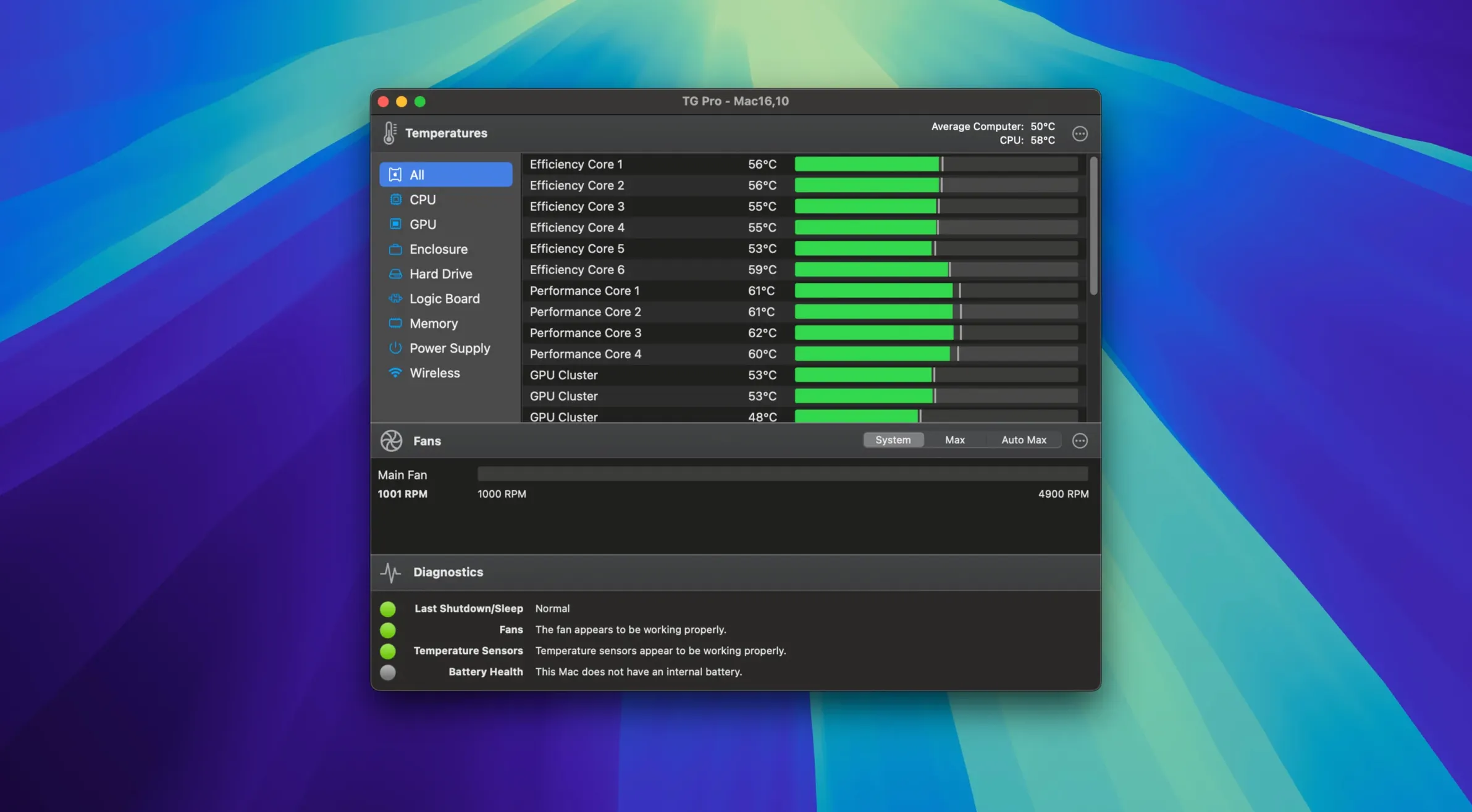
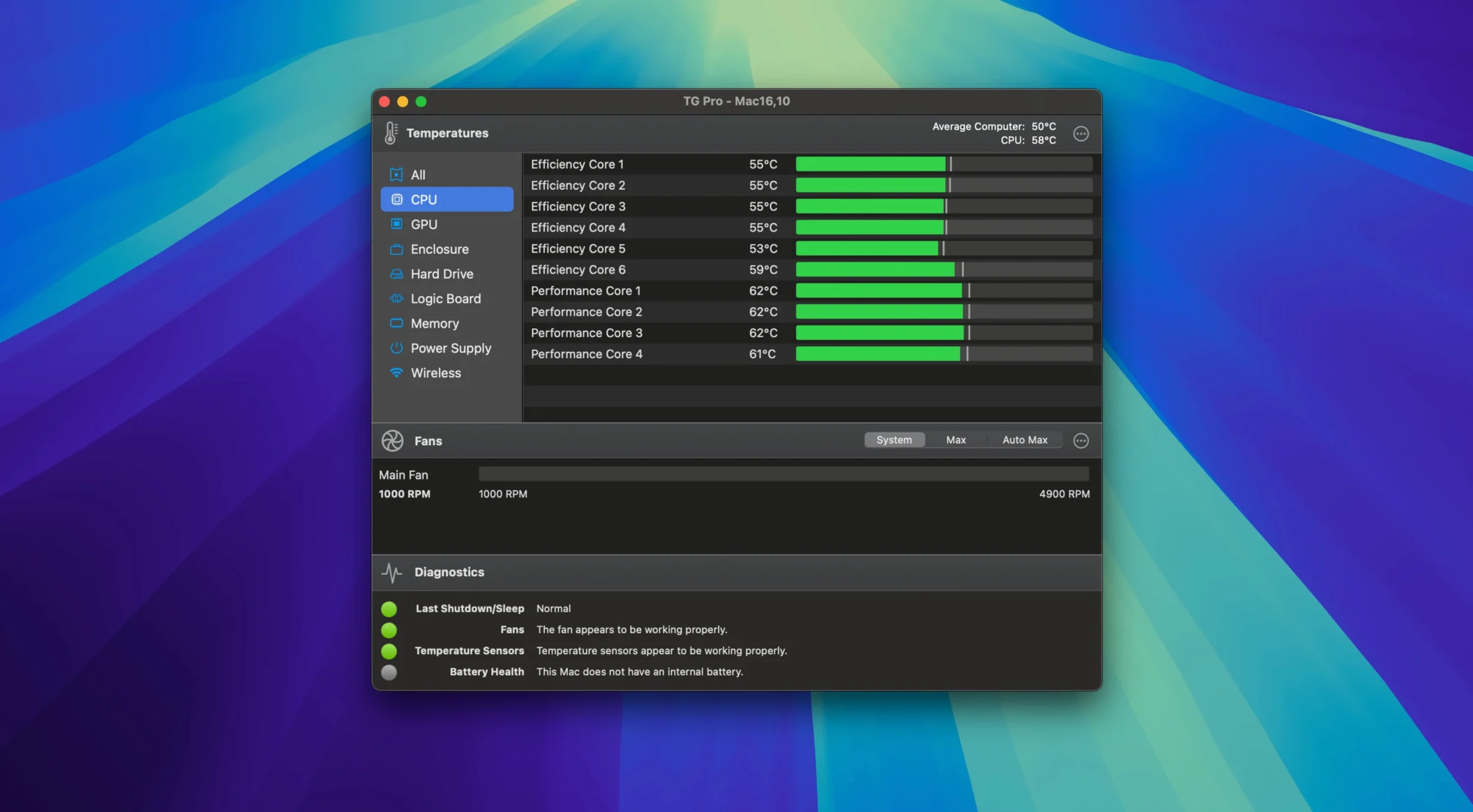
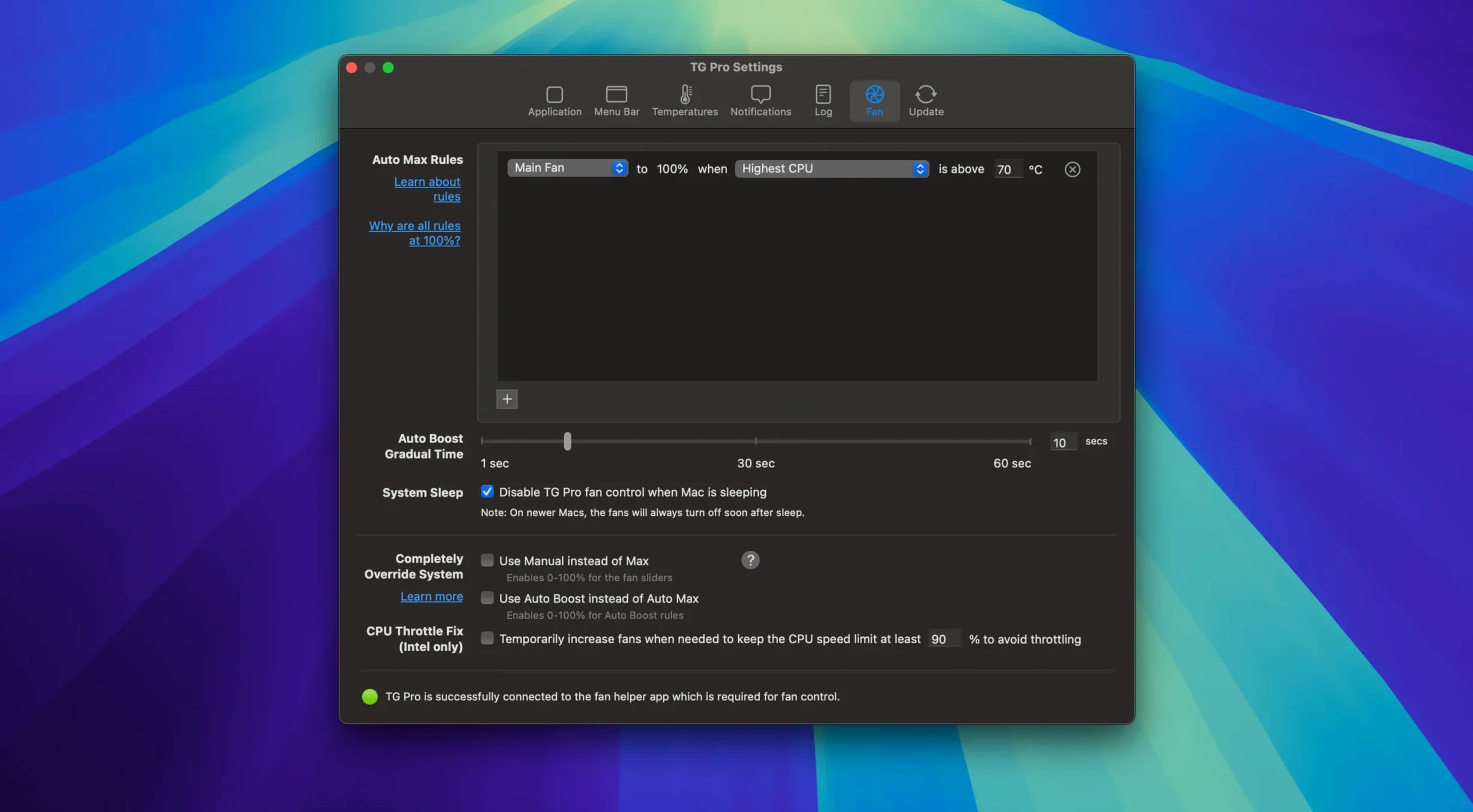
Version 2.103 is a quiet but significant update that brings complete fan control to the M4, M4 Pro, and M4 Max Macs. It also smooths out a couple of long-standing wrinkles: Auto Boost rules no longer fail when you unplug from mains power, and the app restores your custom fan speeds after Siri or voice dictation releases the microphone. New installations get a friendlier startup flow too.
Runs on anything from a cheesegrater Mac Pro to an M4 MacBook Air
TG Pro works on any Mac running macOS 10.13 High Sierra or later, with full support for both Intel 64-bit and Apple Silicon machines. That covers everything from a cheesegrater Mac Pro to the latest M4 MacBook Air. There is even a preference toggle for Hackintosh systems, so if you are running macOS on non-Apple hardware you are not left out.
A live dashboard of every temperature sensor and fan in your menu bar
Beyond raw compatibility, the app gives you a live dashboard of every temperature sensor and fan inside your Mac, accessible right from the menu bar. You can set manual fan speeds when you need a burst of cooling, or let automatic mode handle things. The real power is in custom fan rules: tie a specific fan to any temperature sensor, set upper and lower thresholds, and the app ramps cooling exactly when you want it. Temperature alerts and logging run in the background, so you can catch overheating events even when you are not watching the dials.
Video editors and motion graphics artists who push their Macs hard
You do not need to be a hardware obsessive to appreciate what TG Pro reveals, but certain types of Mac user will find themselves opening it daily rather than once a month. Video editors and motion graphics artists who push the GPU for hours on end are the obvious audience — when a render sends your MacBook Pro’s fans into that familiar jet-engine whine, seeing exactly which sensor hit 95 °C gives you the confidence to set a more aggressive cooling curve rather than just wincing through the noise.
Musicians and audio engineers benefit in a less obvious way. Fan noise is the enemy of a quiet recording space, and TG Pro lets you preemptively spin the fans down before you hit record, then bring them back up during playback when the microphones are off. Hackintosh users — and there are more of them than you might expect — often struggle with fan behaviour that macOS does not quite map to non-Apple logic boards; the dedicated Hackintosh toggle in TG Pro’s preferences fixes most of those mismatches without manual kext editing.
On the diagnostic side, anyone with an ageing Mac who suspects a failing thermal sensor or a clogged heatsink can use the logging feature to gather evidence before visiting a repair shop. Being able to say “the CPU proximity sensor climbs 15 degrees in the first 30 seconds of a HandBrake encode” is far more useful than “it feels hot.” And if you have ever searched for tg pro mac torrent while troubleshooting an overheating Mac, you have probably seen just how many people are in exactly that situation — hunting for a tool that simply shows them what is going on inside the case.
Cross-reference a runaway process with a sudden temperature spike
TG Pro is not an island. It sits neatly alongside Activity Monitor, letting you cross-reference a runaway process with a sudden temperature spike. When you spot kernel_task eating 400 % CPU in Activity Monitor, a glance at TG Pro’s menu bar readout often confirms the reason: the system is deliberately pegging the CPU to generate less heat, and your actual workload is being throttled.
It also plays well with iStat Menus if you prefer that for general system stats — TG Pro takes over the fan-specific duties that iStat Menus handles less granularly. You can run both side by side with negligible overhead, because TG Pro’s background CPU usage is genuinely low, not “low for a monitoring tool” marketing-speak.
macOS’s own fan management has improved over the years, but it remains conservative. It favours silence over cooling, and on a MacBook that means the chassis can become uncomfortably warm before the fans respond. TG Pro’s custom rules bridge that gap: set a rule that ties the left fan to the battery temperature sensor, for instance, and you get cooling that kicks in before the aluminium burns your lap. The new M4 fan control in version 2.103 makes this equally effective on the latest hardware, something that took a surprising amount of work from Tunabelly because Apple’s fan controllers on Apple Silicon are not straightforward to interface with.
Option-click the menu bar icon jumps straight to diagnostics
Hold the Option key while clicking the menu bar icon and you jump straight to the diagnostics tab without opening the full window — useful when you only have a minute to check. The temperature readout in the menu bar itself is configurable: you can display the highest sensor reading, a specific sensor like the CPU proximity diode, or an average across all cores. On a multi-die Apple Silicon chip that distinction matters more than you might think.
The Auto Boost rules, which were fixed in this release for power-source switching, are easy to miss if you only ever use manual mode. They are designed for short cooling bursts: you tell TG Pro to blast the fans to maximum for, say, 30 seconds, then return control to the system. It is ideal for bringing temperatures down quickly after a sustained load without leaving the fans screaming indefinitely. Pair that with the newly reliable power-source detection and you can have a rule that only activates when your MacBook is docked and charging, where heat builds up faster.
Another overlooked detail: the logging window can export CSV files. If you are trying to convince Apple Support or a third-party repair shop that your machine has a genuine thermal problem, a week-long log of temperature and fan data is far more persuasive than a verbal description. Some users who have gone looking for a tg pro crack online have done so precisely because they needed that diagnostic export and wanted to confirm the CSV output matches their workflow before committing to a purchase.
A real task, step by step: taming a render session
Imagine you edit video on a 16-inch MacBook Pro with an M2 Max chip. You have a 45-minute 4K export ahead of you, and you know from experience that the fans will stay stubbornly quiet until the CPU package hits 90 °C, by which point the chassis is roasting. Here is a workflow that TG Pro makes possible.
First, open a duplicate tab in Safari or a lightweight text editor — nothing heavy — and launch TG Pro. Click the Fans tab and note the current idle speeds: on this machine, around 1,300 RPM on both fans. Switch to the Rules tab and create a new rule. Name it “Export Cooling.” Set the target fan to “Left Fan,” the sensor to “CPU Die — Average,” and the upper threshold to 75 °C. Tell it to ramp to 3,500 RPM when that threshold is crossed. Create a mirror rule for the right fan.
Now start your export. As the CPU cores load up, watch the temperature graph in TG Pro’s Dashboard tab. Within two or three minutes the CPU die will nudge past 75 °C; the fans will spin up smoothly to 3,500 RPM and hold it there. Because you caught the temperature early, the chassis never gets uncomfortably hot, and the export finishes at a steady pace without thermal throttling. When the export completes and the CPU cools below 75 °C for more than 30 seconds, automatic mode takes over again and the fans drift back down to idle.
If you wanted to be even more precise, you could add a lower threshold of 60 °C to the same rule, so the fans drop to 2,000 RPM at moderate temperatures instead of handing all the way back to automatic. The point is that TG Pro gives you the granularity to match cooling to your actual workload, rather than trusting Apple’s one-size-fits-all curve. That is why people search out tg pro cracked or a tg pro torrent after watching a colleague breeze through an export without the usual thermal slowdown — the difference is immediately audible and tactile. Version 2.103 ensures that if Siri pops up mid-export because you accidentally hit the dictation key, your custom fan speeds are restored the moment the dictation session ends, rather than reverting to Apple’s defaults until you notice and fix them.
- macOS 10.13 or later
- Intel 64-bit architecture
Questions I keep hearing
Does TG Pro support the latest M4 Macs?
Yes, version 2.103 added complete fan control for M4, M4 Pro, and M4 Max chips, covering all late-2024 and 2025 Mac models.
Can I get temperature alerts without watching the screen?
Absolutely. TG Pro includes configurable temperature alerts and background logging, so it records events even when the menu bar display is closed.
Questions from the class 0
Sign in or join the class to ask a question.
Nobody has asked anything yet. If you have used it on a real job, say what the file did.
Also on the Mac Apps shelf
The whole Mac Apps shelf Termius
Manages SSH connections and command history.
Termius
Manages SSH connections and command history.
 Tenorshare UltData
Recovers lost iPhone data.
Tenorshare UltData
Recovers lost iPhone data.
 Techtool Pro
Diagnoses and repairs Mac hardware issues.
Techtool Pro
Diagnoses and repairs Mac hardware issues.
 TechSmith Snagit
Captures screens and records your screen.
TechSmith Snagit
Captures screens and records your screen.
 Tayasui Sketches Pro
Draws and paints with natural-feeling brushes.
Tayasui Sketches Pro
Draws and paints with natural-feeling brushes.
 TablePlus
Manages databases in a visual interface.
TablePlus
Manages databases in a visual interface.
 Topaz Gigapixel AI
Enlarges low-resolution images while keeping faces and textures crisp and natural.
Topaz Gigapixel AI
Enlarges low-resolution images while keeping faces and textures crisp and natural.
 Topaz Photo AI
Analyses a photo and applies the exact sharpening and noise reduction it actually needs.
Topaz Photo AI
Analyses a photo and applies the exact sharpening and noise reduction it actually needs.