 ASPNetWorld

You have inherited a project with a sprawling PostgreSQL schema and a handful of stored procedures that nobody has documented. Opening a terminal feels like the right thing to do until you realise you will spend half the morning squinting at unformatted query results. A graphical client that lays out tables, rows and relationships in plain sight is suddenly very appealing — and that is where TablePlus fits.
GUI database tool — a desktop application that replaces command-line interaction with a visual browser for tables, columns, indexes and data.
Relational database — a structured collection of data organised into related tables; MySQL, PostgreSQL, SQLite and Microsoft SQL Server are all examples.
Native libss and TLS — the app uses the operating system's own encryption libraries to secure connections, so there is no separate certificate wrangling.
Compatibility is refreshingly straightforward. TablePlus runs on any Mac from macOS 12.6 (Monterey) onwards, and the developer explicitly supports Apple Silicon chips. There is no Rosetta translation layer to worry about — the binary is built for the hardware you are using, whether Intel or M-series.
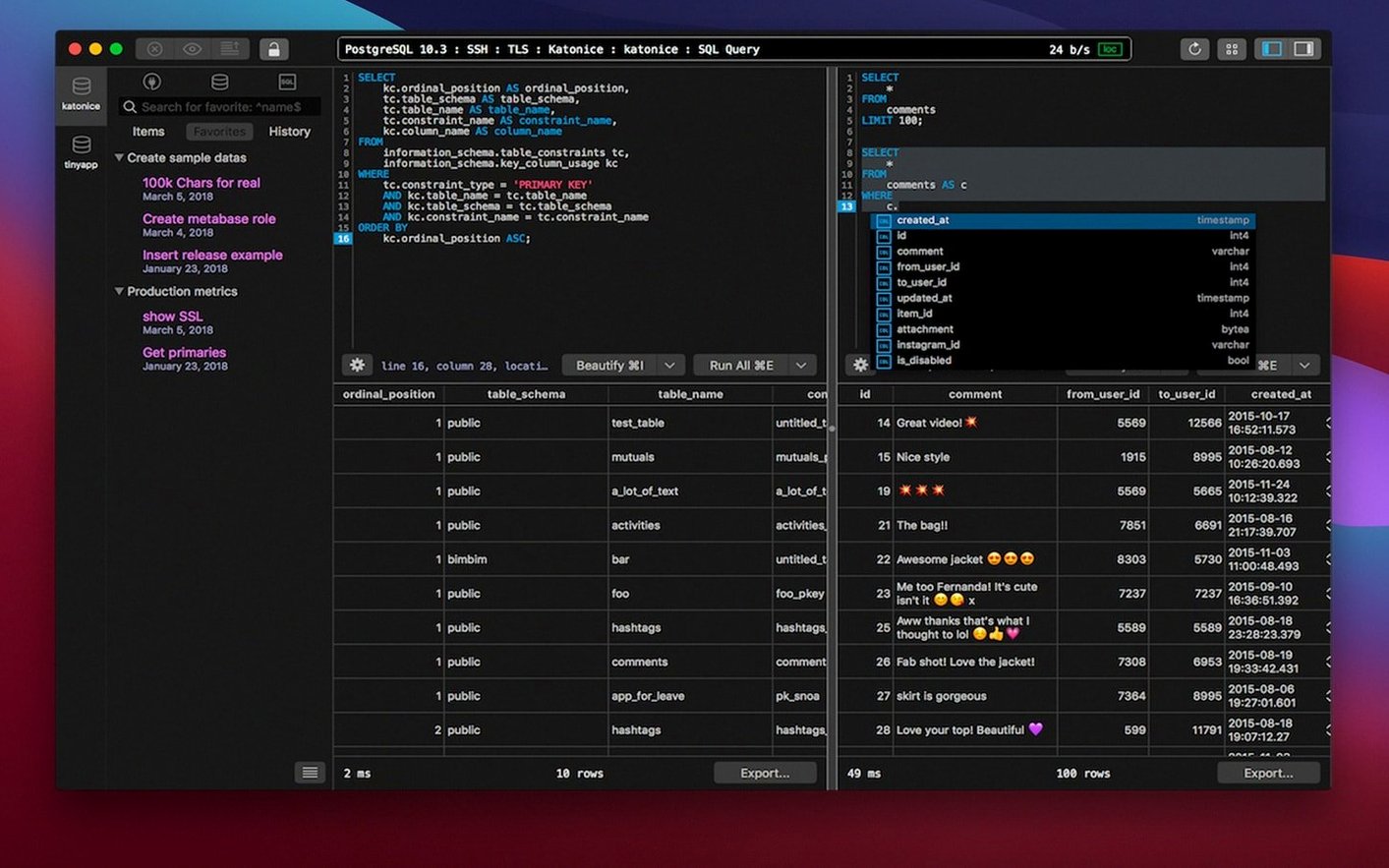
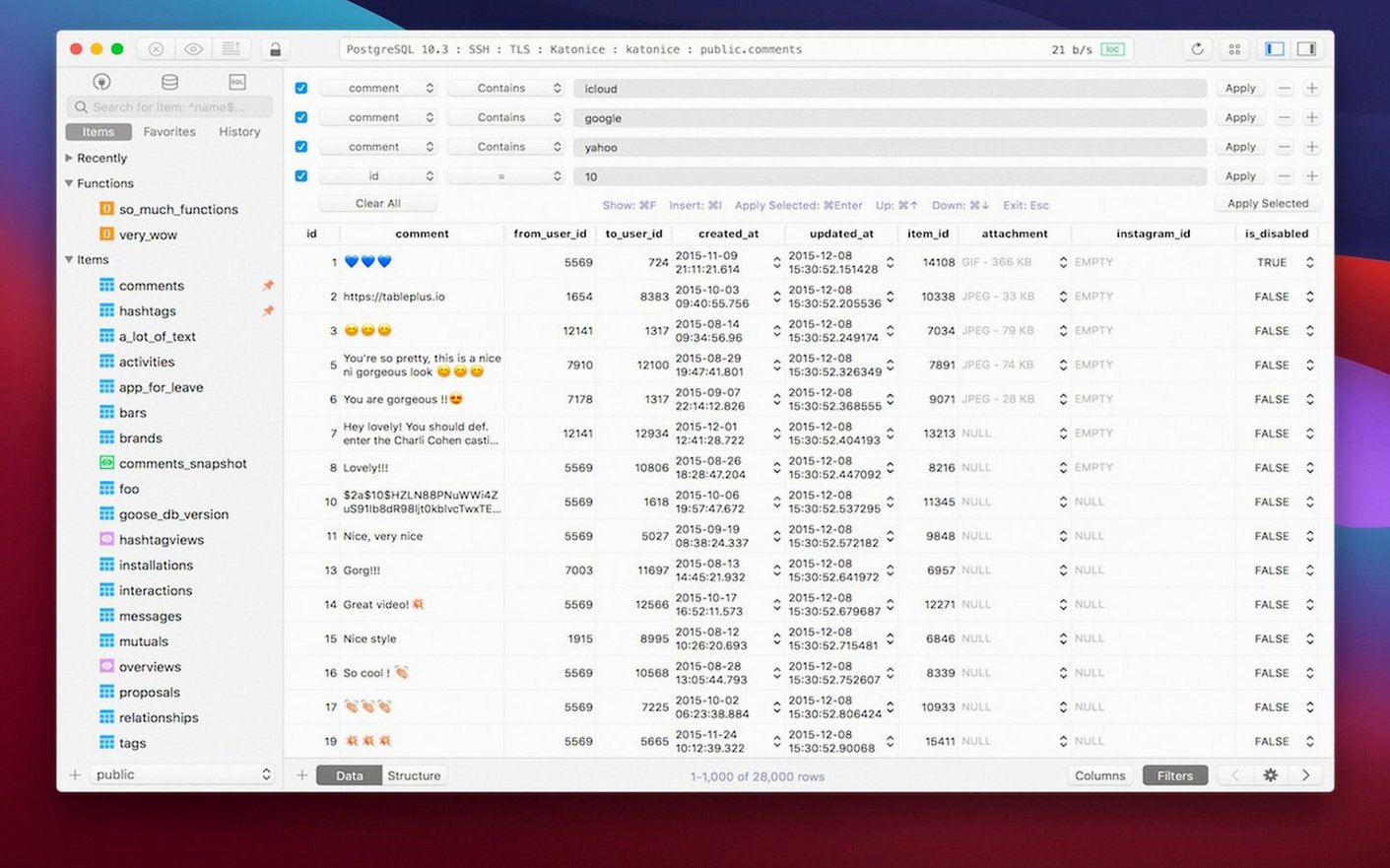
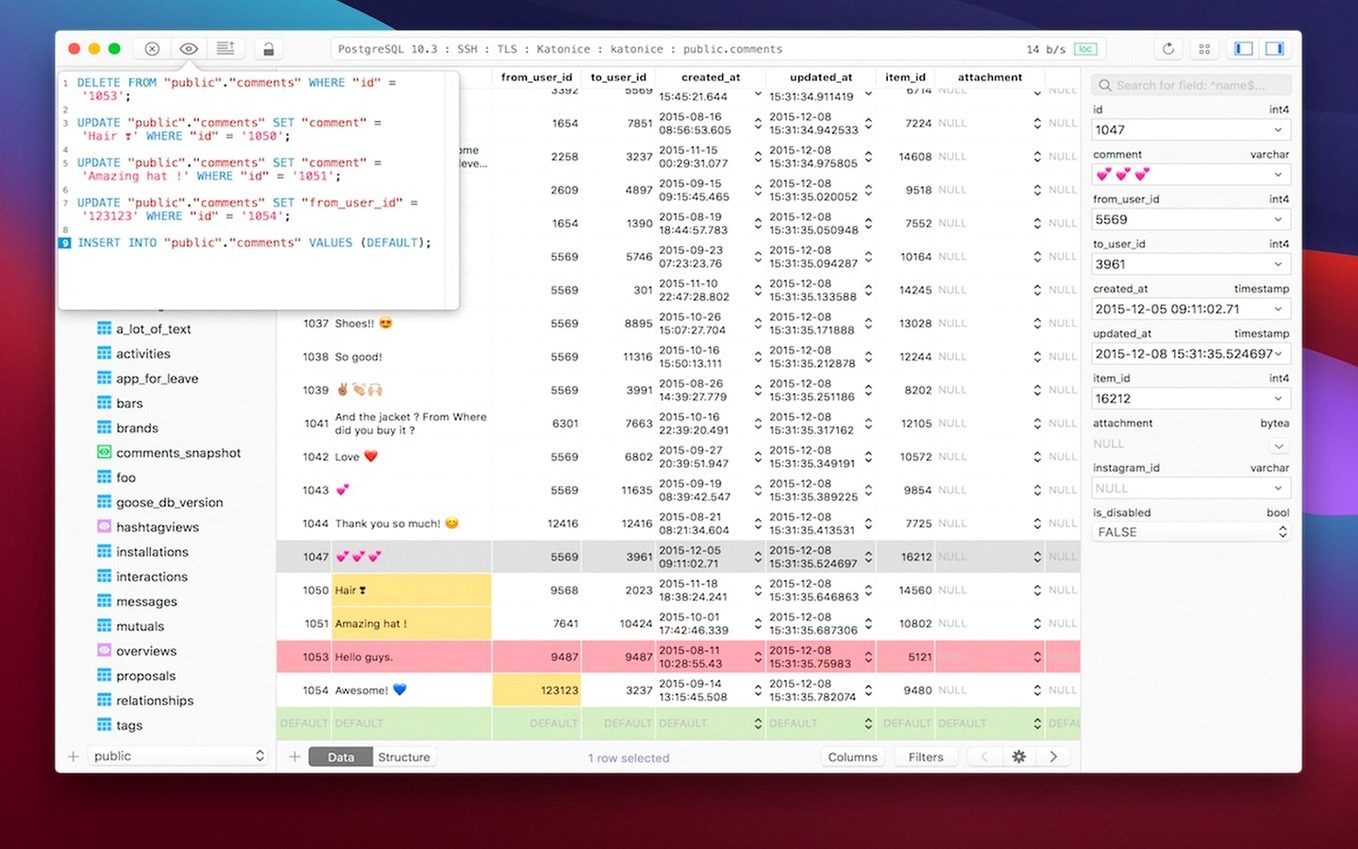
What you get once it is running is a workspace that thrives on tabs and windows. You can have a live connection to a production MySQL instance in one tab while you test a schema change against a local SQLite copy in another. The script editor brings syntax highlighting and error reporting together, so a misplaced comma lights up before you run the statement. A code-preview panel shows you the generated SQL behind any GUI action, which is useful when you are half-learning a dialect or need to copy a command into a migration file. Plugins and drivers can be added later if your stack grows to include something less common, and the whole thing leans on a set of keyboard shortcuts that become muscle memory after a couple of sessions.
Opens in under two seconds on Apple Silicon
Snappiness is the first thing you notice. TablePlus opens in under two seconds on any Apple Silicon Mac I have used, and connections to local PostgreSQL or SQLite databases are effectively instant. Remote connections involve a brief handshake — maybe a second and a half if the server is across the Atlantic — but once the session is live, scrolling through tables with tens of thousands of rows stays smooth. The app idles at about 120 MB of RAM with a couple of connections open, which is modest by modern standards, and I have not seen the CPU meter twitch above single digits unless a query returns a genuinely enormous result set.
Stability is where native toolkits earn their keep. Over a working week of leaving it open, switching between five or six tabs and occasionally yanking the network cable to simulate a dropped VPN, TablePlus has never crashed on me. Disconnected sessions grey out politely and reconnect with a click. The safe mode — effectively a read-only flag you can toggle per connection — has saved me from at least one 4 p.m. panic when muscle memory nearly ran a DROP against production instead of staging. The confirmation dialog that safe mode adds is just intrusive enough to make you pause, but not so fussy that you turn it off in frustration.
On disk the app is lean — under 50 MB — and its preferences file stays small because it does not squirrel away query history in bloated local databases. If you work across multiple Macs, that also means there is less to sync. The one resource trade-off worth knowing about is that opening a table with many columns in the data grid can push memory use up briefly while the view renders, but it drops back as soon as you navigate away.
Terminal workflow gaps it leaves untouched
Does it replace my terminal workflow completely? Not entirely, and it is not trying to. TablePlus handles browsing, editing, exporting and quick schema exploration beautifully. When you need to pipe output through jq or chain a dozen psql commands in a shell script, the terminal is still the right tool. Many people keep both open and use TablePlus for the visual heavy lifting.
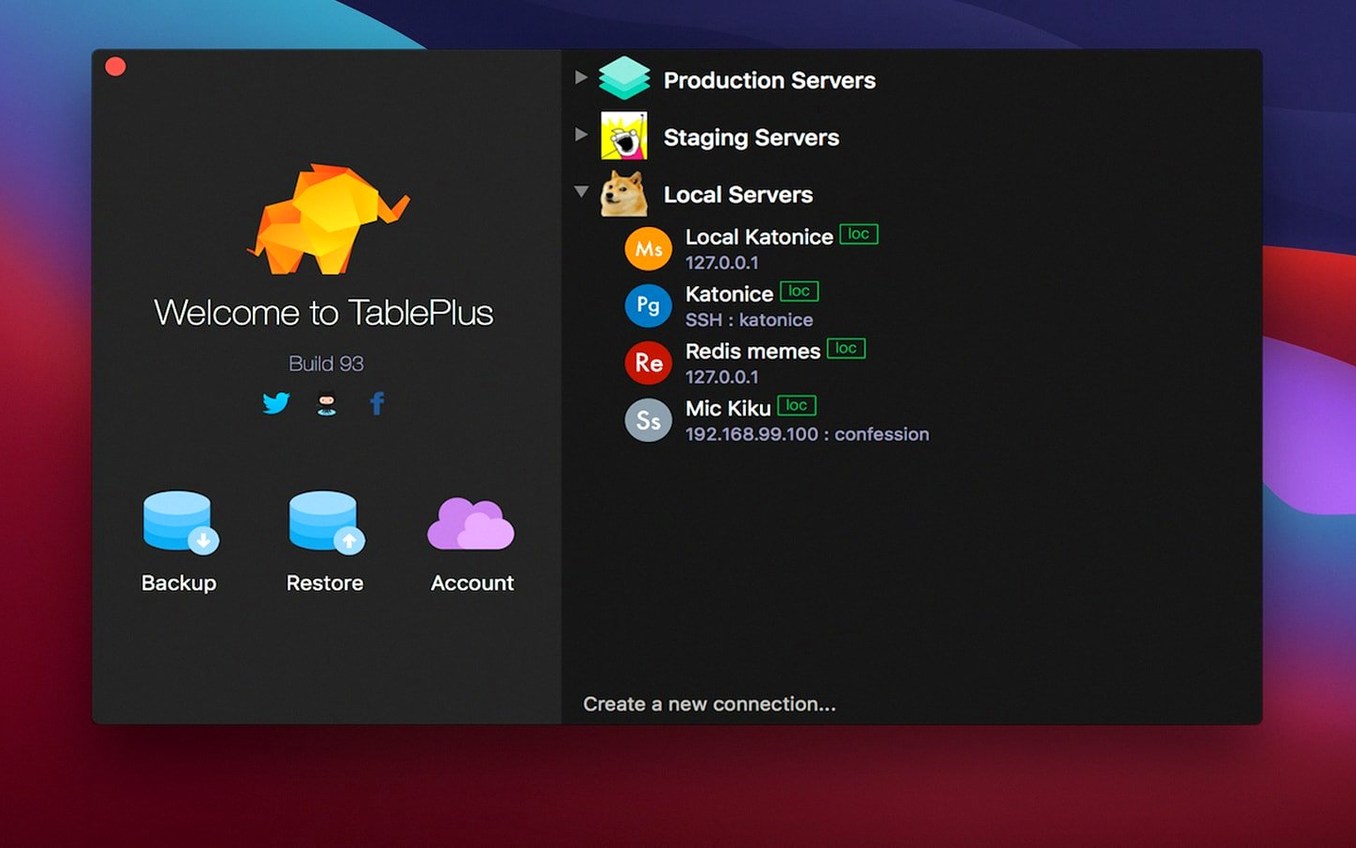
Will it work with a VPN or SSH tunnel? Yes. The connection dialog includes SSH tunnelling with support for key files and agent forwarding. Set it up once and the tunnel is established transparently every time you open that connection. For TLS-encrypted connections, the app leans on the Mac's own security libraries, so certificates that Keychain already trusts just work without extra configuration.
What about obscure database versions? The core support covers MySQL, PostgreSQL, SQLite and Microsoft SQL Server, but the plugin system allows community-built drivers for less common engines. If your database speaks a standard wire protocol, there is a good chance someone has written a driver. The code-preview panel also helps you spot where a dialect-specific syntax quirk might trip you up before you run it.
A real workflow: untangling a slow query
Suppose a support ticket lands in your inbox: the customer dashboard is timing out. You suspect a query has stopped using an index. Here is how that plays out in TablePlus.
You open the production connection — which you have already saved with safe mode turned on, so there is no risk of an accidental write — and navigate to the relevant database. In the SQL editor, you paste the suspect query, but before running it you prefix it with EXPLAIN ANALYZE. The syntax highlighting immediately flags a missing comma in the paste, which you fix. You run the statement, and the results grid shows a sequential scan where you expected an index scan.
You switch to your staging connection in another tab, where safe mode is off because you need to experiment. You add a composite index that covers the filtered columns, using the GUI index builder rather than typing the DDL by hand. The code-preview panel shows you the exact CREATE INDEX statement it will run, which you copy into your migration notes. You run it, then re-run the explain plan — the sequential scan is gone, replaced by an index-only scan. You copy the DDL from your notes into the project's migration file, close the staging tab, and reply to the ticket with the fix. The whole loop took four minutes, and at no point did you have to leave a single window.
Assign a global bring-to-front shortcut
A few defaults are sensible but not quite tuned for speed in daily use. First, open preferences and assign a global shortcut for “Bring TablePlus to front.” The default behaviour of switching with Command-Tab is fine, but a single keystroke that opens the app and focuses the last-used connection is faster when you are context-switching between an IDE and the database.
Second, set the default query limit. Out of the box, the data grid fetches all rows, which is safe for small tables but sluggish if you accidentally open a log table with millions of records. Setting a default limit of 500 or 1000 rows keeps the interface responsive and reminds you to add a WHERE clause. You can always override it per query with LIMIT in the SQL.
Third, if you work across time zones, set the session timezone per connection in the advanced tab. PostgreSQL, in particular, will otherwise assume UTC and you will spend time mentally converting timestamps in the grid. Setting it once saves a lot of head-scratching later.
The latest build, dated 5 March 2026, concentrates on under-the-hood stability rather than new interface features. Expect smoother handling of long-running connections and a few quiet fixes that keep the tabbed workspace feeling responsive.
- macOS 12.6 (Monterey) or later
- Apple Silicon or Intel Mac
Questions I keep hearing
Which databases can TablePlus connect to?
The documented set includes MySQL, PostgreSQL, SQLite and Microsoft SQL Server, with the option to add further drivers and plugins as your needs expand.
Does the script editor help catch mistakes?
Yes — it provides syntax highlighting while you type and reports errors when a statement cannot be parsed, so problems are flagged before execution.
Questions from the class 0
Sign in or join the class to ask a question.
Nobody has asked anything yet. If you have used it on a real job, say what the file did.
Also on the Mac Apps shelf
The whole Mac Apps shelf Tayasui Sketches Pro
Draws and paints with natural-feeling brushes.
Tayasui Sketches Pro
Draws and paints with natural-feeling brushes.
 TechSmith Snagit
Captures screens and records your screen.
TechSmith Snagit
Captures screens and records your screen.
 SwitchResX
Manages display resolutions and settings.
SwitchResX
Manages display resolutions and settings.
 Techtool Pro
Diagnoses and repairs Mac hardware issues.
Techtool Pro
Diagnoses and repairs Mac hardware issues.
 Tenorshare UltData
Recovers lost iPhone data.
Tenorshare UltData
Recovers lost iPhone data.
 Sweet Home
Designs home interiors in 3D.
Sweet Home
Designs home interiors in 3D.
 Termius
Manages SSH connections and command history.
Termius
Manages SSH connections and command history.
 SuperDuper!
Makes bootable backups of your entire Mac.
SuperDuper!
Makes bootable backups of your entire Mac.