 ASPNetWorld

What makes it more than just another Terminal?
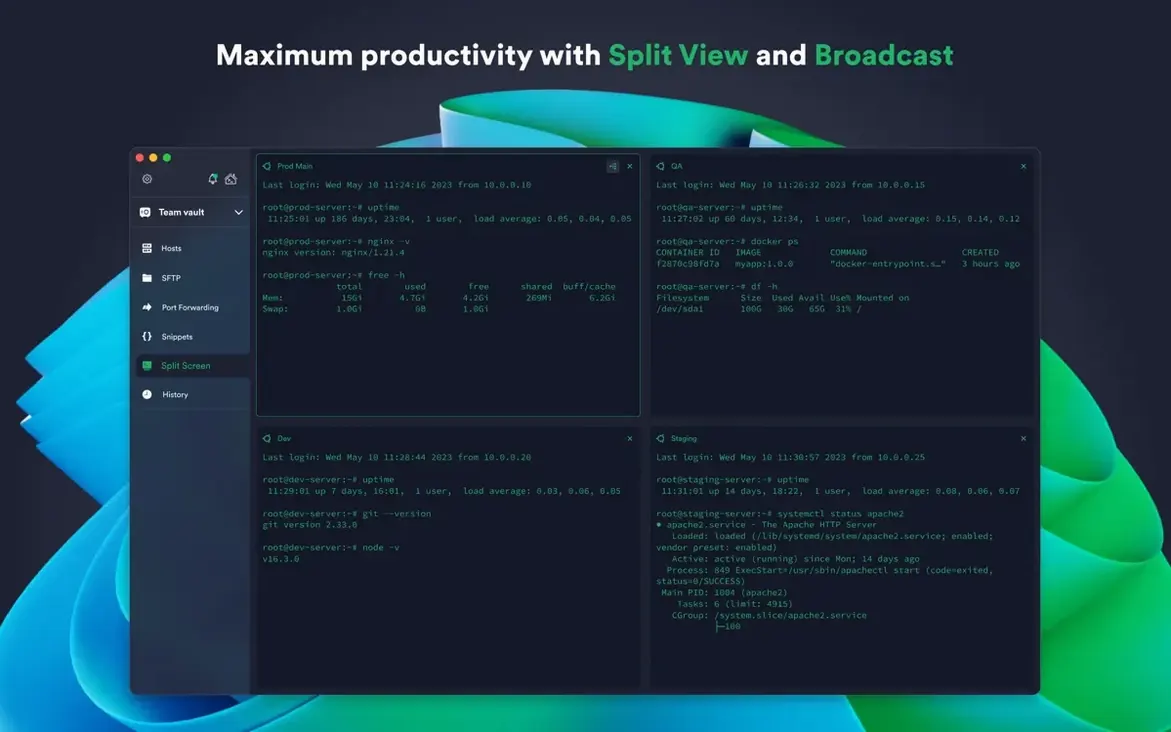
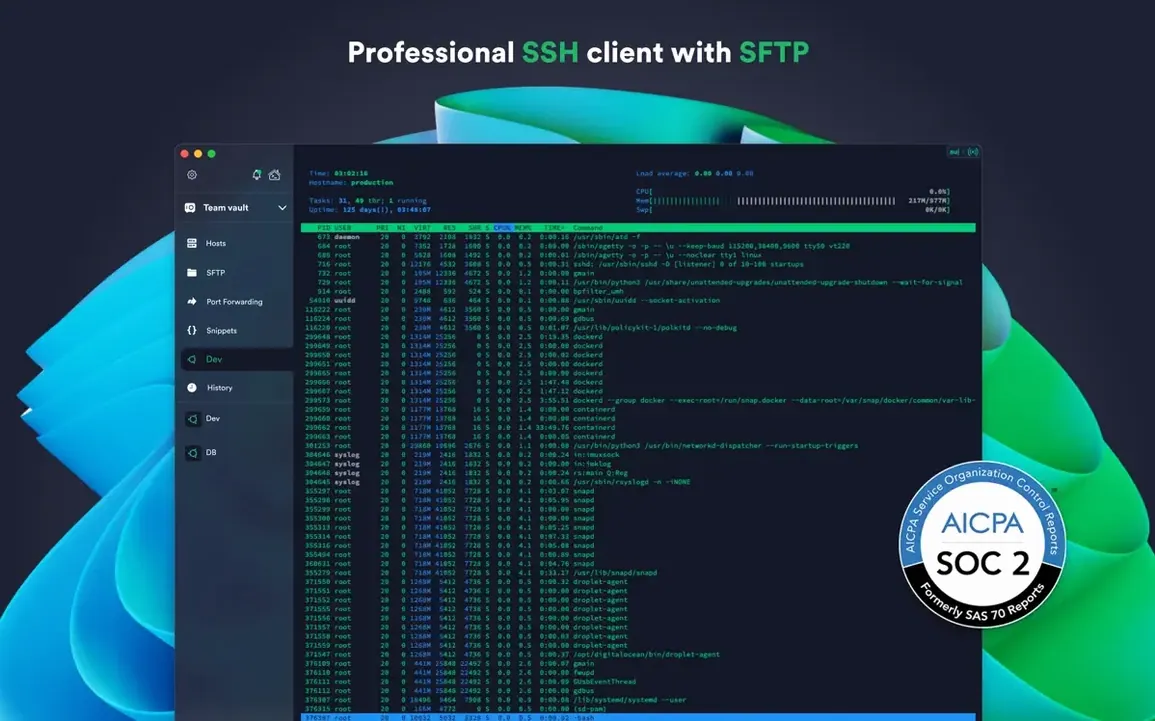
Think of it as a shared notebook for your command line. Beyond the familiar SSH connections, Termius keeps a synchronised history of the commands you run, so that snippet you used on a client's server yesterday is waiting for you on your desktop today. It also wraps in Mosh for patchy connections, Telnet for older gear, and SFTP for quick file transfers, all within a single window.
It supports ECDSA, ed25519, and chacha20-poly1305
It supports modern key types like ECDSA and ed25519, and the chacha20-poly1305 cipher, which is a good sign for speed and security. On the hardware front, you can use a FIDO2 key as a physical second factor, so you're not relying on a code from your phone.
I work across a few machines — can I avoid setting up each one from scratch?
Yes, and that's where the cloud piece genuinely helps. Your connection settings, credentials, and even that organised list of hosts are encrypted and synced. Set up a jump server or a proxy once, and the path appears on your Mac, a Windows laptop, or an iPad without any manual copying.
Does it tie into cloud providers?
It can pull in your running instances directly from AWS and DigitalOcean. That means you see your servers by name rather than by a changing IP address, which saves a fair bit of cross-referencing.
It runs on macOS 10.13 and later, Intel and Apple Silicon
A common one is whether Termius works on older Macs that can't run the latest macOS. The version you pull from the developer's site sits happily on macOS 10.13 and later, and it runs natively on both Intel and Apple Silicon machines. The sandboxed Mac App Store edition, by contrast, needs macOS 12 and gives up a few local features, so which build you choose depends on how much you value a local terminal and full SFTP access to your own Mac.
People also ask about offline use. The sync engine is encrypted cloud storage, not a constant phone-home requirement. You can open the app without a connection, work on saved hosts, and the command history catches up the next time you're online. If you're searching around and spotted phrases like termius mac crack or termius torrent, the real download from the developer's site is a straightforward disk image without activation hoops, so a repacked version from an unknown source can be just as easy to get running if you verify the checksum first.
Another frequent question is about jump servers and proxies. Termius lets you chain connections: you define a jump host once, then tick it on any session that needs it. The same goes for HTTP or SOCKS proxies. Everything sits in the encrypted sync, so if you rebuild a Mac or switch to a Windows machine, the routing you've set up follows you.
A scenario: the freelance web developer juggling client servers
Imagine someone who maintains half a dozen client sites on different VPS hosts, a mix of DigitalOcean droplets and a couple of bare-metal boxes reached only through a bastion server. They're not a full-time sysadmin, but they're the person who gets the call when a site goes down during dinner.
Before Termius, they kept a text file of IP addresses and SSH keys on each machine they owned, which meant the file was never quite up to date. With Termius on a MacBook, an iPad, and an Android phone, they tag each host by client name and environment. The DigitalOcean integration pulls in droplet names automatically, so they aren't squinting at an IP address and trying to remember whether it's the staging or production server. When a client texts about a broken form, they can open the iPad, tap the saved snippet that tails the error log, and see the issue without typing a full path from memory. The shared command history means the obscure wp-cli incantation they ran last Tuesday on the production droplet is there on the iPad, ready to run again with a tap.
And because the bastion host details sync across devices, they never have to re-read their own notes about which port and keyfile the jump requires. It just works.
A workflow: connecting through a jump server and grabbing a file
Here's a concrete walkthrough for a task that crops up in almost every ops role: reaching a database server behind a bastion host, running a quick query, and pulling a dump to your Mac.
Start by defining the bastion. In Termius, create a new host entry, give it a label like "Bastion – London", and fill in its address and your ed25519 key. Tick the key's entry under the authentication tab. Save it. Next, create the database host entry. Fill in its private IP address, choose the same key, then open the "Jump Hosts" section and select "Bastion – London" from the list. That's the routing sorted.
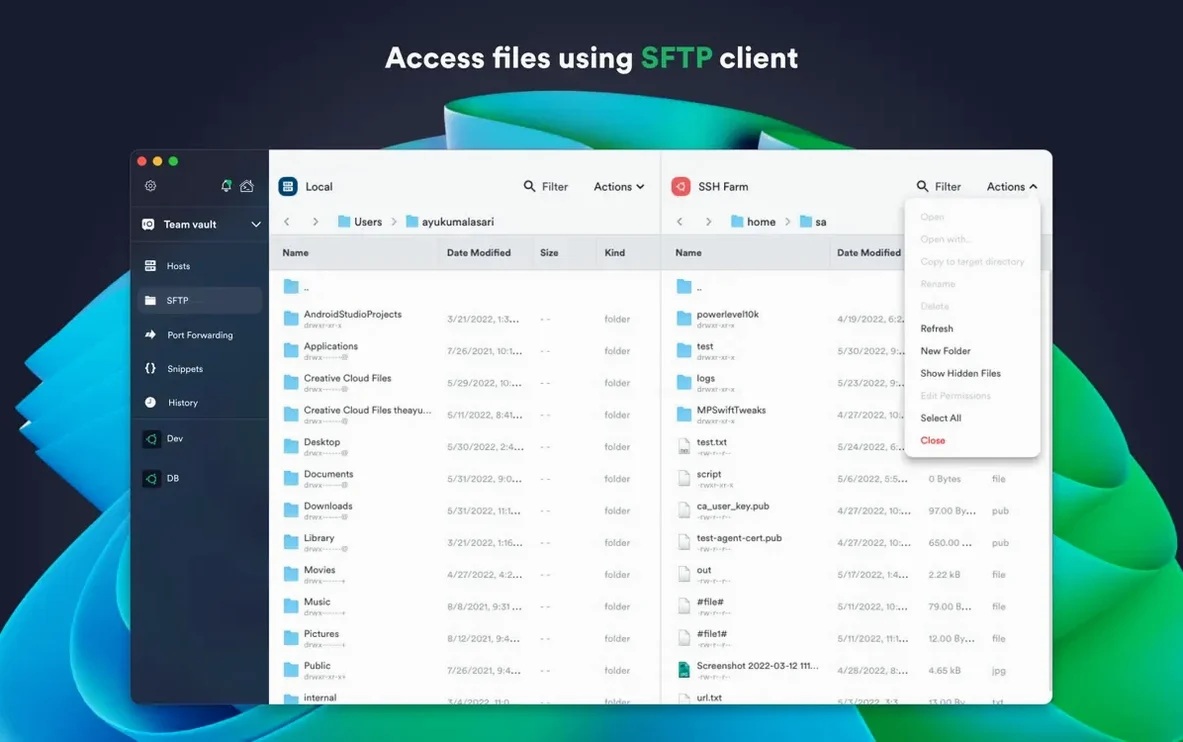
With the session open, you're at a shell prompt inside the private network. Run your diagnostic query or check replication lag. Now for the file: Termius includes an SFTP client. Click the SFTP icon in the toolbar — it opens a split view with the remote filesystem on one side and your local Mac on the other. Navigate to /var/backups/ on the remote side, select the latest dump, and drag it to your local Desktop folder. The transfer runs inside the same authenticated session, so you're not opening a second tunnel by hand. Close the SFTP pane, type exit in the terminal, and you're done. The whole thing — from double-clicking the host entry to having the dump file locally — takes under a minute once the entries are saved.
Settings worth changing the day you install
Open preferences and head to the terminal section. The default font and colour scheme are fine for a quick test, but you'll be staring at this window for hours. Pick a typeface that distinguishes 0 from O and l from 1 — something like Fira Code or JetBrains Mono if you have them installed. Termius lets you set a different theme per host, so make your production servers red-tinted and your staging boxes a calm blue. It sounds small, but it stops you from running a destructive command in the wrong tab.
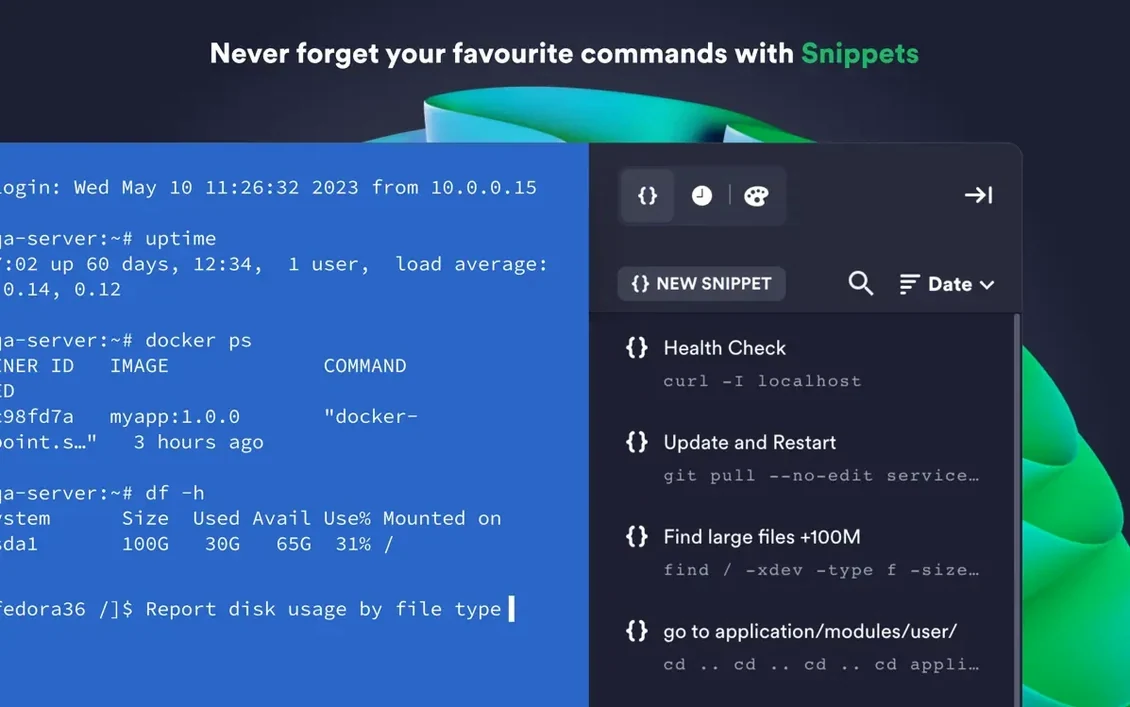
Next, look at the snippets library. Anything you type more than three times a week — updating packages, restarting a service, pulling logs — should live here. Give each snippet a short label and, where it makes sense, tick the box that makes it run immediately rather than pasting it into the prompt for editing. That's handy for read-only commands like df -h or systemctl status where you don't need to modify anything before execution.
If you use a hardware security key, head to the authentication settings and enrol your FIDO2 key. Termius will then ask for the physical keypress at the start of a session, which pairs well with the Touch ID option for unlocking the app itself — two quick biometric checks and you're in, no password typing. Lastly, if you spotted termius mac searches that led you here, make sure you've grabbed the direct download rather than the sandboxed store version if you want the local terminal and unrestricted SFTP browsing of your own Mac's filesystem.
Version 9.35.4 concentrates on under-the-hood stability improvements, keeping connections steady across long sessions.
- macOS 10.13 or later
- Apple Silicon or Intel 64-bit Mac
- Interface language: English
Questions from the class 0
Sign in or join the class to ask a question.
Nobody has asked anything yet. If you have used it on a real job, say what the file did.
Also on the Mac Apps shelf
The whole Mac Apps shelf Tenorshare UltData
Recovers lost iPhone data.
Tenorshare UltData
Recovers lost iPhone data.
 Techtool Pro
Diagnoses and repairs Mac hardware issues.
Techtool Pro
Diagnoses and repairs Mac hardware issues.
 TechSmith Snagit
Captures screens and records your screen.
TechSmith Snagit
Captures screens and records your screen.
 TG Pro
Monitors every temperature sensor in your Mac and lets you set custom fan curves.
TG Pro
Monitors every temperature sensor in your Mac and lets you set custom fan curves.
 Tayasui Sketches Pro
Draws and paints with natural-feeling brushes.
Tayasui Sketches Pro
Draws and paints with natural-feeling brushes.
 TablePlus
Manages databases in a visual interface.
TablePlus
Manages databases in a visual interface.
 SwitchResX
Manages display resolutions and settings.
SwitchResX
Manages display resolutions and settings.
 Sweet Home
Designs home interiors in 3D.
Sweet Home
Designs home interiors in 3D.