 ASPNetWorld

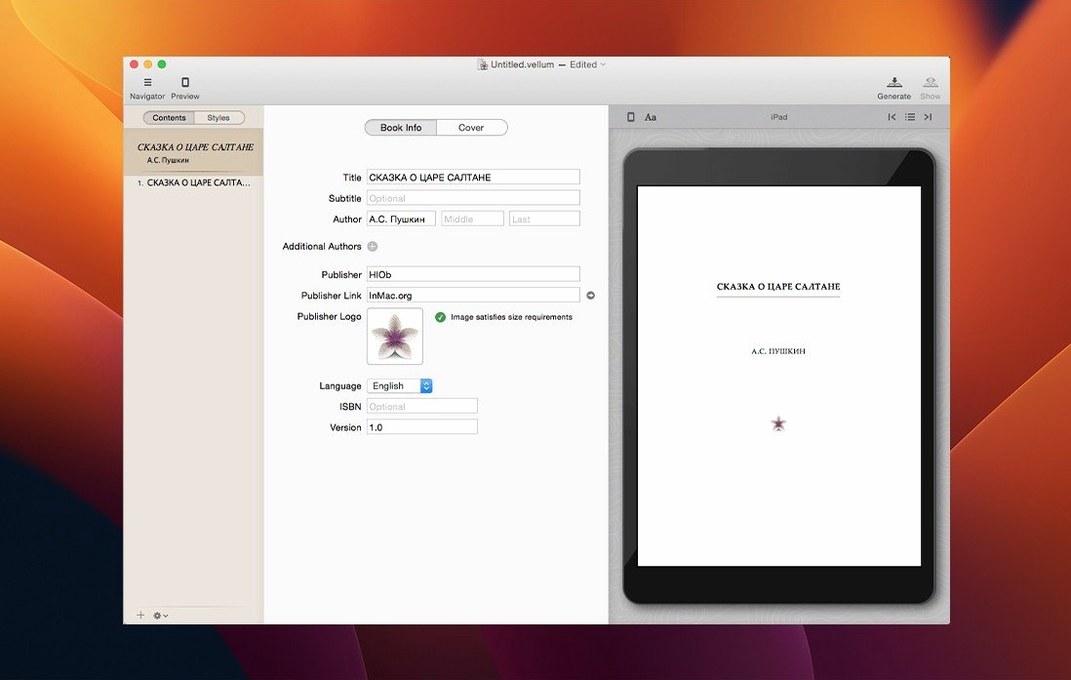
Vellum is a desktop publishing app built to turn a manuscript into properly formatted ebook and print editions without a wrestling match with styles and templates.
You start with a Word document or a blank project, and the software takes care of the typographic details that normally eat up an afternoon — things like widow control, where a lone word at the end of a paragraph gets stranded on a new page, and spread balancing, which keeps facing pages in a print book looking even. An instant preview panel shows you how the book will look on a Kindle, an iPhone, or as a printed page, so there's no guesswork between edits.
Build print and ebook editions from one project
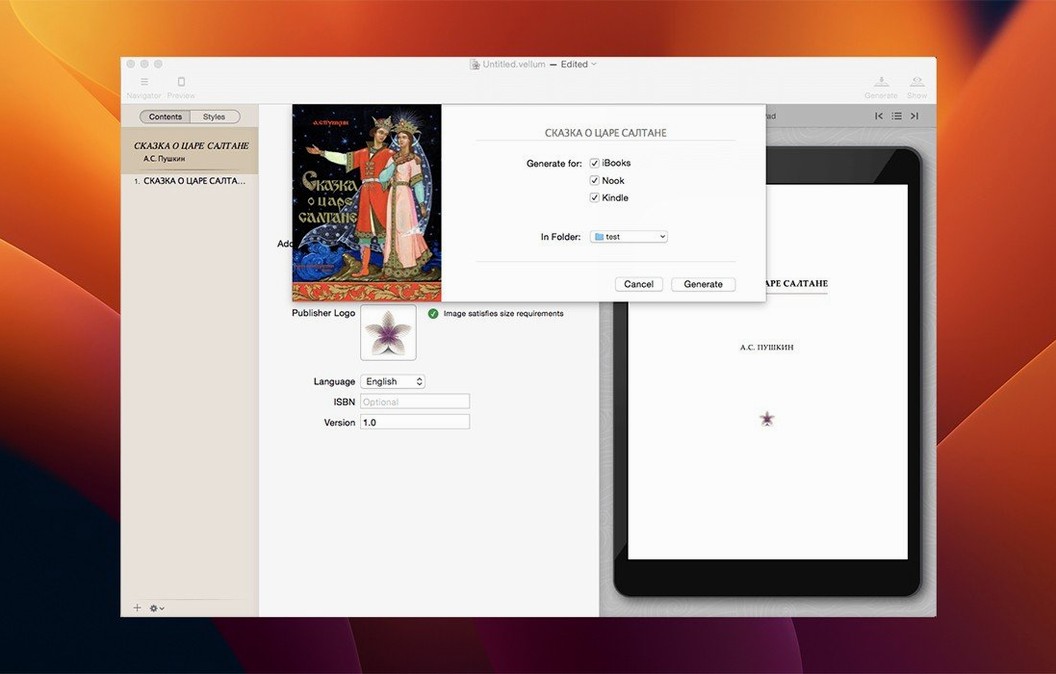
Vellum suits authors and small publishers who want a clean, professional layout without hiring a designer. It generates ebook files for Kindle, Kobo, and Apple Books, and can produce print and ebook editions from the same project in one go. The built-in copyright-page editor keeps the legal bits tidy, and if you need to make a correction later, you can regenerate the ebook files without rebuilding the whole project.
Format manuscripts here, write them somewhere else
The interface is only available in English. Vellum runs on macOS 11 or later and supports both Apple silicon and Intel 64-bit Macs. It's a formatting tool, not a word processor, so you'll do the heavy writing elsewhere and bring the finished manuscript in.
Import a 320-page Word file and start formatting
Imagine it's a Tuesday morning and you've just finished the final draft of a cosy mystery novel. The manuscript sits in a Word file, all 320 pages of it, and the thought of wrestling with chapter headings and page numbers makes you want to lie down. Here's how the next hour actually goes.
You open Vellum and drag the manuscript onto the window. The software reads the file and pulls out your chapter breaks, recognising the pattern in your formatting — a centred heading, a double line break — and builds a book structure in the left-hand sidebar. A title page appears automatically, and the table of contents populates itself from the chapter titles. No manual tagging, no hunting through a dozen dropdown menus.
Now comes the part that feels a bit like decorating a cake. You browse the style browser — a panel of preview cards showing how each design handles chapter openings, body text, and scene breaks. You click through three or four, watching the preview window update instantly each time. One style gives you elegant drop caps at the start of each chapter; another uses a clean sans-serif for headings with generous white space. You settle on a classic serif look called Garamond Classic and watch the entire book reflow in front of you. Every chapter, even the ones you'll add later, will follow the same rules.
The preview panel is where you spend the next twenty minutes. You switch device views — Kindle Paperwhite, iPhone, iPad, a printed hardback — and spot a widow on page 87 where a single word hangs at the bottom of a page. You don't fix it manually. Vellum's widow control has already made its best guess, but you adjust the tolerance with a slider and watch the text redistribute itself across the page break. The same slider handles spread balancing for the print edition, making sure facing pages end at roughly the same height.
Before you export, you open the copyright page editor and type in the legal boilerplate, your ISBN, and a brief dedication. The boxed set feature catches your eye — you make a mental note to bundle this book with the previous two in the series when you're ready. You hit export and choose ebook formats: a .mobi for Kindle, an .epub for Kobo and Apple Books. A minute later the files are ready. You send the Kindle file to your own device for a final read-through, and Vellum stays open in the background, ready for the typo you'll inevitably find on page 214.
Frequent releasers and small publishers skip per-book design fees
Self-publishing authors are the obvious match, particularly those who release frequently and can't justify paying a formatter for every book. But three other groups find Vellum unusually useful.
Small independent publishers with a backlist of half a dozen titles benefit from the boxed set feature, which stitches multiple books into a single ebook file with a unified table of contents. A publisher can create a complete series bundle in an afternoon, style it consistently with the individual editions, and have it ready for a promotional price drop on Kindle.
Authors who write in languages that use standard Latin characters but publish primarily through Amazon's English-language storefronts appreciate the English-only interface without needing localised menus. The generated ebook files are compatible with all the major platforms regardless of the manuscript's language.
Writers who obsess over print quality — the kind who notice when a header is two millimetres too close to the top margin — find the trim-size workflow calming. You pick a trim size from the list, and the software recalculates margins, headers, footers, and page numbers across the whole book. What would take half a day in a general-purpose layout program happens in seconds, and the print preview confirms it before you commit.
Your original manuscript file stays completely untouched
Will it mess up my manuscript file? No — Vellum reads your document and builds its own project file separately. Your original Word or text file stays untouched. If you need to make substantial revisions later, you can re-import and the structure picks up the changes.
Does it need an internet connection? The app runs entirely on your Mac. Generating ebook files, previewing, styling — none of it phones home. The only time you might need a connection is if you search for a Vellum torrent online, but the software itself works offline from the moment you mount the disk image and drag it into Applications.
What happens if I change my mind about the style halfway through? You pick a different style from the browser and the whole book updates. Chapter headings, body fonts, scene-break ornaments, and title-page layouts all switch together. You don't unpick any manual formatting because there isn't any — the styles are structural, not cosmetic overrides.
Device previews now repaint without the unstyled-text flash
Version 4.1.5 EDiSO refined some edges that experienced users had learned to work around. The preview updates feel tighter — switching between a phone and a print spread now repaints the panel without the brief flash of unstyled text that older versions sometimes showed. The import parser handles manuscripts with inconsistent chapter formatting more gracefully, so you spend less time teaching the software where your chapter breaks are.
Behind the scenes, the Apple silicon build now runs more of the layout calculations on the efficiency cores, which matters when you're previewing a 600-page novel with lots of images. The fans on an M-series MacBook Air stay quiet through a full export session. Intel Macs haven't been left behind — the 64-bit build still handles everything the Apple silicon version does, just a touch slower on the heaviest print-output calculations.
- macOS 11 (Big Sur) or later
- Works natively on both Apple Silicon and 64‑bit Intel Macs
Questions from the class 0
Sign in or join the class to ask a question.
Nobody has asked anything yet. If you have used it on a real job, say what the file did.
Also on the Office shelf
The whole Office shelf VueScan Pro
Brings its own drivers to keep your old scanner working long after manufacturer support ends.
VueScan Pro
Brings its own drivers to keep your old scanner working long after manufacturer support ends.
 Typora
Writes in Markdown and sees a clean, formatted document appear around your words as you type.
Typora
Writes in Markdown and sees a clean, formatted document appear around your words as you type.
 Wolfram Mathematica
Complements your spreadsheet and text editor with thousands of built-in maths and AI functions.
Wolfram Mathematica
Complements your spreadsheet and text editor with thousands of built-in maths and AI functions.
 XMind Pro
Turns messy meeting notes into a clear, branching mind map on your desktop.
XMind Pro
Turns messy meeting notes into a clear, branching mind map on your desktop.
 Things
Captures to-dos the moment they occur and organises them into a calm daily list.
Things
Captures to-dos the moment they occur and organises them into a calm daily list.
 Text Workflow
Transforms messy text with chains of reusable steps you can save and share.
Text Workflow
Transforms messy text with chains of reusable steps you can save and share.
 SpeakMe
Reads text aloud on any recent Mac.
SpeakMe
Reads text aloud on any recent Mac.
 SimpleMind Pro
Maps your ideas outwards from a central node instead of writing them in a vertical list.
SimpleMind Pro
Maps your ideas outwards from a central node instead of writing them in a vertical list.