 ASPNetWorld

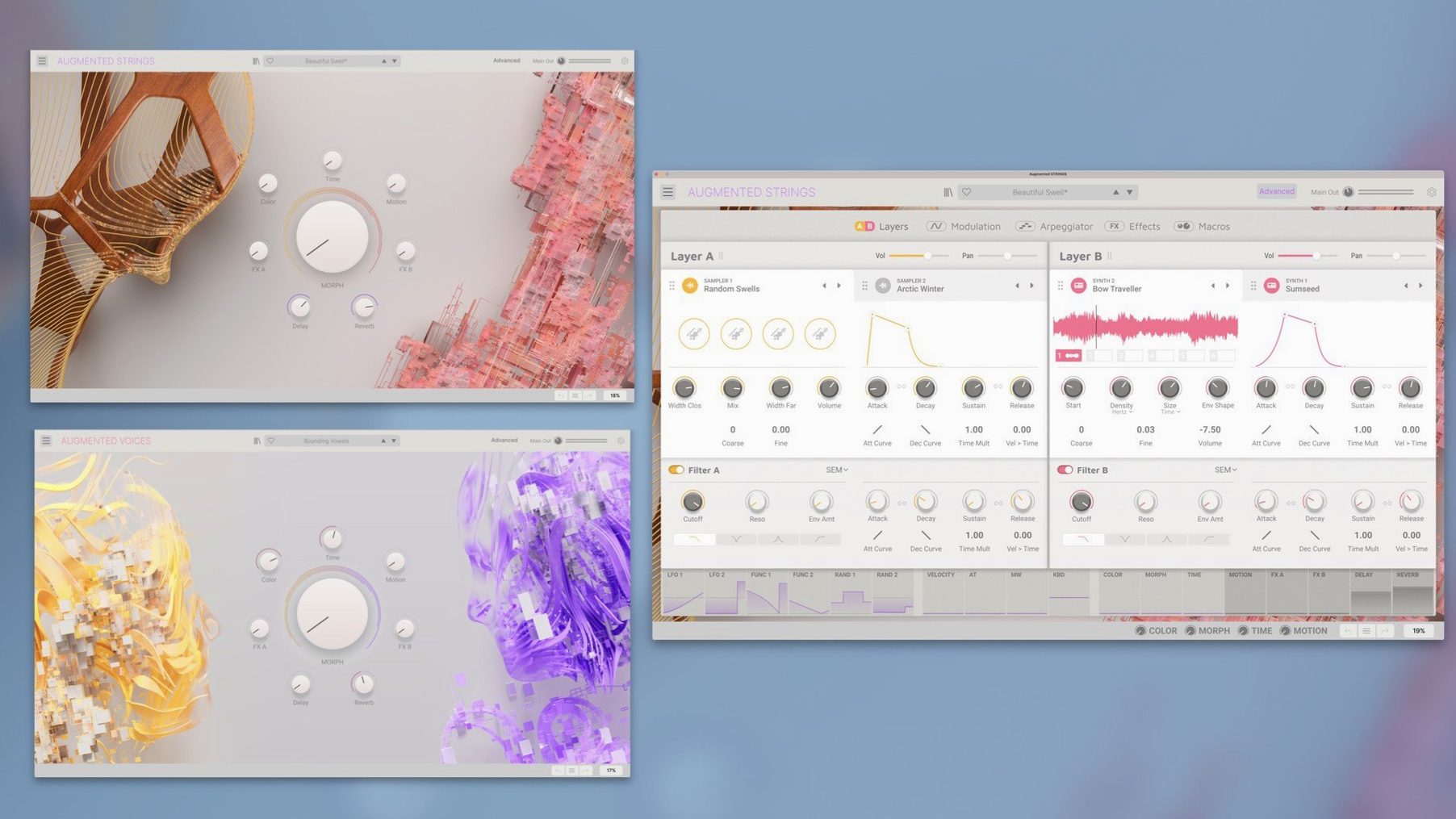
You load a simple sawtooth pad and the vocal is almost hidden — a breathy, glassy overtone tucked behind the oscillator. Grab the Morph fader and push it upwards. The voice surfaces gradually, not as a straight crossfade but as a spectral un-blurring, the harmonic content of a human throat and mouth slotting into the synth’s architecture. By the time the fader reaches its destination, the pad has become a choir, and you didn’t touch a single note of MIDI.
The main panel keeps four macro controls — Time, Color, Motion and the Morph — in front of you, each one a calibrated lever into a deep hybrid engine. That engine pairs sampled vocal material with four distinct synthesis types: virtual analogue, wavetable, granular and harmonic. It is not a rompler with a filter slapped on. Move Color and you are shifting the formant structure across the layers, thinning a soprano into a cold, alien reed or thickening a baritone into something closer to a cello.
Built-in effects sit at the end of the chain — reverb, delay, modulation and a two-band EQ — but they are best treated as part of the instrument, not as post-production polish. A touch of the Motion macro introduces rhythmic filtering or tremolo that follows the voice’s own envelope, making static chords feel like they are breathing.
The standalone application and plug-in (AU, VST, AAX, NKS) run natively on both Apple Silicon and Intel Macs from macOS 11 onwards. It is part of Arturia’s Augmented family, and it shares that series’ knack for making a complex synthesis architecture feel like a single, playable instrument rather than a laboratory.
Silent presets often mean the Morph fader is parked at the wrong end
One of the first things that trips people up is a completely silent instrument after loading a preset. Nine times out of ten, the Morph fader is sitting at the wrong end of its travel. Because the control blends between the two layers — and each layer can be weighted heavily towards synthesis or voice — a preset might load with the audible material tucked out of reach. Nudge it, and the sound appears.
CPU spikes with the granular engine are another regular visitor. The engine is doing real‑time grain generation, and stacking four or five instances in a busy arrangement can push even an M‑series chip into crackling territory. The fix is usually simple: open the Advanced panel, find the engine’s voice count setting, and drop it from the default to something leaner — four voices of granular per layer still gives you plenty of texture at a fraction of the load. Freezing tracks in your DAW afterwards keeps the arrangement moving.
On Intel Macs, the first launch of the standalone application sometimes hangs on the library scan. Let it finish — it is cataloguing over four gigabytes of sample content — but if it stalls completely, trashing the Arturia preferences file forces a clean rebuild and has sorted it for every student I have walked through it.
Hunting for a texture starts with dropping the Color macro to darken the formant
A composer I work with regularly starts a cue for a documentary by loading Augmented Voices in standalone mode, just to hunt for a texture. She picks an airy soprano patch, drops the Color macro down to darken the formant, and plays a minor third with her left hand. The sound is close to what she wants but too polite, so she opens the Advanced panel and switches Layer B’s engine from virtual analogue to wavetable, then dials in a slow, unsynchronised LFO that wobbles the wavetable position. The voice now shivers slightly, as if uncertain.
She records a two‑bar phrase into Logic, then duplicates the track. On the second instance, she pulls the Morph fader almost entirely towards the synth layer and flips the arpeggiator on, setting it to a dotted‑eighth pattern that dances around the original part. The two tracks together — one human and hovering, one mechanical and rhythmic — become a single composite instrument. A little of the built‑in modulated reverb on a bus, and the cue’s opening thirty seconds are in the can.
Picture composers automate the Morph fader to shift a cue’s emotional weight
Composers working to picture tend to bond with Augmented Voices quickly, because the Morph control gives them a single, automatable parameter that can shift an entire cue’s emotional weight without changing chords. Drawn towards the synthetic end for tension, pushed up into the vocal layer for release — it maps neatly onto picture edits.
Sound designers, particularly those building creatures or alien environments, gravitate towards the granular and harmonic engines. Taking a single sung vowel and stretching its grains across four octaves while the Motion macro introduces erratic panning creates something that does not sound like a human voice at all, but retains the biological micro‑instability that pure synthesis struggles to fake. It ends up in game audio and sci‑fi beds for exactly that reason.
Bedroom producers and beat‑makers who might normally reach for a sampled vocal chop get a different kind of mileage here. Rather than slicing up a phrase and hoping it fits the key, they can load a sustained articulation — a hum, an “oo”, a nasal overtone — and play it melodically, then use the Morph to fold it back into a pad when the vocal feel has done its job. It stops the track sounding like a sample pack and starts it sounding like an instrument.
- macOS 11.0 or later
- Intel or Apple Silicon Mac
- Works in Audio Unit, AAX, VST and NKS formats
Questions from the class 0
Sign in or join the class to ask a question.
Nobody has asked anything yet. If you have used it on a real job, say what the file did.
Also on the VST Plugins shelf
The whole VST Plugins shelf Arturia Analog Lab V
Gives you thousands of production-ready presets you can shape with simple macro controls.
Arturia Analog Lab V
Gives you thousands of production-ready presets you can shape with simple macro controls.
 Arturia Efx AMBIENT
Generates evolving, three-dimensional backgrounds from any static input signal.
Arturia Efx AMBIENT
Generates evolving, three-dimensional backgrounds from any static input signal.
 Arturia Acid V
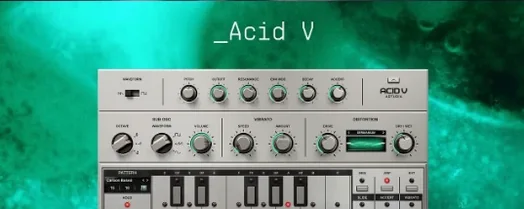
Builds squelchy, sequenced basslines from a single init patch and a handful of knob turns.
Arturia Acid V
Builds squelchy, sequenced basslines from a single init patch and a handful of knob turns.
 Arturia Emulator II V
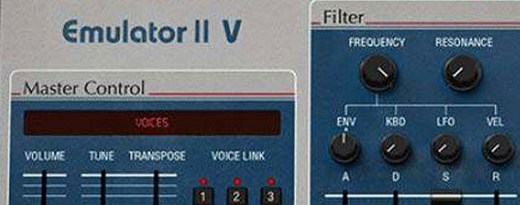
Recreates the crunchy, grainy character of an early 8-bit sampling keyboard.
Arturia Emulator II V
Recreates the crunchy, grainy character of an early 8-bit sampling keyboard.
 Arturia FX Collection
Bundles over thirty precise modelled processors, from studio classics to creative oddities.
Arturia FX Collection
Bundles over thirty precise modelled processors, from studio classics to creative oddities.
 Arturia Mellotron V
Summons the breathing, unstable tape textures of the original Mellotron without the maintenance.
Arturia Mellotron V
Summons the breathing, unstable tape textures of the original Mellotron without the maintenance.
 Arturia Pigments
Rewards sound designers with a deep, semi-modular engine for building patches from scratch.
Arturia Pigments
Rewards sound designers with a deep, semi-modular engine for building patches from scratch.
 Arturia Tape MELLO-FI
Degrades a clean signal into a wobbling, softened, tape-aged version of itself.
Arturia Tape MELLO-FI
Degrades a clean signal into a wobbling, softened, tape-aged version of itself.