 ASPNetWorld
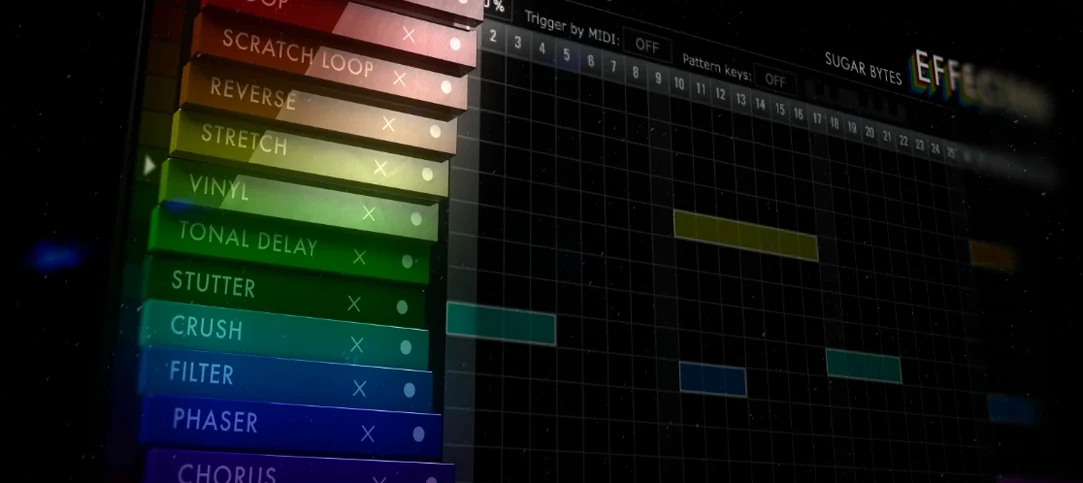
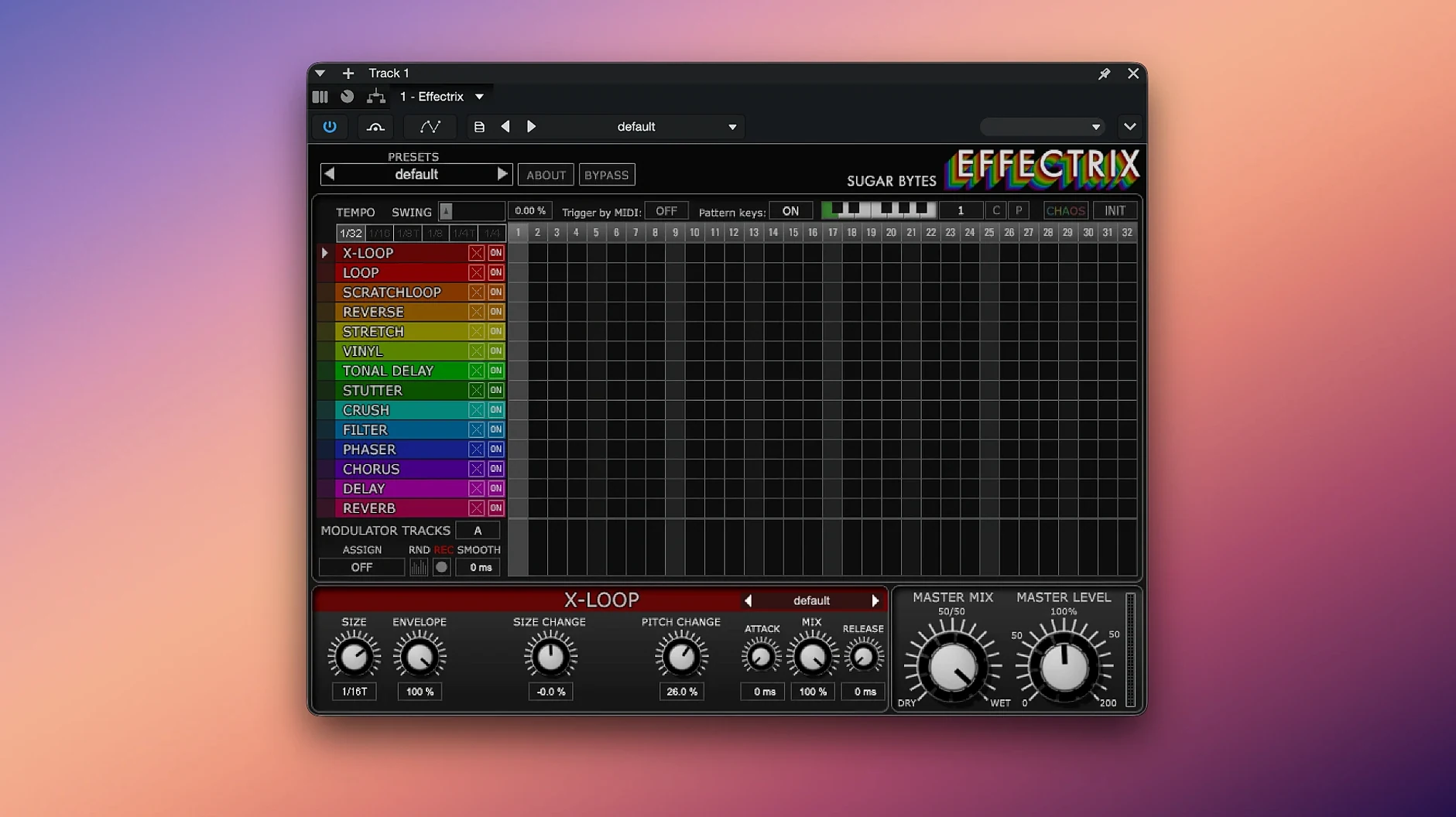
When a simple delay or filter sweep feels too static, sequencing your effects on a step-by-step grid can bring a track to life. Effectrix is a professional multi-effect sequencer that lets you paint synchronized audio transformations across a pattern, much like a step sequencer controls notes. Instead of automation lanes, you get a familiar 16-step matrix where each column triggers a different effect combination, all locked to your host tempo. A single preset can store up to 12 different sequences, and you can recall those 12 patterns directly from a MIDI keyboard for fast live switching.
Will Effectrix run on your Mac?
The official specification calls for macOS 10.13 or higher, and it runs as a 64‑bit application. It supports both Intel and Apple Silicon Macs natively, so there is no Rosetta faff to worry about. On the plug‑in side you are covered across the board: Audio Unit, VST2, VST3 and AAX formats are all present, plus a standalone application when you just want to process audio outside a DAW. The interface is in English.
Fourteen effects you draw across steps with custom cycle lengths and swing
Fourteen synchronized effects sit waiting to be drawn across the steps, from familiar modulations to more eccentric processors. You can adjust the cycle length to break out of rigid four‑bar loops, dial in some swing for a looser feel, or hit the Chaos button and let the plugin randomise the pattern for you — a useful spark when a sequence has become too predictable.
Change the cycle length before you hear a single note
Out of the box, Effectrix defaults to a 16‑step cycle synced to quarter notes, which works well for a quick demo but rarely fits a real arrangement. The first thing I suggest is opening the global section and setting Cycle Length to match the phrase you are working with — twelve steps for a three‑bar riff in 4/4, or seven steps if you want the effect pattern to drift against the beat. While you are there, check the Tempo Division menu. Dropping it to eighth notes or sixteenth‑note triplets gives you twice the resolution for stutter edits and glitch fills, and the grid feels far more musical when a single step does not have to carry a whole quarter note.
The Swing knob lives right next to the tempo controls and gets overlooked surprisingly often. A touch of swing — say 15 to 20 percent — loosens the sequencer’s rigidity without making anything sound drunk. If you work on electronic music with a straight grid, leave it at zero. For hip‑hop, broken beat or anything that needs to breathe, that small offset makes the difference between an effect that feels pasted on and one that sounds like it belongs in the groove.
Lastly, flip through the Global Presets for individual effects before you start building from scratch. Each of the fourteen processors has its own library of starting points, and loading one replaces only that effect lane without touching your pattern. It is a fast way to audition a dozen flavours of the LoFi or Vinyl effect while the sequence is running, and you will often find something you would not have dialled in manually.
A clipboard that copies step blocks across patterns and projects
Effectrix keeps a clipboard that works across patterns and even across projects if the plugin stays loaded. Select any block of steps — hold Shift and drag — then press Cmd‑C to copy. You can paste that block onto a different effect lane, into another pattern slot, or onto an empty area to duplicate a phrase. It sounds mundane, but when you have spent ten minutes tuning the X‑Loops chop on steps five through twelve, being able to paste it onto the Reverse lane without rebuilding the pattern is a quiet time‑saver.
The MIDI recall system maps the twelve pattern slots to notes C3 through B3 by default, and you can change the octave in the settings if that clashes with your controller layout. What the manual does not shout about is that pattern changes are quantised to the next cycle boundary, so you can trigger a fill pattern a beat early and it drops in exactly on the one. Live performers who run Effectrix on a drum bus or synth group will find this far tighter than trying to automate the pattern selector in a DAW.
If you find yourself reaching for the Chaos button repeatedly, try holding Option while clicking it — the randomisation is gentler, nudging parameters rather than scrambling them completely. The same modifier works on individual parameter knobs: Option‑drag for fine adjustments when the range is wide enough to make coarse movements jumpy.
Native ARM build runs without Rosetta on M‑series Macs
Does Effectrix work natively on Apple Silicon, or does it need Rosetta? The current build runs natively on ARM processors — no translation layer, no extra CPU overhead. If you are on an M‑series Mac, the plugin and standalone application both load as native code. Intel Macs are fully supported too, so the same installer covers both architectures.
Will it run in my DAW? If your host loads Audio Units, VST2, VST3 or AAX plug‑ins, the answer is yes. That covers Logic Pro, Ableton Live, FL Studio, Cubase, Pro Tools and pretty much everything else on the Mac platform. The standalone application is useful for live processing or for routing audio through the plugin outside a DAW using a virtual audio device.
Is it heavy on the CPU? Individual effects are lightweight, but stacking all fourteen lanes with complex processors — the granular X‑Loops and the LoFi effect together, for instance — will add up. On a modern Mac it is not a concern for a handful of instances, but if you plan to run it on every channel, freezing tracks is sensible. The GUI itself is OpenGL‑based and responsive even on older machines.
First days with Effectrix: practical tips
Start on a drum bus. Percussive material reveals what each effect does instantly — you will hear the stutter, the reverse slices and the tonal shifts within a single bar — and the rhythmic nature of drums makes it easier to judge whether your step pattern is helping or fighting the groove. Once you have a feel for the timing, move Effectrix onto a synth pad or a vocal chop and the same grid logic holds.
Use the two modulation tracks early, even for subtle movement. Assign one modulator to the dry/wet mix of an effect and draw a slow triangle wave across the cycle; the effect will fade in and out in time with the sequence, which is far more organic than a static setting. The modulation lanes run parallel to the step grid and can target almost any parameter, so think of them as two extra hands that turn knobs while the sequencer handles the on/off switching.
Name your patterns. The twelve slots are labelled numerically by default, but double‑clicking a label lets you type something descriptive — “verse glitch,” “chorus fill,” “breakdown” — which makes MIDI recall during a session far less guesswork. The names are saved with the preset, so they travel with the patch if you share it with a collaborator or move it between projects.
When a pattern feels almost right but too predictable, resist the urge to redraw everything. Shorten the cycle length by one step, nudge the swing a fraction, and toggle the Chaos button once with the Option modifier held down. Those three moves together shift the feel enough to break a loop out of its rut without losing the core idea you built.
- macOS 10.13 or higher
- 64‑bit Intel or Apple Silicon processor
- Audio Unit, VST2, VST3 or AAX compatible host (or use Standalone)
Questions I keep hearing
Does Effectrix work natively on Apple Silicon Macs?
Yes, the current version provides native support for both Intel and Apple Silicon Macs.
What plug‑in formats are included with Effectrix for Mac?
It is available as Audio Unit, VST2, VST3, AAX and a Standalone application.
Questions from the class 0
Sign in or join the class to ask a question.
Nobody has asked anything yet. If you have used it on a real job, say what the file did.
Also on the VST Plugins shelf
The whole VST Plugins shelf elastiquePitch
Shifts the pitch and formant of a recording independently without changing its length.
elastiquePitch
Shifts the pitch and formant of a recording independently without changing its length.
 EZbass
Turns your chords into realistic basslines with fingerstyle detail and ghost notes.
EZbass
Turns your chords into realistic basslines with fingerstyle detail and ghost notes.
 EZdrummer
Builds full drum tracks from your ideas when no drummer is available.
EZdrummer
Builds full drum tracks from your ideas when no drummer is available.
 FabFilter Total Bundle
Brings together a suite of tools to shape and polish your mixes.
FabFilter Total Bundle
Brings together a suite of tools to shape and polish your mixes.
 Devious Machines Infiltrator
Sequences a chain of audio effects step by step from a single MIDI note.
Devious Machines Infiltrator
Sequences a chain of audio effects step by step from a single MIDI note.
 Cymatics VOXITY
Puts a lead vocal's EQ, compression and spatial sweetening inside a single plug-in.
Cymatics VOXITY
Puts a lead vocal's EQ, compression and spatial sweetening inside a single plug-in.
 Cymatics QUAKE
Synthesises weighty 808 bass sounds from scratch with built-in saturation circuits.
Cymatics QUAKE
Synthesises weighty 808 bass sounds from scratch with built-in saturation circuits.
 Cableguys Snapback
Layers a second sample underneath your drum hit and snaps its timing to the transient.
Cableguys Snapback
Layers a second sample underneath your drum hit and snaps its timing to the transient.