 ASPNetWorld

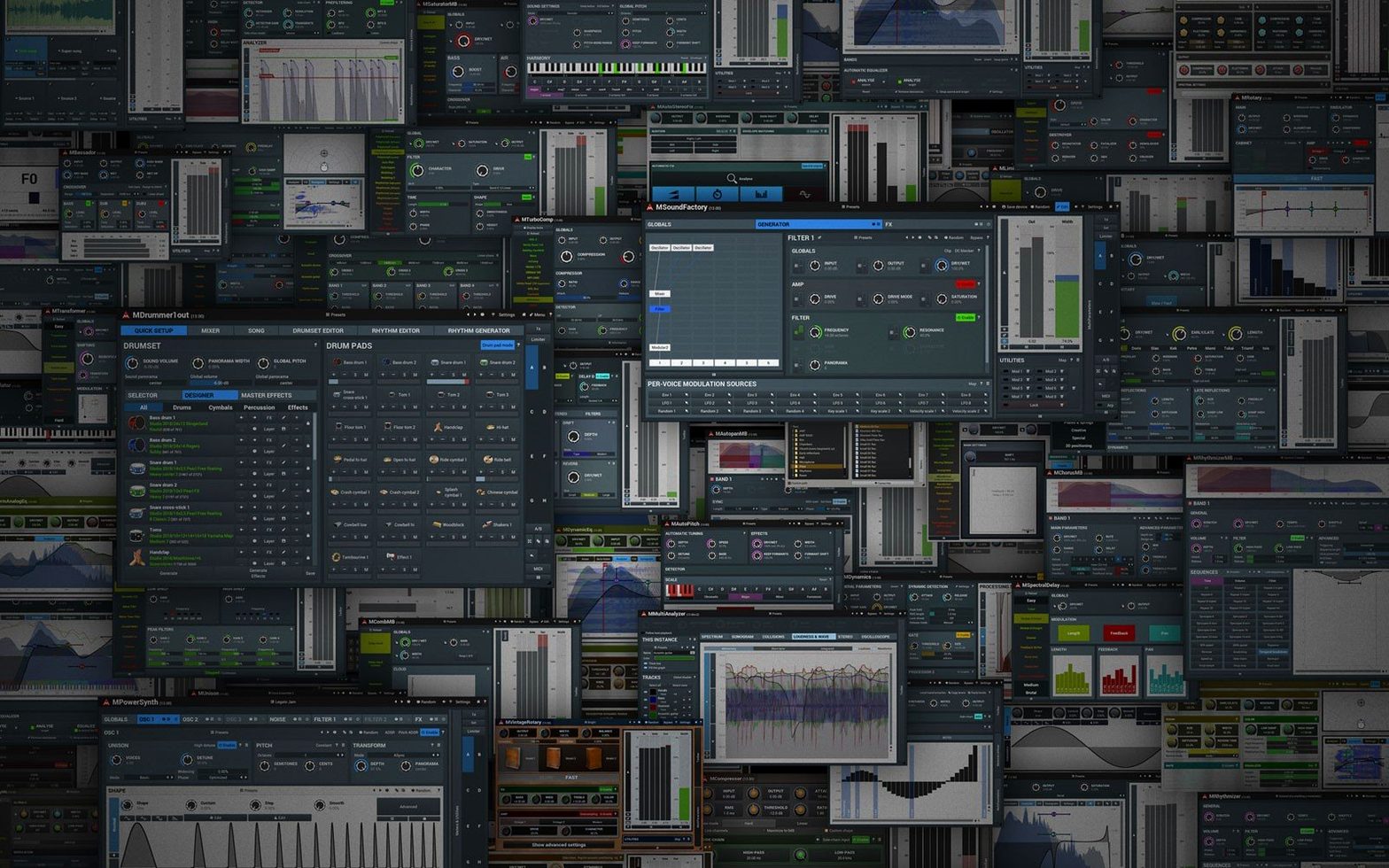
MCompleteBundle is the full set of MeldaProduction plug-ins — 112 effects and instruments covering dynamics, equalisation, modulation, reverb, stereo imaging and analysis, all in one download. What makes the bundle hang together as a mixing toolkit is the consistency of its control set. Open any plug-in in the collection and you find the same modulation framework waiting: you can attach an LFO, an envelope follower or a pitch detector to almost any knob, then watch the animated graph show you exactly how the parameter is moving. It turns an EQ band into something that breathes with the vocal, or makes a compressor’s ratio loosen whenever the bass note hits.
- Automatic gain compensation runs through every dynamics processor, so you audition what the compressor or limiter is doing to the timbre, not just the level change.
- The sonogram display overlays a real-time spectrogram behind the analyser curves, letting you line up a filter slope against the actual energy in the recording.
- Up to 64-channel ambisonic support means a single reverb instance can place sources in full 7th-order spatial fields — useful when you are mixing for VR or immersive installations.
- Modular multiband splitting appears in many effects, so you can compress the low end of a synth pad while flanging only the highs, all inside one plug-in window.
- Oversampling controls sit on the top bar of any processor that benefits from it, letting you push a clipper or saturator well past Nyquist without aliasing folding back into the audible range.
Under the hood, the 64-bit processing engine keeps headroom generous, which matters when you chain twenty instances across a busy session. And because the interface scales to any size without blurring, you can park an RTA on a second monitor and still read the numbers from across the room during a late-night mastering pass.
Who really feels at home with this bundle
MCompleteBundle makes most sense when you treat it as a modular laboratory rather than a grab-bag of presets. The people I see getting the deepest value from it tend to fall into three camps. First, the sound designers who build patches from scratch in MSoundFactory or MPowerSynth and then process them through the same ecosystem — everything speaks the same modulation language, so a single LFO can ripple across an instrument and three insert effects without translating between different plugin architectures. Second, the post-production mixer who needs to pan dialogue across a 7th-order ambisonic field and wants the reverb to follow intelligently; the spatial tools here go far beyond what most channel-strip bundles offer. Third, the educator or curious intermediate who is willing to read a manual. These plugins do not hand-hold, but once you understand the modulation grid and the multiparameter system, you start solving problems other bundles make you route around in the DAW.
If you mostly work with curated analogue-modelled chains and want a quick Neve-style EQ with two knobs, you may find the interface over-rich. But if your instinct is to patch an envelope follower onto a filter cutoff and hear what happens, the bundle keeps rewarding that impulse.
What the 2026.07 release actually changed in daily work
The public changelog for version 2026.07 is a long scroll of refinements rather than headline features. In practice that means two things for everyday sessions. The first is stability on Apple Silicon hosts that previously showed occasional graphics glitches when moving heavily modulated plug-in windows between Retina and non-Retina displays — those now redraw cleanly. The second is a set of subtle DSP corrections, particularly in the multiband crossover filters used across the dynamics family, so that phase shift at the crossover points stays more predictable when you stack several multiband instances on adjacent tracks. It is the kind of update you do not hear as a dramatic change, but you notice when a drum bus that used to soften slightly now holds its transient shape exactly.
Hunting modulation loops across 112 plug-ins
The first thing that trips people up is the sheer choice. With 112 plug-ins and every one exposing dozens of modulatable parameters, it is easy to spend an evening chasing modulation loops instead of finishing a mix. My advice is to start with one family — the dynamics processors, say — and learn the multiparameter system before touching the synths. Once you can make a compressor’s attack time follow a sidechain rhythm, the rest of the bundle opens up quickly.
Another recurring hitch is the font scaling on older non-Retina external monitors, where the default interface can feel cramped. The fix is straightforward: hold Ctrl and drag any corner of the plug-in window to resize it, then save that as the default state from the settings menu. Lastly, if a session from an older version loads with bypassed automation lanes, re-scanning the AU cache in your host usually resolves it — the 2026.07 build tightened the parameter IDs but left the automation mapping intact, so a fresh scan tells the DAW to reconcile the stored data with the new identifiers.
The 2026.07 update continues a round of bug fixes and small refinements across the bundle, tightening up stability and interface behaviour for the current macOS hosts.
- macOS 10.14 Mojave or newer
- Apple Silicon or Intel 64-bit processor
- 64-bit host supporting VST, VST3, AU or AAX
Questions from the class 0
Sign in or join the class to ask a question.
Nobody has asked anything yet. If you have used it on a real job, say what the file did.
Also on the VST Plugins shelf
The whole VST Plugins shelf Melodyne
Edits the pitch and timing of recorded audio as individual notes.
Melodyne
Edits the pitch and timing of recorded audio as individual notes.
 Metric Halo Production Bundle
Shapes individual instruments and buses with studio-grade processors.
Metric Halo Production Bundle
Shapes individual instruments and buses with studio-grade processors.
 MiniMeters
Displays audio metering so you can see what your mix is doing.
MiniMeters
Displays audio metering so you can see what your mix is doing.
 Minuit Solstice
Rearranges samples on a spectral map for otherworldly textures.
Minuit Solstice
Rearranges samples on a spectral map for otherworldly textures.
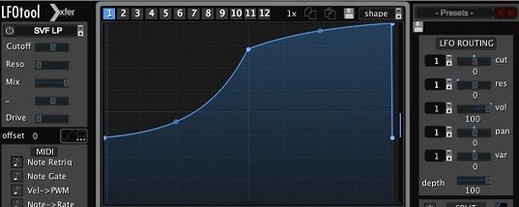 LFOTool
Shapes volume, pan, filter, or MIDI CC data with tempo-synced drawn curves.
LFOTool
Shapes volume, pan, filter, or MIDI CC data with tempo-synced drawn curves.
 LANDR Vocal Bundle
Sculpts a vocal through a single channel strip that layers EQ, compression, and saturation intelligently.
LANDR Vocal Bundle
Sculpts a vocal through a single channel strip that layers EQ, compression, and saturation intelligently.
 Native Instruments Massive X
Generates deep, moving bass and lead sounds through a polyphonic wavetable synthesis engine.
Native Instruments Massive X
Generates deep, moving bass and lead sounds through a polyphonic wavetable synthesis engine.
 LANDR Mastering Plugin PRO
Applies adaptive mastering to a mix in real time as you make changes.
LANDR Mastering Plugin PRO
Applies adaptive mastering to a mix in real time as you make changes.