 ASPNetWorld

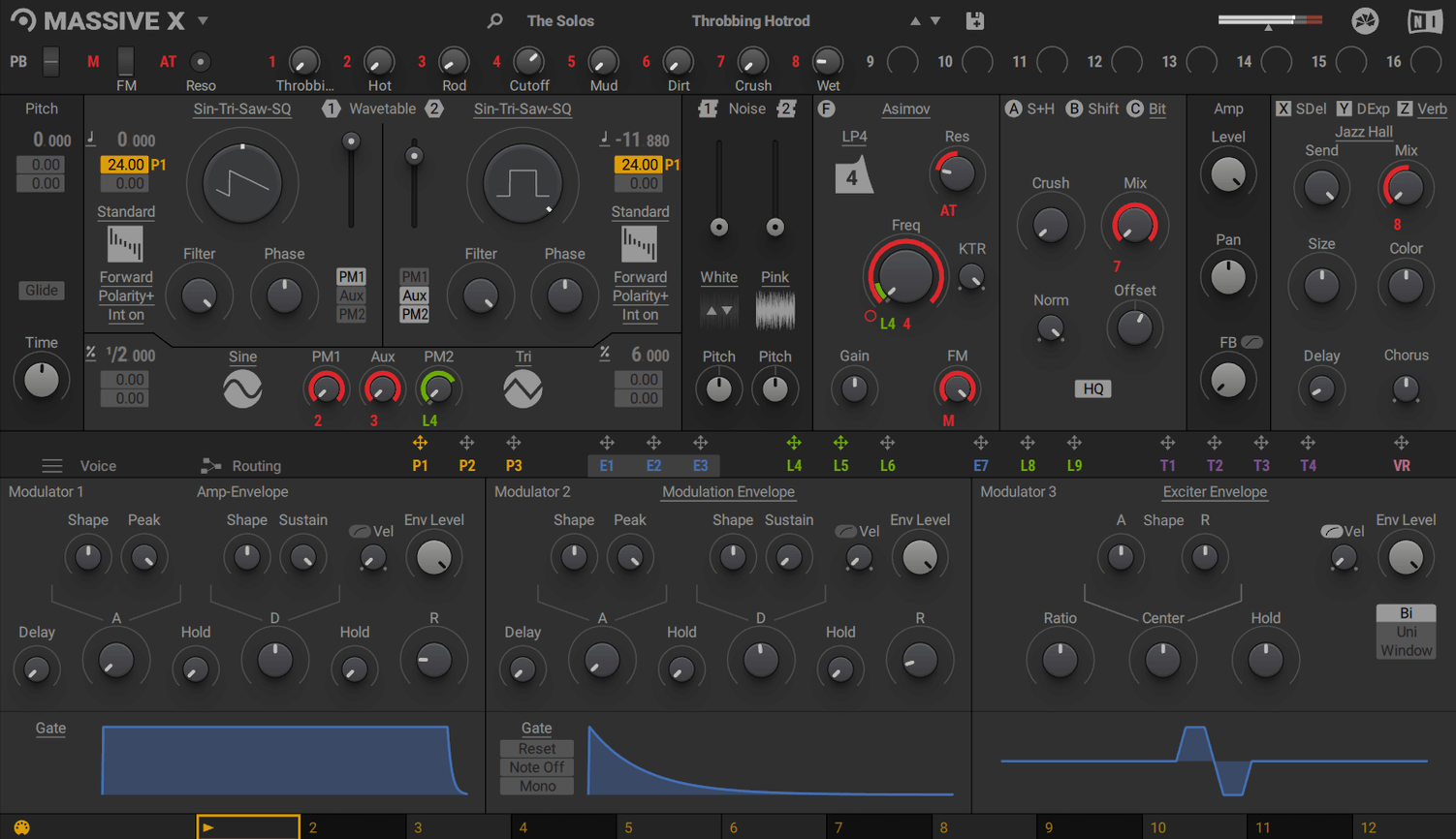
If you have ever loaded the original Massive onto a bass track, you already know that particular weight and grit it brings. Massive X sits alongside it in Native Instruments’ KOMPLETE line, not as a replacement but as a different animal for your sessions. It is a polyphonic wavetable synth that lives entirely within your DAW — there is no standalone mode — and it tends to find a home on tracks where a sound needs to shift and breathe over time rather than just punch once.
Common roles in a project
- Lead and pad tracks — the two phase modulation generators and 10 wavetable playback modes let you craft tones that evolve across a bar or a whole phrase, so a pad can slowly unfurl without eating headroom with extra processing.
- Modulation-heavy buses — the Performer section draws custom patterns and routes them to any parameter, which means a single held note can become a rhythmically complex texture for an entire bus without touching your DAW’s automation lanes.
- Revisiting older projects — because it coexists with the original Massive, you can keep legacy sessions intact while using the new synth for fresh layers that need more articulation.
What that means for your workflow
When you open Massive X, the factory library hands you 780 presets — enough to audition a character quickly and then twist it. Because everything runs inside the plugin, you treat it like a self-contained sound design pocket on a track or a bus, feeding it simple MIDI and letting the wavetable engine and modulators do the heavy lifting before you reach for extra effects.
Evolving an organic pulse into glassy shards for a drama cue
Imagine a composer staring at a cue for a tense drama scene — the director wants something that starts as a low, organic pulse and gradually splinters into glassy, metallic shards over about twenty seconds. Opening Massive X on an instrument track in Logic, they pull up a wavetable that blends a cello body resonance with a tuning-fork harmonic series, set the playback mode to Formant to stretch the harmonic peaks, then route one of the phase modulation generators to subtly detune the second oscillator as the note holds. The Performer section gets a slow, stepped curve assigned to the wavetable position, so the sound morphs from wood to metal without a single automation lane — just one held key and a lot of listening. By the time the scene cuts, the sound has told half the story.
Sorting out stuck MIDI assignments and disappearing UI elements
The plugin window is just a blank grey rectangle
This almost always means the graphics card or its driver is falling short of the OpenGL 2.1 requirement that the installer mentions. On an older Intel Mac with integrated graphics, updating the OS sometimes pulls in a newer driver that solves it. If the machine barely scrapes the minimum, reducing the display scaling in your DAW's plugin window settings can sometimes coax it into drawing properly.
CPU spikes when you switch presets during playback
Each preset loads a fresh set of wavetable data, routing maps, and modulator curves, and the engine reallocates memory on the fly — doing that while your DAW is pushing a full mix out to your interface is asking for a spike. The fix is simple: pause transport before browsing. If you must audition sounds in context, freeze or bounce the track first, then use the frozen audio as a bed while you flick through presets on a duplicate track.
The Remote Octave control seems to do nothing
The Remote Octave mapping only triggers Performer patterns that have been assigned to a note range — it is not a global transpose for the whole patch. Open the Performer panel, make sure at least one lane has a pattern drawn and a destination assigned, then check the note mapping at the bottom of that lane. Without a destination, the pattern cycles in silence.
Searching for a term like massive x torrent and finding several different installers
Version 1.7.1 is the current build that runs on macOS 13 and newer, with native Apple Silicon support. Older installers floating around, especially Intel-only ones from the early 1.x releases, will refuse to scan properly on an M-series Mac or crash when you load the AU. Stick with the 1.7.1 disk image and run the standard installer — anything earlier will fight you on an up‑to‑date system.
Learning the routing grid as a freeform patchbay before init patching
Before you try to build a sound from scratch, give yourself an afternoon to learn how the routing grid thinks. Massive X is not a collection of fixed signal paths — it is a patchbay where any output can connect to any input, and the results range from subtle to completely unrecognisable.
- Drag a cable from an oscillator output into a filter input, then drag a second cable from the same output into a separate insert effect. You have just created parallel processing inside the synth, and you can balance the two paths with the level controls on each destination. This one habit will change how you approach thickening a sound without stacking plugin instances.
- Open the Performer panel and draw a simple ramp, then assign it to the wavetable position of a single oscillator. Hold a note and listen to the timbre travel. Now change the playback mode from the default to Gorilla or Hardsync — the same ramp produces a completely different journey. Spend an hour just cycling through the ten modes on a single wavetable to lock in what each one does to the harmonic structure.
- Right‑click any knob and choose a modulator from the pop‑up list. The modulation amount appears as a ring around the control. Drag the ring to set depth. Doing this on ten different parameters with the same LFO or Performer lane is how you make a sound that feels alive rather than layered.
Ignoring the cable-and-modulation architecture forfeits its strongest feature
The biggest one is treating Massive X like a preset machine and never opening the routing view. The factory library is strong, but the synth's core strength is the cable‑and‑modulation architecture — ignoring it means you are essentially using an expensive ROMpler with a fancy front panel.
Another common slip is stacking too many voices on a polyphonic patch while the release stage is long. Each voice pulls a full calculation through the wavetable engine, the filters, and any active insert effects, and eight voices of a slowly decaying pad can bring a modest Intel Mac to its knees. Reduce the voice count in the voicing section and shape the amp envelope's release to be just long enough — you can always extend the tail with a reverb send in your DAW at far lower CPU cost.
New users sometimes avoid the phase modulation generators because the name sounds esoteric. In practice, routing a PM generator to a second oscillator with a slow, shallow modulation depth gives you a natural chorusing effect that does not sound like a detuned supersaw — it is more like two players drifting slightly apart. Start with a depth of about 15% and a rate under 2 Hz and you will hear what it does to the stereo field immediately.
Apple Silicon native support drops the Rosetta 2 CPU penalty
The move to native Apple Silicon support is the headline change for anyone on an M1, M2, or M3 Mac. Earlier versions ran through Rosetta 2, which worked but added a layer of translation that showed up as higher CPU loads on complex patches. Loading the same 16‑voice pad patch under 1.7.1 on an M2 drops the CPU meter by a visible chunk, and the GUI redraws feel snappier when you drag a cable across the routing grid.
For Intel users, the AVX requirement that has been present since launch remains, but the 1.7.1 build tightened up some memory handling that previously caused occasional hangs when rapidly switching between presets that use different wavetable sizes. The practical result is that a browsing session — flicking through twenty or thirty presets while a loop plays — is less likely to end in a beachball.
One quiet improvement that affects day‑to‑day patching is more consistent behaviour from the Performer's Remote Octave mapping. In earlier builds, certain DAWs would drop the first note‑on message when the transport was running and the Performer was set to retrigger; 1.7.1 fixed the MIDI timing so the pattern snaps into sync from the first beat rather than the second. If you are building arpeggiated textures by holding a chord and letting the Performer do the rhythmic work, that single‑beat fix removes a lingering frustration that you might have been working around with a track delay.
People who pulled a massive torrent for an earlier build and then tried to layer it with a massive vst torrent for the original synth often ended up with mismatched component versions that Native Access could not reconcile. With 1.7.1's unified installer structure, the plugin registers cleanly alongside any existing Massive installation, so a massive x mac torrent that delivers the current build will coexist without the AU validation tool throwing errors. That alone makes it worth making sure you have the latest version on disk.
The latest maintenance release brings the synth to version 1.7.1, focusing on stability and compatibility fixes under the hood.
- macOS 13 or later
- Apple Silicon or Intel processor (Intel Macs require AVX support)
- 4 GB RAM (6 GB recommended)
- Internet connection for download and activation
- Graphics card with OpenGL 2.1 or higher, or DirectX 9 or 11
Questions I keep hearing
Can I run Massive X without a DAW?
No, Massive X does not run in standalone mode. It loads as a plugin inside a host such as Logic Pro or Ableton Live.
Will Massive X open my old Massive patches?
It coexists with the original Massive for access to older sounds, but the two instruments use different engines, so you cannot directly load legacy patches into Massive X.
Questions from the class 0
Sign in or join the class to ask a question.
Nobody has asked anything yet. If you have used it on a real job, say what the file did.
Also on the VST Plugins shelf
The whole VST Plugins shelf Neural DSP Archetype Petrucci
Recreates the signature amplifier and effects rig of a progressive-metal guitarist.
Neural DSP Archetype Petrucci
Recreates the signature amplifier and effects rig of a progressive-metal guitarist.
 Neural DSP Archetype Rabea X
Recreates a versatile guitar amplifier and a built-in analogue-style monosynth in one plugin.
Neural DSP Archetype Rabea X
Recreates a versatile guitar amplifier and a built-in analogue-style monosynth in one plugin.
 Neural DSP Mantra
Processes a vocal track with pitch correction, compression, saturation, and spatial effects inside your DAW.
Neural DSP Mantra
Processes a vocal track with pitch correction, compression, saturation, and spatial effects inside your DAW.
 Neural DSP Parallax X
Shapes the low-end of a bass guitar with a multi-band processor for clarity and weight.
Neural DSP Parallax X
Shapes the low-end of a bass guitar with a multi-band processor for clarity and weight.
 Neural DSP Soldano SLO-100 X
Recreates a classic high-gain valve amplifier head and its matching speaker cabinet.
Neural DSP Soldano SLO-100 X
Recreates a classic high-gain valve amplifier head and its matching speaker cabinet.
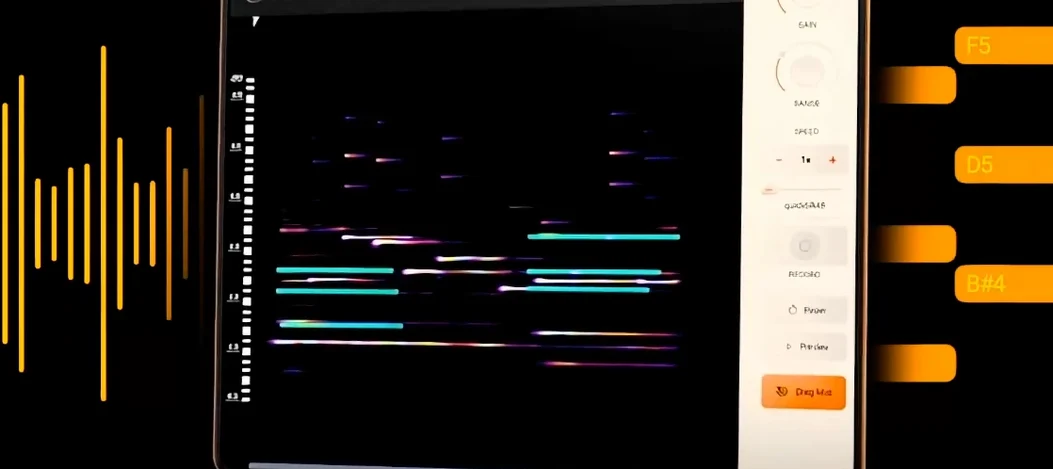 noteGRABBER
Converts the pitch and timing of one audio track into MIDI notes that drive a synth you choose.
noteGRABBER
Converts the pitch and timing of one audio track into MIDI notes that drive a synth you choose.
 Nudist Audio Nudistort
Shreds audio with aggressive wavefolding, bit-crushing, and resonant filter destruction.
Nudist Audio Nudistort
Shreds audio with aggressive wavefolding, bit-crushing, and resonant filter destruction.
 oeksound soothe2
Tames harsh resonances in a recording automatically, like a spectral finger smoothing out rough edges.
oeksound soothe2
Tames harsh resonances in a recording automatically, like a spectral finger smoothing out rough edges.