 ASPNetWorld

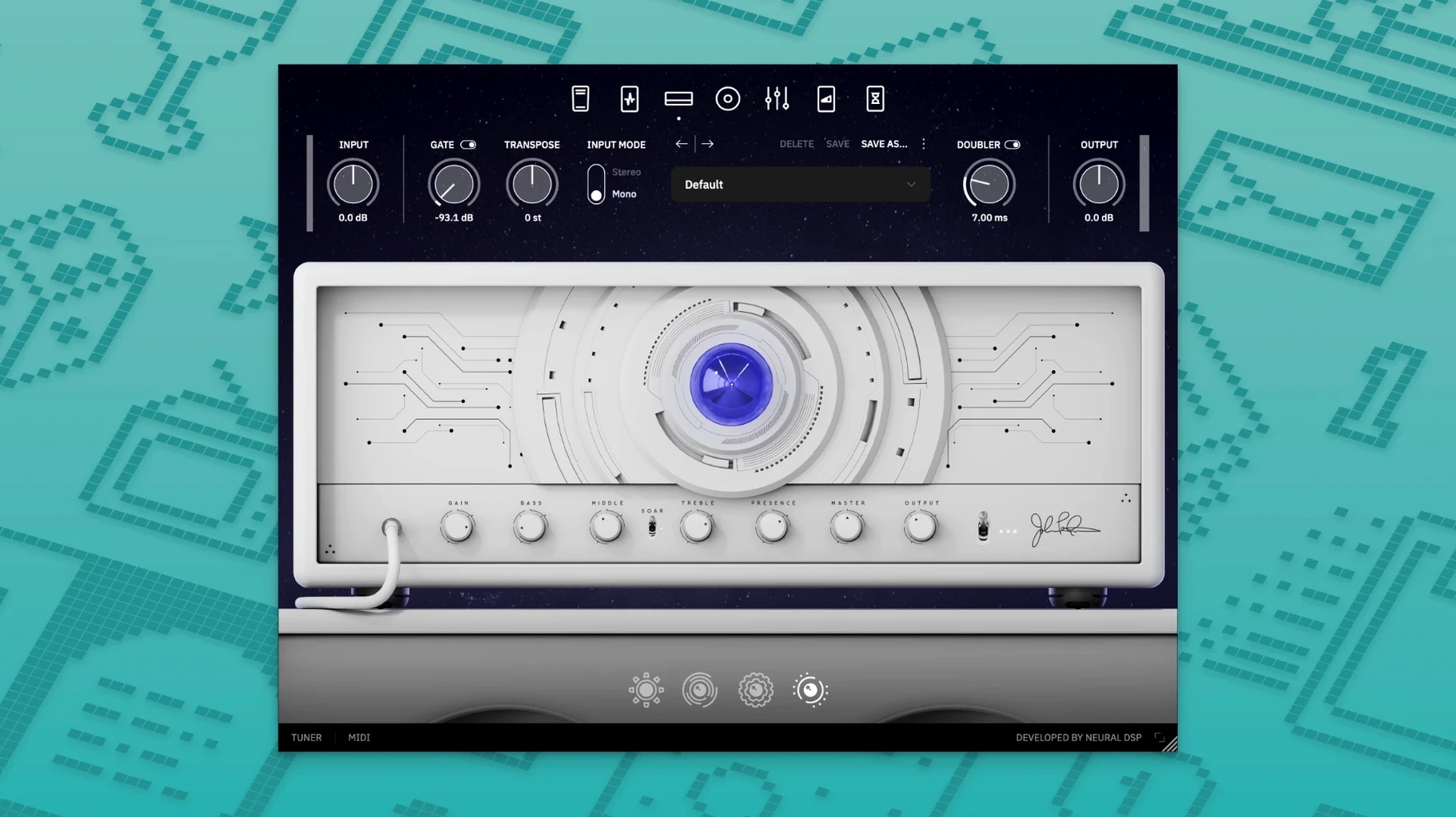
If you're running a Mac, Archetype Petrucci fits neatly into a modern studio setup. It's a 64-bit plugin with native Apple Silicon support, so it runs smoothly on M-series machines without needing Rosetta, and it's equally at home on older Intel Macs from macOS 10.15 Catalina onwards. You get it in every format you're likely to reach for — AU, VST2, VST3 and AAX — plus a standalone application that needs no host at all. That means it slots straight into Logic Pro, Ableton Live, Cubase or Pro Tools without fuss, and it also speaks directly to the Quad Cortex and Quad Cortex Mini hardware if your workflow stretches beyond the screen.
Named after John Petrucci, the plugin carries a sound that feels carefully sculpted rather than simply loud. Where some amp sims throw saturation at the wall, this one holds back with a restrained, powerful character — a kind of precision-tuned muscle that stays articulate even under high gain. You notice it most in the midrange, where notes keep their shape instead of blurring into noise. It's a suite that rewards the player who wants control as much as weight, making it a strong fit for progressive styles and detailed rhythm work.
Version 1.0.0 is the first public release, so what you're installing is the foundation of the plugin. There's no legacy baggage to navigate, just a clean start with full ARM and x86 64-bit architecture support baked in from day one.
A typical session with Archetype Petrucci tends to start quietly. You open Logic — or whichever host you favour — and insert the plugin on a blank audio track, setting the input to your interface's instrument channel. Before you reach for a preset, it's worth spending sixty seconds with the amp block on its own. Dial the gain to about ten o'clock, leave the EQ flat, and play a few open chords. The immediate surprise is how much string separation survives the distortion. On a D/F# voicing, you can hear the bass note settle while the higher strings ring clear — something cheaper amp sims smudge into a single fizzy wash. That clarity is the backbone of the plugin, and it shapes every decision you make afterwards.
From there, most players head straight to the cabinet section. The microphone placement controls feel unusually tactile for a software interface: dragging the virtual mic across the speaker cone changes the top-end bite in small, believable increments, and the room mic fader lets you dial in just enough ambience to stop the tone feeling trapped in headphones. If you're building a rhythm sound, a common move is to pair a dynamic mic close to the cone edge with a ribbon mic pulled back a few inches — it's a combination that balances attack and body without needing much post-EQ. Once that's set, you'll likely reach for the overdrive pedal block to tighten low-end flub on palm-muted riffs. Even with the drive knob barely cracked open, the pedal's tone circuit can shift a boomy humbucker into something that sits neatly against a bass guitar.
By now, ten minutes have passed and you haven't opened the manual once. That's deliberate — the layout follows a signal path that mimics a physical pedalboard and amp, so your hands already know where to go.
The plug-in drops into Logic’s Audio Units menu as AU, VST3 and AAX
Because the plugin arrives in AU, VST3 and AAX formats, it integrates with your existing toolkit without asking you to change host. In Logic Pro, it appears in the Audio Units menu under Neural DSP, and you can save any configuration as a Logic patch or a plugin preset for recall across projects. Ableton Live users can map the plugin's controls to MIDI controllers through Live's own mapping system — useful for riding the delay feedback or boosting the amp's mid control during a solo section. Pro Tools users get the same experience via AAX, and because the plugin reports its latency correctly, automatic delay compensation keeps everything sample-accurate.
macOS's Aggregate Device feature is worth a mention here. If you're running the standalone application alongside a DAW — perhaps using the plugin for practice while your session stays open — creating an aggregate device that combines your interface with the Mac's built-in output lets you route the standalone sound to headphones without disrupting your DAW's I/O. It's a small setup trick that turns Archetype Petrucci into a grab-and-go practice rig without closing your project.
Quad Cortex integration adds another layer. You can capture a tone you've built in the plugin and transfer it to the hardware unit for live use, or run the plugin on your Mac while the Quad Cortex handles effects switching via MIDI. The two-way compatibility means the sound you sculpted at your desk travels with you to rehearsal without re-dialling anything.
Start with the second amp channel for its midrange push on solo phrases
Imagine you've tracked a rhythm part and now need a singing lead sound for a solo that climbs from the twelfth fret upwards. Start with the amp block on the second channel — the one voiced with more midrange push. Set the gain higher than your rhythm tone, around two o'clock, but pull the bass control back to nine o'clock to stop the low strings dominating when you dig in. The treble and presence can stay near noon; the amp's natural voicing already carries enough cut.
Next, engage the delay block. Set it to a dotted-eighth note with the tempo synced to your DAW — this is where running the plugin inside a host pays off, because the delay reads the session tempo automatically and your repeats land in musical time without tapping anything. Mix the delay low, around twenty percent, just enough to add width without pulling focus from the front of the note. Then add a touch of reverb from the plugin's onboard section: a medium hall with the high-frequency damping turned up slightly, so the tail decays warmly rather than sizzling.
Now the crucial step — the EQ section after the cabinet. Boost a narrow band around 1.6 kHz by two or three decibels. This is the frequency range where a humbucker-equipped guitar can sound congested against cymbals, and a small lift here helps the solo poke through a dense mix without turning up the overall volume. Play the solo part and toggle the EQ on and off; the difference is subtle in isolation but significant when the full arrangement is playing. Save this as a preset called something descriptive like "Lead – Dot8th Hall" so you can recall it for the next project.
The whole process — from blank patch to finished lead tone — takes about eight minutes once you know the controls, and the result is a sound that feels like it belongs on a record rather than a demo.
Spend an hour in the standalone app so your ears adjust before you record
The sensible first move is to load the standalone application and play through it for an hour without recording anything. This strips away the temptation to tweak endlessly and lets your ears adjust to the amp models without the pressure of a session clock. You'll quickly discover which pickup positions pair best with each amp channel, and you'll notice that the noise floor is impressively low — even with high-gain settings, the gate built into the input section clamps down cleanly between phrases.
A second practical tip: organise your user presets early. The factory presets are useful as starting points, but they're designed to show off the plugin's range rather than fit your specific guitar. After a few days, you'll accumulate a handful of patches you genuinely trust. Save them to a dedicated folder inside your Mac's Audio Presets directory (usually ~/Library/Audio/Presets/Neural DSP/Archetype Petrucci) and back that folder up. If you ever reinstall macOS or move to a new machine, dragging that folder back restores your sounds instantly.
Third, experiment with the plugin's CPU usage in different buffer settings. On an Apple Silicon Mac, a buffer of 128 samples keeps latency imperceptible while leaving plenty of headroom for other plugins. If you're stacking multiple instances — say, one for rhythm, one for lead, and one for clean — try freezing the rhythm tracks once you're happy with them. This frees up resources for the lead patch, which typically runs more blocks simultaneously.
Complex presets recall without hesitation and the interface redraws smoothly
On an M1 or M2 Mac, the plugin loads in under two seconds and recalls complex presets without hesitation. The interface redraws smoothly when you switch between the amp, cabinet and effects views, and there's no perceptible lag when dragging virtual microphones or adjusting the graphic EQ. Memory usage sits around 200 to 300 MB per instance, which is modest for a plugin of this depth — you can run six or seven instances on a 16 GB machine before the system starts to feel it, though that number drops if you're also running sample libraries or convolution reverbs.
Stability has been unremarkable in the best sense. Across several-hour sessions in Logic Pro and Ableton Live, the plugin hasn't caused a single crash or dropout. Automation parameters respond predictably, and the plugin recalls its state correctly after saving and reopening a project — a basic expectation, perhaps, but one that not every amp sim meets reliably on macOS. The standalone application is equally well-behaved, connecting to any Core Audio interface immediately after launch and remembering the last-used device between sessions.
One small quirk worth knowing: if you're using the plugin inside a host that supports sandboxing, such as Logic Pro with its default security settings, the first launch may take a few extra seconds while macOS verifies the component. After that, subsequent loads are as fast as any other Audio Unit. It's a one-time pause, not an ongoing annoyance.
Day-to-day, what stays with you is the sense that the plugin gets out of the way. The tones are polished enough that you spend more time playing guitar than engineering, and the CPU footprint is light enough that you forget the plugin is running until you look at the session mixer. For players who've tried the neural dsp free download route to test the waters, the full archetype petrucci free experience delivers a level of polish that justifies the file size. Some users have explored the neural dsp john petrucci free download to compare it against other amp sims, while others know the team flare neural dsp release as a clean, no-nonsense build. If you've previously used a neural dsp crack for mac, version 1.0.0 feels like a calmer, more stable animal — fewer quirks, fewer workarounds, and a tighter integration with Apple Silicon from the ground up.
The first public release lands with full Windows and macOS support in a single version 1.0.0 installer.
- Initial launch with the complete Archetype Petrucci signal chain.
- Native Apple Silicon and Intel 64-bit support from the start.
- macOS 10.15 Catalina or newer
- Apple Silicon or Intel 64-bit processor
- Native Apple Silicon support included
Questions I keep hearing
Can I run Archetype Petrucci on an M1 or M2 Mac?
Yes, it has native Apple Silicon support, so it runs directly on M-series chips without translation.
What plugin formats does the Mac version include?
You get AU, VST2, VST3 and AAX formats, plus a standalone application.
Questions from the class 0
Sign in or join the class to ask a question.
Nobody has asked anything yet. If you have used it on a real job, say what the file did.
Also on the VST Plugins shelf
The whole VST Plugins shelf Neural DSP Archetype Rabea X
Recreates a versatile guitar amplifier and a built-in analogue-style monosynth in one plugin.
Neural DSP Archetype Rabea X
Recreates a versatile guitar amplifier and a built-in analogue-style monosynth in one plugin.
 Neural DSP Mantra
Processes a vocal track with pitch correction, compression, saturation, and spatial effects inside your DAW.
Neural DSP Mantra
Processes a vocal track with pitch correction, compression, saturation, and spatial effects inside your DAW.
 Neural DSP Parallax X
Shapes the low-end of a bass guitar with a multi-band processor for clarity and weight.
Neural DSP Parallax X
Shapes the low-end of a bass guitar with a multi-band processor for clarity and weight.
 Neural DSP Soldano SLO-100 X
Recreates a classic high-gain valve amplifier head and its matching speaker cabinet.
Neural DSP Soldano SLO-100 X
Recreates a classic high-gain valve amplifier head and its matching speaker cabinet.
 Native Instruments Massive X
Generates deep, moving bass and lead sounds through a polyphonic wavetable synthesis engine.
Native Instruments Massive X
Generates deep, moving bass and lead sounds through a polyphonic wavetable synthesis engine.
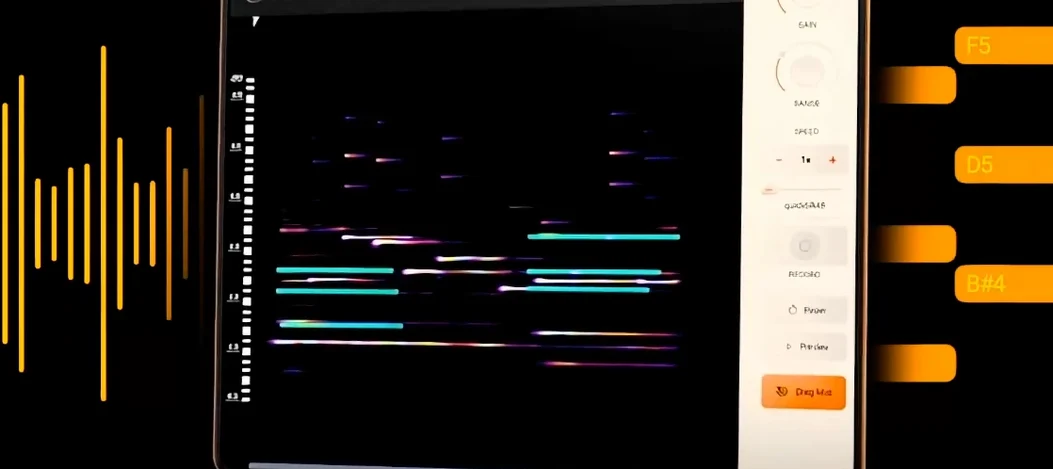 noteGRABBER
Converts the pitch and timing of one audio track into MIDI notes that drive a synth you choose.
noteGRABBER
Converts the pitch and timing of one audio track into MIDI notes that drive a synth you choose.
 Nudist Audio Nudistort
Shreds audio with aggressive wavefolding, bit-crushing, and resonant filter destruction.
Nudist Audio Nudistort
Shreds audio with aggressive wavefolding, bit-crushing, and resonant filter destruction.
 oeksound soothe2
Tames harsh resonances in a recording automatically, like a spectral finger smoothing out rough edges.
oeksound soothe2
Tames harsh resonances in a recording automatically, like a spectral finger smoothing out rough edges.