 ASPNetWorld

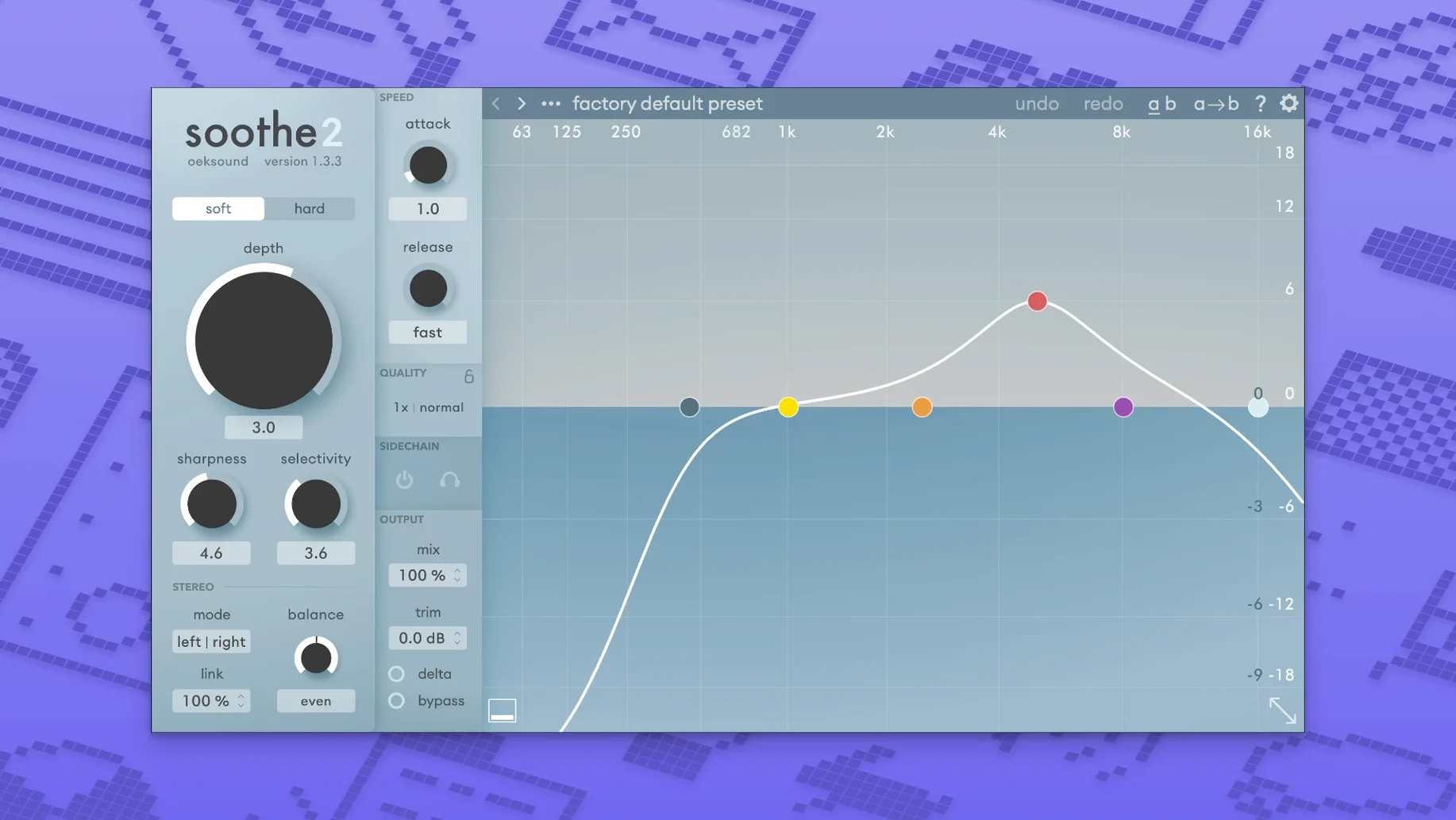
You've got a vocal track that's almost right, but a particular frequency in the 3 kHz range pokes out every time the singer pushes a little harder. You could automate an EQ by hand, drawing in countless dips, or you could load soothe2, grab the central frequency node and drag it onto the offending area. The plugin analyses the incoming signal, identifies resonant peaks that move with the performance, and applies reduction only when those peaks cross a threshold you set — leaving the rest of the performance untouched.
The interface is built around a real-time spectral display that shows what the processor is doing. A delta button lets you hear exactly what's being removed, which is often surprising: room honk, string squeaks on an acoustic guitar, or the brittle edge that a budget microphone adds to cymbals. The soft and hard mode switch changes the shape of the filters, with soft working gently on broad resonances and hard tightening up on sharper, more isolated peaks.
Cleaning up rumble and mud from untreated rooms
- Cleaning low-frequency rumble and muddiness from recordings made in untreated rooms.
- Taming harshness in vocals, cymbals and string instruments without dulling the overall tone.
- Creating space between competing elements — for example, letting a vocal sit in front of a dense synth pad by reducing overlapping resonances.
- Working in mid/side or left/right stereo modes to treat just the centre of a mix or only the side information.
Corrective subtraction, not a character booster
- It's a corrective tool, not a character EQ — it removes what's problematic rather than boosting what's nice.
- The processing can feel subtle in isolation; the delta monitoring is often the best way to hear what's actually changing.
- Requires macOS 10.14 or later and runs on both Intel and Apple Silicon machines.
You can keep both soothe2 and soothe3 installed together
One question that crops up repeatedly is whether soothe2 and soothe3 can sit side by side in the same plug-in folder. They can — they have different bundle identifiers, so your DAW sees them as separate tools. If you have sessions that already use soothe2, they stay completely intact. Another worry is CPU load. Dynamic resonance suppression is not a lightweight process, so you will notice the meter jump if you pile instances onto every channel. On an M-series Mac the plug-in runs natively and stays pretty efficient; on older Intel machines it pays to freeze a few tracks once you are happy with the settings. People also wonder whether the plug-in works purely in stereo or handles surround material. soothe2 operates on stereo channels and offers mid/side and left/right routing, but it is not a multichannel surround processor — you would run it on stereo stems within a wider session.
First days with soothe2
Load a factory preset that is close to what you need, then immediately open the delta monitoring to hear exactly what is being removed. It trains your ear faster than any manual. Next, try a gentle attack setting — slower than the default — on a vocal bus. You will still catch harsh bursts but the processing breathes with the performance rather than clamping down on every transient. A useful exercise is to bypass the plug-in while watching the waveform display; you start to see the resonance spikes before your ears notice them, which speeds up your workflow later. And if you are working on speech rather than music, pull the maximum reduction fader back a touch. Voice-over material sometimes gives the detector less to lock onto, so lighter reduction keeps the result natural.
Logic overload on window open fixed in 1.3.3
A few people run into a momentary playback overload in Logic when the plug-in window first opens — version 1.3.3 includes a fix specifically for that, so updating sorts it. If you use Pro Tools and find that modifier-key parameter clicks do not write automation properly, the same update resolves the behaviour. Occasionally the plug-in seems to miss a resonance that your ears are clearly hearing. Narrow the focus band by dragging the outer frequency handles closer to the offending area; the processor looks for peaks inside that window, so a tighter range helps it lock on. If the display shows reduction happening but the sound feels dull, check that you have not accidentally left the monitoring in delta mode — easy to do, and a quick toggle brings the full signal back.
Version 1.3.3 is a maintenance release that smooths out a couple of workflow snags. The most noticeable fix addresses playback overloads in Logic Pro that could occur when the plugin's graphical interface opened. Pro Tools users also get a correction for automation oddities that would crop up after adjusting parameters with a modifier key held down. The update rounds off with a few new factory presets and a scattering of minor under-the-bonnet improvements.
- macOS 10.14 or later
- Intel and Apple Silicon Macs supported
- Interface language: English
Questions I keep hearing
What exactly is a dynamic resonance suppressor?
It's a processor that listens to an audio signal, identifies frequencies that are ringing or building up unnaturally, and turns them down only when they become prominent, rather than applying a static EQ cut.
Can soothe2 work on a full mix or just individual tracks?
It's designed for use on separate tracks and groups, and the stereo processing modes let you target separate parts of a signal, so it's equally at home on a single vocal as it is on a drum bus.
What changed in version 1.3.3?
The update fixed playback overloads in Logic when the plugin window opened, resolved automation issues in Pro Tools after modifier-key parameter clicks, and added a handful of new factory presets alongside minor stability improvements.
Questions from the class 0
Sign in or join the class to ask a question.
Nobody has asked anything yet. If you have used it on a real job, say what the file did.
Also on the VST Plugins shelf
The whole VST Plugins shelf Nudist Audio Nudistort
Shreds audio with aggressive wavefolding, bit-crushing, and resonant filter destruction.
Nudist Audio Nudistort
Shreds audio with aggressive wavefolding, bit-crushing, and resonant filter destruction.
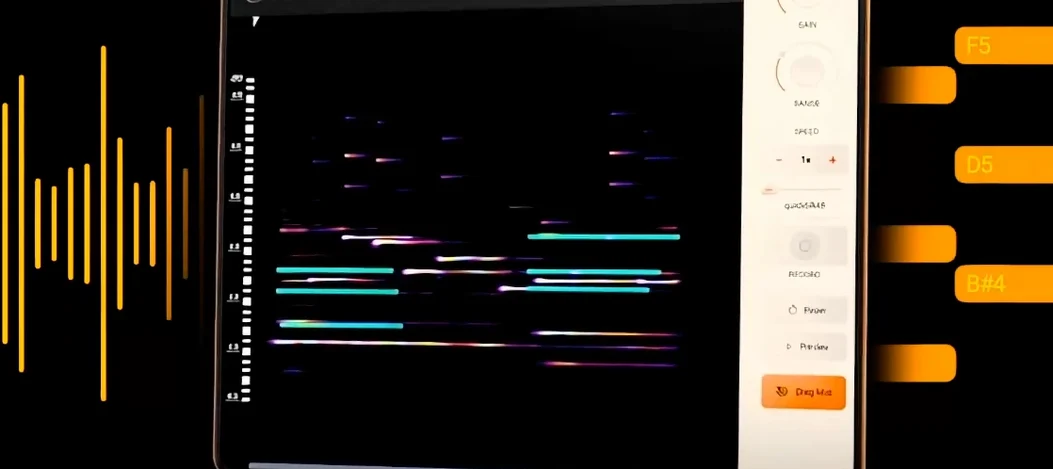 noteGRABBER
Converts the pitch and timing of one audio track into MIDI notes that drive a synth you choose.
noteGRABBER
Converts the pitch and timing of one audio track into MIDI notes that drive a synth you choose.
 Omnisphere
Synthesises otherworldly pads and textures by combining over 60 GB of samples with deep sound-design tools.
Omnisphere
Synthesises otherworldly pads and textures by combining over 60 GB of samples with deep sound-design tools.
 Output Portal
Freezes a sliver of sound in time and re-synthesises it into a shifting, ambient texture.
Output Portal
Freezes a sliver of sound in time and re-synthesises it into a shifting, ambient texture.
 Neural DSP Soldano SLO-100 X
Recreates a classic high-gain valve amplifier head and its matching speaker cabinet.
Neural DSP Soldano SLO-100 X
Recreates a classic high-gain valve amplifier head and its matching speaker cabinet.
 Neural DSP Parallax X
Shapes the low-end of a bass guitar with a multi-band processor for clarity and weight.
Neural DSP Parallax X
Shapes the low-end of a bass guitar with a multi-band processor for clarity and weight.
 Neural DSP Mantra
Processes a vocal track with pitch correction, compression, saturation, and spatial effects inside your DAW.
Neural DSP Mantra
Processes a vocal track with pitch correction, compression, saturation, and spatial effects inside your DAW.
 Neural DSP Archetype Rabea X
Recreates a versatile guitar amplifier and a built-in analogue-style monosynth in one plugin.
Neural DSP Archetype Rabea X
Recreates a versatile guitar amplifier and a built-in analogue-style monosynth in one plugin.