 ASPNetWorld

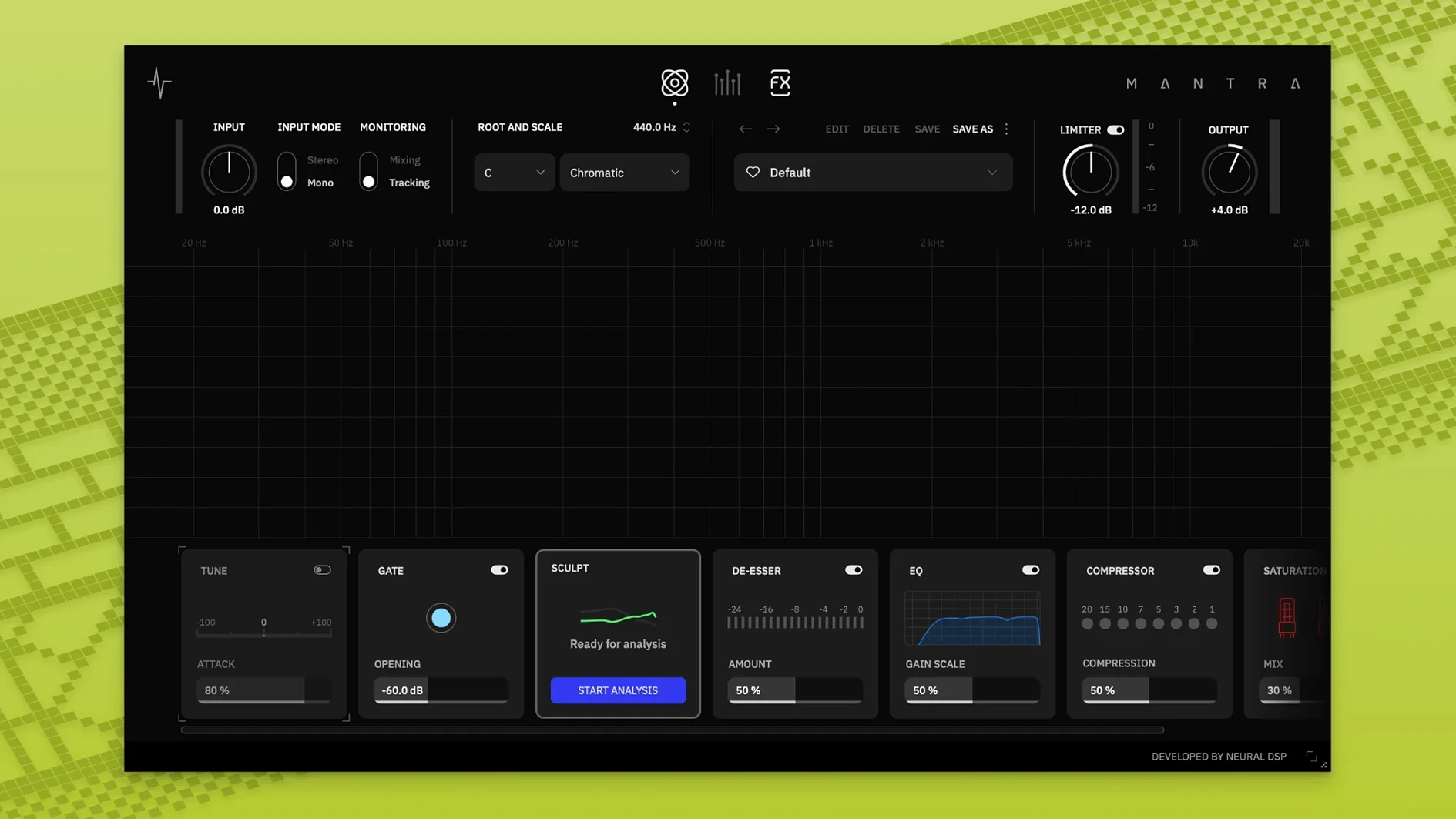
Neural DSP Mantra is a vocal production plugin that packs pitch correction, dynamics processing, saturation, harmonies and time-based effects into a single interface for recording and mixing inside a DAW.
- Runs inside AU, VST3 and AAX hosts on Intel and Apple Silicon Macs.
- Recording mode delivers processed vocal tracking with near-zero latency.
- Sculpt handles automatic cleanup and presence shaping in real time.
- Noise gate, de-esser, two compressors and saturation sit alongside harmoniser and delay modules.
- Deep settings stay one click away behind a clean front panel.
Think of Mantra as a vocal channel strip that grew up and learnt to harmonise. The recording mode means a singer hears the finished tone through headphones without the delay that throws timing off — useful if you print processed takes rather than fixing everything later. Sculpt does a lot of the routine tidying without you chasing frequencies, though you can still dive into the full controls when a phrase needs individual attention. Everything from gentle compression to stacked thirds sits in one window, which keeps a vocal session moving instead of scattering decisions across half a dozen plugins.
Recording mode strips the lookahead processing to keep tracking tight
Picture a vocal tracking session. You have a singer ready, a rough instrumental mix running in Logic, and Mantra loaded on the record channel. You switch to Recording mode — the plugin drops its lookahead-heavy processing and runs a streamlined chain that keeps latency imperceptible. The Noise Gate module catches the rustle of a lyric sheet between phrases. You nudge the main Sculpt knob clockwise until the voice sounds present and even, no EQ guesses required. A gentle turn on the De-esser tames a slightly sharp top end the room mic is picking up. The singer gets a polished tone in the cans, which makes the next three takes feel effortless. After comping the best phrases, you flick Mantra into Mixing mode and the full processing engine lights up. You add a whisper of saturation for weight and dial in a fifth-up harmony that sits behind the lead without stealing its consonants. The whole tracking-to-rough-mix journey stays inside one plugin window.
Command-drag any main knob for fine control without diving into menus
Mantra hides a few things you might not notice on a first pass. Holding Command while dragging any main knob gives you fine control without opening the deep settings — useful when you are a fraction of a dB away from the right compression threshold. The input and output meters use peak and RMS readouts, and clicking the meter switches between them. In the Harmonies section, the DI Mute switch (added in version 1.1.0) cuts the direct signal while leaving only the generated voices, which turns the module into a pure harmoniser pad you can blend behind a dry lead for width. The Preset Explorer, updated alongside the standalone app, lets you audition chains by hovering rather than clicking — a proper time-saver when you are cycling through starting points for a new vocal texture. And the noise gate opens fast enough that consonants never sound clipped, even on quick syllables; a detail that is easy to take for granted until you use a gate that is not built for vocals.
Print a treated vocal early so you second-guess less during the mix
The plugin makes most sense for two kinds of Mac user. First, the producer-engineer who tracks vocals in a home or project studio and wants to commit to a sound early. Printing a treated vocal means less second-guessing during mixing, and Mantra's recording mode gives them the tone without the lag. Second, the mix engineer who inherits dry vocal stems and needs to build a signal chain fast. Rather than loading separate instances for pitch, dynamics, colour and space, they can work through the modules in order and trust that the gain staging between them stays sensible. Songwriters who record themselves also find a sweet spot here: Sculpt handles clean-up without technical diving, and the harmoniser turns a single take into a stacked arrangement without leaving the DAW. If you spend your sessions chasing vocal tone across multiple plugins, Mantra collapses that distance into a single, logically-ordered panel — and on a Mac running macOS 10.13 or later, it slots into an Intel or Apple Silicon workflow without complaint.
- macOS 10.13 or newer
- Intel or Apple Silicon Mac
Questions I keep hearing
What does Neural DSP Mantra do?
Mantra is a vocal production plugin that combines pitch correction, noise gating, de-essing, compression, saturation, harmonies and effects for recording and mixing in a DAW.
Can I use Mantra without a DAW?
Version 1.0.1 runs as a plugin only. A standalone app was added in version 1.1.0.
Questions from the class 0
Sign in or join the class to ask a question.
Nobody has asked anything yet. If you have used it on a real job, say what the file did.
Also on the VST Plugins shelf
The whole VST Plugins shelf Neural DSP Archetype Rabea X
Recreates a versatile guitar amplifier and a built-in analogue-style monosynth in one plugin.
Neural DSP Archetype Rabea X
Recreates a versatile guitar amplifier and a built-in analogue-style monosynth in one plugin.
 Neural DSP Parallax X
Shapes the low-end of a bass guitar with a multi-band processor for clarity and weight.
Neural DSP Parallax X
Shapes the low-end of a bass guitar with a multi-band processor for clarity and weight.
 Neural DSP Soldano SLO-100 X
Recreates a classic high-gain valve amplifier head and its matching speaker cabinet.
Neural DSP Soldano SLO-100 X
Recreates a classic high-gain valve amplifier head and its matching speaker cabinet.
 Neural DSP Archetype Petrucci
Recreates the signature amplifier and effects rig of a progressive-metal guitarist.
Neural DSP Archetype Petrucci
Recreates the signature amplifier and effects rig of a progressive-metal guitarist.
 Native Instruments Massive X
Generates deep, moving bass and lead sounds through a polyphonic wavetable synthesis engine.
Native Instruments Massive X
Generates deep, moving bass and lead sounds through a polyphonic wavetable synthesis engine.
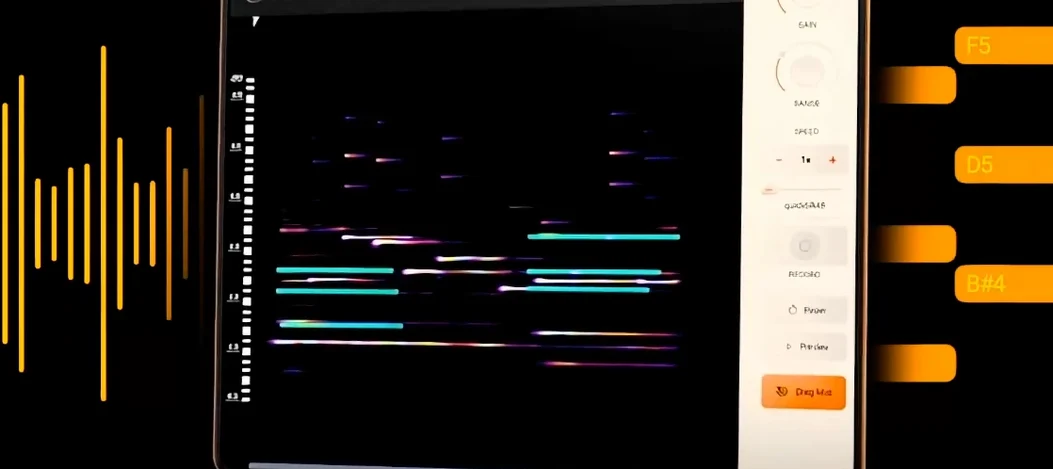 noteGRABBER
Converts the pitch and timing of one audio track into MIDI notes that drive a synth you choose.
noteGRABBER
Converts the pitch and timing of one audio track into MIDI notes that drive a synth you choose.
 Nudist Audio Nudistort
Shreds audio with aggressive wavefolding, bit-crushing, and resonant filter destruction.
Nudist Audio Nudistort
Shreds audio with aggressive wavefolding, bit-crushing, and resonant filter destruction.
 oeksound soothe2
Tames harsh resonances in a recording automatically, like a spectral finger smoothing out rough edges.
oeksound soothe2
Tames harsh resonances in a recording automatically, like a spectral finger smoothing out rough edges.