 ASPNetWorld
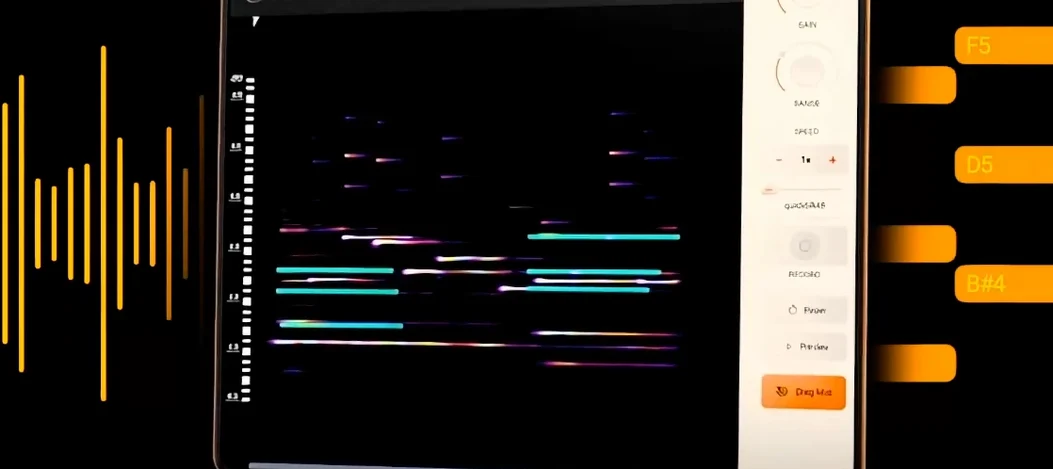
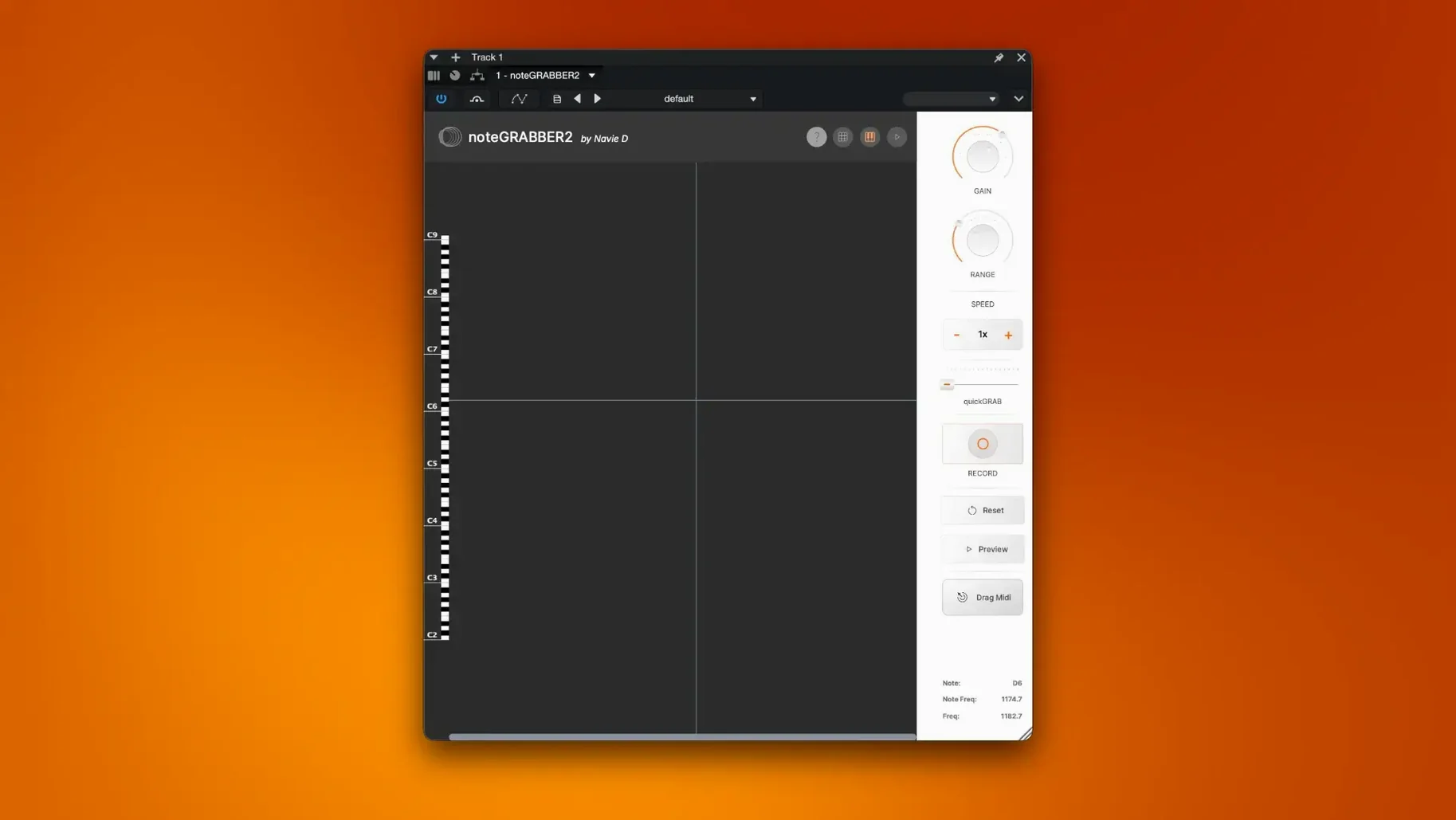
You drop a dusty soul loop into your DAW, hit play, and the vocal chop you loved is now a completely new staccato synth line, following the original pitch and timing with a weird, mechanical precision. That is the core idea behind noteGRABBER 2 from Navie D, a plugin that listens to the notes in an audio file and writes them out as MIDI data in real time.
It runs as a standard plug-in on both Apple Silicon and Intel 64-bit Macs, sitting happily inside every major DAW that supports the format. System requirements are refreshingly gentle: you only need macOS 10.12 or newer, so even older studio machines can join in.
What makes the tool genuinely useful for sample-based beat making is how it decouples a sound’s character from its performance. Analysing a complex chord stab gives you precise note information you can then send to a soft synth, a bass patch, or even a drum rack, creating polyrhythmic patterns the original musician never intended. It is less about transcription and more about feeding your own musical ideas with the harmonic DNA of someone else’s record.
Distributed in English, the interface stays out of the way so you can concentrate on dragging audio in and watching the MIDI stream out, ready to be mangled further.
It handles chords and stacked vocals, not just single notes
One of the first things producers want to know is whether noteGRABBER 2 works with polyphonic material or only single-note lines. The answer is firmly on the polyphonic side: chords, stacked vocals, even a whole four-bar loop crammed with piano and strings will be analysed, and the plug-in will spit out corresponding multi-note MIDI clusters. Naturally, the cleaner and more isolated the source, the tighter the translation, but it genuinely digs into dense material and pulls out harmonic surprises you might not have spotted with your ears alone.
Another recurring concern is latency. Because the analysis happens as you play the audio through the plug-in, you might expect a noticeable delay between the original sound and the MIDI output. In practice the detection feels almost instantaneous, certainly close enough that you can run a sample, grab the MIDI, and immediately start layering a new instrument without nudging notes around afterwards. A lot of the notegrabber 2 review chatter in forums centres on exactly this point: people are surprised how little they need to compensate after capture.
Then there is the question of plug-in format. It loads as a regular effect insert—not a virtual instrument—and appears in the standard plug-in menu of whatever DAW you use. If your host can route MIDI from an effect to another track, you are set. Most modern DAWs handle this without fuss, but it is worth checking your routing setup before your first session so you are not hunting through menus while a creative moment fades.
Occasionally someone searches for a noteGRABBER 2 crack or noteGRABBER crack, curious about what the tool can do and how it might fit into their workflow. The genuine article is straightforward: a single installer that puts the plug-in where it belongs, with clear instructions for getting it running. No hidden dependencies, no extra helper apps.
Start with a sample you know by heart and compare the output
Spend your first hour with material you already know intimately, such as a sample you have used in three different beats and can hum in your sleep. Feed it through noteGRABBER 2 and compare what comes out against what you thought was happening harmonically. I guarantee you will find a ghost note or a held suspension you missed, and that one discovery will teach you more about the plug-in’s sensitivity than any manual.
Experiment with the input level before you press play. A quiet, badly gained sample produces flaky MIDI; a signal that hits a healthy level without clipping gives much cleaner note tracking. If your source is a dusty vinyl rip with a soft top end, a touch of gentle EQ or even a transparent gain plug-in placed before noteGRABBER 2 can work wonders, sharpening transients for the detection algorithm without altering what you hear downstream.
Route the MIDI to something absurd on day one. Send a saxophone loop’s note data to a kick drum synth, or map a choir stab to a glockenspiel patch an octave up. The point is not musical greatness; it is training your fingers and ears to treat MIDI capture as a creative effect rather than a forensic tool. Once that mental gear clicks, you will reach for the plug-in much earlier in your workflow.
Keep an empty MIDI clip armed on the destination track. Nothing is more frustrating than hearing a perfect capture unfold and realising you forgot to hit record. Most DAWs let you set the track to monitor its input while recording, so you hear the result and capture it simultaneously.
Turning a dusty trumpet phrase into editable MIDI in one move
Imagine a beat maker who collects crackly Eastern European jazz records. They drop a trumpet and piano phrase into their timeline, a gorgeous two-bar figure that feels melancholic and slightly out of tune. Instead of spending forty minutes with an EQ trying to isolate the trumpet, they insert noteGRABBER 2 on the audio track, route MIDI to a blank instrument lane, and load a felt piano library. What comes out is not a carbon copy: the timing wobbles and some ghost overtones from the piano become extra MIDI notes, but the emotional shape is intact. They delete the lowest octave of captured notes, keep the trumpet-like upper register, and re-harmonise underneath with a different chord progression entirely. Within ten minutes they have a new melodic hook that carries the dusty warmth of the original sample but none of its harmonic baggage, ready to be chopped, reversed, or pitched down into something unrecognisable.
Reopening a project doesn’t force you to re-capture anything
Most users discover the basic drag-and-drop workflow within seconds, but a few quieter features reward the curious. For one, noteGRABBER 2 remembers its analysis state between sessions, so reopening a project does not force you to re-capture everything. The MIDI stream picks up where it left off, which is a small mercy when you are revisiting a half-finished idea from a fortnight ago.
The plug-in also respects host transport. If your DAW is looping a four-bar region, noteGRABBER 2 analyses only that section on each pass, letting you try different destination instruments against the same phrase without re-triggering manually. Producers who work in rapid iterative bursts, stacking five or six layers over one loop, will find this shaves a surprising amount of friction off the process.
A less obvious shortcut involves the way the plug-in handles silence. On a track with gaps between phrases, the MIDI output simply stops, producing clean note-offs rather than a stream of hanging notes. That means you can capture a whole arrangement pass—verses, choruses, the lot—and the resulting MIDI clip will be usable immediately, without a separate clean-up pass to delete spurious sustain events.
Lastly, if you find yourself searching for notegrabber 2 reviews to see whether others have stumbled on the same tricks, you will notice a common thread: people underestimate how quickly the plug-in becomes a permanent insert on their sampling bus. Once it lives there, the habit of checking what any piece of audio sounds like as MIDI becomes second nature, and that is where the real fun begins.
- macOS 10.12 or later
- Apple Silicon or Intel 64-bit processor
- A host application that supports the plug-in format
Questions I keep hearing
What exactly does noteGRABBER 2 do?
It is a sample-to-MIDI tool that analyzes the notes within an audio file and converts that performance into MIDI data, which you can then use to drive other virtual instruments.
Questions from the class 0
Sign in or join the class to ask a question.
Nobody has asked anything yet. If you have used it on a real job, say what the file did.
Also on the VST Plugins shelf
The whole VST Plugins shelf Nudist Audio Nudistort
Shreds audio with aggressive wavefolding, bit-crushing, and resonant filter destruction.
Nudist Audio Nudistort
Shreds audio with aggressive wavefolding, bit-crushing, and resonant filter destruction.
 oeksound soothe2
Tames harsh resonances in a recording automatically, like a spectral finger smoothing out rough edges.
oeksound soothe2
Tames harsh resonances in a recording automatically, like a spectral finger smoothing out rough edges.
 Neural DSP Soldano SLO-100 X
Recreates a classic high-gain valve amplifier head and its matching speaker cabinet.
Neural DSP Soldano SLO-100 X
Recreates a classic high-gain valve amplifier head and its matching speaker cabinet.
 Omnisphere
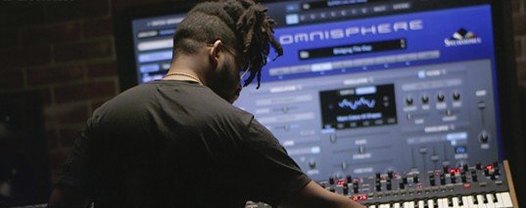
Synthesises otherworldly pads and textures by combining over 60 GB of samples with deep sound-design tools.
Omnisphere
Synthesises otherworldly pads and textures by combining over 60 GB of samples with deep sound-design tools.
 Neural DSP Parallax X
Shapes the low-end of a bass guitar with a multi-band processor for clarity and weight.
Neural DSP Parallax X
Shapes the low-end of a bass guitar with a multi-band processor for clarity and weight.
 Neural DSP Mantra
Processes a vocal track with pitch correction, compression, saturation, and spatial effects inside your DAW.
Neural DSP Mantra
Processes a vocal track with pitch correction, compression, saturation, and spatial effects inside your DAW.
 Neural DSP Archetype Rabea X
Recreates a versatile guitar amplifier and a built-in analogue-style monosynth in one plugin.
Neural DSP Archetype Rabea X
Recreates a versatile guitar amplifier and a built-in analogue-style monosynth in one plugin.
 Neural DSP Archetype Petrucci
Recreates the signature amplifier and effects rig of a progressive-metal guitarist.
Neural DSP Archetype Petrucci
Recreates the signature amplifier and effects rig of a progressive-metal guitarist.