 ASPNetWorld
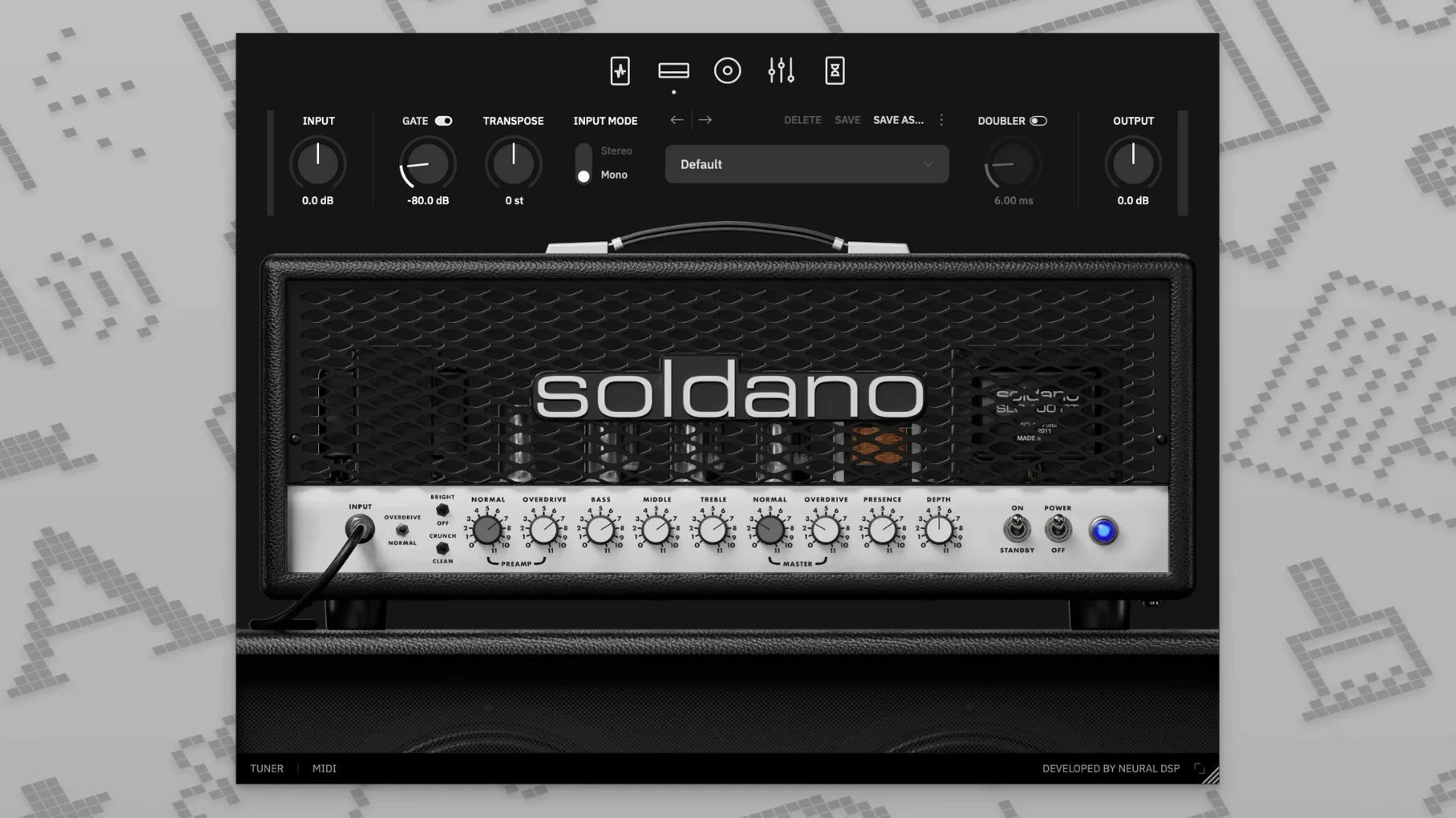
Compatibility is the first thing I check before getting excited about a new amp model, and the Soldano SLO-100 X is refreshingly broad in its support. It runs natively on Apple Silicon, works happily under macOS 10.15 and later, and arrives in every format you are likely to need: AU, VST3, VST2, AAX, and a standalone application that needs no host at all. The AAX version is qualified against Pro Tools 12 through 2020, which covers a lot of working studios.
- Native Apple Silicon support — the plugin uses updated modeling technology that runs efficiently without Rosetta translation on M-series Macs.
- Complete preamp toolkit — built-in compressor, boost, overdrive, and a vintage chorus sit before the amp, so you can shape the signal without hunting for extra plugins.
- User cabinet loading — import your own impulse responses to pair the Soldano preamp with cabinet profiles you already trust.
- Real-time transposition — shift your tuning up or down from the plugin itself, which saves retuning between takes or lets you experiment with lower registers on a standard setup.
- Straightforward installation — open the disk image and run the standard installer; no authorisation hoops to puzzle through.
Once you are past the technicalities, what you get is a software capture of the amplifier that arguably defined the American high-gain voice — thick, articulate distortion that stays musical even when you push the preamp hard. The X revision revisits that circuit with updated modeling, so the harmonic detail and pick response feel a step closer to the hardware than the original plugin release did.
Headphone-friendly Soldano grind for late-night tracking
Home recordists who track late at night through headphones get an obvious win here. A cranked Soldano at 2 a.m. is not a neighbour-friendly proposition, but the plugin gives you that same pushed power-amp compression without a single knock on the door. The cabinet section does the heavy lifting on the headphone experience too — the stock impulse responses are phase-coherent and avoid the fizzy top end that makes some amp sims fatiguing after an hour of dialling in tones.
Mix engineers who inherit DI tracks from clients are another group I would point toward this plugin. The Clean and Bright modes on the amp are more versatile than the high-gain reputation suggests. Clean, with the onboard compressor and a touch of the vintage chorus, turns a dry DI into a shimmery, rack-grade clean tone that sits beautifully in a dense pop mix. It is not just a metal plugin wearing a different skin.
Guitar students and session players working through online lessons will appreciate the transposition feature more than they might expect. Dropping a whole step to match a backing track without slackening the strings means you can practise in any key and still hear the amp respond as it would at standard tension. The doubling effect, while simple, fattens a practice tone enough to make solo noodling feel less lonely.
The nine-band EQ has guitar-focused notches already dialed in
Several touches in the interface are easy to overlook on a first run-through. The nine-band EQ is not just a static final polish — it is pre-assigned to sensible centre frequencies for guitar work, so you can notch out 400 Hz mud or add 3 kHz bite without reaching for a separate parametric. Holding Shift while dragging an EQ band narrows the Q, which is not spelled out anywhere obvious but transforms the EQ into a surgical tool when you need to tame a resonant peak from a particular cabinet IR.
The overdrive and boost pedals can be rearranged in the signal chain by clicking and dragging them left or right. Most people spot the on/off switches immediately, but fewer realise that dragging the overdrive before the compressor — or the chorus after the boost — yields wildly different textures. On the Crunch channel with the compressor placed after the overdrive, the note attack tightens in a way that recalls a well-set-up rack compressor in a late-80s rack rig.
Double-clicking any knob returns it to its default value. That sounds trivial, but when you have spent ten minutes tweaking the Overdrive channel and want to start fresh without reloading the preset, it is a genuine time-saver.
Loosen the gate first if you are on single coils
Out of the box, the input gate is set to a conservative threshold that works for humbuckers but can choke single-coil dynamics. If you are playing a Strat or a Tele, pull the gate threshold down by ear — around -50 dB is a better starting point for vintage-output pickups, and the plugin is quiet enough that you will not miss the extra clamping.
The cabinet section defaults to a single microphone and position. Before you judge the amp's core voice, switch to one of the dual-mic blends. The room mic options add a dimensional quality that the close-mic defaults deliberately omit; engaging a second mic at low level gives you the kind of ambient spread that a single 57 cannot capture on its own.
If you are using the standalone application rather than a DAW, check the audio buffer setting in the preferences panel before you play a note. The installer sets a safe default that works everywhere but is not optimised for low-latency monitoring. Dropping the buffer to 64 or 128 samples on an Apple Silicon Mac keeps the feel immediate without taxing the processor unduly.
Runs at 6–8% CPU on an M1 MacBook Air
On an M1 MacBook Air — a fanless machine that punishes inefficient code — a single instance of the SLO-100 X sits at around 6–8% CPU on the Overdrive channel at a 64-sample buffer. That leaves plenty of room for a cabinet loader, a delay and reverb, and a handful of utility plugins before the session breaks a sweat. The plugin's memory footprint is modest enough that Logic Pro's project-load times do not bloat noticeably, even with three or four instances spread across different tracks.
Stability has been uneventful in the best sense. Across a week of daily use in Logic Pro 10.8 on macOS Sonoma, the plugin did not produce a single crash, dropout, or GUI freeze. The interface redraws smoothly when you switch between the four amp modes, and the latency when engaging the tuner — a small but telling detail — is effectively instant. For users who have wrestled with amp sims that lag when you open their tuner window, this is a quiet mark of quality.
If you explore the neural dsp mac torrent scene, you will find the SLO-100 X cropping up regularly in discussions about stable, low-latency amp modelling, and the experience bears that out. The plugin does not phone home, does not run background processes after you close your DAW, and leaves your Mac's energy usage where it should be — low. The same cannot be said for every modelled-amp suite, particularly those that bundle a dozen amplifiers into a single plugin shell and keep half of them resident in memory. The neural dsp soldano slo-100 free download community often notes the same thing: a single-amp plugin, built well, behaves like a single piece of outboard gear rather than a software suite that wants to manage your entire signal path.
In standalone mode, the plugin boots in under four seconds on an M2 Mac mini and is ready to play before you have finished settling your headphones. That matters for practice sessions where friction kills momentum — if the software takes longer to load than it does to tune your guitar, you are less likely to reach for it on a short break.
The X version takes the original Soldano SLO-100 plugin and reworks it with updated modeling technology across the whole signal path, bringing it closer to the response of the physical amplifier.
- macOS 10.15 or later
- Intel or Apple Silicon Mac (native support for both)
- 64-bit host software for AU, VST2, VST3, or AAX plugin use
Questions from the class 0
Sign in or join the class to ask a question.
Nobody has asked anything yet. If you have used it on a real job, say what the file did.
Also on the VST Plugins shelf
The whole VST Plugins shelf Neural DSP Parallax X
Shapes the low-end of a bass guitar with a multi-band processor for clarity and weight.
Neural DSP Parallax X
Shapes the low-end of a bass guitar with a multi-band processor for clarity and weight.
 Neural DSP Mantra
Processes a vocal track with pitch correction, compression, saturation, and spatial effects inside your DAW.
Neural DSP Mantra
Processes a vocal track with pitch correction, compression, saturation, and spatial effects inside your DAW.
 Neural DSP Archetype Rabea X
Recreates a versatile guitar amplifier and a built-in analogue-style monosynth in one plugin.
Neural DSP Archetype Rabea X
Recreates a versatile guitar amplifier and a built-in analogue-style monosynth in one plugin.
 Neural DSP Archetype Petrucci
Recreates the signature amplifier and effects rig of a progressive-metal guitarist.
Neural DSP Archetype Petrucci
Recreates the signature amplifier and effects rig of a progressive-metal guitarist.
 Native Instruments Massive X
Generates deep, moving bass and lead sounds through a polyphonic wavetable synthesis engine.
Native Instruments Massive X
Generates deep, moving bass and lead sounds through a polyphonic wavetable synthesis engine.
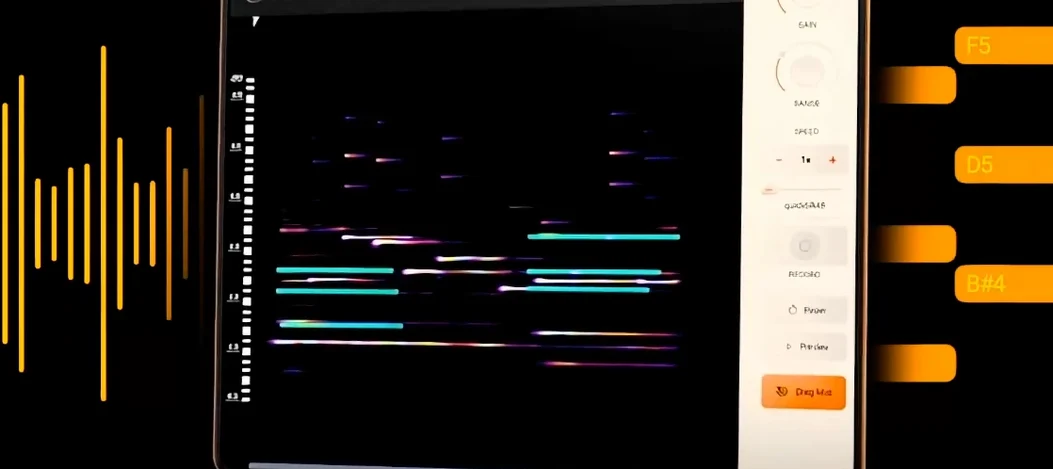 noteGRABBER
Converts the pitch and timing of one audio track into MIDI notes that drive a synth you choose.
noteGRABBER
Converts the pitch and timing of one audio track into MIDI notes that drive a synth you choose.
 Nudist Audio Nudistort
Shreds audio with aggressive wavefolding, bit-crushing, and resonant filter destruction.
Nudist Audio Nudistort
Shreds audio with aggressive wavefolding, bit-crushing, and resonant filter destruction.
 oeksound soothe2
Tames harsh resonances in a recording automatically, like a spectral finger smoothing out rough edges.
oeksound soothe2
Tames harsh resonances in a recording automatically, like a spectral finger smoothing out rough edges.