 ASPNetWorld
Version 1.0.0 of Parallax X lands as a fully independent plugin, not just an update to the original. It introduces a handful of practical tools for the practice room—Transpose, a Live Tuner, and a surprisingly flexible metronome—while wrapping the established multiband processing engine in a cleaner, redesigned interface. For anyone hunting down the right bass tone on a Mac, the architecture support is the first thing to check.
- Host and format compatibility. Parallax X runs as a 64-bit AU, VST3, or AAX plugin inside your DAW. It asks for macOS 11 or later and includes a native Apple Silicon build, so there is no translation layer slowing things down on an M-series machine.
- Standalone mode. You can open the plugin as its own application. This is where the new metronome lives, complete with time signature, accent, and note-length controls—handy for warming up without launching a full session.
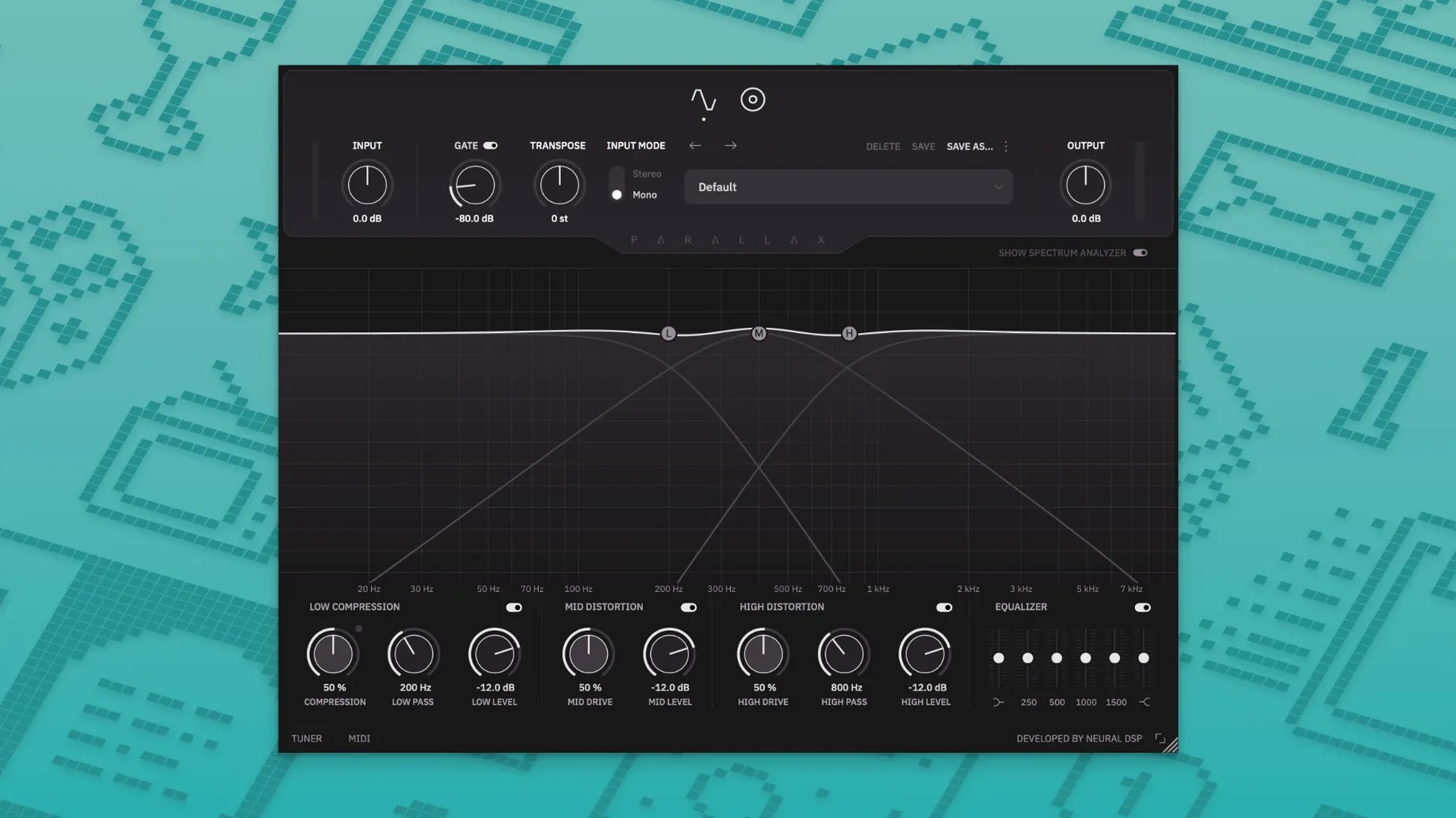
- Three-band parallel processing. The core idea hasn't changed: your bass signal is split into low, mid, and high paths, each treated with its own compression or distortion character, then blended back together.
- Mid-range articulation. The dedicated mid-band distortion is the secret to note definition. A little drive here pushes the attack forward without muddying the bottom, which is what you want when a pick or finger needs to speak clearly in a dense mix.
- Cabinet section. Six virtual microphones sit on the other side of the processing chain, letting you shape the spatial character of the tone. The low-frequency compressor, meanwhile, keeps the sub content controlled before it ever reaches the virtual cabinet.
- Preset migration. If you already built a library of sounds in the original Parallax, the installer finds those legacy user presets and imports them into the new user folder. No manual copying required.
Parallax X separates your low end into a manageable architecture—tight compression below, articulate grit in the middle, and whatever presence you need up top—then stitches it back together with a cab simulation that adds real dimension. The new metronome and tuner turn it into a legitimate practice companion, while the Apple Silicon support means the computer isn't working harder than it needs to.
Click and drag the spectrum analyser to shape tones
Some of the most useful behaviour in Parallax X is tucked away where you wouldn't think to look. The spectrum analyser, for instance, isn't just a passive display—click and drag anywhere along its curve and you are adjusting the nearest EQ band directly. It sounds obvious once you have done it, but plenty of users stare at it for weeks before trying. The same goes for the Transpose knob: hold Shift while turning it and the pitch snaps to semitones instead of gliding freely, which is exactly what you want when doubling a part an octave down.
The Live Tuner deserves a proper mention too. It sits in the top bar of both the plugin and the standalone window, always active, and it mutes the output the moment you open it—no more fumbling for the mute button on your interface while the band waits. In standalone mode, the metronome can be set to accent specific subdivisions, and the note-length control goes all the way down to sixteenth-note triplets, which turns a basic click into a proper rhythm trainer for tricky bass lines.
Another quiet detail: the cabinet section applies only to the mid and high bands. Your low end stays clean and direct, which is how most engineers would set things up manually anyway, but having it baked into the routing means one less thing to think about when you are dialling in a sound at speed.
EQ, compression, and blend controls now live on one screen
The jump from the original Parallax to Parallax X is less about a new sound engine and more about removing friction. The redesigned interface puts the six-band EQ and the compression controls on the same screen as the distortion blending, so you are no longer tabbing between panels mid-session. The spectrum analyser got a visual overhaul as well—it updates more smoothly now and the frequency labels are easier to read at a glance, which matters when you are trying to spot a resonant peak before it feeds back.
Transpose is the feature that changes how you work with the plugin day to day. Instead of reaching for a separate pitch shifter or retuning the instrument, you can drop or raise the entire signal by up to an octave right inside the plugin. For a session bassist who shows up with a four-string but needs a low B for one song, that is a genuine time-saver.
The factory preset library also got a refresh. The new patches lean harder into the parallel distortion architecture, with several presets that blend a clean low end against a heavily saturated mid-range in ways that show off what the tube-modelling stage can do. If you are exploring a neural dsp torrent or hunting for a neural dsp mac download to try the presets yourself, the installer keeps both Parallax and Parallax X side by side—your old sessions won't break, and your legacy presets come across automatically.
It installs as a separate plugin alongside the original
Does Parallax X replace the original Parallax? No, it installs as a separate plugin. Both versions appear in your DAW's plugin list, and the installer deliberately leaves the original intact. That means any project that relied on the earlier version will open exactly as it did before, while new projects can use Parallax X without any conflict.
Will it run natively on an M1 or M2 Mac? Yes. The Apple Silicon build is included in the installer, so the plugin loads without Rosetta translation. That keeps latency low and CPU usage predictable, which is especially welcome when you are running multiple instances in a busy mix session. The same installer also covers Intel Macs, so you are covered either way.
Does the standalone mode need a DAW? Not at all. The standalone application opens like any other Mac program, with full access to your audio interface, the tuner, and the metronome. It is a practical way to practise with your processed bass tone without the overhead of launching Logic or Ableton just to hear yourself play. Anyone who grabbed a parallax x torrent or a neural dsp crack mac build to test the waters will find the standalone mode particularly useful for quick plug-and-play sessions.
Parallax X 1.0.0 arrives as a separate plugin with a refreshed identity. The biggest practical additions are a Transpose control for quick key changes, a Live Tuner, and a Metronome that works in standalone mode. The interface has been redesigned around a new Spectrum Analyzer, and a set of fresh factory presets comes bundled in.
- Transpose, Live Tuner, and Metronome features added for practice and session flexibility.
- Revamped interface built around a redesigned Spectrum Analyzer.
- New factory presets to explore the updated signal chain.
- macOS 11 or later
- 64-bit Intel or Apple Silicon processor
- Host support for AU, VST3, or AAX plugin formats
Questions I keep hearing
Does Parallax X replace the original Parallax plugin?
No, it installs as a separate version. Both plugins can live on the same system, and your legacy user presets are imported into Parallax X automatically during setup.
What does the standalone mode include?
The standalone mode lets you run Parallax X without a DAW and adds a built-in metronome with time signature, accent, and note-length controls, plus a tuner.
Is there native Apple Silicon support?
Yes, version 1.0.0 includes a native build for Apple Silicon Macs alongside the Intel 64-bit build.
Questions from the class 0
Sign in or join the class to ask a question.
Nobody has asked anything yet. If you have used it on a real job, say what the file did.
Also on the VST Plugins shelf
The whole VST Plugins shelf Neural DSP Soldano SLO-100 X
Recreates a classic high-gain valve amplifier head and its matching speaker cabinet.
Neural DSP Soldano SLO-100 X
Recreates a classic high-gain valve amplifier head and its matching speaker cabinet.
 Neural DSP Mantra
Processes a vocal track with pitch correction, compression, saturation, and spatial effects inside your DAW.
Neural DSP Mantra
Processes a vocal track with pitch correction, compression, saturation, and spatial effects inside your DAW.
 Neural DSP Archetype Rabea X
Recreates a versatile guitar amplifier and a built-in analogue-style monosynth in one plugin.
Neural DSP Archetype Rabea X
Recreates a versatile guitar amplifier and a built-in analogue-style monosynth in one plugin.
 Neural DSP Archetype Petrucci
Recreates the signature amplifier and effects rig of a progressive-metal guitarist.
Neural DSP Archetype Petrucci
Recreates the signature amplifier and effects rig of a progressive-metal guitarist.
 Native Instruments Massive X
Generates deep, moving bass and lead sounds through a polyphonic wavetable synthesis engine.
Native Instruments Massive X
Generates deep, moving bass and lead sounds through a polyphonic wavetable synthesis engine.
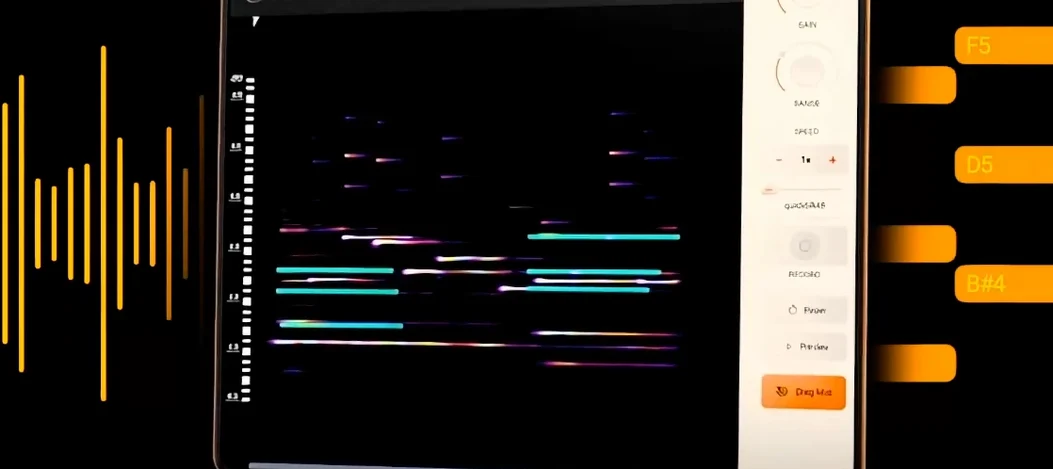 noteGRABBER
Converts the pitch and timing of one audio track into MIDI notes that drive a synth you choose.
noteGRABBER
Converts the pitch and timing of one audio track into MIDI notes that drive a synth you choose.
 Nudist Audio Nudistort
Shreds audio with aggressive wavefolding, bit-crushing, and resonant filter destruction.
Nudist Audio Nudistort
Shreds audio with aggressive wavefolding, bit-crushing, and resonant filter destruction.
 oeksound soothe2
Tames harsh resonances in a recording automatically, like a spectral finger smoothing out rough edges.
oeksound soothe2
Tames harsh resonances in a recording automatically, like a spectral finger smoothing out rough edges.