 ASPNetWorld
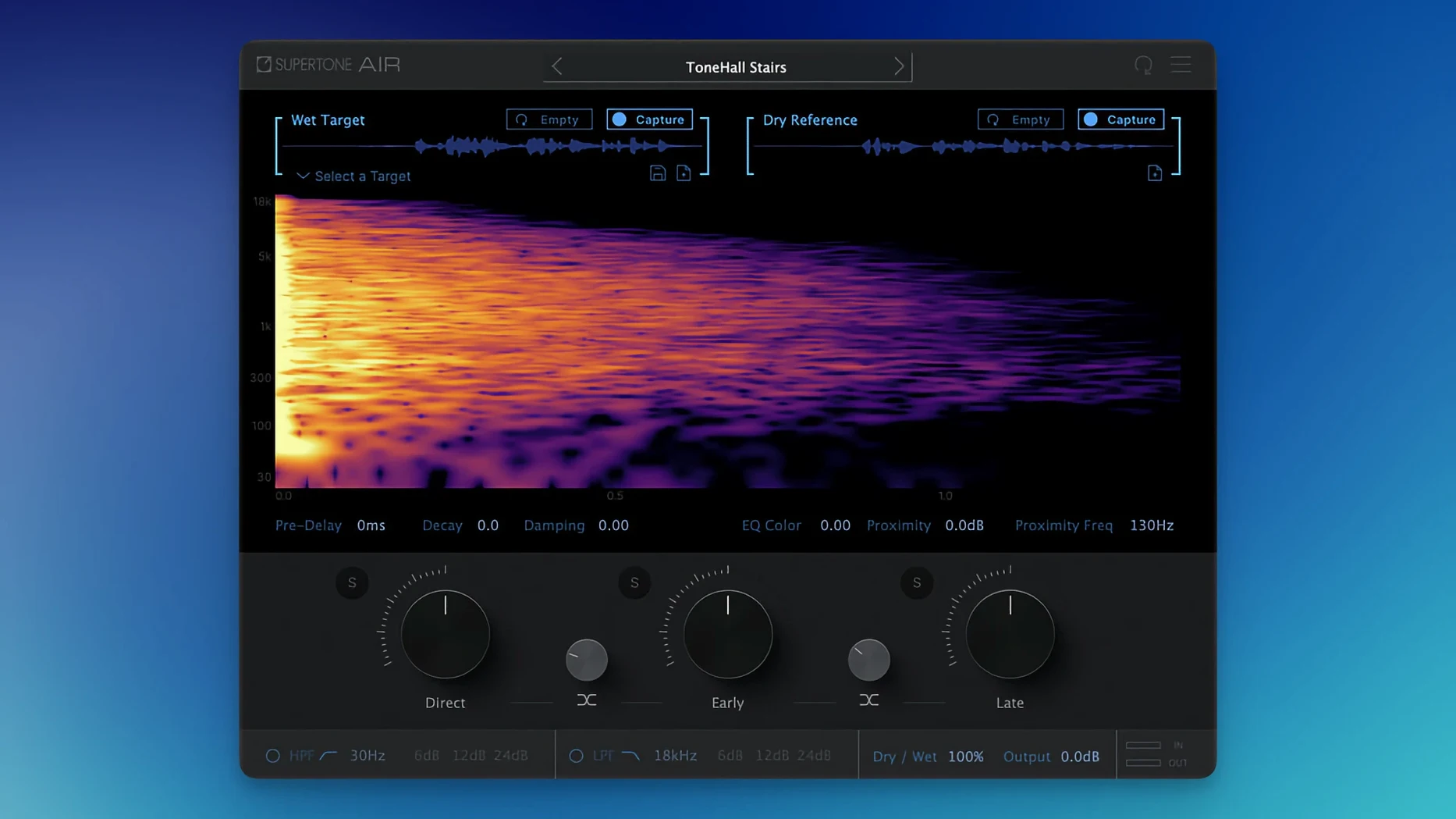
Air operates at up to 96 kHz and works entirely offline through Pro Tools AudioSuite — it is not a real‑time mixer insert. The plug‑in is built for one job: taking a line recorded in a booth and making it sit inside the production sound as if it had always been there.
Breaking the scene into three layers
The processing splits the acoustic signature into direct sound, early reflections and late reflections. Each has its own fader, so you can decide whether the voice needs more of the room’s initial slap or just a touch of its tail. In practice, pulling back the late reflections while keeping the early ones forward can rescue a line that was recorded too close without making it sound washed out. The direct control is effectively a dry/wet balance for the tonal match itself — useful when the neural transfer gets the EQ curve right but over‑softens the transients.
How the transfer behaves in a session
Because the engine works on rendered clips rather than streaming audio, you select a short snippet of production dialogue as a reference, then apply the transfer to the ADR region. The neural network analyses the spectral and spatial fingerprint of the reference and maps it onto the target. At 48 kHz the transfer feels transparent; switching a session to 96 kHz tightens the stereo image of the reflections slightly, which helps when matching boom‑and‑lav mixes where the room tone is more directional. There is no real‑time preview — you process, listen, tweak the three faders and process again. It is a fast, iterative rhythm that suits dialogue editors who already work in AudioSuite for noise reduction and clip gain.
Rescuing a last‑minute ADR mismatch with a 416 in a broom cupboard
Picture a Friday afternoon on the dub stage. The director has just asked for a last‑minute line change, and the actor is in a broom‑cupboard‑sized VO booth two floors down with an MKH 416 that sounds nothing like the location boom from the outdoor terrace scene shot six months ago. You have eight minutes before the review screening. You grab a four‑second slice of the original production dialogue from the same scene — a moment where nobody speaks, just a breath and the distant traffic — and feed it to Supertone Air as the reference. The new line processes in AudioSuite almost before your finger leaves the mouse. A quick nudge of the late reflections fader softens the cupboard’s boxy resonance, the early reflections bring back the sense of open air, and the direct fader keeps the consonants crisp enough to cut through the score. The editor drops the clip into the timeline, the director nods, and nobody ever asks why the terrace suddenly sounded like a broom cupboard. That is the kind of rescue Air was built for: zero drama, just a line that fits.
Dragging the late‑field decay down to tighten a reverb tail instantly
Beneath the main three‑fader panel sit a handful of touches that speed up repetitive work without calling attention to themselves. The decay and damping controls for the late field are not just cosmetic trims — they let you shorten a captured space without re‑capturing, which is invaluable when the reference room was a fraction too lively but you have no time to hunt for a cleaner snippet. The proximity slider shifts the perceived distance of the voice within the matched space; pull it left and the actor moves closer to the listener even though the room envelope stays intact. It is a single‑parameter fix for ADR that feels too distant, and it works without making the voice sound unnaturally dry.
One workflow detail that reward newcomers: Air profiles are portable. You can capture a tricky room — a stone stairwell, a tiled kitchen, a car interior — on the editing machine, save the profile, and carry it on a USB stick to the mix stage. The profile file is tiny, so a whole library of spaces fits in a project folder. If you prefer an even more self‑contained approach, the plug‑in also exports the captured space as a standard WAV impulse response, which you can then drop into any convolution reverb for real‑time monitoring during the premix — a useful bridge between Air’s offline precision and the real‑time needs of the console.
Building reference snippets from real set silence, not plug‑in room tone
When you first load Air into Pro Tools, spend ten minutes building a personal set of reference snippets from the projects you are currently cutting. Pick moments of genuine set silence — not room tone generated by a noise‑reduction plug‑in, but actual air from the location recordings. The neural network latches onto subtle spectral fingerprints that artificial room tone cannot reproduce, and starting with clean references early saves a lot of guesswork later. Store the snippets on a dedicated track labelled “Air References” inside your template; they will be there every time you open a session.
A trick for the first week: before processing a line, duplicate the ADR clip and leave the duplicate muted on a spare track. Air overwrites the selection in AudioSuite, so having the raw recording tucked away means you can re‑process with different fader balances if the director changes their mind about how close the voice should feel. The plug‑in processes quickly enough that running three variations of the same line — one tight, one open, one in between — takes under a minute, and you can comp the best fit while the conversation moves on.
If you see the plug‑in file name appear as Supertone Air rather than a shorter variant, that is the 1.0.1 [GUISEPPE] update at work, fixing a conflict for anyone who had Sound Particles Air installed previously. The change is cosmetic but it prevents the system from loading the wrong plug‑in, so the first launch should be uneventful. Users who search for supertone clear mac or supertone air will find this build is the one that plays nicely alongside other dialogue tools.
AudioSuite editors who stay inside the render window and skip extra clicks
Dialogue editors who live inside Pro Tools AudioSuite will feel at home immediately. The plug‑in fits a workflow they already know — select a region, open the render window, process, audition — and adds almost no extra clicks. Because it does not run in real time, it never taxes the playback engine, so even an older Mac running a heavy dialogue‑edit session stays responsive. The offline‑only approach may feel strange to re‑recording mixers who prefer continuous monitoring, but as a fast‑turnaround problem‑solver it earns its place on the mix stage for emergency fixes, especially when the alternative is a convoluted chain of EQ, reverb sends and hope.
Post‑production houses that handle a lot of ADR for drama and documentary gain the most from Air’s neural scene transfer. The plug‑in reduces the back‑and‑forth between editor and mixer over whether a line “sits right,” because the tonal and spatial elements are matched in a single pass. Independent sound designers working on lower‑budget films, where the original production audio often comes from a single mic in challenging rooms, will also find it a lifeline — it can pull a performance into the scene without the tell‑tale gloss of a generic reverb preset. Anyone who has spent an afternoon manually EQ‑matching ADR by ear and still felt the join will understand why having a dedicated transfer engine, rather than a chain of general‑purpose plug‑ins, changes the afternoon’s shape.
Version 1.0.1 is a tidy‑up release that should stop any confusion on systems that also have Sound Particles Air installed.
- The plug‑in now identifies itself as Supertone Air everywhere, replacing the old Air name.
- A conflict that prevented installation when Sound Particles Air was present has been resolved.
- macOS 10.13 or later
- Apple Silicon or Intel processor
- Supports 44.1 kHz, 48 kHz and 96 kHz sample rates
Questions I keep hearing
Can Supertone Air run as a real‑time insert in a DAW?
No — Air is designed for offline processing in Pro Tools AudioSuite, though it is supplied in AAX, VST3 and AU formats.
What sample rates does Supertone Air support?
It supports 44.1 kHz, 48 kHz and 96 kHz sample rates.
Questions from the class 0
Sign in or join the class to ask a question.
Nobody has asked anything yet. If you have used it on a real job, say what the file did.
Also on the VST Plugins shelf
The whole VST Plugins shelf Superior Drummer
Provides realistic, multi-channel drum recordings.
Superior Drummer
Provides realistic, multi-channel drum recordings.
 Synapse Audio The Legend HZ v2.0.2.R1
Recreates classic analogue synth sounds.
Synapse Audio The Legend HZ v2.0.2.R1
Recreates classic analogue synth sounds.
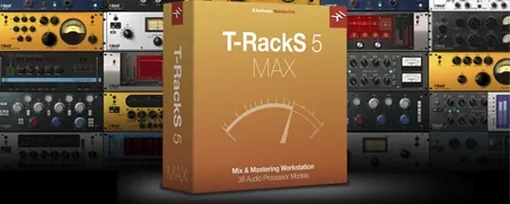 T-RackS
Masters audio with virtual studio gear.
T-RackS
Masters audio with virtual studio gear.
 Steinberg SpectraLayers Pro
Edits audio spectrally and visually.
Steinberg SpectraLayers Pro
Edits audio spectrally and visually.
 SSG Audio Optimus
Masters audio with intelligent spectral assistance.
SSG Audio Optimus
Masters audio with intelligent spectral assistance.
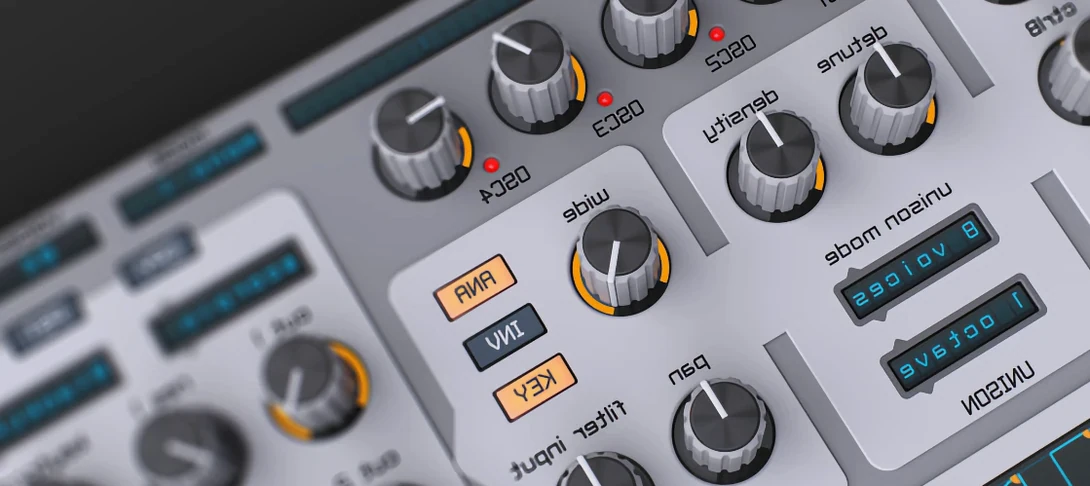 Spire
Synthesises rich virtual analogue sounds.
Spire
Synthesises rich virtual analogue sounds.
 Sonic Academy KICK
Designs a kick drum from a synthesised sub layer and sampled click layers you tune by ear.
Sonic Academy KICK
Designs a kick drum from a synthesised sub layer and sampled click layers you tune by ear.
 Slate Digital Submerge
Generates a sub-bass tone that ducks around your kick drum automatically.
Slate Digital Submerge
Generates a sub-bass tone that ducks around your kick drum automatically.